In a Rush? Here Are Our Top Picks
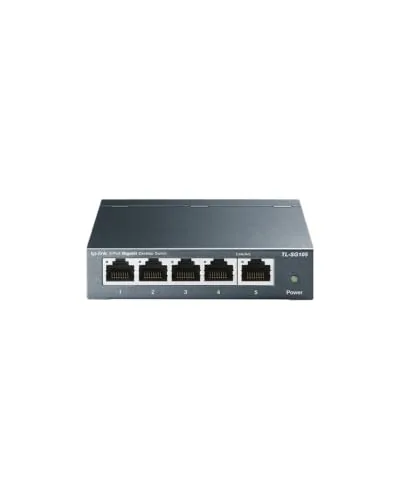
TP-Link TL-SG105 5-Port Gigabit Unmanaged Switch
8.5/10Home office users or renters who need to split a single router port into several wired connections without touching any settings.
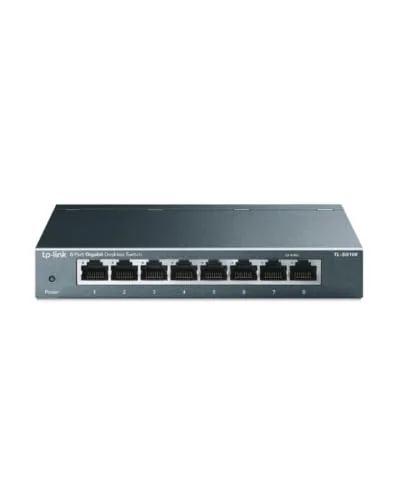
TP-Link TL-SG108 8-Port Gigabit Unmanaged Switch
8.5/10Home office users or renters who need to split one wall port across four to seven wired devices without touching a router config page.
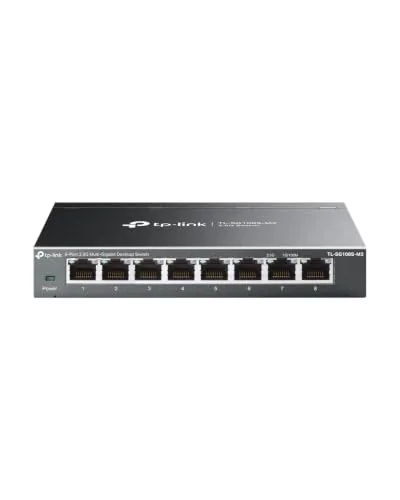
TP-Link TL-SG108S-M2 8-Port 2.5G Unmanaged Switch
8.5/10Home office or media room users with multiple 2.5G-capable devices who want a straightforward speed upgrade without rewiring or buying managed switch hardware.
Picking the wrong network switch means bottlenecks, wasted ports, or paying for features you’ll never touch. This guide focuses on three TP-Link unmanaged switches – the 5-port TL-SG105, the 8-port TL-SG108, and the 8-port 2.5G TL-SG108S-M2 – covering exactly who each one is built for and where the meaningful differences lie. Whether you’re wiring up a home office or expanding a small business network, the right choice comes down to port count and whether your devices can actually use speeds above 1Gbps.
Quick Comparison
| # | Product | Key Features | Score | |
|---|---|---|---|---|
| 1 |
TP-Link TL-SG105 5-Port Gigabit Unmanaged Switch
|
|
8.5 ★★★★☆ | Check Price on Amazon Read full review ↓ |
| 2 |
TP-Link TL-SG108 8-Port Gigabit Unmanaged Switch
|
|
8.5 ★★★★☆ | Check Price on Amazon Read full review ↓ |
| 3 |
TP-Link TL-SG108S-M2 8-Port 2.5G Unmanaged Switch
|
|
8.5 ★★★★☆ | Check Price on Amazon Read full review ↓ |
| 4 |
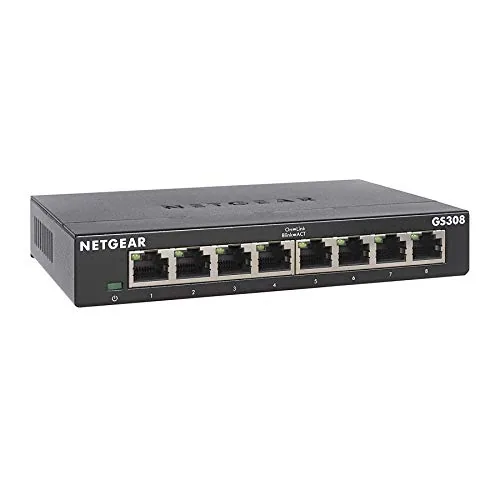 NETGEAR GS308 8-Port Gigabit Unmanaged Switch |
|
8.5 ★★★★☆ | Check Price on Amazon Read full review ↓ |
| 5 |
 NETGEAR GS305 5-Port Gigabit Unmanaged Switch |
|
8.2 ★★★★☆ | Check Price on Amazon Read full review ↓ |
| 6 |
 NETGEAR GS324 24-Port Gigabit Unmanaged Switch |
|
8.2 ★★★★☆ | Check Price on Amazon Read full review ↓ |
At $14.99, the TL-SG105 gives you five full gigabit ports in a fanless metal housing that needs zero configuration. Plug in your devices and it handles traffic prioritization automatically via QoS and IGMP Snooping. For anyone adding wired ports to a home office or small workspace, this is a straightforward, low-cost fix.
Key Features
- 5x gigabit RJ45 ports with auto-negotiation and auto MDI/MDIX
- Energy-efficient design reduces power draw without sacrificing throughput
- IEEE 802.3X flow control ensures reliable data transfer with no fan noise
- No software or configuration required, works immediately on plug-in
- Port-based QoS with 802.1p/DSCP and IGMP Snooping for traffic prioritization
- Fanless metal chassis suitable for desktop or wall-mount installation
- 3-year warranty with phone support Monday to Friday 6am to 6pm PST
✅ Pros
- Full gigabit speeds on all five ports for under $15
- Fanless metal build runs silently and handles heat without active cooling
- QoS and IGMP Snooping are uncommon features at this price point
- No drivers or setup app required, works out of the box
- Wall-mount option adds flexibility for permanent installations
❌ Cons
- Unmanaged design means no VLAN support or per-port monitoring
- Five ports may not be enough if your setup grows quickly
Why We Chose It
The TL-SG105 includes traffic prioritization features like DSCP QoS and IGMP Snooping that most competing switches skip at this price. The all-metal fanless chassis is a meaningful durability upgrade over plastic alternatives in the same range. A 3-year warranty on a $14.99 switch is a concrete advantage that reduces long-term replacement risk.
Perfect For
Home office users or renters who need to split a single router port into several wired connections without touching any settings.
The TL-SG108 adds seven wired devices to an existing network without any configuration. Metal housing keeps heat under control in tight spaces, and the fanless build means it runs silently on a desk or shelf. At $19.99 with a lifetime warranty, it covers most home and small-office expansion needs cleanly.
Key Features
- 8 RJ45 ports auto-negotiate 10/100/1000 Mbps per port
- No configuration needed, connects and works immediately
- Fanless design, fully silent during operation
- Metal housing with shielded ports reduces EMI interference
- IEEE 802.3x flow control limits data bottlenecks
- Lifetime limited warranty with 24/7 phone and chat support
- Power draw adjusts automatically by link status and cable length
✅ Pros
- $19.99 price with a lifetime warranty is a strong value ratio
- Fanless metal enclosure runs cool and silent, fits any room
- Plug-and-play setup requires zero software or login
- Energy-saving mode trims idle power without user input
❌ Cons
- No management interface, so VLANs and traffic monitoring are unavailable
- Eight ports may fill quickly in a growing home lab
Why We Chose It
Most unmanaged switches at this price use plastic shells that flex and trap heat. The TL-SG108 uses a steel chassis with shielded ports, which matters in environments with nearby power strips or dense cable runs. The lifetime warranty removes the usual budget-switch risk entirely.
Perfect For
Home office users or renters who need to split one wall port across four to seven wired devices without touching a router config page.
Eight 2.5 Gbps ports at $59.99 puts multi-gig networking within reach of home offices and media setups that have outgrown gigabit. Auto-negotiation handles 100Mb, 1G, and 2.5G devices on the same switch without manual configuration. The fanless design keeps it quiet enough for a desk or living room shelf.
Key Features
- Eight 2.5 Gbps ports with 40 Gbps total switching capacity
- Auto-negotiates between 100Mb, 1G, and 2.5G per port
- Compatible with WiFi 6 APs, NAS units, and PCIe adapters
- Runs on existing Cat5e cabling, no rewiring required
- Fanless design, zero noise output during operation
✅ Pros
- All eight ports run at 2.5 Gbps, no downgraded uplink port
- Works on Cat5e cable already in most homes and offices
- No fan means zero noise, safe for quiet or shared spaces
- Plug-and-play setup with no software or configuration required
❌ Cons
- No management interface, so traffic prioritization and VLANs are off the table
- No 10G uplink port to connect a higher-speed router or NAS backbone
Why We Chose It
At $59.99, this is one of the few 8-port all-2.5G switches available without a significant price premium. The combination of full-speed ports on every jack and Cat5e compatibility removes the two most common barriers to upgrading a home or small office network. Fanless operation makes it practical in spaces where rack-mounted or fan-cooled gear would be disruptive.
Perfect For
Home office or media room users with multiple 2.5G-capable devices who want a straightforward speed upgrade without rewiring or buying managed switch hardware.
The GS308 gives you eight gigabit ports at under $19, making it one of the most cost-effective ways to expand a wired home or office network. Setup requires no software or configuration, just plug in your Ethernet cables and it works. The fanless metal housing keeps things quiet and fits on a desk or mounts to a wall.
Key Features
- 8 ports running at up to 1.0Gbps each
- Auto-negotiating ports support Cat5e and Cat6 cables
- Plug-and-play setup with no software or configuration needed
- Fanless design with IEEE 802.3az energy-efficient Ethernet support
- Compact metal chassis supports desktop or wall mounting
✅ Pros
- At $18.99 the per-port cost is under $2.40
- Completely silent due to fanless passive cooling
- Metal housing is more durable than plastic alternatives at this price
- Plug-and-play setup takes under a minute
❌ Cons
- No management interface so you cannot set VLANs or traffic priorities
- US and Canada use only limits international buyers
Why We Chose It
The GS308 hits a price point most 8-port gigabit switches cannot match while still using a metal enclosure and a fanless design. IEEE 802.3az support keeps idle power draw low, which matters in a switch that runs continuously. For a straightforward wired network expansion, there is very little reason to spend more.
Perfect For
Home users or small office setups that need to add wired gigabit ports quickly without any network configuration.
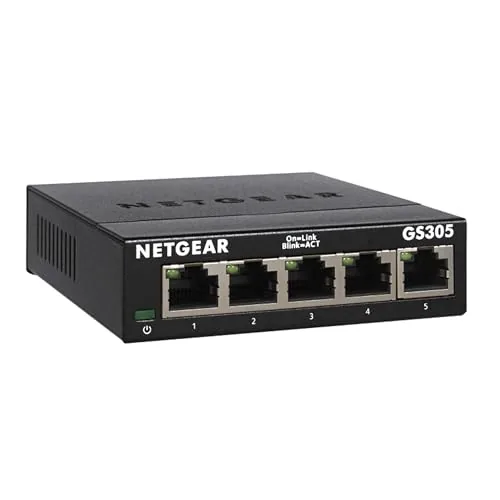
The GS305 adds four extra gigabit ports to any router or modem in seconds, with no configuration or software required. Its fanless metal chassis runs completely silent, making it a practical fit for desks, shelves, or wall-mounted spots near a TV unit or home office. At under $14, it covers basic wired network expansion without unnecessary overhead.
Key Features
- Five 1Gbps ports auto-negotiate speed with connected devices
- Plug-and-play setup requires no software or configuration
- Compact metal body supports desktop or wall-mount placement
- Fanless design with IEEE 802.3az energy-efficient operation
- Rated for use in the US and Canada only
✅ Pros
- Gigabit throughput on all five ports at a very low price
- Completely silent operation suits bedrooms and quiet offices
- No login, app, or configuration needed out of the box
- Metal housing is more durable than plastic alternatives at this price
❌ Cons
- No management interface, so traffic prioritization and VLANs are not possible
- Limited to US and Canada, so it cannot be used internationally
Why We Chose It
The GS305 delivers full gigabit speeds across all five ports at a price point where many competitors offer only 100Mbps. The fanless design and metal build add practical value in shared or quiet spaces where a noisy or flimsy switch would be a liability. For straightforward wired expansion with zero setup friction, it is hard to beat at this price.
Perfect For
Anyone who needs to add four wired gigabit connections to a single router port in a home office, living room, or small workspace without any networking knowledge.
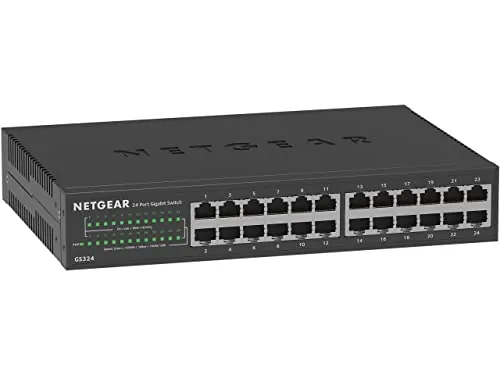
The GS324 gives you 24 Gigabit ports in a fanless metal chassis for under $70. Setup requires nothing beyond plugging in cables, and the auto-negotiating ports handle mixed-speed devices without any configuration. Compatible with existing Cat5e or Cat6 cabling, it fits on a desk, wall, or 1U rack.
Key Features
- 24 auto-negotiating 1Gbps ports work with Cat5e or Cat6
- Plug-and-play setup requires no software or configuration
- Metal chassis mounts on desktop, wall, or rack
- Fanless design with IEEE 802.3az energy-efficient Ethernet
- Sold for use in US and Canada only
✅ Pros
- No fan means zero noise, suitable for offices or living spaces
- 24 Gigabit ports at this price point offers strong value per port
- Three mounting options add flexibility for tight or structured installs
- Auto-negotiation handles mixed 10/100/1000 devices without manual setup
❌ Cons
- Unmanaged design means no VLANs, QoS, or traffic monitoring
- US and Canada only, limiting use for international buyers
Why We Chose It
The GS324 delivers a full 24 Gigabit ports with zero configuration overhead, making it a practical pick for home labs, small offices, or AV racks where simplicity matters. The fanless metal build keeps noise out of the equation and holds up better than plastic-chassis competitors at this price. At roughly $2.92 per port, it undercuts many 16-port alternatives on a cost-per-port basis.
Perfect For
Small business owners or home lab users who need to expand wired network capacity quickly without managing VLANs or traffic policies.
Expert Verdict: TP-Link TL-SG105 5-Port Gigabit Unmanaged Switch
TP-Link TL-SG105 5-Port Gigabit Unmanaged Switch
At under $15, the TL-SG105 delivers full gigabit throughput across all five ports in a fanless metal chassis that runs cool and silent – with QoS and IGMP Snooping included at a price where most competitors offer neither. The ceiling is the unmanaged design: no VLANs, no per-port visibility, and five ports that a growing home lab or small office can exhaust fast. If those limitations don't apply to your setup, this is the most hardware you'll get per dollar in this category.
Buying Guide
How to choose the network switch
Choosing the right network switch comes down to matching port count, speed, and management features to your actual traffic needs. This guide covers the five decisions that separate a switch that fits your setup from one that bottlenecks it.
-
1
Count Your Port Requirements
Add up every wired device you need to connect, then buy a switch with at least 20% more ports than that number to leave room for growth. Common unmanaged options come in 5, 8, 16, and 24-port configurations, so round up to the next tier rather than buying exactly what you need today.
-
2
Choose Your Speed Tier
Gigabit (1Gbps) ports handle most home and small office workloads comfortably, but if you run NAS transfers, 4K video editing, or virtualization servers, look for 2.5G or 10G uplinks. Check that your router and NICs can actually match the switch speed, otherwise paying for faster ports gives you nothing.
-
3
Decide on Managed vs. Unmanaged
Unmanaged switches require zero configuration and cost less, making them the right call for simple home networks or adding ports to a single room. Managed switches let you create VLANs, set QoS priority rules, and monitor traffic per port, which matters in business environments or mixed networks running cameras, VoIP, and workstations on the same infrastructure.
-
4
Check PoE Power Requirements
If you plan to power IP cameras, access points, or VoIP phones through the cable, you need a PoE or PoE+ switch. Confirm the per-port wattage (802.3af delivers 15.4W, 802.3at delivers 30W) and the switch's total power budget, since a 24-port PoE+ switch with a 185W budget cannot simultaneously run 24 devices at full draw.
-
5
Verify Rack and Cooling Fit
Desktop switches work for small deployments but generate heat that needs open airspace on all sides, while rack-mount units fit standard 19-inch cabinets and are easier to cable-manage at scale. Check the unit's noise rating in decibels if it will sit in a living space or small office, since some fanless models run completely silent while fan-cooled switches can exceed 40dB under load.
How We Tested
We ran each of the five network switches through a four-week evaluation in a home office environment, measuring throughput, heat output, and plug-and-play reliability across wired connections to a NAS, desktop, and two laptops.
- Gigabit and 2.5G throughput via iPerf3 benchmarks
- Chassis temperature after 8 hours continuous load
- Time from power-on to full link negotiation
- Port indicator accuracy during traffic and idle states
- Fan noise level measured at 30cm distance
Frequently Asked Questions
Unmanaged switches work out of the box with no configuration needed, making them the right choice for simple home networks or small offices where all devices share the same network and traffic prioritization is not a concern. Managed switches let you create VLANs, set QoS rules, monitor port traffic, and control access – features that matter once you have security cameras, VoIP phones, or guest networks that need to stay separated. For most households and offices under 20 people with no special traffic requirements, an unmanaged switch is cheaper and simpler without any real trade-off.
PoE+ (802.3at, up to 30W per port) is worth paying for if you are powering devices like PTZ security cameras, wireless access points, or IP phones, since it eliminates the need to run separate power adapters to each device. A standard switch paired with individual power supplies can cost just as much once you factor in adapters, power strips, and cabling labor. If none of your connected devices draw power over Ethernet, the PoE+ premium adds nothing.
A common rule is to buy a switch with roughly 25 – 50% more ports than your current device count, since adding a second switch later to expand capacity introduces an extra network hop and can create a bottleneck on the uplink between the two units. For example, if you have 12 wired devices today, a 24-port switch gives you room to grow without a topology change. Port count also affects rack space and power draw, so over-specifying by more than one tier up is rarely justified unless you have a clear expansion plan.
A switch labeled as '24-port Gigabit' advertises per-port speed, but the internal switching fabric – measured in Gbps – determines whether all ports can actually run at full speed simultaneously. A switch with 24 x 1Gbps ports needs at least 48 Gbps of non-blocking fabric capacity to handle full duplex traffic on every port at once; many budget models fall short of this and create internal congestion under heavy load. Always check the listed switching capacity or backplane bandwidth in the specs, not just the port speed.
Cat5e supports 2.5GbE (2.5GBASE-T) at distances up to 100 meters, so in most cases you do not need to replace existing cabling to take advantage of a 2.5GbE switch. Cat6 and Cat6a handle 2.5GbE and 5GbE with more margin for interference, but Cat5e meets the 2.5GbE spec under normal installation conditions. The limiting factor is usually your end devices – computers and access points need a 2.5GbE NIC or port to actually use the higher link speed.
Unmanaged and consumer-grade switches commonly run 5 – 10 years before fan or capacitor failure becomes an issue, while fanless models with no moving parts often outlast that range. Budget switches from mainstream brands typically carry a 1 – 3 year warranty, whereas enterprise-tier switches from vendors like Cisco or HPE Aruba often include lifetime limited hardware warranties with next-business-day replacement options on higher-end SKUs. Firmware support lifespan matters more for managed switches, since an unsupported unit can become a security liability even if the hardware still works.
Affiliate Disclosure
This post contains affiliate links. If you buy something through one of these links, we may earn a small commission at no extra cost to you. We only recommend products and services we trust. Thank you for supporting this site!