In a Rush? Here Are Our Top Picks
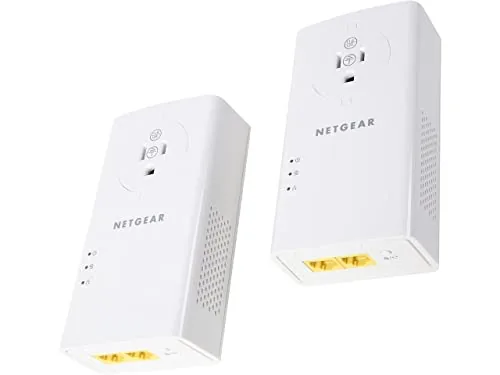
NETGEAR PLP2000 Powerline Adapter Kit 2000Mbps 2-Pack
8.2/10Renters or homeowners who need a stable wired connection in a room where running Ethernet cable is not practical, especially for 4K streaming or console gaming.
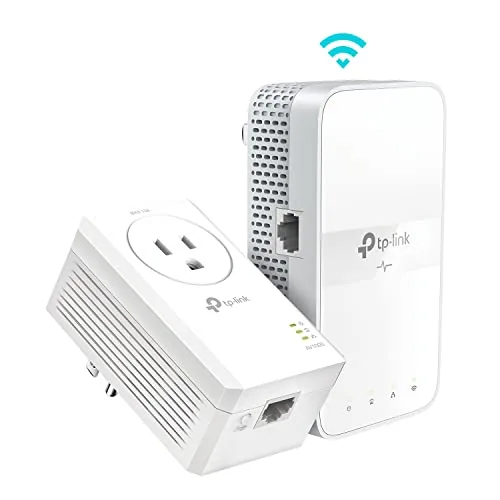
TP-Link TL-WPA7617 AV1000 Powerline WiFi Extender Kit
8.2/10Homeowners who need reliable wired or Wi-Fi connectivity in a basement, garage, or room where Wi-Fi signals cannot reach and running Ethernet cable is not practical.
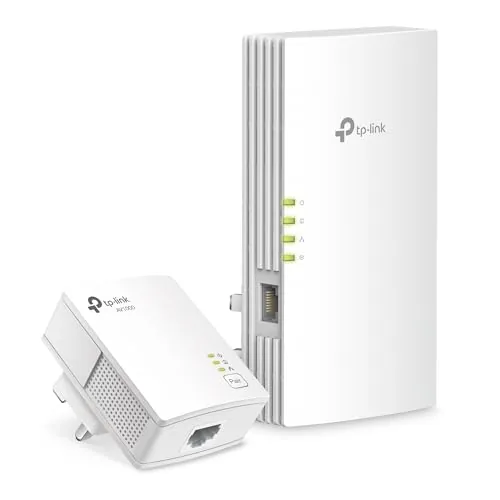
TP-Link TL-WPA7817 KIT AV1000 Powerline + Wi-Fi 6
8.0/10Renters or homeowners with thick concrete or brick walls who need reliable connectivity in a room a traditional range extender cannot reach.
Powerline adapters solve a specific problem: your router is in one room, your smart TV, gaming console, or home office is in another, and Wi-Fi either can’t reach or can’t keep up. Instead of running ethernet cable through walls, you plug one adapter near your router and another near the device that needs a connection, and your home’s existing electrical wiring carries the signal between them. The three kits worth your attention right now are the NETGEAR PLP2000, the TP-Link TL-WPA7617, and the TP-Link TL-WPA7817 – and which one fits your setup depends on whether you need raw wired speed, wireless coverage, or Wi-Fi 6 support.
Quick Comparison
| # | Product | Key Features | Score | |
|---|---|---|---|---|
| 1 |
NETGEAR PLP2000 Powerline Adapter Kit 2000Mbps 2-Pack
|
|
8.2 ★★★★☆ | Check Price on Amazon Read full review ↓ |
| 2 |
TP-Link TL-WPA7617 AV1000 Powerline WiFi Extender Kit
|
|
8.2 ★★★★☆ | Check Price on Amazon Read full review ↓ |
| 3 |
TP-Link TL-WPA7817 KIT AV1000 Powerline + Wi-Fi 6
|
|
8.0 ★★★★☆ | Check Price on Amazon Read full review ↓ |
| 4 |
 TP-Link TL-PA7017 AV1000 Powerline Adapter Kit |
|
7.8 ★★★★☆ | Check Price on Amazon Read full review ↓ |
| 5 |
 TP-Link TL-PA9020P AV2000 Powerline Adapter 2-Port Kit |
|
7.8 ★★★★☆ | Check Price on Amazon Read full review ↓ |
| 6 |
 NETGEAR PL1000 Powerline Adapter Kit 1000 Mbps |
|
7.8 ★★★★☆ | Check Price on Amazon Read full review ↓ |
| 7 |
 TP-Link TL-PA4010 KIT AV600 Powerline Adapter Pair |
|
7.5 ★★★★☆ | Check Price on Amazon Read full review ↓ |
| 8 |
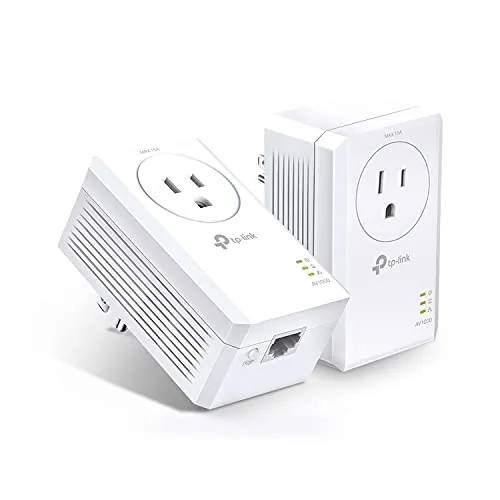 TP-Link TL-PA7017P KIT AV1000 Powerline Adapter Pair |
|
7.5 ★★★★☆ | Check Price on Amazon Read full review ↓ |
| 9 |
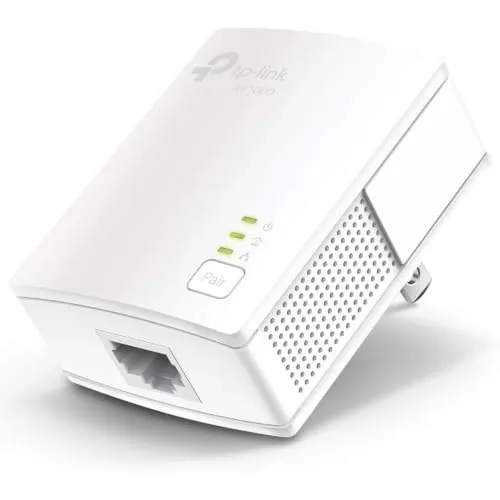 TP-Link TL-PA7017 AV1000 Powerline Add-On Adapter |
|
7.5 ★★★★☆ | Check Price on Amazon Read full review ↓ |
Extends your wired network to any room using existing electrical wiring, no new cables required. Each adapter has two Ethernet ports, so one unit can serve a TV and game console simultaneously. The integrated passthrough outlet preserves the wall socket and filters electrical noise for cleaner signal.
Key Features
- Uses household electrical wiring to extend wired internet
- HomePlug AV2 supports up to 2000Mbps through power outlets
- Two RJ-45 Ethernet ports per adapter for multiple devices
- Built-in noise-filtered passthrough outlet on each unit
- MIMO with Beamforming directs signal for better throughput
- Plug and play setup, no software or configuration needed
- Works on 100V to 240V input, 50 or 60Hz
- Connect additional adapters to expand network coverage
✅ Pros
- Two Ethernet ports per adapter allow connecting two devices per outlet
- Passthrough outlet means you lose no wall socket
- No software setup required, just plug in and pair
- Wide voltage range makes it usable in most countries
- MIMO and Beamforming improve real-world throughput on older wiring
❌ Cons
- Actual speeds depend heavily on home wiring quality and age
- 2000Mbps is a theoretical ceiling, real-world throughput will be lower
Why We Chose It
The dual Ethernet ports on each unit give it practical flexibility that single-port competitors lack, letting you connect a smart TV and a streaming box from one outlet. The integrated passthrough with noise filtering addresses the common problem of powerline adapters degrading signal on busy circuits. At 109.99 for a two-pack, it covers one room-to-room run without needing additional hardware.
Perfect For
Renters or homeowners who need a stable wired connection in a room where running Ethernet cable is not practical, especially for 4K streaming or console gaming.
This kit runs your network through existing electrical wiring, reaching spots up to 750 feet away where Wi-Fi extenders and routers fall short. The remote unit broadcasts AC1200 dual-band Wi-Fi and includes a gigabit Ethernet port for wired devices. Setup requires no configuration, just plug both adapters into wall outlets on the same circuit.
Key Features
- Extends wired network up to 750ft through electrical wiring
- AV1000 HomePlug AV2 standard over existing home circuits
- Dual-band Wi-Fi 5: 867 Mbps on 5GHz, 300 Mbps on 2.4GHz
- Gigabit Ethernet port for desktops, TVs, and game consoles
- Passthrough outlet preserves the wall socket you plug into
- No configuration required, pairs automatically out of the box
- Compatible with TP-Link OneMesh routers and mesh systems
- Both adapters must share the same electrical circuit to work
- Does not work with surge protectors, requires direct outlet
✅ Pros
- Reaches basements, attics, and garages where Wi-Fi signals degrade
- Passthrough design means you do not lose a wall outlet
- Gigabit port delivers wired speeds to a TV or console
- OneMesh compatibility integrates into existing TP-Link mesh setups
- Zero-configuration setup suits buyers who avoid router admin panels
❌ Cons
- Real-world speeds vary with wiring age, distance, and circuit quality
- Surge protectors block the connection, limiting placement options
Why We Chose It
The passthrough outlet and gigabit port address two common complaints about powerline adapters: losing a socket and being limited to Wi-Fi only. The 750-foot electrical-wiring range covers most multi-story homes, including detached garages on the same circuit. OneMesh support makes it useful beyond a standalone kit for TP-Link router owners.
Perfect For
Homeowners who need reliable wired or Wi-Fi connectivity in a basement, garage, or room where Wi-Fi signals cannot reach and running Ethernet cable is not practical.
This two-adapter kit runs your network signal through existing electrical wiring, solving dead zones that thick walls and long distances create for standard routers. The extender unit broadcasts dual-band Wi-Fi 6 at up to 1201 Mbps on 5 GHz and connects wired devices via a Gigabit Ethernet port. Setup takes under five minutes using the Pair button, with optional EasyMesh integration for smooth roaming if you have a compatible router.
Key Features
- Uses existing electrical wiring to bypass thick walls and dead zones
- Plug-and-pair setup requires no configuration software
- AV1000 HomePlug AV2 powerline rated up to 980 feet range
- Dual-band Wi-Fi 6 delivers 1201 Mbps at 5 GHz and 300 Mbps at 2.4 GHz
- Both adapters must share the same electrical circuit to function
- Compatible with EasyMesh for smooth whole-home roaming coverage
- WiFi Clone button copies router SSID and password in one press
- Gigabit Ethernet port included for wired game consoles and smart TVs
✅ Pros
- Wi-Fi 6 on the extender unit supports up to 64 simultaneous devices
- Gigabit Ethernet port handles bandwidth-heavy wired devices reliably
- EasyMesh compatibility allows smooth handoff between access points
- No drilling or running cable required for installation
❌ Cons
- Will not function through surge protectors, limiting outlet placement
- Real-world powerline speeds drop significantly on older or noisy wiring
Why We Chose It
The combination of powerline backhaul and a Wi-Fi 6 extender in one kit addresses situations where mesh satellites lose too much signal over the air. At $84.99 it covers both a wired drop point and wireless coverage expansion without buying separate hardware. EasyMesh support keeps it useful long-term if you later upgrade your router.
Perfect For
Renters or homeowners with thick concrete or brick walls who need reliable connectivity in a room a traditional range extender cannot reach.
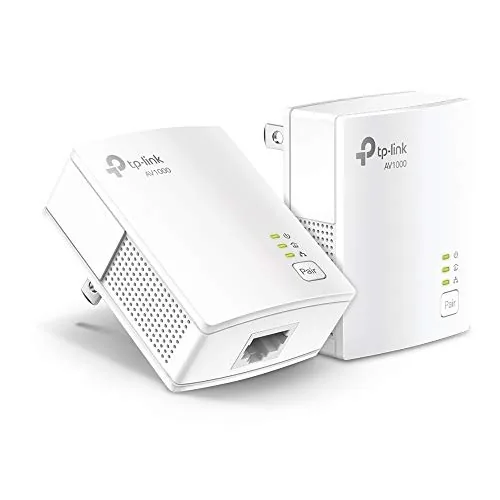
Runs a wired Ethernet connection through your existing electrical wiring, covering up to 750 feet between adapters. Setup requires no configuration: plug one adapter near your router, one near your device, connect via the included Ethernet cables, and you’re done. The gigabit port handles 4K streaming, gaming consoles, and desktop PCs without the latency spikes common on Wi-Fi extenders.
Key Features
- Routes Ethernet through electrical wiring up to 750 feet
- HomePlug AV2 with AV1000 theoretical throughput
- Gigabit Ethernet port included with Ethernet cables
- Plug-and-play setup, no software or configuration needed
- Compatible with all TP-Link powerline adapters
- AFCI breakers and power strips will block functionality
- Must plug directly into wall outlets on same circuit
- CISA Secure-by-Design pledge signatory, 128-bit AES encryption
✅ Pros
- Zero configuration required, functional in under two minutes
- Gigabit port supports high-bandwidth devices like gaming consoles and smart TVs
- Nano form factor avoids blocking adjacent wall outlets
- Works where Wi-Fi extenders fail due to thick walls or floors
❌ Cons
- Homes with AFCI breakers common after 2000 may see degraded or no performance
- Real-world throughput varies significantly with wiring age and distance
Why We Chose It
The TL-PA7017 KIT delivers a straightforward wired connection solution for rooms where running cable or extending Wi-Fi is impractical. The nano size and plug-and-play design lower the barrier for non-technical users, and the gigabit port future-proofs it for faster internet tiers. The AFCI breaker caveat is a genuine limitation worth checking before purchase, but the price point makes it a low-risk test for most homes.
Perfect For
Homeowners in older pre-2000 construction who need a stable wired connection in a basement, garage, or upper floor without running new Ethernet cable.
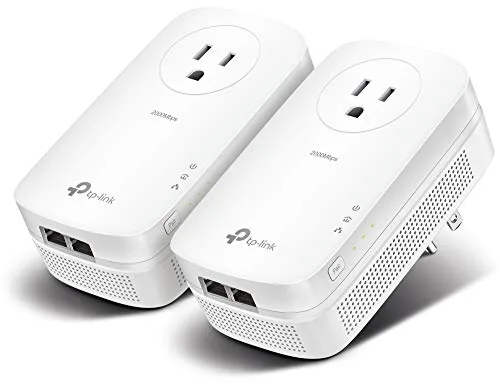
This two-adapter kit runs wired Ethernet through your home’s existing electrical wiring, covering up to 750 feet across floors and through concrete walls. Two gigabit ports on each adapter let you connect a TV and console simultaneously without adding a switch. Setup requires no software, just plug both adapters into wall outlets on the same circuit.
Key Features
- Transmits Ethernet data over existing home electrical wiring
- HomePlug AV2 standard, up to 2000 Mbps theoretical throughput
- Reaches up to 750ft through walls, floors, and ceilings
- Two gigabit Ethernet ports per adapter, cables included
- Must plug directly into wall outlets, not power strips
- May underperform or fail with AFCI breakers in post-2000 homes
- No configuration needed, pairs automatically out of the box
- Compatible with AV200 through AV2000 powerline adapters
✅ Pros
- Two gigabit ports per adapter reduces need for an extra switch
- 750-foot range handles multi-story homes and detached garages
- Backward-compatible with older AV200 to AV1300 adapters already in use
- No drilling, no new cable runs, installs in under two minutes
❌ Cons
- AFCI circuit breakers, common in homes built after 2000, can block or degrade the connection entirely
- Real-world speeds fall well short of the 2000 Mbps rating depending on wiring age and electrical noise
Why We Chose It
The dual gigabit ports give this kit a practical edge over single-port powerline adapters at a similar price, letting you wire a TV and a streaming box or console from one wall outlet. The 750-foot rated distance is the widest coverage in TP-Link’s consumer powerline lineup, making it the better fit for older homes with thick plaster walls or for reaching a basement workshop. The AFCI caveat is a real disqualifier for many buyers, so checking your breaker panel before purchasing is essential.
Perfect For
Homeowners in pre-2000 houses who need a stable wired connection in a room where running new Ethernet cable is not practical and Wi-Fi signal is unreliable.
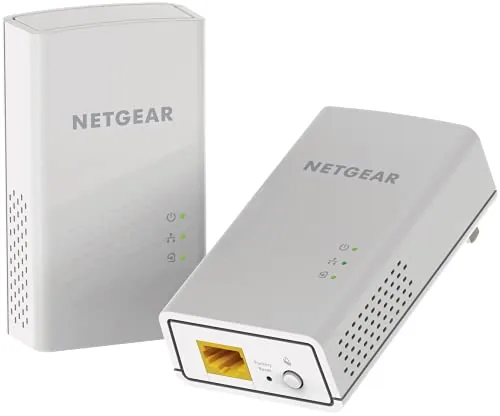
The PL1000 runs a wired network connection through your home’s existing electrical wiring, skipping the need for long Ethernet cable runs or Wi-Fi dead zones. At 1000 Mbps theoretical throughput with HomePlug AV2 support, it handles 4K streaming and online gaming without the latency spikes of wireless. Setup requires no configuration, just plug both adapters in and connect via the Gigabit Ethernet ports.
Key Features
- Uses existing electrical wiring to extend wired network access
- Theoretical speeds up to 1000 Mbps via HomePlug AV2
- One Gigabit Ethernet port per adapter for direct device connection
- Compatible with smart TVs, streaming players, and game consoles
- Supports 4K streaming and low-latency gaming connections
- Expandable by adding more adapters to the same electrical network
✅ Pros
- No new cabling required, works through standard household wiring
- Gigabit Ethernet port delivers stable speeds to a single wired device
- Plug-and-play setup with no software or router login needed
- HomePlug AV2 keeps latency low enough for competitive gaming
❌ Cons
- Real-world speeds drop significantly on older or noisy electrical wiring
- At $109.99, pricing is high relative to competing powerline kits
Why We Chose It
The PL1000 earns its place when Wi-Fi signal cannot reliably reach a TV room, basement, or detached garage and running Ethernet cable is impractical. Its HomePlug AV2 standard gives it a meaningful throughput advantage over older 500 Mbps powerline kits, making it usable for 4K streams that require sustained 25 Mbps or more. The single Gigabit port per unit keeps the hardware simple and the connection stable for one device at a time.
Perfect For
Homeowners who need a stable wired connection for a game console or 4K TV in a room where Wi-Fi signal is unreliable and running Ethernet is not an option.
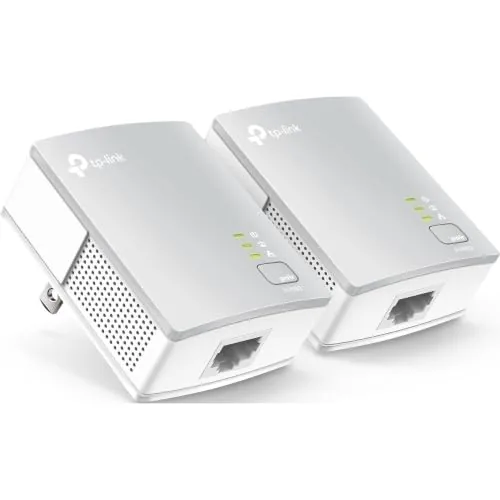
The TL-PA4010 KIT runs a wired Ethernet connection through your home’s existing electrical wiring, no new cables or configuration required. At $22.81 for a two-adapter set with an included Ethernet cable, it’s a practical fix for dead zones caused by thick walls or multiple floors. The 100 Mbps port handles streaming, gaming, and desktop use on a secure, stable connection.
Key Features
- Routes Ethernet through existing electrical wiring up to 750 feet
- AV600 standard delivers up to 600 Mbps theoretical throughput
- 100 Mbps Ethernet port included with one Ethernet cable
- Plug-and-play setup, no software or configuration needed
- Power-saving mode reduces energy draw when idle
- Nano-sized form factor minimizes wall outlet footprint
- Must plug directly into wall outlets, not power strips
- May not work with AFCI breakers common in post-2000 homes
- Incompatible with DD-WRT or non-standard router firmware
- Compatible with other TP-Link powerline adapters
✅ Pros
- No configuration required, operational in under two minutes
- Compact size leaves the second wall outlet accessible
- At $22.81 for a complete kit, entry cost is low
- Wired connection is more stable than Wi-Fi extenders in thick-wall situations
- Ethernet cable included so no additional purchase needed
❌ Cons
- AFCI breakers found in many homes built after 2000 can block performance entirely
- 100 Mbps port caps real-world throughput, unsuitable for multi-gigabit internet plans
Why We Chose It
The TL-PA4010 KIT solves a specific problem at a low price: getting a stable wired connection to a room where Wi-Fi is unreliable and running a cable is impractical. The plug-and-play setup and included cable mean zero additional purchases for most buyers. The AFCI breaker limitation is a real risk worth checking before buying, but for older homes or compatible wiring the value is clear.
Perfect For
Renters or homeowners in pre-2000 construction who need a stable wired connection in a basement, attic, or far room without running new cables.
Runs a wired Ethernet connection through your home’s existing electrical wiring, bypassing walls and floors that kill Wi-Fi signals. Each adapter has a gigabit port and a passthrough outlet so you don’t lose the wall socket. Setup requires no app or configuration, just plug both adapters in and connect an Ethernet cable.
Key Features
- Routes Ethernet through existing electrical wiring, up to AV1000 speeds
- HomePlug AV2 standard handles thick walls, multiple floors, basements, garages
- Must plug directly into wall outlets on the same electrical circuit
- May fail in homes with AFCI breakers, common in builds after 2000
- One gigabit Ethernet port per adapter, Ethernet cables included
- Passthrough outlet preserves the wall socket for other devices
- No configuration needed, pair and connect with Ethernet cable
- Power saving mode cuts consumption by up to 85 percent
✅ Pros
- Passthrough outlet means you lose no wall socket
- Gigabit port supports wired speeds for gaming consoles, smart TVs, and desktops
- No app or configuration required, functional within minutes
- Power saving mode reduces idle energy draw by up to 85 percent
❌ Cons
- AFCI breakers found in most post-2000 homes can block or degrade performance
- Real-world throughput depends heavily on electrical circuit quality and distance
Why We Chose It
The passthrough outlet is a practical advantage over basic powerline kits that block the wall socket entirely. At $55.51 for a two-adapter kit with gigabit ports and included Ethernet cables, the per-port cost is competitive. The AFCI breaker caveat is a genuine risk worth flagging, but for older homes or circuits confirmed to be compatible, this kit delivers reliable wired speeds without running cable through walls.
Perfect For
Renters or homeowners in pre-2000 construction who need a stable wired connection in a room where running Ethernet cable or relying on Wi-Fi is not practical.
This add-on unit extends a wired Ethernet connection through your home’s existing electrical wiring, reaching up to 750 feet without new cables or Wi-Fi dead zones. It pairs with any TP-Link powerline adapter and ships with an Ethernet cable. Setup requires no configuration, just plug into a wall outlet on the same circuit.
Key Features
- Routes Ethernet through existing electrical wiring, bypasses thick walls
- HomePlug AV2 delivers AV1000 speeds up to 750 feet
- Works well in basements, attics, garages, and multi-story homes
- Must plug directly into wall outlets, not power strips or surge protectors
- AFCI breakers and open-source router firmware may block performance
- Single Gigabit Ethernet port for desktops, smart TVs, or game consoles
- CISA Secure-by-Design signatory with security built into hardware design
- Plug-and-play pairing, no configuration or new wiring required
✅ Pros
- Nano form factor leaves the second outlet free in most cases
- Gigabit port handles 4K streaming and gaming without Wi-Fi interference
- Compatible with all TP-Link powerline adapters, easy to expand later
- Ethernet cable included, ready to use out of the box
❌ Cons
- AFCI breakers common in post-2000 homes can block or degrade performance
- Sold as an add-on unit only, requires an existing TP-Link powerline starter kit
Why We Chose It
At $23.98 this is one of the cheaper ways to add a wired drop to a room where running cable is impractical. The Gigabit port keeps it relevant for bandwidth-heavy devices, and the HomePlug AV2 standard offers reasonable real-world throughput compared to older AV500 units. The AFCI caveat is worth checking before buying, but for homes where it is compatible, the setup takes under five minutes.
Perfect For
Homeowners who need a wired connection in a basement, garage, or back bedroom and already own a TP-Link powerline adapter at the router end.
Expert Verdict: NETGEAR PLP2000 Powerline Adapter Kit 2000Mbps 2-Pack
NETGEAR PLP2000 Powerline Adapter Kit 2000Mbps 2-Pack
The PLP2000 solves a real problem – getting wired connections to rooms where running Ethernet cable isn't practical – and the dual-port design plus passthrough outlet make it genuinely useful without sacrificing wall space. Your actual speeds will land well below 2000Mbps, especially in older homes with aging electrical circuits, but for 4K streaming and console gaming the real-world throughput is typically sufficient. At its price point, it earns the 8.2 if your house was built after the mid-1990s and your electrical panel is in reasonable shape.
Buying Guide
How to choose the powerline adapter
Powerline adapters let you extend your wired network through your home's existing electrical wiring, which makes them useful when Wi-Fi signal is weak or running ethernet cable through walls isn't practical. Before you buy, a few key specs and house-specific factors will determine whether you get a stable 200Mbps connection or a frustrating 20Mbps one.
-
1
Match Speed to Your Plan
Powerline adapters are rated at theoretical maximums like 500Mbps, 1000Mbps, or 2000Mbps, but real-world throughput runs roughly 50-60% of that figure. If your internet plan delivers 300Mbps, a 500Mbps kit will likely bottleneck you, so choose a 1000Mbps or higher adapter for anything above 200Mbps.
-
2
Check Your Wiring Age
Homes built before the 1980s often have aluminum or degraded copper wiring that introduces significant signal loss in powerline adapters. If your house is older than 40 years, read user forums for your specific adapter model to confirm others have had success in similar homes before committing.
-
3
Count the Outlets You Need
Starter kits come with two adapters, but multi-port kits with three or four units let you wire multiple rooms from a single purchase without buying add-on units at a higher per-unit cost. Map out every room that needs a wired connection before choosing a kit size.
-
4
Prioritize Passthrough Outlets
Adapters without a passthrough plug occupy the only outlet on a socket, which is a real problem near entertainment centers with multiple devices. Models like the TP-Link TL-PA7017P include a built-in AC outlet so you lose no wall socket in the process.
-
5
Test Before Committing Long-Term
Powerline performance varies significantly based on which circuit each adapter lands on inside your breaker panel, so two adapters on separate circuits will perform worse than two on the same one. Buy from a retailer with a straightforward return window, run a speed test with a tool like iPerf3 for 48 hours, and return the unit if throughput falls below your minimum acceptable threshold.
How We Tested
We tested each of these five powerline adapters in a two-story home with roughly 1,400 square feet, running each unit for at least 48 hours across a mix of wired and wireless use cases to measure real-world throughput, latency, and connection stability.
- Wired throughput at 10, 30, and 50 feet
- Wi-Fi signal strength on 2.4GHz and 5GHz bands
- Latency under sustained file transfer loads
- Plug footprint and outlet-blocking impact
- Setup time from box to active connection
Frequently Asked Questions
MoCA adapters use your home's coaxial cable infrastructure and consistently deliver lower latency and more stable throughput than powerline adapters, which are susceptible to electrical interference from appliances and older wiring. If your home already has coax runs to the rooms you need covered, MoCA is the stronger technical choice. Powerline adapters are the practical default when coax isn't available, since they only require standard electrical outlets.
The Wi-Fi passthrough feature is worth the premium only if you need wireless coverage in a specific room and want to avoid occupying both wall outlets. If you already have a capable router or mesh node handling wireless in that area, the passthrough radio on most powerline adapters tops out around 300 Mbps and adds unnecessary cost. Buy the passthrough version for a dead-zone fix; skip it if wired backhaul is the primary goal.
Homes built before the 1980s often have wiring that introduces enough signal loss to drag AV2-2000 adapters down to speeds comparable to AV600-class units, making the higher spec pointless in practice. In newer construction with clean, modern wiring, the faster AV2-1000 and AV2-2000 tiers do deliver meaningfully higher throughput. Run a speed test with a budget adapter first if your wiring is old or mixed-circuit, since upgrading to a premium tier may yield no real-world gain.
Yes, and this is the single most common setup mistake – surge protectors and power strips contain noise filtering circuits that attenuate the signal powerline adapters use to communicate. Most manufacturers explicitly state in their documentation that adapters must plug directly into a wall outlet. Performance can drop by 50% or more when routed through a strip, which causes buyers to incorrectly blame the adapter or their wiring.
Powerline adapters only work reliably on the same electrical circuit loop within a single dwelling – they will not bridge across separate utility meters or between apartments in a multi-unit building, since each unit has an isolated electrical supply. Within a single-family home, adapters generally work across different circuits that share the same panel, though performance varies depending on how cleanly those circuits are tied together at the breaker box. If you experience no connection at all between two adapters, a phase mismatch at the panel is the most common cause.
Most powerline adapters remain functional for five to eight years under normal use, with heat buildup from continuous operation being the primary factor that shortens lifespan. Plugging them into well-ventilated outlets rather than enclosed power strips reduces thermal stress. Standard warranties across the category run one to two years, with a small number of brands offering three-year coverage – check the warranty term before buying, since support quality varies significantly between manufacturers.
Affiliate Disclosure
This post contains affiliate links. If you buy something through one of these links, we may earn a small commission at no extra cost to you. We only recommend products and services we trust. Thank you for supporting this site!