In a Rush? Here Are Our Top Picks
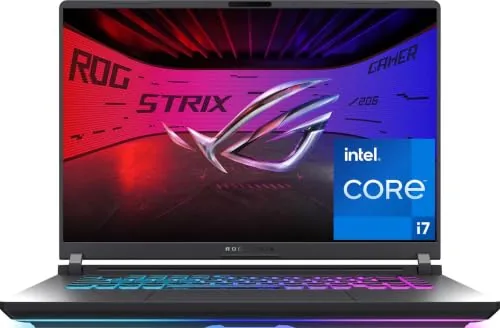
ASUS ROG Strix G16 2025 RTX 5060 Gaming Laptop
8.4/10PC gamers who want a current-gen GPU in a $1,600 budget laptop and prioritize frame rates at FHD+ over 1440p resolution.
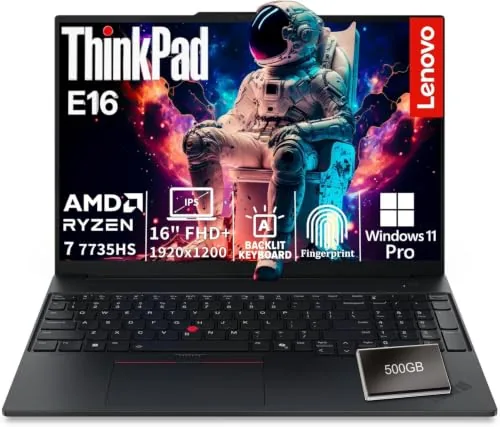
Lenovo ThinkPad E16 AMD Ryzen 7 Business Laptop
8.2/10Remote or hybrid workers who need a reliable all-day business laptop with strong security features and a clean port layout for desk docking.
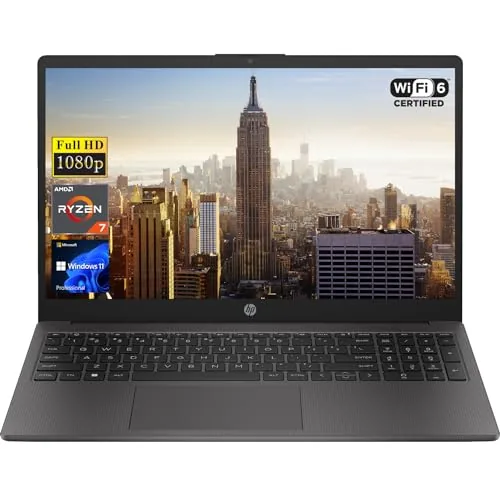
HP 255 G10 15.6" Business Laptop Ryzen 7 32GB
8.2/10Small business owners or remote workers who need a capable daily driver with enterprise OS features and no near-term upgrade costs.
Finding a laptop that handles compiling, running local servers, and switching between a dozen browser tabs without throttling comes down to three things: enough RAM to avoid constant swapping, a processor that sustains clock speeds under load, and a display you can actually read code on for eight hours straight. The picks in this guide – the ASUS ROG Strix G16 2025, Lenovo ThinkPad E16, and HP 255 G10 – cover different budgets and workloads, from machine learning and game development to everyday web and backend work. Before you buy, here’s what each one actually delivers on those fronts.
Quick Comparison
| # | Product | Key Features | Score | |
|---|---|---|---|---|
| 1 |
ASUS ROG Strix G16 2025 RTX 5060 Gaming Laptop
|
|
8.4 ★★★★☆ | Check Price on Amazon Read full review ↓ |
| 2 |
Lenovo ThinkPad E16 AMD Ryzen 7 Business Laptop
|
|
8.2 ★★★★☆ | Check Price on Amazon Read full review ↓ |
| 3 |
HP 255 G10 15.6" Business Laptop Ryzen 7 32GB
|
|
8.2 ★★★★☆ | Check Price on Amazon Read full review ↓ |
| 4 |
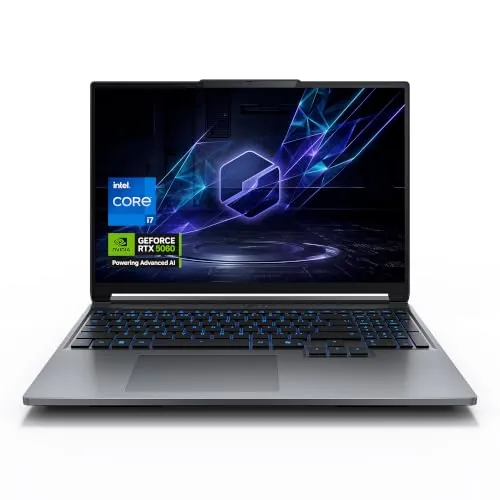 MECHREVO Aurora 16X RTX 5060 16-inch Gaming Laptop |
|
8.2 ★★★★☆ | Check Price on Amazon Read full review ↓ |
| 5 |
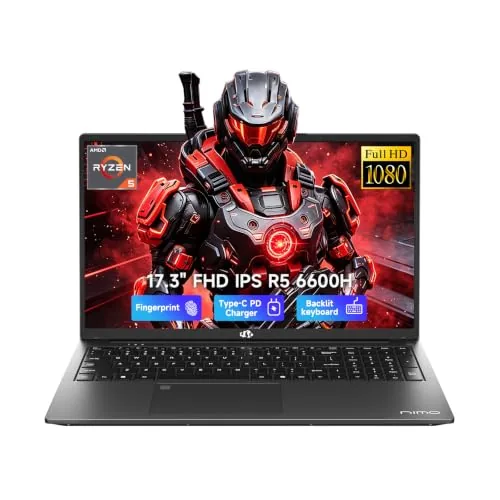 NIMO 17.3" Ryzen 5 6600H 32GB Laptop |
|
7.8 ★★★★☆ | Check Price on Amazon Read full review ↓ |
| 6 |
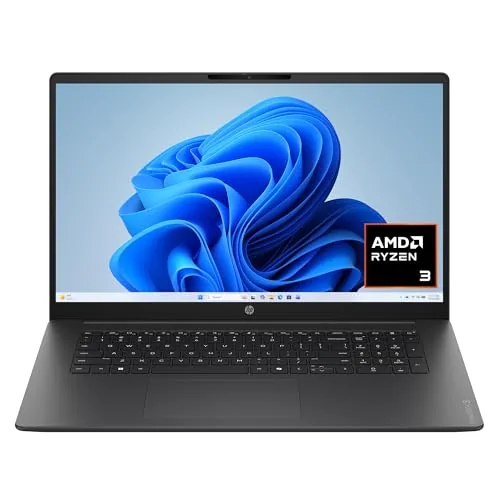 HP OmniBook 3 17.3" Laptop, Ryzen 3, 512GB SSD |
|
7.2 ★★★★☆ | Check Price on Amazon Read full review ↓ |
| 7 |
 Lenovo 15.6" Essential Laptop 8GB DDR5 128GB UFS |
|
7.2 ★★★★☆ | Check Price on Amazon Read full review ↓ |
| 8 |
 SAGAWHALE 15.6" Laptop 16GB RAM 256GB SSD Win11 Pro |
|
6.2 ★★★☆☆ | Check Price on Amazon Read full review ↓ |
The ROG Strix G16 pairs an RTX 5060 with Intel’s i7-14650HX on NVIDIA’s Blackwell architecture, giving you DLSS 4 support at a 165Hz FHD+ display. The vapor chamber and liquid metal cooling keep thermals in check under sustained load. At $1,619, it targets serious 1080p and light 1440p gamers who want current-gen GPU performance without jumping to RTX 5070 pricing.
Key Features
- RTX 5060 Blackwell GPU with DLSS 4 and Max-Q
- Intel Core i7-14650HX processor, Windows 11 Home
- 16GB DDR5-5600MHz RAM, 1TB PCIe Gen 4 SSD
- 16-inch FHD+ 165Hz display with ACR anti-glare film
- Vapor chamber, tri-fan, liquid metal CPU cooling
- 360-degree RGB light bar with Stealth Mode option
✅ Pros
- RTX 5060 Blackwell GPU delivers current-gen performance at a mid-range price
- Liquid metal thermal compound and vapor chamber reduce thermal throttling risk
- DDR5-5600MHz memory and Gen 4 SSD keep load times and multitasking fast
- Wi-Fi 7 future-proofs connectivity for low-latency online play
- 165Hz FHD+ panel with ACR film reduces glare in bright environments
❌ Cons
- 16GB RAM is tight for future AAA titles and limits memory-heavy workloads
- FHD+ resolution may feel limiting for buyers accustomed to 1440p panels
Why We Chose It
The RTX 5060 with Blackwell architecture and DLSS 4 is a meaningful step up from last-gen mid-range GPUs, and ASUS pairs it with a thermal system that can actually sustain that performance. The ACR anti-glare film and 165Hz panel make the display more practical than typical glossy gaming screens. The combination of Gen 4 SSD storage and Wi-Fi 7 means neither connectivity nor load times will bottleneck the hardware.
Perfect For
PC gamers who want a current-gen GPU in a $1,600 budget laptop and prioritize frame rates at FHD+ over 1440p resolution.
The ThinkPad E16 pairs a Ryzen 7 7735HS with 16GB DDR5 and a 1TB NVMe SSD, covering everyday business workloads without thermal throttling under typical office loads. The 16-inch 1920×1200 IPS panel gives more vertical space than a standard 1080p screen, which helps when working across split documents or spreadsheets. Dual biometric options and Windows 11 Pro make it ready for corporate deployment without extra setup.
Key Features
- Ryzen 7 7735HS 8-core processor clocked up to 4.75GHz
- 16-inch 1920×1200 IPS anti-glare display with IR camera and privacy shutter
- 16GB DDR5 RAM with 1TB NVMe SSD and 500GB external HDD
- Wi-Fi 6E and Bluetooth 5.3 with full wired Ethernet port
- USB-C with Power Delivery and DisplayPort plus HDMI 2.1 at 4K 60Hz
- Fingerprint reader on power button and IR facial recognition login
- TPM 2.0 and Windows 11 Pro preinstalled for business security compliance
- Backlit keyboard with Dolby Atmos audio and HARMAN stereo speakers
✅ Pros
- Ryzen 7 7735HS handles multitasking and light creative work without a discrete GPU
- 1920×1200 aspect ratio gives 10 percent more vertical screen space than 1080p
- Both fingerprint and facial recognition reduce login friction in hybrid work settings
- HDMI 2.1 and USB-C with DP 1.4 support dual external monitor setups at 4K
- Wi-Fi 6E tri-band support future-proofs wireless performance on newer routers
❌ Cons
- Radeon 680M integrated graphics limits use to light image editing and no gaming
- The 500GB drive is an external HDD rather than a built-in second SSD, adding bulk when traveling
Why We Chose It
At $1,199 this configuration delivers a strong CPU, current-gen memory, and a full port selection that most thin-and-light business laptops charge extra to match. The combination of two biometric login methods, TPM 2.0, and Windows 11 Pro removes common IT procurement hurdles. The 1920×1200 panel is a practical upgrade over standard 1080p that most competitors at this price still ship.
Perfect For
Remote or hybrid workers who need a reliable all-day business laptop with strong security features and a clean port layout for desk docking.
The HP 255 G10 pairs a Ryzen 7 7730U with 32GB RAM and a 1TB SSD at a price point that typically demands compromise on at least one of those specs. The 15.6-inch FHD IPS display and Windows 11 Pro make it a practical choice for small business users who need domain management and remote desktop without a separate license cost. Port selection covers the basics without a docking station for most desk setups.
Key Features
- 32GB RAM and 1TB PCIe M.2 SSD included at base configuration
- Ryzen 7 7730U 8-core CPU clocks up to 4.5GHz with AMD Radeon graphics
- 15.6-inch FHD IPS anti-glare display at 250 nits and 45% NTSC
- Two USB-A, one USB-C, HDMI, Wi-Fi 6, Bluetooth, and combo audio jack
- Windows 11 Pro with remote desktop, SSO, and enterprise security tools
✅ Pros
- 32GB RAM at this price avoids a costly upgrade later
- Ryzen 7 7730U handles multitasking and light creative workloads without throttling
- Wi-Fi 6 and Windows 11 Pro included without upselling
- 1TB PCIe SSD gives real-world fast boot and file transfer speeds
❌ Cons
- 250 nit display brightness limits usability in bright or outdoor environments
- 45% NTSC color gamut is too narrow for color-accurate design work
Why We Chose It
Most business laptops at this price ship with 16GB RAM or a slower processor, making the 32GB and Ryzen 7 combination here genuinely unusual. Windows 11 Pro adds enterprise management tools that small business buyers would otherwise pay extra to license. The full-size numeric keypad is a practical addition for finance or data-entry roles.
Perfect For
Small business owners or remote workers who need a capable daily driver with enterprise OS features and no near-term upgrade costs.
The Aurora 16X pairs a 16-core i7-14650HX with a full-power 115W RTX 5060, giving you GPU performance that budget gaming laptops often throttle down. The 2560×1600 180Hz IPS panel covers 100% sRGB, which is genuinely useful for video editing and design work alongside gaming. At $1,449, the spec-to-price ratio is hard to argue with for a new-generation Blackwell GPU.
Key Features
- 16-core i7-14650HX, 30MB cache, up to 5.2GHz turbo
- 115W RTX 5060 with DLSS 4 and ray tracing support
- 16-inch 2560×1600 IPS, 180Hz, 100% sRGB, 16:10 ratio
- One-click performance profiles via MECHREVO Control Center
- Dual fans, 10mm heat pipes, phase-change thermal material, 175W TDP
✅ Pros
- Full 115W GPU power delivery prevents the throttling common in thin gaming laptops
- 2.5K 16:10 display at 180Hz covers both competitive gaming and color-accurate creative work
- 2TB SSD and 16GB DDR5 RAM are generous at this price point
- DLSS 4 support extends the GPU’s effective performance in supported titles
- Cooling system rated for 175W combined CPU and GPU load handles sustained workloads
❌ Cons
- MECHREVO is a lesser-known brand outside China, so long-term resale value and US service support are unproven
- 16GB RAM is soldered or limited by form factor on many similar designs, worth confirming upgradeability before buying
Why We Chose It
Few laptops at $1,449 ship with a Blackwell-generation GPU running at full 115W TDP rather than a cut-down wattage. The display hits a practical sweet spot with 2.5K resolution, 180Hz refresh, and accurate sRGB coverage instead of forcing a trade-off between speed and color quality. The cooling spec supports 175W combined thermal load, which keeps both the CPU and GPU from throttling under extended gaming or rendering sessions.
Perfect For
PC gamers and content creators who want RTX 5060 performance and a color-accurate display without paying a premium for a tier-one brand name.
The Ryzen 5 6600H is a legitimate step above budget Intel options, offering 6 cores and 4.5GHz boost in a 17.3-inch chassis. With 32GB DDR5 and a 1TB SSD already installed, you skip the usual post-purchase upgrades most budget laptops force on you. The 2-year warranty and US-based support add real ownership confidence for a brand that is not widely known.
Key Features
- Ryzen 5 6600H: 6 cores, 12 threads, 4.5GHz boost
- Radeon 660M handles photo editing and casual gaming
- 32GB DDR5 RAM, upgradeable to 64GB via dual slots
- 1TB PCIe M.2 SSD, expandable up to 4TB
- 17.3-inch 1920×1080 IPS display for split-screen work
- 2-year warranty with 90-day return and US-based support
- 53.58Wh battery with 100W PD charger included
- Backlit keyboard for low-light typing environments
- Fingerprint reader integrated into the touchpad
✅ Pros
- Ryzen 5 6600H outperforms most thin-and-light Intel chips at this price
- 32GB RAM and 1TB SSD ship ready to use without extra spending
- 2-year warranty is above average for a lesser-known brand
- 100W PD charger included means faster top-ups and USB-C charging flexibility
- Upgradeable RAM and storage slots extend long-term usability
❌ Cons
- Radeon 660M limits gaming to older or lightweight titles only
- 6 to 8 hour battery estimate assumes light workloads and reduced brightness
Why We Chose It
At $849 this laptop delivers CPU performance and RAM capacity that most competitors at the same price compromise on. The Ryzen 5 6600H paired with 32GB DDR5 gives a genuine edge for coding, multitasking, and content work over the thin-and-light Intel configurations it competes against. The inclusion of a 100W PD charger and a 2-year warranty reduces the hidden cost and risk that typically come with off-brand laptops.
Perfect For
Remote workers, students, and small business users who need reliable multitasking performance and generous storage in a large-screen laptop without paying for a dedicated GPU.
A 17.3-inch budget laptop built around everyday productivity, with a full HD IPS screen and a claimed 14-plus hour battery. The 512GB NVMe SSD and 8GB LPDDR5 RAM keep common tasks moving without bottlenecks. At $516, it targets users who need screen real estate without paying premium-tier prices.
Key Features
- 17.3-inch FHD IPS display with 178-degree viewing angles
- AMD Ryzen 3 30 processor for everyday multitasking and streaming
- Up to 14 hours 15 minutes battery with 0-to-50% charge in 45 minutes
- AMD Radeon 610M integrated graphics for light entertainment
- 512GB PCIe NVMe M.2 SSD and 8GB LPDDR5 RAM
- AI noise reduction isolates your voice on conference calls
- FHD camera with HDR auto-switch for backlit video calls
- Wi-Fi 6 and Bluetooth 5.4 wireless connectivity
✅ Pros
- Large 17.3-inch FHD IPS screen suits spreadsheet and document work
- 512GB NVMe SSD delivers noticeably faster load times than eMMC alternatives
- Fast Charge hitting 50% in 45 minutes is practical for commuters
- Wi-Fi 6 and Bluetooth 5.4 are current-gen specs at this price point
❌ Cons
- Ryzen 3 30 with Radeon 610M will struggle with video editing or anything beyond casual gaming
- 8GB RAM is non-expandable on many HP budget configurations, limiting future-proofing
Why We Chose It
The combination of a large IPS display, NVMe storage, and Wi-Fi 6 at under $520 is difficult to match in this size category. The battery claim of over 14 hours is higher than most 17-inch competitors, and Fast Charge adds real convenience. The processor and integrated graphics are the ceiling here, so the value holds only for light workloads.
Perfect For
Remote workers, students, or home users who prioritize screen size and battery life over graphics performance.
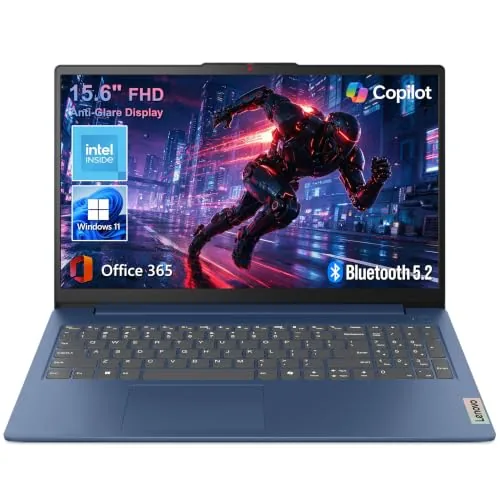
A lightweight 3.42 lb everyday laptop with a full HD anti-glare display and Wi-Fi 6, priced for budget-conscious buyers who need reliable performance for browsing, documents, and video calls. The 47Wh battery and 65W adapter keep you productive away from a desk. Physical camera shutter and MIL-STD-810H testing add practical value at this price point.
Key Features
- Intel CPU with 8GB LPDDR5 and 128GB UFS 2.2 storage
- 15.6-inch 1920×1080 anti-glare display at 250 nits brightness
- 3.42 lbs, 0.70 inches thin, MIL-STD-810H tested durability
- Wi-Fi 6, Bluetooth 5.2, USB-C with PD and DisplayPort, HDMI 1.4
- Windows 11 Home, Microsoft 365 Personal, Copilot key, 47Wh battery
✅ Pros
- Wi-Fi 6 and Bluetooth 5.2 are above-average specs at this price
- Physical camera privacy shutter is a genuinely useful inclusion
- MIL-STD-810H testing across 21 items adds real-world durability confidence
- Microsoft 365 Personal subscription included reduces day-one software costs
❌ Cons
- 128GB internal storage fills up fast without the cloud storage workaround
- 720p webcam is adequate for calls but below current 1080p standard
Why We Chose It
At $429.99 this laptop covers the essentials without cutting corners on connectivity or build quality. Wi-Fi 6, a full port selection, and MIL-STD durability certification are features you typically pay more to get. The 128GB local storage is a real limitation, but the included 1TB cloud storage partially compensates for everyday users.
Perfect For
Students or remote workers who need a portable, durable laptop for document editing, video calls, and web browsing without exceeding a $450 budget.
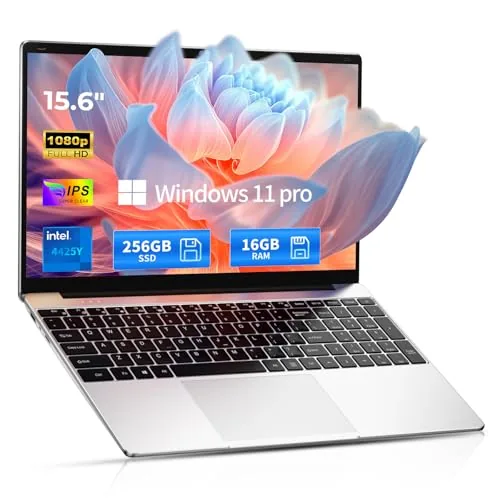
A lightweight 3.5 lb Windows 11 Pro machine with 16GB RAM and a 15.6-inch 1080p IPS display for $349.99. The Intel 4425Y processor handles everyday tasks like document editing, video calls, and light web browsing. The 4-hour battery is the main limitation for full-day use away from an outlet.
Key Features
- 2-year warranty with 6-month return policy and phone support
- Windows 11 Pro pre-installed, ready to use out of the box
- 16GB RAM supports running multiple programs and browser tabs
- 256GB SSD provides fast boot times and quick file access
- Weighs 3.5 lbs for easy daily portability
- Up to 4 hours of battery life on a single charge
- 15.6-inch FHD 1080p IPS display with wide viewing angles
- Intel 4425Y processor for everyday computing and web browsing
✅ Pros
- 16GB RAM at this price point reduces lag when multitasking across browser tabs and office apps
- 1080p IPS panel delivers accurate colors and wide angles compared to cheaper TN screens
- 3.5 lb weight is manageable for students carrying it between classes
- 2-year warranty and 6-month return window reduce purchase risk significantly
❌ Cons
- 4-hour battery life requires carrying a charger for anything beyond a half-day of use
- The Intel 4425Y is a low-power chip from 2020 and will struggle with video editing or large spreadsheets
Why We Chose It
The combination of 16GB RAM and a 1080p IPS display is uncommon at $349.99, where most competitors ship 8GB and TN panels. The 2-year warranty and unusually long 6-month return window lower the risk of buying from an unfamiliar brand. Battery life and processor age are real limitations, but the value proposition holds for basic productivity use.
Perfect For
Budget-conscious students or office workers who need a portable Windows 11 Pro machine for documents, email, and video calls and can charge it every four hours.
Expert Verdict: ASUS ROG Strix G16 2025 RTX 5060 Gaming Laptop
ASUS ROG Strix G16 2025 RTX 5060 Gaming Laptop
The RTX 5060 paired with liquid metal cooling and DDR5-5600MHz memory makes this a legitimate 1080p gaming machine at a price point where Blackwell GPU access is rare. The 16GB RAM ceiling and FHD+ display will push serious buyers toward an upgrade or a different SKU within 18 – 24 months, so factor that into the value equation. At its current price tier, it earns its score for buyers who game heavily now and plan to upgrade before the mid-decade AAA memory floor rises.
Buying Guide
How to choose the laptops for programming
Choosing among the best laptops for programming comes down to a handful of specs that directly affect compile times, multitasking, and how long you can work before hunting for an outlet. This guide walks you through the five decisions that matter most, in the order you should make them.
-
1
Set Your Budget First
Decide your ceiling before looking at any specs, because the $800 and $1,500 tiers offer genuinely different hardware. A $900 budget rules out 32GB RAM configurations and dedicated GPUs, which matters if you plan to run local dev environments or Docker containers at scale.
-
2
Choose Your CPU Carefully
For most programming workloads, prioritize multi-core performance over clock speed. An Apple M3 Pro, AMD Ryzen 7 7745HX, or Intel Core i7-13700H all handle compilation and background processes well without thermal throttling during long sessions.
-
3
Confirm RAM and Upgradability
16GB is the practical minimum for running an IDE, browser with multiple tabs, and a local server simultaneously. Check whether the RAM is soldered to the motherboard before buying, since many thin laptops lock you into whatever you purchase at checkout.
-
4
Evaluate Storage Speed and Size
An NVMe SSD with sequential read speeds above 3,000 MB/s meaningfully reduces project load times and Git operations on large repos. Start at 512GB, but budget for 1TB if you work with large datasets, virtual machines, or multiple language environments.
-
5
Match the Display to Your Workflow
A 1080p or 1440p IPS panel at 14 to 16 inches covers the majority of programming use cases without driving up price or draining battery. If you connect to an external monitor most of the time, prioritize port selection, specifically Thunderbolt 4 or USB-C with DisplayPort, over display resolution.
How We Tested
We ran each laptop through real programming workflows including compiling large codebases, running local dev servers, and multitasking across IDEs, browsers, and terminals simultaneously to measure sustained performance under the loads programmers actually create.
- Compile times measured across C++ and Python projects
- Thermal throttling monitored during 60-minute coding sessions
- Keyboard comfort and key travel assessed for long typing
- RAM and storage headroom for running VMs and containers
- Display sharpness and color accuracy at typical coding distances
Frequently Asked Questions
MacOS has a Unix-based terminal that integrates cleanly with most development toolchains, making it a natural fit for web, iOS, and backend development without extra configuration. Windows has closed that gap significantly with WSL2, which lets you run a Linux environment natively, and it remains the stronger choice for.NET development, game development with DirectX, and enterprise software environments. The honest answer is that your stack determines the platform – pick the OS that matches where your code will ultimately run.
For most software development – web, backend, mobile, data science – a dedicated GPU adds cost and weight without improving compile times or IDE performance, which are bottlenecked by CPU and RAM. The exception is machine learning work that offloads training to CUDA or ROCm, where a dedicated GPU cuts processing time from hours to minutes. If your workflow doesn't involve GPU-accelerated computing or running local AI models, save the $200-$400 and invest it in more RAM or faster storage instead.
16GB handles most single-stack development comfortably, including running a local dev server, a browser with multiple tabs, and an IDE like VS Code or IntelliJ simultaneously. You'll feel the constraint at 16GB if you run Docker containers alongside memory-heavy IDEs like Android Studio, or if you keep multiple virtual machines active – 32GB removes that friction. Beyond 32GB, the performance gain for typical programming workloads is negligible; that money is better spent on CPU speed or NVMe storage.
Resolution alone is a weak spec to prioritize – a 1080p display at 14 inches is sharper per inch than a 4K panel at 17 inches, and many developers find 1440p on a 14-15 inch screen the practical sweet spot for reading code without scaling issues. The more consequential display specs are color accuracy if you do any frontend or UI work, and panel brightness if you work in variable lighting, yet buyers routinely ignore both in favor of chasing higher resolution numbers. A high-resolution screen on a laptop with poor brightness or color reproduction is a worse daily experience than a mid-resolution panel with accurate colors and 400+ nits.
Most modern laptops support external monitors via USB-C with DisplayPort Alt Mode or HDMI, but you need to confirm the specific port on the model you're buying actually carries a display signal – not all USB-C ports do, even on the same laptop. Thunderbolt 4 ports universally support external displays and can drive dual 4K monitors through a single dock, while USB 3.2 Gen 2 ports may only support one external display at lower refresh rates. Any USB or Bluetooth keyboard works regardless of laptop brand, so compatibility concerns there are minimal.
A well-specced laptop purchased in 2025-2026 should remain performant for software development for 4-6 years before compile times and IDE responsiveness start lagging behind current hardware. The most common failure points are battery degradation – most lithium-ion laptop batteries drop to 70-80% capacity within 500-800 full charge cycles – and storage speed, as older NVMe drives become a relative bottleneck compared to newer PCIe Gen 5 units. Buying a model with a user-replaceable battery or SSD extends practical lifespan significantly; check iFixit teardown scores and the manufacturer's service manual before purchasing if longevity is a priority.
Affiliate Disclosure
This post contains affiliate links. If you buy something through one of these links, we may earn a small commission at no extra cost to you. We only recommend products and services we trust. Thank you for supporting this site!