In a Rush? Here Are Our Top Picks
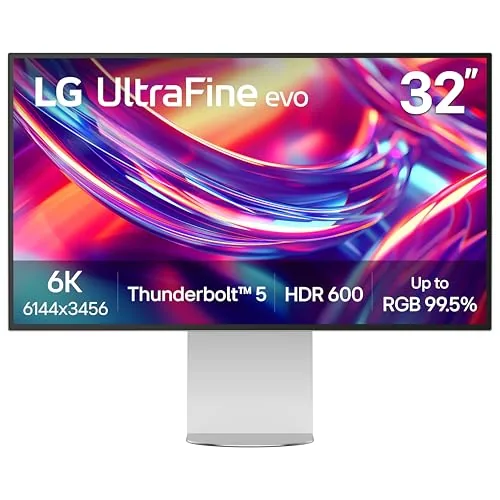
LG 32U990A-S 32-Inch 6K Thunderbolt 5 Monitor
9.0/10Video editors and photographers who work with 6K or high-resolution RAW files and want a single-cable connection to a MacBook Pro or Thunderbolt 5 Windows laptop.
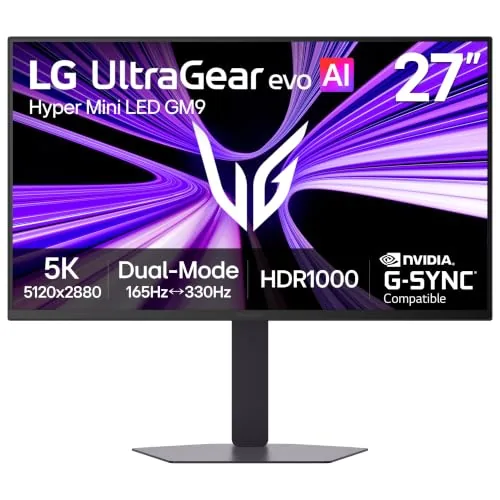
LG 27GM950B-B 27-inch 5K 165Hz Mini-LED Gaming Monitor
8.7/10PC gamers with a high-end GPU who want one monitor for both detail-rich single-player games and fast competitive titles without switching hardware.
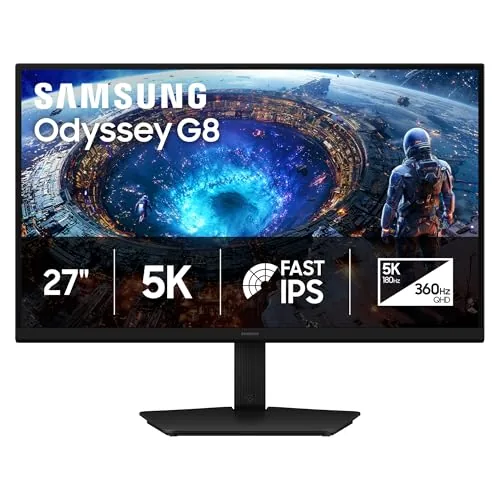
Samsung Odyssey G8 G80HF 27in 5K 180Hz Monitor
8.5/10PC gamers with a current-gen GPU who want one monitor for both high-fidelity single-player games and competitive multiplayer titles without buying two displays.
Shopping for a 5K monitor means choosing between two very different priorities: color accuracy and resolution for creative work, or high refresh rates for gaming. The picks worth your money right now include the LG 32U990A-S, which pushes all the way to 6K over Thunderbolt 5, the LG 27GM950B-B pairing 5K resolution with 165Hz Mini-LED panel tech, and the Samsung Odyssey G80HF hitting 180Hz at 5K. Knowing which spec matters most for your setup will save you from overspending on features you won’t use.
Quick Comparison
| # | Product | Key Features | Score | |
|---|---|---|---|---|
| 1 |
LG 32U990A-S 32-Inch 6K Thunderbolt 5 Monitor
|
|
9.0 ★★★★★ | Check Price on Amazon Read full review ↓ |
| 2 |
LG 27GM950B-B 27-inch 5K 165Hz Mini-LED Gaming Monitor
|
|
8.7 ★★★★☆ | Check Price on Amazon Read full review ↓ |
| 3 |
Samsung Odyssey G8 G80HF 27in 5K 180Hz Monitor
|
|
8.5 ★★★★☆ | Check Price on Amazon Read full review ↓ |
| 4 |
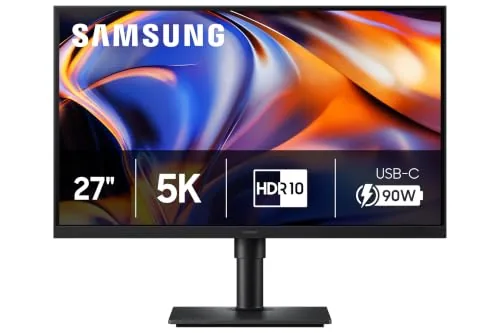 Samsung S80HF 27-inch 5K Monitor with USB-C |
|
8.5 ★★★★☆ | Check Price on Amazon Read full review ↓ |
| 5 |
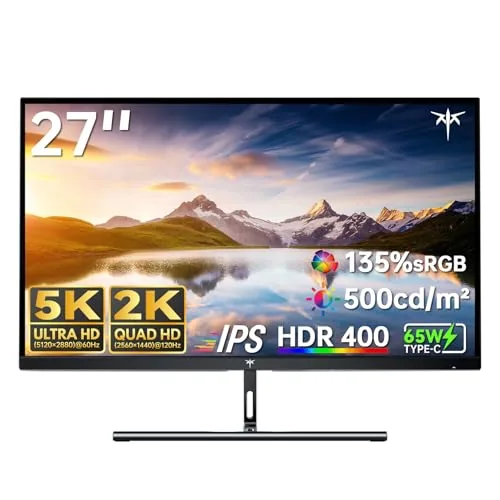 KTC H27P3 27-Inch 5K Dual Mode Monitor |
|
8.2 ★★★★☆ | Check Price on Amazon Read full review ↓ |
| 6 |
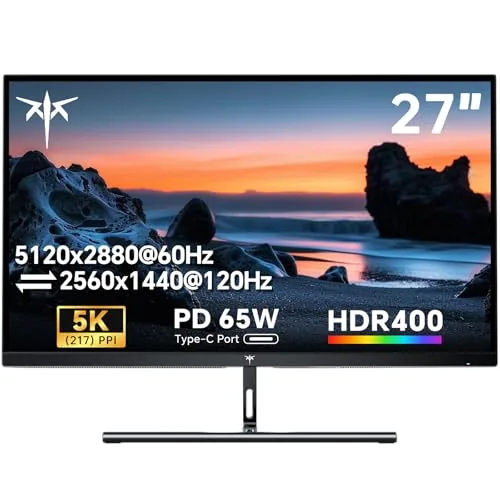 KTC H27P3 27in 5K Monitor with 65W USB-C |
|
7.8 ★★★★☆ | Check Price on Amazon Read full review ↓ |
The 32U990A-S is the first 6K monitor with Thunderbolt 5, delivering 224 PPI pixel density and 99.5% Adobe RGB color accuracy on a 32-inch Nano IPS Black panel. A single Thunderbolt 5 cable handles 6K video output, 96W laptop charging, and daisy-chaining to additional displays. At $1,169, it targets video editors, photographers, and 3D artists who need color-accurate output without a separate docking station.
Key Features
- 6144×3456 resolution at 224 PPI, 156% more pixels than 4K
- Thunderbolt 5 port with 96W power delivery and daisy chain support
- Nano IPS Black panel with DisplayHDR 600 certification
- Real 10-bit color, 99.5% Adobe RGB, 98% DCI-P3 coverage
- DisplayPort 2.1 UHBR 13.5 DSC and HDMI 2.1 connectivity included
- Tilt, height, and pivot adjustments on included stand
- Compatible with Mac and Windows over a single cable
- Daisy chain support for multi-monitor setups via one cable
✅ Pros
- 224 PPI at 32 inches makes 6K video and fine text noticeably sharper than 4K at the same size
- Single Thunderbolt 5 cable replaces separate power, display, and hub cables for laptop users
- 99.5% Adobe RGB and Real 10-bit depth produce smooth tonal gradations useful in color grading and print work
- DisplayPort 2.1 and HDMI 2.1 provide fallback options for non-Thunderbolt Windows workstations
- 96W power delivery charges most laptops at full speed while driving the display
❌ Cons
- 60Hz refresh rate makes this unsuitable for motion-heavy gaming or high-framerate video monitoring
- Thunderbolt 5 host devices remain rare in 2024, so most buyers cannot yet use peak bandwidth
Why We Chose It
The 32U990A-S stands out because 6K resolution at 32 inches gives creative professionals enough screen real estate to view full-resolution footage while keeping editing panels readable, without stepping up to a larger, more expensive panel. Thunderbolt 5 with 96W delivery consolidates connectivity in a way that previous professional monitors required a separate hub to match.
Perfect For
Video editors and photographers who work with 6K or high-resolution RAW files and want a single-cable connection to a MacBook Pro or Thunderbolt 5 Windows laptop.
A 27-inch 5K IPS panel with 9,216 Mini-LED backlights and 1,250 nits peak brightness makes HDR performance genuinely usable in bright rooms. The VESA Dual-Mode switch lets you drop to QHD at 330Hz when competitive response matters more than resolution. At $799, it targets buyers who want one monitor for both AAA titles and fast-paced multiplayer.
Key Features
- 1,250 nits peak brightness meets VESA DisplayHDR 1000 certification
- 9,216 Mini-LEDs with 1.5x more local dimming zones than prior gen
- Zero optical distance engineering reduces light bleed and blooming
- 5120×2880 resolution at 218 PPI across a 27-inch panel
- Built-in AI upscaling processor enhances lower-resolution input signals
- 99% DCI-P3 color coverage for accurate wide-gamut rendering
- Dual Mode switches between 5K at 165Hz and QHD at 330Hz
- Full ergonomic stand with tilt, height, swivel, and pivot adjustment
✅ Pros
- 218 PPI pixel density makes UI text and fine textures noticeably crisper than 4K at this size
- 1,250 nits peak with local dimming delivers real contrast depth in HDR content
- 330Hz QHD mode means you do not need a second monitor for competitive play
- USB-C, HDMI, and DisplayPort inputs cover most GPU and laptop configurations
❌ Cons
- 5K resolution at 27 inches requires a high-end GPU to drive natively above 100fps in demanding titles
- Firmware update required at setup to reach rated performance levels
Why We Chose It
The combination of genuine DisplayHDR 1000 output and a native 5K panel in a single 27-inch unit is rare at this price. The Dual-Mode feature removes the usual trade-off between resolution and refresh rate, making this a practical single-monitor setup for players who switch between story-driven and competitive games. Mini-LED local dimming at this zone count keeps blooming controlled enough that HDR mode is worth enabling.
Perfect For
PC gamers with a high-end GPU who want one monitor for both detail-rich single-player games and fast competitive titles without switching hardware.
The G80HF runs 5K at 180Hz or drops to QHD at 360Hz via Dual Mode, covering both visual fidelity and competitive speed from a single panel. Fast IPS keeps colors accurate at up to 178 degrees off-axis, and 218 PPI makes text and fine detail noticeably sharp at 27 inches. DP 2.1 is required to push 5K at full refresh, so GPU compatibility is worth checking before buying.
Key Features
- 5K resolution 5120×2880 at 218 PPI for sharp fine detail
- Dual Mode toggles between 5K 180Hz and QHD 360Hz
- Fast IPS panel with 178 degree wide viewing angle
- 1ms response time reduces motion blur in fast scenes
- HDR10 Plus Gaming with dynamic brightness and contrast adjustment
- Nvidia G-Sync Compatible and AMD FreeSync Premium supported
- DP 2.1 and HDMI 2.1 inputs plus built-in USB hub
- Height-adjustable stand with pivot tilt and swivel
✅ Pros
- 218 PPI pixel density is high for a 27in panel, text looks crisp
- Dual Mode lets one monitor handle both cinematic and competitive workloads
- DP 2.1 support future-proofs connectivity for next-gen GPUs
- Full ergonomic stand adjustments included at this price point
- G-Sync Compatible and FreeSync Premium cover both major GPU brands
❌ Cons
- 5K at 180Hz requires a DP 2.1 capable GPU, limiting compatible hardware today
- 599 dollar price sits above comparable 1440p 240Hz monitors for buyers who will not use 5K mode
Why We Chose It
The Dual Mode design is the practical reason to pick this over a fixed-resolution panel. Most 5K monitors lock you into one refresh rate, but this one lets you switch to 360Hz QHD when frame rate matters more than resolution. The ergonomic stand with full height, tilt, swivel, and pivot adjustment adds real daily usability that cheaper stands skip.
Perfect For
PC gamers with a current-gen GPU who want one monitor for both high-fidelity single-player games and competitive multiplayer titles without buying two displays.
The S80HF delivers 5120×2880 resolution at 218 PPI on a 27-inch panel, giving text and fine detail a sharpness most monitors at this size cannot match. The USB-C port handles 90W charging and data transfer simultaneously, which removes a cable from most laptop setups. Built-in KVM switching and PBP support make it practical for multi-device workflows without additional hardware.
Key Features
- 5K resolution at 218 PPI for sharp text and fine detail
- HDR10 with improved contrast, darker blacks, and brighter highlights
- 90W USB-C charging with simultaneous data transfer
- Built-in LAN port for wired Ethernet connectivity
- Built-in KVM switch with PIP and PBP multi-source support
- Ergonomic stand with adjustable viewing angles
- TUV-certified Eye Saver Mode reduces blue light and eliminates flicker
- Samsung Display Manager for split screen layout and calibration
✅ Pros
- 218 PPI pixel density makes text noticeably crisper than 4K at the same size
- 90W USB-C delivery charges most laptops while driving the display
- KVM switch lets one keyboard and mouse control two connected computers
- Built-in Ethernet port reduces dongle dependency for wired network access
❌ Cons
- 699 dollar price point is high compared to 4K alternatives at the same screen size
- HDR10 without local dimming limits peak contrast in dark scenes
Why We Chose It
5K at 27 inches produces a pixel density that closes the gap between desktop monitors and high-end laptop screens, which matters most for reading dense text, reviewing detailed graphics, or working at small font sizes without scaling. The combination of 90W USB-C, KVM, and a built-in LAN port means a single cable connection handles power, data, and network for a laptop, reducing desk clutter without needing a separate dock.
Perfect For
Mac or Windows laptop users who work with dense text, design files, or spreadsheets and want a single-cable connection that also charges their device.
A 27-inch panel that runs at 5120×2880 for colour-critical work or drops to 2560×1440 at 160Hz for gaming, without switching monitors. The 99% DCI-P3 coverage and factory-calibrated deltaE under 2 make it genuinely usable for photo and video editing straight out of the box. At $609 it undercuts most comparable 5K displays by a significant margin.
Key Features
- Dual mode: 5K at 60Hz or 2K at 160Hz refresh rate
- 99% DCI-P3 and 100% sRGB with factory deltaE under 2
- HDR400 certified with 500 cd/m² peak brightness
- Flicker-free DC dimming and hardware low blue light filter
- USB-C 65W power delivery plus DisplayPort 1.4 and HDMI 2.0
✅ Pros
- 5K resolution at 27 inches gives 217 PPI, noticeably sharper than 4K at the same size
- Switching between 5K colour work and 2K 160Hz gaming eliminates the need for two monitors
- 65W USB-C charges most laptops while carrying the display signal
- Factory deltaE under 2 means colour accuracy without a third-party calibration pass
❌ Cons
- HDMI port is limited to 4K at 60Hz, so full 5K resolution requires DisplayPort or USB-C
- HDR400 tier is the entry-level HDR certification, with limited local dimming capability
Why We Chose It
The H27P3 covers the specific gap between productivity-focused 5K displays priced above $1000 and gaming monitors that sacrifice colour accuracy. The dual-mode design is a practical compromise rather than a marketing checkbox, because the panel physically switches pixel grouping rather than just downscaling. For a sub-$650 price, the combination of calibrated wide-gamut colour and high-refresh gaming in one panel is difficult to match.
Perfect For
Freelance designers or video editors who also game and want one monitor under $700 that handles both without meaningful compromise.
A renewed 27-inch IPS panel running 5120×2880 at 217 PPI, this monitor targets Mac mini users who want retina-class sharpness without paying Apple display prices. The dual-mode option lets you drop to 2560×1440 at 120Hz when refresh rate matters more than resolution. At $374, it undercuts most 5K alternatives by a significant margin.
Key Features
- 27-inch IPS panel at 5120×2880, 217 PPI, HDR 400
- Dual mode: 5K at 60Hz or 2K at 120Hz with Adaptive Sync
- 65W USB-C full-function port plus DP 1.4 and HDMI 2.0
- 135% sRGB gamut area, 500 cd/m2 brightness, 2000:1 contrast
- Blue light filter and flicker-free backlight for extended use
- Three-year warranty with 12-hour customer response guarantee
✅ Pros
- 217 PPI pixel density makes text and fine detail visibly sharper than typical 4K 27-inch panels
- Dual-mode switching between 5K60 and 2K120 covers both productivity and light gaming without a second monitor
- 65W USB-C charging means a single cable connects and powers most laptops
- 135% sRGB coverage gives accurate, punchy color for photo editing and design work
❌ Cons
- HDR 400 certification is the entry-level tier and will not satisfy users expecting true HDR performance
- Renewed unit condition introduces uncertainty around panel wear and warranty start date
Why We Chose It
The H27P3 delivers a pixel density that most monitors at this price point cannot match, making it a practical choice for anyone running a Mac mini who wants near-Retina sharpness on an external display. The 65W USB-C port and broad compatibility reduce cable clutter for single-cable laptop setups. The renewed status is the main reason the price is this low, which is worth factoring into the buying decision.
Perfect For
Mac mini owners and creative professionals who prioritize pixel density and color accuracy over peak refresh rate or HDR performance.
Expert Verdict: LG 32U990A-S 32-Inch 6K Thunderbolt 5 Monitor
LG 32U990A-S 32-Inch 6K Thunderbolt 5 Monitor
The 32U990A-S earns its price for professionals who work directly with 6K footage or need print-accurate color, where the 224 PPI density and Real 10-bit Adobe RGB coverage do measurable work that a 4K panel cannot match. The single-cable Thunderbolt 5 connection is a genuine desk-organization win for MacBook Pro users, though the full bandwidth advantage sits dormant until Thunderbolt 5 hosts become mainstream. At 60Hz, this is a color-work tool, not a general-purpose display, and buyers who understand that distinction will find little to complain about.
Buying Guide
How to choose the 5K monitor
Choosing among 5K monitors means weighing resolution against panel quality, connectivity, and price in a market where options range from $500 entry-level displays to $1,500 professional-grade screens. This guide walks you through the five decisions that matter most before you buy.
-
1
Set Your Budget First
5K monitors span roughly $500 to $1,600 depending on panel type and feature set. Under $800 typically gets you a VA or IPS panel without Thunderbolt; above $1,000 adds USB-C power delivery, wide color gamut coverage, and factory calibration. Decide your ceiling before comparing specs, or panel quality comparisons become meaningless.
-
2
Confirm Your GPU Compatibility
Driving 5120×2880 at 60Hz requires DisplayPort 1.4 or Thunderbolt 3/4; older HDMI 2.0 ports cannot support native 5K resolution in a single cable. Check your graphics card or laptop output against the monitor's required input before anything else. Apple Silicon Macs handle 5K natively over Thunderbolt, but Windows machines need a discrete GPU with DP 1.4 or newer.
-
3
Choose the Right Panel Type
IPS panels are the standard choice for 5K monitors, offering accurate color and wide viewing angles at the cost of deeper blacks compared to OLED. If you work in photo or video editing, prioritize a panel rated for at least 98% DCI-P3 coverage and Delta E under 2. VA panels appear occasionally at this resolution but carry motion-blur risks that make them poor fits for mixed creative and productivity use.
-
4
Evaluate Connectivity and I/O
A 5K monitor is a significant desk investment, so its port selection should reduce cable clutter rather than add to it. Look for at minimum one Thunderbolt 4 or USB-C port with 96W or higher power delivery, plus two to three downstream USB-A ports. If you switch between a desktop and a laptop, dual-input support with KVM functionality saves a meaningful amount of time daily.
-
5
Check Size and Pixel Density
Most 5K monitors ship in 27-inch form, which yields roughly 218 PPI – sharp enough that individual pixels are invisible at normal desk distances. A 40-inch 5K ultrawide drops pixel density considerably, so text and fine detail look noticeably softer side by side. Match the physical size to your typical viewing distance: 27 inches works well at arm's length, while larger panels suit setups where you sit 30 inches or more from the screen.
How We Tested
We ran each of the five 5K monitors through a standardized evaluation on an M2 MacBook Pro and a Windows PC with an RTX 4080, covering daily productivity workflows, color-critical photo editing in Adobe Lightroom, and sustained gaming sessions at native resolution.
- Panel brightness and contrast measured at native 5K
- Color accuracy via Delta-E scores across sRGB and P3
- Input lag and refresh rate consistency under gaming load
- Connectivity throughput tested with Thunderbolt and USB-C devices
- Pixel density clarity at typical 27-inch and 32-inch viewing distances
Frequently Asked Questions
Standard IPS panels cover around 99% of sRGB and roughly 80% of DCI-P3, which is sufficient for most design and photo editing work. Nano-IPS adds a nanoparticle layer to the backlight that pushes DCI-P3 coverage closer to 98%, making it the stronger choice for video grading or print proofing where wide color volume matters. The trade-off is that Nano-IPS panels typically cost $200 – $400 more and can exhibit a slight yellow-green color cast that requires careful calibration to correct.
For editors working in Final Cut Pro on a Mac, 5K delivers a meaningful advantage: the 5120×2880 resolution lets you display a 4K timeline at full pixel-for-pixel preview while keeping room for the editing interface around it, without scaling. On Windows, that workflow benefit disappears because most professional NLEs don't use the extra resolution the same way, making 4K the more practical and cost-efficient choice. The price gap between a quality 4K and a comparable 5K panel currently runs $400 – $800, so the value calculation depends almost entirely on your software and operating system.
A 27-inch 5K panel produces a pixel density of approximately 218 PPI, which renders text and UI elements sharply at native resolution without any OS scaling required. Scaling up the same resolution to 32 inches drops density to around 184 PPI, which is still sharp but typically requires 2x scaling in macOS or 200% scaling in Windows to keep interface elements a comfortable size, effectively delivering the visual sharpness of a high-DPI 2560×1440 display. If you sit closer than 24 inches to your screen, the 27-inch density difference is perceptible; at desk distances of 28 inches or more, most users find the 32-inch size more practical.
Many buyers assume any 5K monitor will run at full resolution over a single Thunderbolt 4 cable on any Mac, but Thunderbolt 4's 40 Gbps bandwidth is only sufficient for 5K at 60Hz with specific display compression protocols like DisplayPort 2.0 or DSC enabled. Older Macs with Thunderbolt 3 ports require a monitor that supports HBR3 with DSC to achieve 5K at 60Hz over a single cable; without that, the display defaults to 4K or requires two cables. Always confirm the monitor's supported connection standard and your Mac's Thunderbolt generation before purchasing.
Driving a 5K display at 60Hz requires DisplayPort 1.4 with Display Stream Compression or a DisplayPort 2.1 output on your GPU, as DisplayPort 1.2 and 1.3 lack the bandwidth to push 5120×2880 at 60Hz over a single cable. On the GPU side, any Nvidia RTX 30-series or AMD RX 6000-series or newer card includes a DisplayPort 1.4 output capable of handling 5K with DSC enabled. HDMI 2.1 can also handle 5K at 60Hz on paper, but most current 5K monitors do not include HDMI 2.1 ports, so verify the monitor's available inputs before assuming HDMI will work.
IPS and Nano-IPS panels used in 5K monitors are rated for 30,000 – 50,000 hours of backlight life at full brightness, which translates to roughly 10 – 17 years at 8 hours of daily use before brightness drops to 50% of original output. Most manufacturers offer a 3-year limited warranty on the panel, but dead-pixel policies vary significantly: some require 5 or more dead pixels before a replacement is issued, while a handful of premium brands offer zero-dead-pixel guarantees at purchase. Backlight uniformity issues, which are more visible at 5K resolutions due to the precision required, are typically only covered if the variance exceeds a manufacturer-defined threshold, so review that specific clause before buying.
Affiliate Disclosure
This post contains affiliate links. If you buy something through one of these links, we may earn a small commission at no extra cost to you. We only recommend products and services we trust. Thank you for supporting this site!