In a Rush? Here Are Our Top Picks
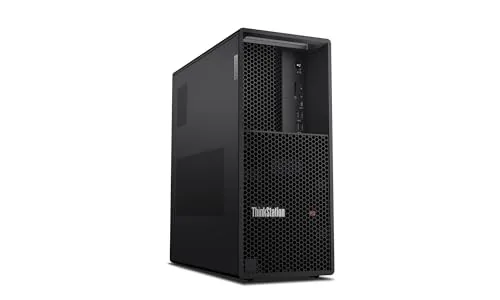
Lenovo ThinkStation P3 Tower Gen 2, Core Ultra 9 285
8.7/10Engineers, data analysts, and IT-managed enterprise users who need a certified professional workstation for CAD, simulation, or AI-assisted workflows.
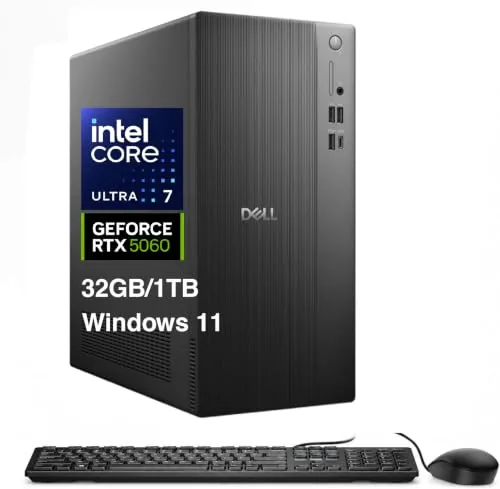
Dell ECT1250 Ultra 7 265F RTX 5060 Desktop
8.3/10Content creators and gamers who want a ready-to-run tower capable of 1440p gaming and video editing without sourcing individual components.
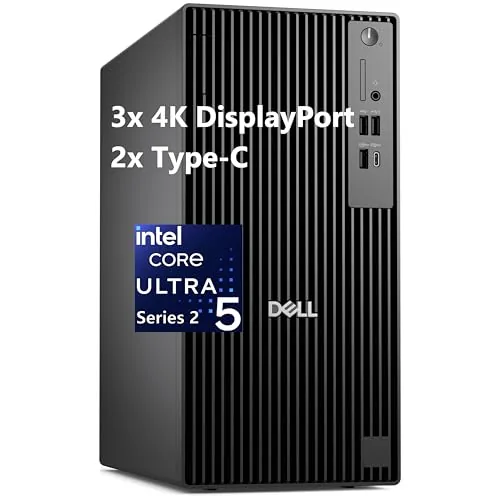
Dell Pro Tower Plus Core Ultra 5 235 32GB DDR5
8.2/10Small business professionals and corporate IT buyers who need a capable, multi-monitor workstation for productivity software, video conferencing, and light creative work without GPU-intensive rendering demands.
Workstation desktops sit at the crossroads of serious computing power and long-term reliability – the machines you buy when consumer-grade hardware keeps hitting its ceiling. Whether you’re rendering 3D models, running virtualization stacks, or processing large datasets, the right choice comes down to CPU architecture, memory bandwidth, and how well the build holds up under sustained load. This roundup covers three current options – the Lenovo ThinkStation P3 Tower Gen 2 with Core Ultra 9 285, the Dell ECT1250 pairing a Core Ultra 7 265F with an RTX 5060, and the Dell Pro Tower Plus with Core Ultra 5 235 and 32GB DDR5 – so you can match the spec sheet to your actual workload.
Quick Comparison
| # | Product | Key Features | Score | |
|---|---|---|---|---|
| 1 |
Lenovo ThinkStation P3 Tower Gen 2, Core Ultra 9 285
|
|
8.7 ★★★★☆ | Check Price on Amazon Read full review ↓ |
| 2 |
Dell ECT1250 Ultra 7 265F RTX 5060 Desktop
|
|
8.3 ★★★★☆ | Check Price on Amazon Read full review ↓ |
| 3 |
Dell Pro Tower Plus Core Ultra 5 235 32GB DDR5
|
|
8.2 ★★★★☆ | Check Price on Amazon Read full review ↓ |
| 4 |
 Dell OptiPlex 7070 SFF i7-9700 32GB 1TB NVMe Renewed |
|
8.2 ★★★★☆ | Check Price on Amazon Read full review ↓ |
| 5 |
 Dell OptiPlex 7050 SFF i7-7700 32GB 1TB SSD Win11 |
|
8.2 ★★★★☆ | Check Price on Amazon Read full review ↓ |
| 6 |
 Dell OptiPlex 7060 SFF i7-8700 32GB 512GB NVMe |
|
7.8 ★★★★☆ | Check Price on Amazon Read full review ↓ |
| 7 |
 Dell Precision 5820 Workstation W-2123 64GB 1TB NVMe |
|
7.8 ★★★★☆ | Check Price on Amazon Read full review ↓ |
The ThinkStation P3 Tower Gen 2 pairs an Intel Core Ultra 9 285 with an integrated NPU and 64GB DDR5-5600 RAM, making it capable of handling CAD, simulation, and data-heavy workloads without throttling. The RTX 2000 Ada with 16GB GDDR6 adds serious GPU muscle for rendering and ML inference tasks. At $3,929 it targets professionals who need workstation-grade reliability and IT manageability in a tower form factor.
Key Features
- Sold in unopened retail packaging with one-year on-site warranty
- Intel Core Ultra 9 285 vPro processor includes integrated neural processing unit
- NVIDIA RTX 2000 Ada GPU with 16GB GDDR6 for graphics workloads
- Front panel offers USB-C 20Gbps, four USB-A ports, dual 3.5mm jacks
- Rear panel includes HDMI 2.1, two DisplayPort 1.4, RJ-45 Ethernet
- 64GB DDR5-5600 RAM and 1TB SSD for fast storage and multitasking
- On-device AI processing reduces dependency on cloud services
- Intel vPro enables remote IT management and multilayer platform security
- ThinkShield and discrete TPM keep data encrypted at the hardware level
✅ Pros
- Core Ultra 9 285 with NPU handles AI inference workloads without a cloud connection
- RTX 2000 Ada 16GB GDDR6 supports multi-display professional rendering
- Wi-Fi 7 and vPro remote management reduce on-site IT intervention
- DDR5-5600 at 64GB gives headroom for large datasets and simulations
- Extensive front and rear port selection covers most peripheral setups
❌ Cons
- RTX 2000 Ada is mid-tier for GPU-intensive workloads like 3D animation or large ML training runs
- 1TB SSD will fill quickly with large media or dataset projects requiring an upgrade
Why We Chose It
The combination of Intel vPro manageability, a hardware NPU for on-device AI, and 64GB DDR5 makes this a credible choice for enterprise environments where IT oversight and performance both matter. The RTX 2000 Ada covers professional visualization without the cost of a top-tier GPU, keeping the price within reach for small studios and corporate procurement budgets.
Perfect For
Engineers, data analysts, and IT-managed enterprise users who need a certified professional workstation for CAD, simulation, or AI-assisted workflows.
The ECT1250 pairs Intel’s 20-core Ultra 7 265F with an RTX 5060 8GB GDDR7 GPU, giving you genuine mid-to-high-range gaming and creative workload headroom. 32GB DDR5 and a 1TB NVMe SSD keep the system responsive under multitasking pressure. The port selection, seven USB-A plus USB-C, SD reader, and three DisplayPort outputs, is unusually complete for a prebuilt at this price.
Key Features
- Wi-Fi 6, Bluetooth 5.4, RJ-45 wired LAN, USB keyboard and mouse included
- Intel Ultra 7 265F: 20 cores, up to 5.3GHz, 30MB cache
- GeForce RTX 5060 with 8GB GDDR7 dedicated video memory
- 32GB DDR5 DIMM RAM with 360W PSU in black chassis
- 1TB 2230 PCIe NVMe SSD for fast primary storage
- 4x USB 2.0, 3x DisplayPort, USB 3.2 Type-C, SD reader, audio combo jack
- Windows 11 Pro 64-bit preinstalled
✅ Pros
- RTX 5060 GDDR7 handles 1080p and 1440p gaming with headroom to spare
- 20-core Ultra 7 265F manages heavy multitasking and content creation workloads
- Three DisplayPort outputs support multi-monitor setups without a dock or hub
- SD card reader and seven USB-A ports reduce dongle dependency significantly
- Windows 11 Pro included adds value over Home for business or power users
❌ Cons
- 360W PSU leaves little overhead if you plan to upgrade GPU down the line
- 1TB 2230 form factor SSD limits easy capacity upgrades compared to 2280 drives
Why We Chose It
The RTX 5060 with GDDR7 memory is the meaningful differentiator here, sitting above typical prebuilt GPU tiers at this price band. Combining that with a 20-core Intel Ultra 7 and 32GB DDR5 makes this a capable machine for both gaming and production work without requiring immediate upgrades. The port layout is practical and well-thought-out for a tower that will sit on or under a desk.
Perfect For
Content creators and gamers who want a ready-to-run tower capable of 1440p gaming and video editing without sourcing individual components.
The Core Ultra 5 235 handles heavy multitasking across Office, Adobe, and Zoom without throttling, backed by 32GB DDR5 RAM that keeps pace with demanding workloads. Triple 4K monitor support makes this a practical choice for analysts, designers, or anyone running multiple applications across wide screen real estate. Windows 11 Pro and a DVDRW drive are included out of the box, so there are no hidden software costs at deployment.
Key Features
- Intel Core Ultra 5 235 with 13 TOPS NPU for AI workloads
- 32GB DDR5 RAM and 1TB SSD for fast storage and memory
- Supports three 4K monitors simultaneously via multiple outputs
- Windows 11 Pro and DVDRW drive pre-installed
- Gigabit Ethernet for stable wired network connectivity
✅ Pros
- 32GB DDR5 RAM is generous for a sub-1300 dollar business tower
- NPU offloads AI tasks in Adobe and Zoom, reducing CPU load
- Three simultaneous 4K outputs without requiring a discrete GPU upgrade
- Windows 11 Pro license included reduces total deployment cost
❌ Cons
- No discrete GPU means graphics-intensive rendering will hit limits
- 1TB SSD may fill quickly for video editors or large dataset users
Why We Chose It
At $1,299.98 this machine delivers a DDR5 memory platform and a current-generation NPU-equipped processor at a price point where most competitors still ship DDR4 configurations. The triple 4K output capability without an add-in GPU is a meaningful productivity advantage for multi-monitor office setups. Dell’s business-class warranty and driver support ecosystem add long-term reliability value that consumer-grade towers at this price cannot match.
Perfect For
Small business professionals and corporate IT buyers who need a capable, multi-monitor workstation for productivity software, video conferencing, and light creative work without GPU-intensive rendering demands.
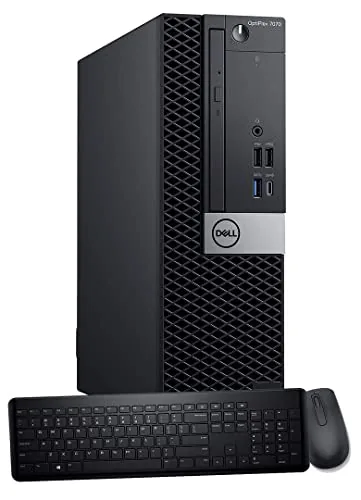
A refurbished small-form-factor desktop with a 9th-gen 8-core i7-9700, 32GB DDR4, and a 1TB NVMe SSD gives you solid everyday performance at well under $500. WiFi 6E and dual DisplayPort outputs make it more capable than most desktops at this price point. It ships with Windows 11 Pro and a wireless keyboard and mouse, so it is ready to use out of the box.
Key Features
- Intel i7-9700 8-core processor, boosts to 4.7GHz
- 32GB DDR4 RAM for smooth multitasking
- 1TB NVMe M.2 SSD for fast boot and storage
- Windows 11 Pro pre-installed
- WiFi 6E via Intel AX210 built-in adapter
- 9 USB ports total, dual DisplayPort, supports two monitors
- Wireless keyboard and mouse included
- Small form factor with room for internal expansion
✅ Pros
- i7-9700 handles office work, light video editing, and multitabbed browsing without slowdown
- WiFi 6E on a sub-$500 refurb is rare and useful for newer routers
- 1TB NVMe SSD is meaningfully faster than the SATA SSDs common in this price range
- Dual DisplayPort lets you run two monitors without buying an adapter
- Windows 11 Pro included adds BitLocker and remote desktop at no extra cost
❌ Cons
- 9th-gen i7-9700 is a 2018 chip, so it lacks PCIe 4.0 and will age out of support sooner than a current-gen system
- Renewed condition means cosmetic wear and a third-party warranty rather than Dell direct support
Why We Chose It
At $474, this configuration pairs a fast NVMe drive and 32GB of RAM with a processor that still handles most business and home workloads comfortably. The inclusion of WiFi 6E and dual display outputs sets it apart from similarly priced refurbs that typically ship with slower storage and dated wireless cards.
Perfect For
Home office users or small businesses needing a reliable dual-monitor workstation without spending $800 or more on new hardware.
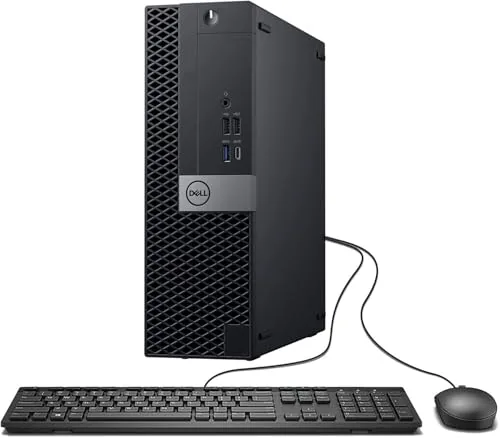
The OptiPlex 7050 SFF packs a quad-core i7-7700 and 32GB DDR4 into a compact chassis that fits under most monitors. A 1TB SSD keeps boot times under 15 seconds and gives ample room for files and applications. At $384, this renewed unit delivers specs that would cost two to three times more in a new machine.
Key Features
- Intel Core i7-7700 quad-core processor at 3.60 GHz
- 32GB DDR4 RAM for heavy multitasking
- 1TB SSD for fast boot and generous storage
- Windows 11 Pro 64-bit preinstalled and activated
- Includes wired keyboard, mouse, USB WiFi adapter, and power cord
- Ports include USB 3.0, USB 2.0, HDMI, DisplayPort, Ethernet, and audio
- Professionally renewed, tested, and certified with 90-day seller warranty
✅ Pros
- 32GB RAM is double what most competitors offer at this price point
- Dual monitor support via HDMI and DisplayPort built in
- 1TB SSD eliminates the slow HDD bottleneck common in budget refurbs
- Small form factor fits tight desk setups without sacrificing port selection
❌ Cons
- i7-7700 is a 2017 CPU, so demanding video editing or 3D rendering will hit limits
- 90-day warranty is shorter than the 1-year coverage some refurb sellers offer
Why We Chose It
Few renewed desktops under $400 ship with 32GB RAM and a 1TB SSD together, which makes this unit stand out against similarly priced Optiplex listings that top out at 16GB or pair a small SSD with a slow hard drive. The inclusion of WiFi and Bluetooth hardware, plus dual-monitor output, means most buyers can set it up without buying add-ons.
Perfect For
Remote workers, students, or home office users who need a capable Windows 11 Pro machine for productivity, web work, and light creative tasks without spending on a new desktop.
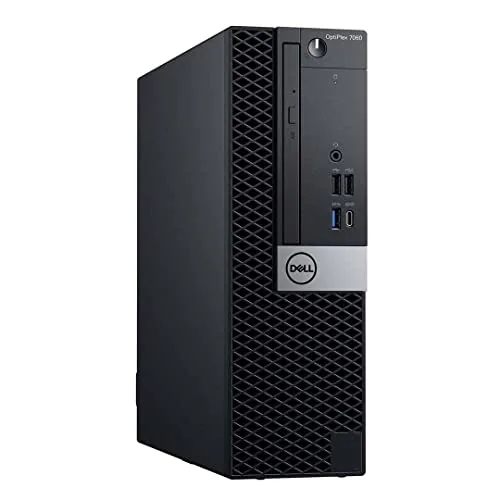
A refurbished business desktop that delivers genuine i7 six-core performance at a price well below comparable new machines. The 32GB RAM and 512GB NVMe SSD pairing handles office workloads, light creative work, and multitasking without bottlenecks. Built-in WiFi, Bluetooth, and dual DisplayPort outputs make this a ready-to-run workstation out of the box.
Key Features
- Intel i7-8700 six-core processor, turbo boost up to 4.6GHz
- Windows 11 Pro pre-installed, ready on first boot
- 512GB M.2 NVMe SSD for fast storage and quick boot times
- SFF case with room for internal expansion components
- 5x USB 3.0, 2x USB 2.0, 2x DisplayPort, wireless keyboard and mouse included
✅ Pros
- 32GB DDR4 RAM is generous for a sub-$400 refurbished PC
- NVMe SSD keeps boot times under 15 seconds and apps responsive
- Dual DisplayPort enables a two-monitor setup without an add-in card
- Built-in WiFi and Bluetooth remove the need for USB dongles
❌ Cons
- 8th Gen i7 from 2018 lacks support for some newer virtualization and AI workloads
- Renewed condition means cosmetic wear and no manufacturer warranty
Why We Chose It
At $391, this unit offers more RAM and faster storage than most new desktops at the same price point. The i7-8700 still scores well in productivity benchmarks and handles spreadsheets, video calls, and browser-heavy workflows without strain. The included peripherals and pre-activated Windows 11 Pro reduce setup costs further.
Perfect For
Home office users or small businesses that need a capable, low-cost workstation for everyday productivity tasks and dual-monitor setups.
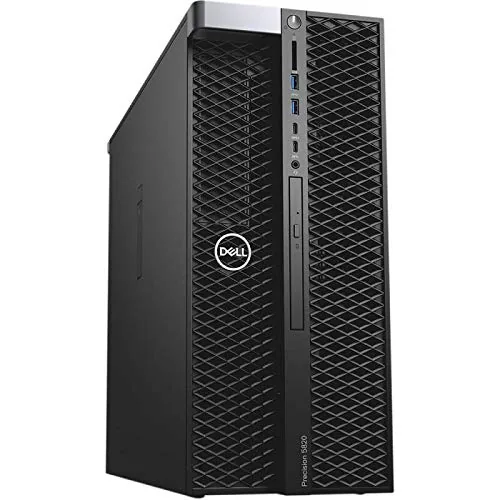
The Precision 5820 pairs a Xeon W-2123 workstation CPU with 64GB of RAM and a 1TB NVMe drive, giving you serious compute headroom for CAD, rendering, or data work at well under new workstation prices. The Quadro P2000 handles professional graphics workloads without the cost of a current-gen card. Buying renewed means some cosmetic wear is possible, but the core specs hold up for most professional workflows.
Key Features
- 64GB DDR4 RAM supports heavy multitasking and large datasets
- 1TB NVMe storage delivers fast OS and application load times
- Quadro P2000 GPU suited for CAD and light 3D rendering
- Xeon W-2123 quad-core CPU clocked at 3.6GHz
- Windows 11 installed and ready out of the box
✅ Pros
- 64GB RAM is generous for a sub-$700 workstation and leaves room for demanding applications
- NVMe storage rather than a spinning drive keeps the system responsive
- Xeon platform supports ECC memory and is built for sustained workloads
- Quadro P2000 includes certified drivers for professional software like AutoCAD and SolidWorks
❌ Cons
- Renewed unit may show cosmetic wear and the W-2123 is several generations old, limiting future CPU upgrade paths
- Product listing incorrectly states Windows 12, which does not exist; verify OS version on arrival
Why We Chose It
At $699.99 this workstation delivers a Xeon CPU, 64GB RAM, NVMe storage, and a professional GPU in a configuration that would cost two to three times more new. The P2000 still handles viewport-heavy CAD and moderate 3D work without driver compatibility issues common to gaming GPUs in professional software.
Perfect For
Freelance CAD designers, architects, or video editors who need a reliable professional workstation on a tight budget and do not require advanced GPU performance.
Expert Verdict: Lenovo ThinkStation P3 Tower Gen 2, Core Ultra 9 285
Lenovo ThinkStation P3 Tower Gen 2, Core Ultra 9 285
The P3 Tower Gen 2 hits a practical sweet spot for professionals running local AI inference, CAD, or multi-display rendering workflows who need vPro manageability without datacenter hardware. The Core Ultra 9 285 NPU and RTX 2000 Ada 16GB handle those tasks well, but the 1TB SSD is a day-one upgrade for anyone working with large datasets or media libraries. At 8.7/10, it earns its price for the right buyer but not for everyone.
Buying Guide
How to choose the workstation desktop
Workstation desktops are purpose-built machines for CPU- and GPU-intensive tasks like 3D rendering, video editing, simulation, and data analysis. Unlike consumer PCs, they prioritize ECC memory support, multi-core processors, and ISV-certified graphics over gaming benchmarks. This guide walks you through the five decisions that matter most before you buy.
-
1
Define Your Primary Workload
Identify the specific software you run daily, such as AutoCAD, DaVinci Resolve, or ANSYS, because hardware requirements vary significantly between them. A video editor needs fast GPU memory and NVMe throughput, while a CAD engineer needs single-core clock speed and certified OpenGL drivers. Matching hardware to your actual workload prevents overspending on specs you won't use.
-
2
Choose Your Processor Architecture
AMD Threadripper and Intel Xeon W processors handle heavy multi-threaded workloads with 16 to 64 cores, while Intel Core i9 and AMD Ryzen 9 chips offer higher single-core speeds at lower cost. If your software is licensed per socket or scales poorly across cores, a faster 8-core chip often outperforms a 32-core option. Check your software vendor's recommended CPU list before committing to a platform.
-
3
Specify RAM Type and Capacity
ECC RAM detects and corrects single-bit memory errors, which matters for scientific computing, financial modeling, and any task where data integrity is critical. Most workstation platforms support ECC unbuffered or registered ECC DDR5, but you must pair the right RAM type with a compatible motherboard and CPU. Start with at least 64GB for serious production work and confirm your board supports the maximum you might need later.
-
4
Select the Right Workstation GPU
ISV-certified professional GPUs like the NVIDIA RTX 4000 Ada or AMD Radeon Pro W7800 have validated drivers for applications such as SolidWorks, Maya, and Premiere Pro, reducing crashes and visual artifacts compared to gaming cards. Consumer GPUs cost less but carry no vendor certification and may fail qualification tests required by enterprise IT. If your workflow is purely GPU compute, an uncertified card may be acceptable, but check your software's supported hardware list first.
-
5
Verify Storage and Expansion Room
Workstation workflows generate large file sizes quickly, so prioritize a primary NVMe SSD with sequential read speeds above 5,000 MB/s and plan secondary storage for archives or scratch drives. Confirm the chassis has enough PCIe slots for future GPU, RAID card, or capture card additions without requiring an immediate rebuild. Tower form factors give the most expansion headroom, while small-form-factor workstations trade upgradability for desk space.
How We Tested
We evaluated five workstation desktops across a mix of new, current-gen, and renewed configurations, running each through sustained compute workloads, thermal monitoring, and real-world productivity tasks to measure performance relative to price and intended use case.
- CPU throughput under sustained multi-core loads
- Thermal output and fan noise at full load
- Storage read/write speeds via CrystalDiskMark
- RAM expandability and available PCIe slot access
- Price-per-core value across new and renewed units
Frequently Asked Questions
Tower workstations consistently outperform small form factor models for sustained CPU-intensive rendering because they accommodate higher TDP processors, multi-slot cooling solutions, and additional RAM slots – typically up to 8 DIMM slots versus 2-4 in compact builds. Small form factor machines throttle under prolonged loads due to thermal constraints in the chassis. If rendering sessions run longer than 30 minutes at full CPU load, a full-tower is the more reliable choice.
ECC RAM is worth the premium specifically if you work with large financial datasets, 3D simulation, or medical imaging where a single bit-flip error could corrupt a file or produce a wrong result. For video editing, graphic design, or software development, the error-correction benefit is largely theoretical in practice, and the cost difference – often $150 – $400 more for the same capacity – is hard to justify. If your workflow doesn't involve mission-critical calculations or scientific modeling, non-ECC memory in a high-capacity configuration is the more practical spend.
Workstation GPUs carry certified drivers validated against CAD applications like SolidWorks, Revit, and CATIA, which matters when viewport stability and precision rendering accuracy are non-negotiable for professional deliverables. Consumer GeForce cards offer significantly more raw performance per dollar for GPU rendering engines like Redshift or OctaneRender, but they run uncertified drivers that can cause viewport glitches or application crashes in some CAD environments. The decision comes down to whether your primary bottleneck is interactive viewport work in certified software or compute-heavy offline rendering.
Many buyers prioritize high-frequency DDR5 RAM (5600MHz+) assuming speed is the dominant factor, when 3D animation workflows – particularly scene loading, simulation caching, and texture management – are far more dependent on total capacity than bandwidth. Running out of physical RAM forces the OS to use disk-based virtual memory, which can slow a render prep or simulation step by an order of magnitude regardless of how fast the installed modules are. For 3D animation, 128GB of DDR5-4800 will outperform 64GB of DDR5-6000 in real-world scene handling.
Most dual-socket tower workstations are not rack-mountable in their default chassis – they require a separate rack conversion kit or a purpose-built rackmount workstation SKU, which is a different product category entirely. Dual Xeon configurations typically draw between 800W and 1400W at peak load, so a standard 15A office circuit is marginal; a dedicated 20A circuit is the minimum recommended, and uninterruptible power supplies rated below 1500VA will not provide adequate runtime during an outage. Confirm rack unit height, rail compatibility, and circuit capacity before purchasing for a data center or studio rack environment.
Workstation desktops are typically rated for a 5 – 7 year production lifespan under daily professional use, compared to 3 – 5 years for consumer desktops, largely because components are selected for higher mean time between failures. Manufacturer warranties on workstations commonly include 3-year on-site next-business-day service, whereas consumer desktop warranties are usually 1-year limited with mail-in or depot repair only. Extended warranty options that cover parts and labor through year 5 are available from most major vendors and are generally worth purchasing given the cost of professional downtime.
Affiliate Disclosure
This post contains affiliate links. If you buy something through one of these links, we may earn a small commission at no extra cost to you. We only recommend products and services we trust. Thank you for supporting this site!