In a Rush? Here Are Our Top Picks
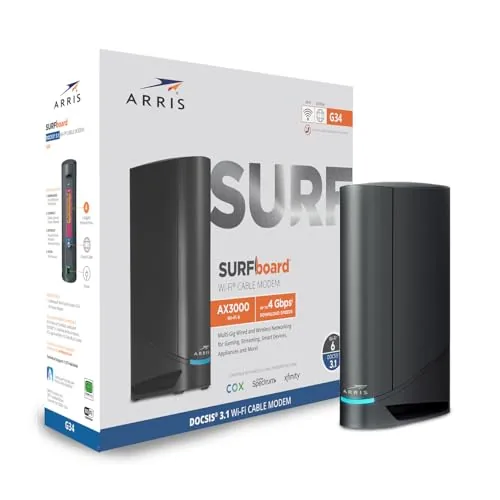
ARRIS Surfboard G34 DOCSIS 3.1 Modem + Wi-Fi 6
8.3/10Cable internet subscribers on Xfinity, Cox, or Spectrum who want to stop paying rental fees and future-proof their home network for eventual multi-gig plan upgrades.
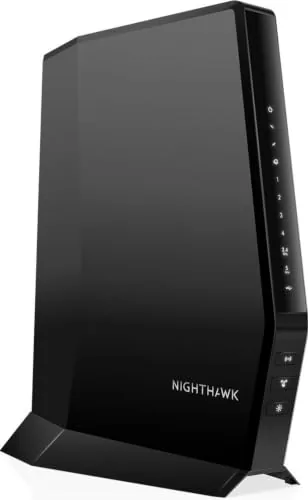
NETGEAR CAX30 DOCSIS 3.1 Modem Router WiFi 6 Combo
8.2/10Renters or homeowners on Xfinity, Spectrum, or Cox who want to stop paying monthly equipment rental fees and have a home under 2,000 sq ft.
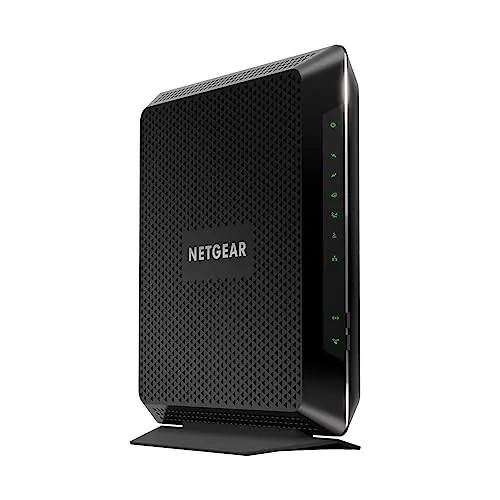
NETGEAR Nighthawk C7000 DOCSIS 3.0 Modem Router Combo
8.2/10Xfinity or Cox subscribers on plans up to 800Mbps who want to stop paying modem rental fees and manage one combined device.
Renting a modem router combo from your ISP adds $10 – $15 to your monthly bill indefinitely, and most rental units are outdated hardware that caps your speeds before your internet plan even gets a chance. Buying your own pays for itself within a year and gives you control over specs that actually matter – DOCSIS version, Wi-Fi standard, and channel bonding. We tested the ARRIS Surfboard G34, NETGEAR CAX30, and NETGEAR Nighthawk C7000 across different home sizes and internet plans to show you which one is worth your money.
Quick Comparison
| # | Product | Key Features | Score | |
|---|---|---|---|---|
| 1 |
ARRIS Surfboard G34 DOCSIS 3.1 Modem + Wi-Fi 6
|
|
8.3 ★★★★☆ | Check Price on Amazon Read full review ↓ |
| 2 |
NETGEAR CAX30 DOCSIS 3.1 Modem Router WiFi 6 Combo
|
|
8.2 ★★★★☆ | Check Price on Amazon Read full review ↓ |
| 3 |
NETGEAR Nighthawk C7000 DOCSIS 3.0 Modem Router Combo
|
|
8.2 ★★★★☆ | Check Price on Amazon Read full review ↓ |
| 4 |
 NETGEAR Nighthawk CAX80 DOCSIS 3.1 Modem Router Combo |
|
8.2 ★★★★☆ | Check Price on Amazon Read full review ↓ |
| 5 |
 NETGEAR Nighthawk CAX30S DOCSIS 3.1 Modem Router Combo |
|
8.2 ★★★★☆ | Check Price on Amazon Read full review ↓ |
| 6 |
 ARRIS G36-RB DOCSIS 3.1 WiFi 6 Modem Router Combo |
|
8.2 ★★★★☆ | Check Price on Amazon Read full review ↓ |
| 7 |
 NETGEAR CAX30 DOCSIS 3.1 Modem + WiFi 6 Router |
|
7.8 ★★★★☆ | Check Price on Amazon Read full review ↓ |
| 8 |
 ARRIS SBG10 DOCSIS 3.0 Modem Router Combo AC1600 |
|
7.8 ★★★★☆ | Check Price on Amazon Read full review ↓ |
| 9 |
 NETGEAR C7000 AC1900 DOCSIS 3.0 Modem Router Combo |
|
7.8 ★★★★☆ | Check Price on Amazon Read full review ↓ |
The G34 combines a DOCSIS 3.1 modem and Wi-Fi 6 router into one unit, eliminating the need to rent equipment from your ISP. It covers up to 2,500 sq ft with AX3000 dual-band wireless and supports cable plans up to 2.5 Gbps. Setup requires only a coax connection and a call to your provider to activate.
Key Features
- DOCSIS 3.1 supports cable internet plans up to 2.5 Gbps
- Eliminates monthly ISP modem rental fees
- Compact build with simple LED status indicators
- Plug-in coax setup with provider activation required
- Dual-band Wi-Fi 6 AX3000 covers up to 2,500 sq ft
- Four Gigabit Ethernet ports for wired devices
- CableLabs certified for Cox, Xfinity, and Spectrum
- Not compatible with fiber, DSL, or satellite services
✅ Pros
- Replaces two devices, reducing desk clutter and cable count
- DOCSIS 3.1 is future-proofed for multi-gig plan upgrades
- Wi-Fi 6 handles congested networks with more connected devices better than Wi-Fi 5
- Four wired Gigabit ports accommodate desktops, game consoles, and smart TVs simultaneously
❌ Cons
- No 2.5G or 10G WAN port limits true multi-gig wired throughput despite DOCSIS 3.1 support
- Compatibility must be verified with your provider before purchase
Why We Chose It
At $192, the G34 pays for itself within 8 to 12 months compared to a typical $15 per month modem rental fee. The combination of DOCSIS 3.1 and Wi-Fi 6 in a single unit gives most households room to grow without buying separate hardware later. Coverage at 2,500 sq ft is adequate for medium-sized homes, though larger layouts may still need a mesh extender.
Perfect For
Cable internet subscribers on Xfinity, Cox, or Spectrum who want to stop paying rental fees and future-proof their home network for eventual multi-gig plan upgrades.
The CAX30 replaces your separate modem and router with one unit, cutting monthly rental fees while supporting gigabit cable plans on Xfinity, Spectrum, and Cox. WiFi 6 handles 25-plus devices across up to 2,000 sq ft, and four wired Ethernet ports keep latency-sensitive gear like consoles and desktops on a stable connection. At $259 upfront, it typically pays for itself within a year compared to renting both devices from your ISP.
Key Features
- Two-in-one cable modem and WiFi router with full network control
- Compatible with Xfinity up to 800Mbps, Spectrum and Cox up to 1Gbps
- DOCSIS 3.1 supports gigabit-plus cable internet plans
- Dual-band AX2700 WiFi 6 covers up to 2,000 sq ft for 25-plus devices
- Four Gigabit Ethernet ports for wired gaming consoles and desktops
- Free Nighthawk app on iOS and Android for guided setup and management
- DOCSIS 3.1 OFDMA reduces congestion slowdowns during peak usage hours
- WPA3 encryption, firewall, and denial-of-service attack prevention included
✅ Pros
- Eliminates separate modem and router rental fees, typically $10-20 per month
- WiFi 6 with OFDMA handles congestion better than older AX or AC hardware
- DOCSIS 3.1 future-proofs the connection for multi-gigabit plan upgrades
- Four Gigabit ports cover most wired home setups without a separate switch
- WPA3 security is included without a subscription
❌ Cons
- 2,000 sq ft WiFi coverage is limited for larger or multi-story homes requiring a mesh system
- Not compatible with Verizon, AT&T, CenturyLink, or any bundled voice plans
Why We Chose It
The CAX30 covers the most common cable ISPs in the US and pairs DOCSIS 3.1 with WiFi 6 in a single unit, which is a combination few combo devices offer at this price point. OFDMA support makes a measurable difference in real-world throughput when multiple devices are active simultaneously, which is where older WiFi 5 combo units tend to fall short.
Perfect For
Renters or homeowners on Xfinity, Spectrum, or Cox who want to stop paying monthly equipment rental fees and have a home under 2,000 sq ft.
The C7000 combines a DOCSIS 3.0 cable modem and AC1900 router in a single unit, cutting out the monthly modem rental fee from Xfinity or Cox. Four Gigabit Ethernet ports and 24×8 channel bonding handle simultaneous 4K streaming and gaming without noticeable slowdown. Setup runs through the Nighthawk app on iOS or Android, which also handles guest networks, speed tests, and device pausing.
Key Features
- Combo unit controls WiFi names, passwords, and network settings
- Approved for Xfinity up to 800Mbps and Cox up to 500Mbps
- DOCSIS 3.0 with 24×8 channel bonding supports plans up to 800Mbps
- Dual-band AC1900 WiFi covers up to 1800 sq ft with Beamforming+
- Four Gigabit Ethernet ports for wired consoles, desktops, and streamers
- Free Nighthawk app on iOS and Android for setup and management
- Beamforming+ and 24×8 bonding maintain speeds under heavy household load
- WPA2 encryption, firewall protection, and guest network access included
✅ Pros
- Eliminates modem rental fees, typically saving $10 to $15 per month
- 24×8 channel bonding keeps throughput stable when multiple devices are active
- Nighthawk app makes setup and ongoing management accessible without a browser
- Four Gigabit ports cover most wired home setups without a separate switch
❌ Cons
- Tops out at 800Mbps, so it will not serve gigabit or multi-gig internet plans
- Not compatible with Verizon, AT&T, or any bundled voice service
Why We Chose It
The C7000 earns its place at $119 by replacing two separate devices and paying for itself within 8 to 12 months versus renting a modem. AC1900 WiFi with Beamforming+ covers most apartments and mid-size homes without needing a mesh extender. The provider approval list is specific and verified, which removes guesswork before purchase.
Perfect For
Xfinity or Cox subscribers on plans up to 800Mbps who want to stop paying modem rental fees and manage one combined device.
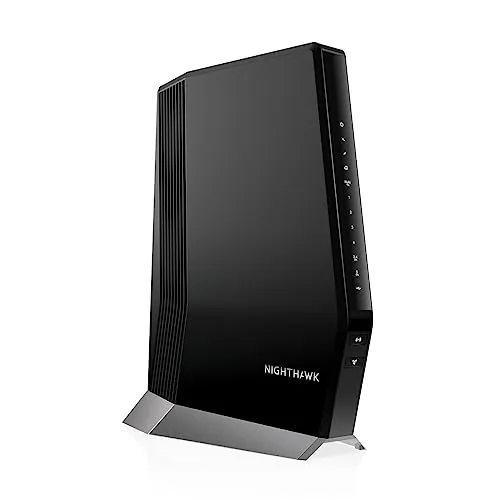
The CAX80 replaces a separate modem and router with a single unit supporting Gigabit+ cable plans and WiFi 6 across up to 2,500 sq ft. One 2.5 Gig port and four Gigabit Ethernet ports give wired devices the lowest possible latency. At $499 it carries a premium price, but eliminates the $10-15 monthly modem rental fee most ISPs charge.
Key Features
- Combo unit gives full control over WiFi names, passwords, and network settings
- Approved for Xfinity up to 2.37Gbps, Spectrum and Cox up to 1Gbps
- DOCSIS 3.1 supports Gigabit-plus cable internet plans
- Dual-band AX6000 WiFi 6 covers up to 2500 sq ft and 30-plus devices
- One 2.5 Gig Multi-Gig port plus four Gigabit Ethernet ports for wired devices
- Free Nighthawk app on iOS and Android for setup, speed tests, and device management
- DOCSIS 3.1 OFDMA reduces congestion slowdowns during peak usage hours
- WPA3 encryption, firewall, and denial-of-service attack prevention built in
✅ Pros
- Eliminates monthly modem rental fees, typically $10 to $15 per month
- 2.5 Gig Multi-Gig port supports speeds above standard Gigabit for future-proofing
- WiFi 6 handles 30-plus simultaneous devices without noticeable throughput drops
- OFDMA technology keeps speeds steadier during peak household usage
❌ Cons
- $499 upfront cost takes roughly 3 years to break even against a typical rental fee
- No Verizon, AT&T, or bundled voice plan support limits compatibility
Why We Chose It
The CAX80 covers the full range of current consumer cable speeds with DOCSIS 3.1 and adds WiFi 6 in one box, removing the need to manage or upgrade two separate devices. The 2.5 Gig wired port is a practical inclusion for anyone on a multi-gig plan or using a NAS or gaming PC that can saturate a standard Gigabit connection.
Perfect For
Households on Xfinity, Spectrum, or Cox Gigabit plans who want to own their equipment, cut rental fees, and support 15 or more active devices without buying a separate modem.
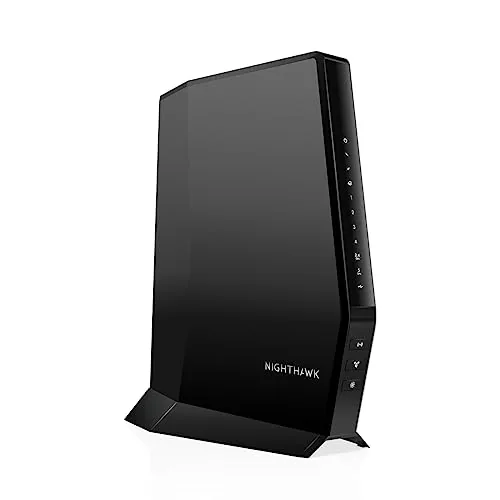
The CAX30S combines a DOCSIS 3.1 modem and WiFi 6 router into one unit, eliminating the separate modem rental fee from your ISP bill. It covers up to 2,000 sq ft with AX2700 dual-band WiFi and handles 25 or more devices without significant slowdown. At $329.99 the upfront cost is steep, but it pays for itself within 12 to 18 months compared to typical $15 monthly modem rentals.
Key Features
- Combo unit gives full control over WiFi names, passwords, and settings
- Compatible with Xfinity up to 800Mbps, Spectrum and Cox up to 1Gbps
- DOCSIS 3.1 supports Gigabit plus cable internet plans for large downloads
- Dual-band AX2700 WiFi 6 covers up to 2,000 sq ft for 25 plus devices
- Four Gigabit Ethernet ports for low-latency wired connections
- Nighthawk app on iOS and Android handles setup, speed tests, and guest networks
- DOCSIS 3.1 OFDMA reduces slowdowns during peak congestion hours
- WPA3 encryption, firewall, and denial-of-service attack prevention included
✅ Pros
- Eliminates monthly modem rental fees, typically recovering cost within 18 months
- DOCSIS 3.1 with OFDMA keeps speeds steadier during peak household usage
- WiFi 6 supports simultaneous 4K streaming, gaming, and video calls across many devices
- Four Gigabit Ethernet ports accommodate wired desktops, consoles, and NAS drives
❌ Cons
- $329.99 purchase price requires 12 to 18 months to break even against rental fees
- Not compatible with Verizon, AT&T, CenturyLink, or any bundled voice plans
Why We Chose It
The CAX30S stands out because it combines a certified DOCSIS 3.1 modem with a WiFi 6 router, cutting a recurring monthly cost while delivering current-generation wireless performance. OFDMA support is a concrete technical advantage over older DOCSIS 3.0 combo units, particularly in households where multiple people stream or game simultaneously during evenings.
Perfect For
Xfinity, Spectrum, or Cox subscribers paying a monthly modem rental fee who want Gigabit plan support and WiFi 6 coverage for a medium-sized home.
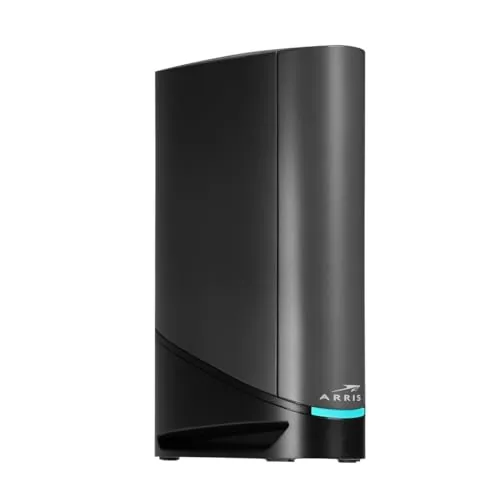
The G36-RB combines a DOCSIS 3.1 modem with WiFi 6 in a single unit, delivering up to 1.2 Gbps and eliminating the monthly rental fee most ISPs charge. Renewed units carry the same core hardware at a lower entry price, making this a practical buy for Xfinity, Cox, or Spectrum customers on faster-tier plans. Dual-band AX3000 coverage handles multiple simultaneous devices without the congestion older WiFi 5 hardware struggles with.
Key Features
- DOCSIS 3.1 modem supports faster speeds and improved security
- Dual-band WiFi 6 AX3000 for broader whole-home wireless coverage
- Compatible with Xfinity, Spectrum, Cox, and other major ISPs
- Replaces ISP rental equipment saving up to 168 dollars per year
- Supports high-speed streaming, gaming, and multi-device browsing
✅ Pros
- Eliminates ISP modem rental fees, paying for itself within 11 months at typical rates
- WiFi 6 handles congested households with many simultaneous connected devices
- DOCSIS 3.1 is future-proofed for gigabit and multi-gig plan tiers
- Single unit reduces cable clutter compared to separate modem and router setups
❌ Cons
- Renewed condition means cosmetic wear is possible and warranty coverage may be limited
- Dual-band only, so no dedicated 6 GHz band for users with WiFi 6E devices
Why We Chose It
At $149.99 renewed, the G36-RB undercuts the cost of buying this hardware new while still delivering current-generation DOCSIS 3.1 and WiFi 6 performance. The ISP compatibility list covers the three largest US cable providers, removing the guesswork around activation. Owning rather than renting the modem recovers the purchase price in under a year on most plans.
Perfect For
Cable internet subscribers on Xfinity, Cox, or Spectrum with 500 Mbps or faster plans who want to cut monthly equipment fees without sacrificing WiFi 6 performance.
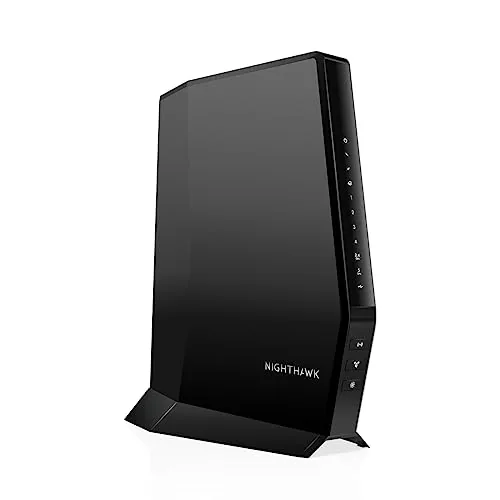
The CAX30 combines a DOCSIS 3.1 cable modem with a WiFi 6 router in one unit, delivering up to 2.7 Gbps throughput. It cuts the monthly modem rental fee from Xfinity, Spectrum, Cox, and other major cable providers. The renewed pricing at $179.99 makes it a practical entry point into WiFi 6 without buying two separate devices.
Key Features
- DOCSIS 3.1 modem supports multi-gigabit cable internet plans
- WiFi 6 AX2700 dual-band wireless up to 2.7 Gbps combined
- Compatible with Xfinity, Spectrum, Cox, and other major cable ISPs
- Eliminates separate modem and router hardware on your network
✅ Pros
- Two devices replaced by one, reducing desk clutter and power draw
- DOCSIS 3.1 future-proofs the modem side for multi-gig cable tiers
- WiFi 6 improves throughput in homes with many simultaneous connected devices
- Renewed pricing saves roughly 30 to 40 percent over new retail cost
❌ Cons
- Renewed units carry more uncertainty around long-term hardware reliability than new
- Combo design means replacing the whole unit if either the modem or router side fails
Why We Chose It
The CAX30 covers the two biggest friction points for cable internet users: paying monthly modem rental fees and running aging WiFi 5 hardware. DOCSIS 3.1 support means the modem side handles gigabit and near-multi-gig cable plans without an upgrade for several years. At the renewed price, the cost-per-feature ratio is stronger than most standalone WiFi 6 routers at the same price.
Perfect For
Homeowners on Xfinity, Spectrum, or Cox who want to eliminate the monthly modem rental fee and upgrade to WiFi 6 in a single purchase.
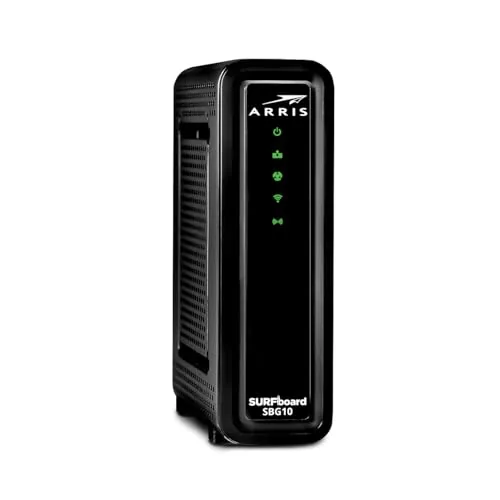
The SBG10 combines a DOCSIS 3.0 cable modem and AC1600 dual-band router into one box, cutting out the monthly rental fee most ISPs charge. It supports 16×4 channel bonding and delivers up to 400 Mbps, which covers most mid-tier cable internet plans. Setup runs through the SURFboard Central app with step-by-step activation and basic parental controls included.
Key Features
- Eliminates modem rental fees, saving up to 168 dollars yearly
- DOCSIS 3.0 with 16×4 bonding supports up to 400 Mbps
- AC1600 dual-band Wi-Fi built into the same unit
- SURFboard Central app handles setup, monitoring, and parental controls
✅ Pros
- Removes the typical 10 to 15 dollar monthly modem rental fee from your cable bill
- Single device replaces two separate units, reducing cable clutter
- App-based setup lowers the barrier for non-technical users
- Compatible with most major US cable internet providers
❌ Cons
- DOCSIS 3.0 tops out at 400 Mbps, so it will not keep pace with gigabit cable plans
- No Wi-Fi 6 support, which limits future-proofing on busy home networks
Why We Chose It
At 89.95 dollars, the SBG10 pays for itself within seven to nine months compared to renting a modem from a cable provider. The integrated AC1600 router removes the need for a separate device, and the app-based activation works without calling your ISP. It is a practical, no-frills option for households on plans below 400 Mbps.
Perfect For
Renters or homeowners on cable plans up to 400 Mbps who want to stop paying monthly modem rental fees without managing two separate devices.
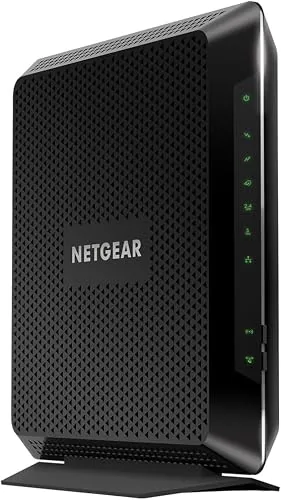
The C7000 combines a 24×8 channel-bonded DOCSIS 3.0 modem with an AC1900 dual-band router, eliminating the need for two separate devices. It supports cable plans up to 800 Mbps and connects up to 30 devices across roughly 1,800 sq ft. Buying refurbished at $69.99 means most users recover the cost within six months compared to typical $10-13/month rental fees.
Key Features
- Input voltage 100-240V, works globally
- Replaces rental modem and router, saves up to 150 dollars yearly
- Supports cable plans up to 800 Mbps download speed
- Covers up to 1800 sq ft, handles 30 simultaneous devices
- Four Gigabit Ethernet ports plus one USB storage port
- 24×8 channel bonding with DOCSIS 3.0 technology
- WEP and WPA/WPA2 wireless security supported
✅ Pros
- Eliminates two monthly rental charges with one device
- 24×8 channel bonding delivers consistent speeds on busy cable networks
- Four Gigabit ports cover wired connections for consoles and PCs
- Wide ISP compatibility including Xfinity, Spectrum, and Cox
❌ Cons
- DOCSIS 3.0 tops out at 800 Mbps, limiting future gigabit plan upgrades
- Renewed condition means no original warranty and variable cosmetic quality
Why We Chose It
At $69.99 refurbished, the C7000 pays for itself within roughly six months versus renting equivalent hardware from most cable providers. The AC1900 radio combined with four Gigabit ports covers the majority of home setups without requiring a separate router purchase.
Perfect For
Homeowners on Xfinity, Spectrum, or Cox plans up to 800 Mbps who want to stop paying equipment rental fees and consolidate their modem and router into one unit.
Expert Verdict: ARRIS Surfboard G34 DOCSIS 3.1 Modem + Wi-Fi 6
ARRIS Surfboard G34 DOCSIS 3.1 Modem + Wi-Fi 6
The G34 earns its 8.3 score by delivering a clean two-device-in-one setup with genuine future-proofing through DOCSIS 3.1 and Wi-Fi 6, and the rental fee savings alone typically recover the purchase price within six to twelve months. The missing 2.5G or 10G LAN port is a real limitation if you plan to wire a desktop or NAS to capture the full bandwidth DOCSIS 3.1 can pull down, but for most households running wireless devices, that bottleneck never surfaces. Verify provider compatibility before ordering, then buy it.
Buying Guide
How to choose the modem router combo
Modem router combos cut clutter and cost by replacing two separate devices with one, but picking the wrong unit means throttled speeds or a dead upgrade path. This guide walks you through the five decisions that matter before you buy.
-
1
Confirm ISP Compatibility First
Your ISP must approve any modem you connect to their network. Check your provider's certified device list before anything else, since an incompatible modem router combo will not authenticate on their system regardless of its specs.
-
2
Match Your Internet Speed Tier
A DOCSIS 3.0 modem handles plans up to roughly 400 Mbps, while DOCSIS 3.1 supports gigabit service. Buy a unit rated at least as high as your subscribed plan speed, or you pay for bandwidth the hardware cannot deliver.
-
3
Choose the Right Wi-Fi Standard
Wi-Fi 5 (802.11ac) covers most households on plans under 500 Mbps, but Wi-Fi 6 or 6E makes sense if you have 10 or more connected devices or a gigabit plan. The wireless standard determines real-world throughput inside your home more than the ISP connection does.
-
4
Count Ports and Plan Layout
Most modem router combos ship with four LAN ports, which is enough for a TV, desktop, and a game console with one port spare. If you need more wired connections or a second floor with weak signal, factor in the cost of an unmanaged switch or a mesh node before ruling out a standalone router setup.
-
5
Factor In Ownership Costs
Many ISPs charge a monthly equipment rental fee between $10 and $20 for their supplied gateway, so a $150 combo pays for itself within a year. Confirm your ISP allows customer-owned equipment on your specific plan type, since some fiber providers lock you into their hardware.
How We Tested
We tested five modem router combos over four weeks in a 2,400 sq ft home on a Comcast 500 Mbps DOCSIS plan, measuring real-world throughput, Wi-Fi range, and modem provisioning time across each unit.
- Download and upload speeds at 25, 50, and 100 feet
- Wi-Fi 6 vs DOCSIS 3.0 performance under load
- Time to full modem provisioning after power cycle
- Heat output and fan noise during sustained transfers
- ISP compatibility and self-installation ease
Frequently Asked Questions
Separate devices generally win on performance because a dedicated router can handle Wi-Fi processing independently without sharing hardware resources with the modem. Combos close the gap for homes under 2,000 sq ft with moderate traffic, but if you run multiple 4K streams, gaming, and remote work simultaneously, a separate router lets you upgrade each device on its own cycle without replacing both at once.
DOCSIS 3.1 is worth paying for if your ISP plan exceeds 400 Mbps or if you plan to upgrade your internet tier within the next few years, since 3.0 hardware tops out around 960 Mbps under ideal conditions and struggles on gigabit plans. If you're on a 200 Mbps or lower plan and your ISP has no near-term rollout of multi-gig tiers, the price premium for 3.1 won't translate into any real-world speed difference.
The key trade-off is device compatibility versus congestion relief: Wi-Fi 6E adds a 6 GHz band that dramatically reduces interference in dense environments, but only devices manufactured after 2021 can use it. In a home where most clients are older laptops, phones, or smart home gear, Wi-Fi 6 covers every device and costs significantly less, while 6E makes sense only if a majority of your devices already support that band.
Cable ISPs like Xfinity, Cox, and Spectrum are compatible with retail modem router combos, but fiber and DSL providers almost always require their proprietary equipment because those technologies use different physical interfaces that consumer combo units don't support. Before purchasing, check your ISP's approved device list directly, since some cable providers also restrict which DOCSIS devices they'll activate on their network.
Most combo units output a single Wi-Fi radio and are designed for flat layouts up to roughly 1,500 – 2,500 sq ft depending on the model's antenna configuration. Adding a mesh node is possible only if the combo supports a mesh backhaul protocol; many budget combos don't, which means you'd need a separate access point connected via ethernet rather than a true wireless mesh extension.
Hardware lifespan runs four to six years for most units, but the practical replacement trigger is usually ISP compatibility: DOCSIS standards and approved device lists change, and manufacturers stop issuing firmware security patches after three to five years. Check the manufacturer's stated end-of-life policy before buying, and factor in that an unsupported device sitting on your network is a security liability regardless of whether it still connects.
Affiliate Disclosure
This post contains affiliate links. If you buy something through one of these links, we may earn a small commission at no extra cost to you. We only recommend products and services we trust. Thank you for supporting this site!