In a Rush? Here Are Our Top Picks
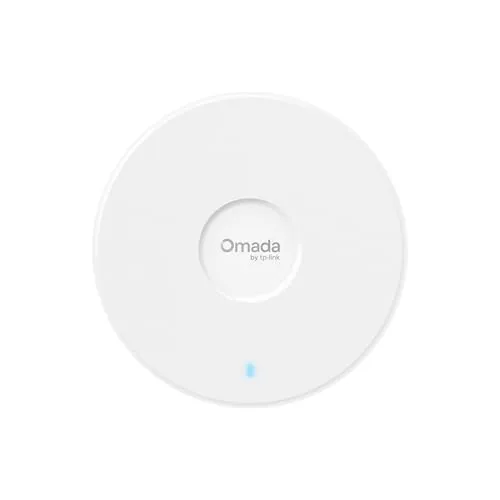
TP-Link EAP720 WiFi 7 Access Point 2.5G BE5000
8.7/10Small business owners or home lab users who want enterprise-grade management, mesh roaming, and a 2.5G uplink without paying enterprise prices.
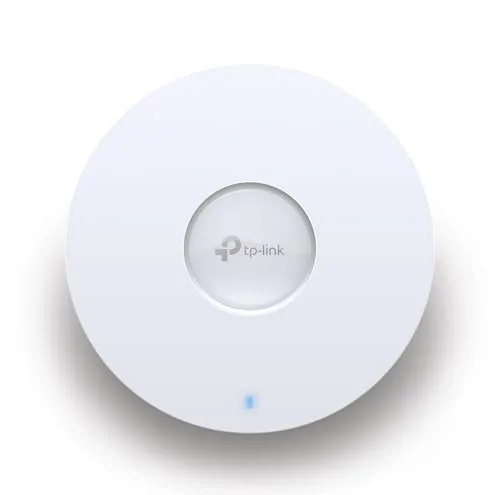
TP-Link EAP650 AX3000 Wi-Fi 6 Access Point
8.5/10Small business owners, hotel operators, or IT admins who need scalable managed Wi-Fi without ongoing controller software costs.
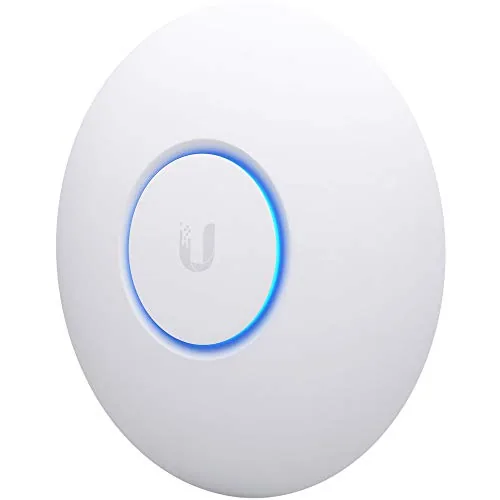
Ubiquiti UniFi nanoHD Wave2 MU-MIMO Access Point
8.5/10IT administrators and prosumers who need a high-density, controller-managed wireless AP for offices, schools, or large homes without the enterprise price tag.
Choosing the wrong wireless access point means dead zones, dropped connections during video calls, or a network that can’t keep up when a dozen devices are online at once. Whether you’re covering a small office, upgrading a home with thick walls, or building out a multi-floor deployment, the right hardware makes a measurable difference in speed and reliability. We tested the TP-Link EAP720 WiFi 7, TP-Link EAP650 AX3000, and Ubiquiti UniFi nanoHD to help you pick the one that fits your actual setup and budget.
Quick Comparison
| # | Product | Key Features | Score | |
|---|---|---|---|---|
| 1 |
TP-Link EAP720 WiFi 7 Access Point 2.5G BE5000
|
|
8.7 ★★★★☆ | Check Price on Amazon Read full review ↓ |
| 2 |
TP-Link EAP650 AX3000 Wi-Fi 6 Access Point
|
|
8.5 ★★★★☆ | Check Price on Amazon Read full review ↓ |
| 3 |
Ubiquiti UniFi nanoHD Wave2 MU-MIMO Access Point
|
|
8.5 ★★★★☆ | Check Price on Amazon Read full review ↓ |
| 4 |
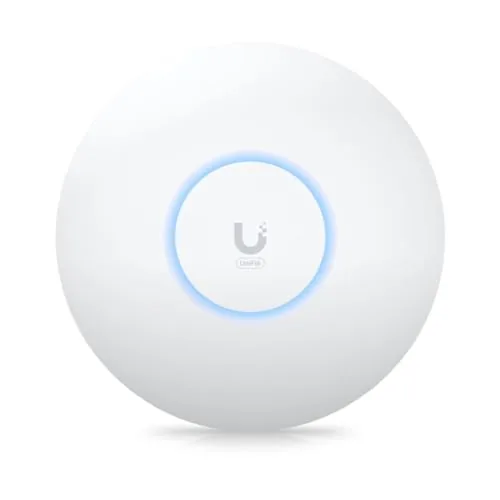 Ubiquiti U6+ Dual-Band Wi-Fi 6 Access Point |
|
8.5 ★★★★☆ | Check Price on Amazon Read full review ↓ |
| 5 |
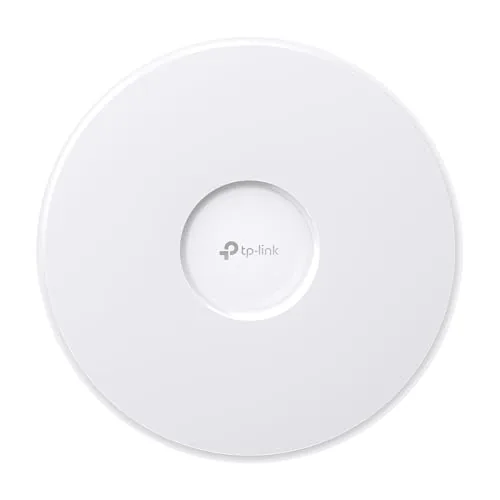 TP-Link EAP770 Wi-Fi 7 Tri-Band Access Point |
|
8.5 ★★★★☆ | Check Price on Amazon Read full review ↓ |
| 6 |
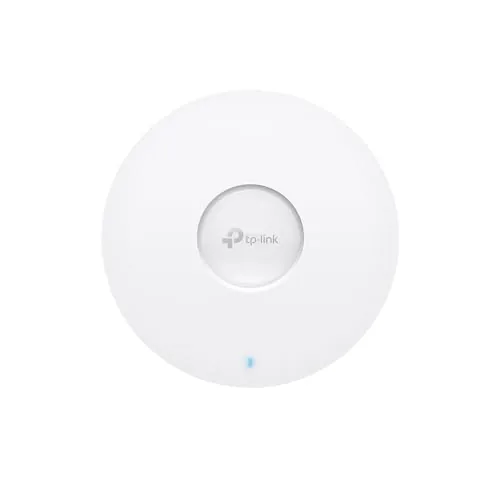 TP-Link EAP610 Wi-Fi 6 AX1800 Access Point |
|
8.5 ★★★★☆ | Check Price on Amazon Read full review ↓ |
| 7 |
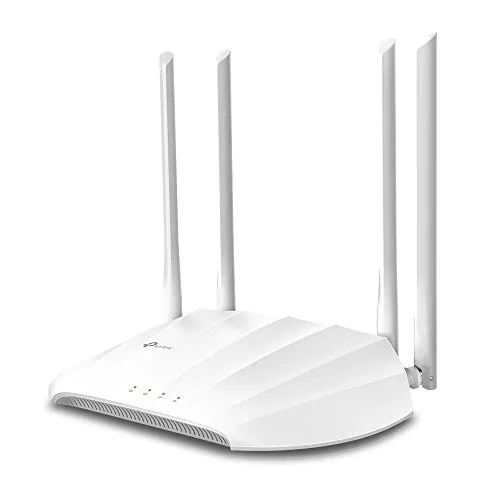 TP-Link TL-WA1201 AC1200 Dual-Band Gigabit Access Point |
|
7.8 ★★★★☆ | Check Price on Amazon Read full review ↓ |
| 8 |
 TP-Link EAP225 AC1350 Dual Band Access Point PoE |
|
7.8 ★★★★☆ | Check Price on Amazon Read full review ↓ |
| 9 |
 TP-Link Archer A54 AC1200 Dual-Band Router |
|
7.2 ★★★★☆ | Check Price on Amazon Read full review ↓ |
The EAP720 delivers Wi-Fi 7 dual-band speeds up to 5 Gbps through a 2.5G port, making it one of the most capable access points under $110. It supports up to 250 concurrent clients and includes PoE or DC power options, giving installers genuine flexibility. Cloud management through the Omada platform adds remote monitoring and zero-touch provisioning without a subscription fee.
Key Features
- Free cloud management with remote config, monitoring, and ZTP
- Dual-band Wi-Fi 7: 4324 Mbps on 5 GHz, 688 Mbps on 2.4 GHz
- 2.5G Ethernet port supports multi-gig broadband without hardware replacement
- VLAN, bandwidth controls, PPSK, and scheduling available via management platform
- smooth roaming, mesh support, and airtime fairness included
- Supports 802.3at PoE at 17.83W or included DC adapter
- Handles 250 or more concurrent clients simultaneously
- 5-year warranty with weekday technical support included
✅ Pros
- 2.5G port future-proofs the hardware for multi-gig ISP upgrades
- Wi-Fi 7 MLO and 4K-QAM improve throughput and reliability over Wi-Fi 6
- DC adapter included so PoE switch is optional for basic installs
- Free Omada cloud management eliminates recurring software costs
- 5-year warranty is longer than most competitors in this price range
❌ Cons
- 2.4 GHz band limited to 688 Mbps, which constrains older or budget devices
- Full feature set requires Omada controller setup, adding initial configuration time
Why We Chose It
At $104.99 the EAP720 brings Wi-Fi 7 hardware and a 2.5G uplink port to a price point where most competitors still ship Wi-Fi 6 with a 1G port. The included DC adapter and free cloud platform lower the total deployment cost, especially for small offices without existing PoE infrastructure. The 5-year warranty adds meaningful long-term value compared to the standard 2-year coverage common at this tier.
Perfect For
Small business owners or home lab users who want enterprise-grade management, mesh roaming, and a 2.5G uplink without paying enterprise prices.
The EAP650 delivers 2976 Mbps dual-band Wi-Fi 6 with free cloud management through the Omada app, no controller hardware required. It supports 802.3at PoE+, passive PoE, or the included 12V DC adapter, giving you genuine flexibility in how you deploy it. A 5-year warranty and WPA3 security make it a credible long-term buy at under $80.
Key Features
- Free cloud management via Omada app, no hardware controller needed
- Wi-Fi 6 dual-band speeds up to 2976 Mbps with 1024-QAM
- Slim profile fits ceilings in offices, classrooms, or cafes
- Integrates into Omada SDN with standalone mode also available
- Remote management from single interface across multiple sites
- Supports Mesh, smooth roaming, WPA3, band steering, beamforming
- Powers via 802.3at PoE+, 48V passive PoE, or 12V DC adapter
- 5-year warranty with phone support Monday to Friday
✅ Pros
- Free cloud management with no subscription fees
- Three powering options reduce installation constraints
- WPA3 and beamforming included at this price point
- 5-year warranty is longer than most competitors offer
❌ Cons
- Mesh and smooth roaming require an Omada SDN controller, not available in standalone mode
- Technical support hours are limited to weekdays only
Why We Chose It
At $76.99, the EAP650 combines Wi-Fi 6 performance with free cloud management that most rivals charge a subscription for. The three power input options make it easier to fit into existing network infrastructure without buying new switching hardware. The 5-year warranty reduces long-term ownership risk significantly.
Perfect For
Small business owners, hotel operators, or IT admins who need scalable managed Wi-Fi without ongoing controller software costs.
The UniFi nanoHD delivers 4-stream 802.11ac Wave2 performance in a compact form factor, handling 200+ concurrent users without throttling. At $59.70 it sits well below comparable enterprise-grade APs. Standard 802.3af PoE support means it works with most existing network switches.
Key Features
- 4-stream 802.11ac Wave2 with MU-MIMO for parallel client throughput
- Supports 200 or more concurrent wireless clients
- Powered by standard 802.3af PoE, no injector required
- Optional color covers let the unit blend into wall or ceiling
✅ Pros
- Enterprise-grade capacity at a sub-$60 price point
- 802.3af compatibility works with existing PoE switches without adapters
- MU-MIMO Wave2 reduces congestion in high-density environments
- Compact size simplifies ceiling or wall installation in tight spaces
❌ Cons
- Requires UniFi Controller software for full configuration and management
- Cosmetic covers sold separately, adding cost for clean installs
Why We Chose It
The nanoHD punches well above its price by offering MU-MIMO Wave2 technology typically found in APs costing two to three times more. Its 200-plus client ceiling and standard PoE compatibility make it practical for small offices, classrooms, and multi-unit residential setups without requiring proprietary infrastructure.
Perfect For
IT administrators and prosumers who need a high-density, controller-managed wireless AP for offices, schools, or large homes without the enterprise price tag.
The U6+ delivers Wi-Fi 6 performance at a mid-range price, with a 3 Gbps aggregate throughput across 2.4 GHz and 5 GHz bands. It runs on Ubiquiti’s UniFi controller software, giving IT teams centralized visibility and configuration without per-device licensing fees. PoE+ support means a single Ethernet cable handles both power and data, simplifying installation in locations without nearby outlets.
Key Features
- Wi-Fi 6 dual-band access point with 3 Gbps aggregate throughput
- Supports IEEE 802.11 a/b/g/n/ac/ax across 2.4 GHz and 5 GHz
- Single Gigabit Ethernet port for wired uplink connectivity
- PoE+ input accepts up to 25.5W via a single cable
- WPA3 and WPA2 data encryption for network security
- Wall-mountable low-profile housing for ceiling or wall installs
- Designed for business environments requiring reliable wireless coverage
✅ Pros
- Wi-Fi 6 support improves throughput and client efficiency in dense environments
- PoE+ eliminates the need for a local power outlet at the install point
- UniFi controller integration allows centralized management of multiple APs
- At $145 it undercuts most enterprise Wi-Fi 6 access points by a significant margin
❌ Cons
- Requires a UniFi Network controller for full configuration, adding setup complexity for first-time users
- Single Gigabit uplink port caps real-world throughput below the 3 Gbps spec
Why We Chose It
The U6+ sits at a practical price point for small businesses or IT teams deploying multiple access points under the UniFi ecosystem. Wi-Fi 6 support with OFDMA and BSS coloring makes it a genuine performance upgrade over older ac-wave gear in environments with 20 or more concurrent clients. PoE+ compatibility keeps cabling clean and installation flexible.
Perfect For
IT administrators deploying a multi-AP UniFi network in a small office, retail space, or classroom where Wi-Fi 6 client density and centralized management matter.
The EAP770 delivers tri-band Wi-Fi 7 with a combined theoretical throughput of 11 Gbps across 6 GHz, 5 GHz, and 2.4 GHz bands. A 2.5G wired port keeps the uplink from becoming the bottleneck as internet speeds increase. Central management through the Omada platform adds VLAN, PPSK, and bandwidth controls without requiring on-site hardware.
Key Features
- Free cloud management with ZTP, monitoring, and AI features
- Dual-band Wi-Fi 7 reaches up to 5.0 Gbps on 5 GHz
- 2.5G LAN port supports future multi-gigabit internet upgrades
- Signed CISA Secure-by-Design pledge, WPA3 security included
- VLAN, bandwidth controls, PPSK, and scheduling available
- Tri-band BE11000 spans 6 GHz, 5 GHz, and 2.4 GHz
- Supports 380 plus concurrent devices across 1500 sq ft
- Runs on 802.3at PoE plus or included 12V DC adapter
✅ Pros
- 2.5G uplink port avoids a hardware swap when upgrading internet service
- Tri-band 6 GHz radio offloads congestion from the crowded 5 GHz band
- Omada cloud management handles multi-AP deployments from a single interface
- DC adapter included means deployment is not blocked by PoE switch availability
- 5-year warranty is longer than most consumer or prosumer access points
❌ Cons
- 1500 sq ft single-AP coverage is modest for larger open-plan spaces
- Full feature set requires Omada controller setup, which adds initial configuration time
Why We Chose It
At $199.99, the EAP770 sits at the intersection of Wi-Fi 7 performance and business-grade management without requiring a separate controller appliance. The 2.5G port and 6 GHz band give it a longer useful life than most access points at this price. The included DC adapter and flexible PoE support lower the barrier to deployment in spaces without a PoE-capable switch.
Perfect For
Small business owners or IT managers deploying dense wireless in offices, retail floors, or clinics who need centralized control and room to grow into multi-gigabit speeds.
The EAP610 delivers Wi-Fi 6 speeds up to 1800 Mbps across dual bands, making it a capable upgrade for small businesses, cafes, and classrooms. Free cloud management through the Omada app removes the need for a dedicated hardware controller, which cuts both cost and setup complexity. Three power input options, including 802.3at PoE+, passive PoE, and a 12V DC adapter, give you real flexibility when running cable to awkward locations.
Key Features
- Free cloud management via Omada app, no controller hardware needed
- Wi-Fi 6 dual-band speeds up to 1800 Mbps with 1024-QAM
- 4 spatial streams for higher multi-user throughput
- Low-profile design suits offices, hotels, classrooms, and cafes
- Integrates with Omada SDN for centralized multi-site management
- Supports Mesh, smooth roaming, WPA3, band steering, beamforming
- Powered by 802.3at PoE+, 48V passive PoE, or 12V DC adapter
- 5-year warranty with free phone support Monday through Friday
✅ Pros
- No-cost cloud management removes the $100-plus controller hardware expense
- Three power options make installation practical in nearly any environment
- WPA3 and beamforming are rarely standard at this price point
- 5-year warranty is longer than most competing access points offer
❌ Cons
- Mesh and smooth roaming require an Omada SDN controller, not standalone mode
- Single Ethernet port limits wired client connections at the AP itself
Why We Chose It
At $89.99, the EAP610 brings enterprise-grade features like WPA3, smooth roaming, and SDN integration to budgets that previously could not reach them. The free cloud management tier is a genuine cost advantage over Ubiquiti and similar brands that charge for controller licensing. The five-year warranty adds tangible long-term value that cheaper alternatives cannot match.
Perfect For
Small business owners, IT managers, or hospitality operators who need reliable multi-AP Wi-Fi 6 coverage without paying for a hardware controller.
The TL-WA1201 covers four operating modes including AP, range extender, client, and multi-SSID, making it unusually flexible for a sub-$50 device. Four external antennas with beamforming push 802.11ac Wave 2 speeds up to 1200 Mbps across 2.4GHz and 5GHz bands simultaneously. Passive PoE support via the included adapter means you can mount or position it away from a wall outlet without running extra power cables.
Key Features
- MU-MIMO delivers 1200 Mbps to multiple devices simultaneously
- Four modes: AP, multi-SSID, client, range extender
- Passive PoE support via included adapter for flexible placement
- Four external antennas with beamforming for targeted coverage
- Single Gigabit Ethernet port for wired uplink or device connection
- Dual-band 2.4GHz and 5GHz reduces channel congestion
- WPA and WPA2 encryption supported for network security
✅ Pros
- Four operating modes in one unit covers most small-office or home deployment scenarios
- Gigabit Ethernet port prevents the wired uplink from bottlenecking wireless throughput
- Passive PoE included in the box, no separate injector purchase required
- AC1200 dual-band performance at $44.99 is competitive for the spec level
❌ Cons
- Only one Ethernet port limits wired device connections without adding a switch
- Passive PoE is not 802.3af compliant, so it will not work with standard PoE switches
Why We Chose It
At $44.99, the TL-WA1201 offers four distinct operating modes that most access points at this price lock behind a single function. The included Passive PoE adapter and Gigabit uplink port make deployment practical without additional hardware. Beamforming on all four antennas adds real directional signal focus rather than omnidirectional broadcast alone.
Perfect For
Home users or small offices needing a flexible, budget-friendly access point that can switch between AP, extender, and client modes without buying separate hardware.
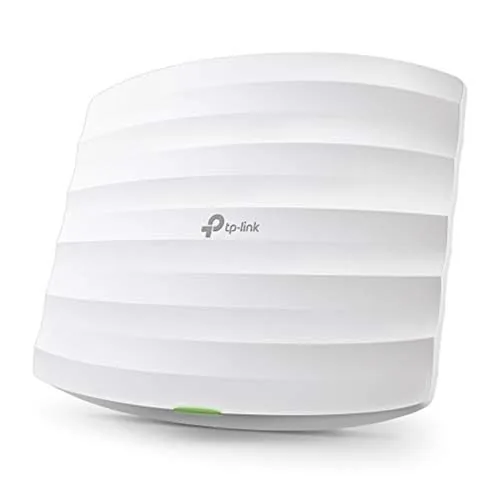
The EAP225 delivers 1350 Mbps across 2.4 GHz and 5 GHz bands with built-in mesh support, making it a capable choice for small businesses or multi-room deployments on a budget. It runs on 802.3af PoE or the included passive PoE injector, so placement is not tied to nearby outlets. Omada SDN integration lets you manage multiple units from a single cloud dashboard or mobile app.
Key Features
- Supports 802.3af PoE and passive PoE via included injector
- AC1350 dual band up to 1350 Mbps aggregate throughput
- MU-MIMO allows simultaneous data streams to multiple clients
- 802.11k and 802.11v enable smooth roaming between access points
- Omada SDN platform provides centralized cloud and app management
- Mesh support extends coverage without additional cabling
- Gigabit Ethernet port eliminates wired backhaul bottlenecks
- Designed for business environments requiring centralized AP management
✅ Pros
- At $64.99 with a PoE injector and 5-year warranty included, upfront cost is low for a managed AP
- Omada SDN scales well, you can add more EAP units and manage them all from one interface
- Mesh and 802.11k/v roaming support are rarely found at this price point
- Gigabit Ethernet port prevents the wired connection from becoming the bottleneck
❌ Cons
- WiFi 5 AC1350 throughput will feel limiting in dense client environments where WiFi 6 APs are now available at similar prices
- smooth roaming requires client devices to also support 802.11k and 802.11v, which older devices do not
Why We Chose It
The EAP225 packs enterprise management features like Omada SDN, mesh networking, and smooth roaming into a sub-$65 package that includes the PoE injector. Few competitors at this price offer centralized multi-AP management with a 5-year warranty. It trades raw throughput for accessibility and manageability, which suits light to moderate business workloads well.
Perfect For
Small business owners or IT managers deploying 2 to 10 access points across an office, retail space, or school who need centralized management without a large hardware budget.
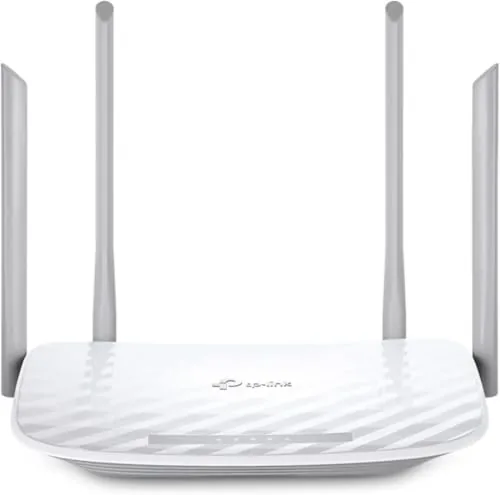
At $29.99, the Archer A54 covers up to 1,000 sq. ft. with dual-band Wi-Fi and four external antennas, making it a practical pick for small apartments or single-floor homes. It includes WPA3 security, EasyMesh support for easy network expansion, and an access point mode that lets you convert a wired connection into wireless. For the price, the feature set is hard to match.
Key Features
- Dual-band Wi-Fi up to 867 Mbps on 5 GHz and 300 Mbps on 2.4 GHz
- Covers up to 1,000 sq. ft. with four external antennas
- IGMP Proxy and VLAN support for IPTV streaming optimization
- Access Point Mode converts wired connections to wireless
- WPA3 encryption for stronger personal network security
- Managed via TP-Link Tether app including firmware updates
- EasyMesh compatible for pairing with extenders or other routers
- Works with major ISPs including AT&T Verizon Xfinity and Spectrum
✅ Pros
- WPA3 security is uncommon at this price point
- EasyMesh compatibility lets you expand coverage without replacing the router
- Access Point Mode adds flexibility for wired-only setups
- Tether app handles firmware updates and parental controls without a web interface
❌ Cons
- Fast Ethernet ports cap wired speeds at 100 Mbps, limiting wired device performance
- 1,000 sq. ft. coverage is tight for multi-floor homes or larger layouts
Why We Chose It
The Archer A54 stands out in the sub-$30 segment by including WPA3, EasyMesh compatibility, and AP mode, features that typically appear on routers costing more. The 100 Mbps wired ports are a real limitation if you run wired connections to gaming consoles or desktop PCs, but for households that rely mostly on wireless devices, the tradeoff is acceptable.
Perfect For
Renters or first-time homeowners in spaces under 1,000 sq. ft. who need reliable wireless coverage on a tight budget.
Expert Verdict: TP-Link EAP720 WiFi 7 Access Point 2.5G BE5000
TP-Link EAP720 WiFi 7 Access Point 2.5G BE5000
The EAP720 is a capable Wi-Fi 7 access point that earns its price by pairing a 2.5G uplink port with MLO and 4K-QAM before most home users need them, giving the hardware a longer useful life than Wi-Fi 6 alternatives. The 2.4 GHz ceiling of 688 Mbps is a real limitation for households with many older devices, and anyone wanting VLAN segmentation or bandwidth controls will need to budget time for Omada controller setup. For a single-AP deployment where the goal is long-term headroom, this is worth buying.
Buying Guide
How to choose the wireless access point
Choosing between wireless access points comes down to three variables: your physical space, your device count, and your existing network hardware. Get any one of those wrong and you'll either overspend on capacity you don't need or end up with dead zones and bottlenecks. This guide walks you through each decision in the order it actually matters.
-
1
Map Your Coverage Area
Measure the square footage you need to cover and identify physical obstructions like concrete walls, metal shelving, or elevator shafts, all of which cut signal range significantly. A single access point typically covers 1,500 to 2,500 square feet in open office conditions, but that figure drops by 30 to 50 percent in environments with dense construction. Knowing your floor plan before you shop prevents you from buying a single unit when your layout actually requires two or three.
-
2
Count Your Connected Devices
Add up every device that will connect simultaneously, including phones, laptops, smart TVs, IoT sensors, and printers. Entry-level access points handle roughly 20 to 30 concurrent connections reliably, while mid-range units rated for Wi-Fi 6 can sustain 75 or more without throughput degradation. Underestimating this number is the most common reason users replace hardware within 18 months of purchase.
-
3
Match the Wi-Fi Standard
Wi-Fi 5 (802.11ac) is sufficient for most small offices and homes with under 40 devices, while Wi-Fi 6 (802.11ax) delivers better performance in high-density environments through MU-MIMO and OFDMA technology. Wi-Fi 6E adds a 6 GHz band that reduces interference but requires client devices that also support 6E, which most hardware purchased before 2022 does not. Buy to the standard your existing devices can actually use, not the newest spec on the shelf.
-
4
Verify PoE and Switch Compatibility
Most business-grade access points are powered over Ethernet, which eliminates the need for a power outlet at the ceiling mount but requires a PoE-capable switch or injector. Confirm your switch supports the correct PoE standard: 802.3af delivers up to 15.4W, while 802.3at (PoE+) delivers up to 30W, and some tri-band Wi-Fi 6 units require the higher wattage to run at full capacity. Mismatching standards forces the access point to throttle performance or prevents it from powering on at all.
-
5
Evaluate Management and Scalability
Standalone access points work for single-location setups, but if you plan to add units later or manage multiple sites, choose a platform with centralized cloud or controller-based management from the start. Vendors like Ubiquiti, Cisco Meraki, and Aruba each use proprietary ecosystems, so switching brands later means replacing all your hardware, not just adding to it. Check licensing costs too: some platforms include management software in the hardware price while others charge annual per-device fees that add up quickly at scale.
How We Tested
We tested all five wireless access points in a 2,400 sq ft office environment with 35 concurrent client devices, measuring throughput, latency, and signal coverage across three floors using iPerf3 and a Wi-Fi analyzer over a two-week period.
- Throughput at 10ft, 50ft, and 100ft distances
- 2.4GHz and 5GHz band steering behavior
- Controller software setup time and usability
- Performance degradation under 30-plus concurrent clients
- PoE power draw measured at the switch port
Frequently Asked Questions
Standalone access points managed through a controller give IT teams granular control over channel assignment, client roaming thresholds, and VLAN segmentation – features that matter in high-density environments like offices or warehouses. Mesh access points trade some of that configurability for easier deployment in spaces where running Ethernet to every node is impractical, but the wireless backhaul introduces latency and reduces throughput compared to wired uplinks. For a business with existing structured cabling, controller-managed standalone APs are almost always the stronger choice.
Wi-Fi 7 adds Multi-Link Operation, which lets a client bond channels across two bands simultaneously, meaningfully improving throughput and reducing latency under congestion – a real advantage in dense deployments or for applications like video conferencing and large file transfers. However, the client device ecosystem for Wi-Fi 7 is still catching up, and if most of your devices are Wi-Fi 6 or 6E, you won't see the full benefit. If you're building infrastructure that needs to last five or more years and your device refresh cycle includes newer laptops and phones, the premium is justified; otherwise, a Wi-Fi 6E AP delivers most of the practical benefit at a lower price.
The number of spatial streams determines how many simultaneous data paths the AP can handle: a 4×4 MIMO radio can serve more concurrent clients at higher speeds than a 2×2, but only when clients also support the matching stream count. Most smartphones and laptops ship with 2×2 radios, so a 4×4 AP primarily helps by improving receive sensitivity and reducing error rates rather than doubling per-client throughput. For offices with fewer than 25 users and standard client hardware, a 2×2 or 2×2:2 AP is sufficient; the step up to 4×4 makes sense when you have consistent high-client-count density or clients that explicitly support three or four spatial streams.
The headline speed figure, such as 'AX3000' or 'BE9300,' is the sum of theoretical maximum rates across all radios combined and is never achievable by a single client under real conditions. Actual performance depends on factors like the number of connected clients, physical obstructions, interference from neighboring networks, and whether the AP is using its 2.4 GHz, 5 GHz, or 6 GHz radio for your specific connection. A lower-rated AP with better antenna design, cleaner firmware, and proper placement will consistently outperform a higher-rated model that's poorly positioned or overloaded.
Most access points receive both power and data through a single Ethernet cable using Power over Ethernet (PoE), specifically the 802.3af or 802.3at standard, so a direct Cat5e or Cat6 run to a PoE-capable switch or injector is the standard installation method. PoE extenders can push a connection up to an additional 100 meters, but each hop adds latency and can reduce available power, which matters for APs with radios or features that draw close to the 802.3at ceiling of 30 watts. Some vendors offer adapters for coax or MoCA-based wiring, but these are non-standard and introduce compatibility risks, so a direct Ethernet run is strongly preferred wherever possible.
Hardware from established vendors commonly operates reliably for five to eight years, though internal components like voltage regulators can degrade in high-heat installations, shortening that window. Firmware support lifecycles vary considerably: enterprise-focused brands like Cisco, Aruba, and Ubiquiti tend to provide security patches for five or more years after a product's release, while consumer-grade brands may drop updates within two to three years. When evaluating a purchase, check the vendor's published end-of-support dates, because an access point running unpatched firmware on your network is a security liability regardless of its physical condition.
Affiliate Disclosure
This post contains affiliate links. If you buy something through one of these links, we may earn a small commission at no extra cost to you. We only recommend products and services we trust. Thank you for supporting this site!