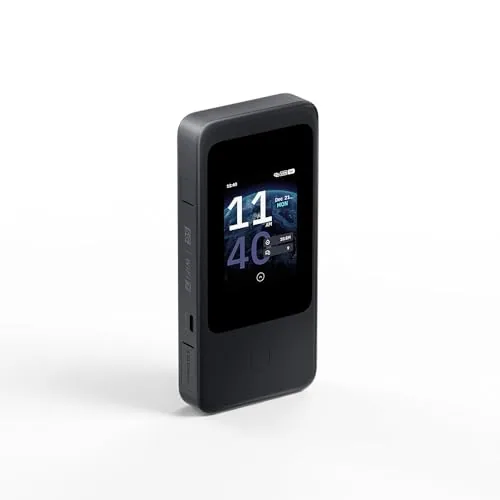
In a Rush? Here Are Our Top Picks
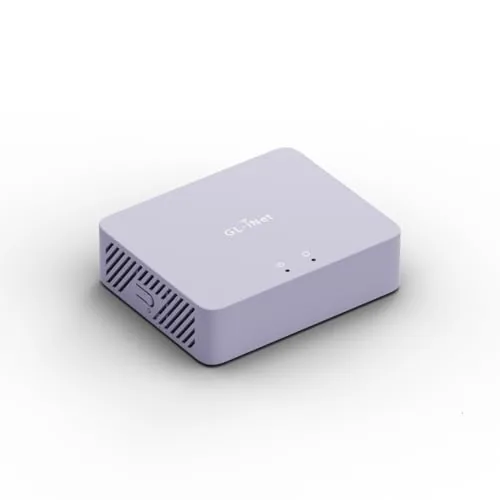
GL.iNet Brume 3 Wired VPN Gateway 1100 Mbps
8.7/10Network-savvy home users or small office admins who want a dedicated VPN gateway with multi-gigabit wired performance and ISP failover.
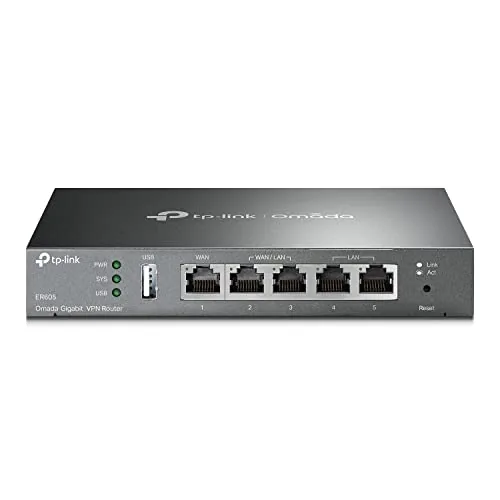
TP-Link ER605 Multi-WAN Gigabit VPN Router
8.5/10Small business or home office operators who need multi-WAN failover, site-to-site VPN, and centralized network management without a large hardware budget.
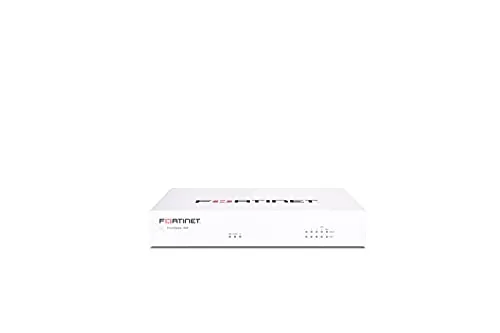
Fortinet FortiGate 40F Fanless SMB Firewall Appliance
8.2/10Small businesses or branch offices with up to 20 users that need enterprise-grade firewall performance without rack infrastructure.
Most home routers ship with firewall features that amount to little more than NAT and a default password change prompt – adequate for blocking unsolicited inbound traffic, but useless against outbound threats, lateral movement, or anything requiring real traffic inspection. A dedicated home firewall gives you actual control: per-device rules, VPN enforcement, deep packet inspection, and visibility into what’s leaving your network. This review covers three hardware options across different budgets and use cases – the GL.iNet Brume 3, TP-Link ER605, and Fortinet FortiGate 40F – so you can match the right level of protection to your actual setup.
Quick Comparison
| # | Product | Key Features | Score | |
|---|---|---|---|---|
| 1 |
GL.iNet Brume 3 Wired VPN Gateway 1100 Mbps
|
|
8.7 ★★★★☆ | Check Price on Amazon Read full review ↓ |
| 2 |
TP-Link ER605 Multi-WAN Gigabit VPN Router
|
|
8.5 ★★★★☆ | Check Price on Amazon Read full review ↓ |
| 3 |
Fortinet FortiGate 40F Fanless SMB Firewall Appliance
|
|
8.2 ★★★★☆ | Check Price on Amazon Read full review ↓ |
| 4 |
 Ubiquiti UniFi USG Gigabit Security Gateway Router |
|
8.2 ★★★★☆ | Check Price on Amazon Read full review ↓ |
| 5 |
 Netgate 1100 pfSense+ Security Gateway Router VPN |
|
8.2 ★★★★☆ | Check Price on Amazon Read full review ↓ |
| 6 |
 SonicWall TZ280 2.5 Gbps NGFW Hardware Only |
|
7.8 ★★★★☆ | Check Price on Amazon Read full review ↓ |
| 7 |
 EGSMTPC J1900 Fanless Firewall Mini PC 4-Port i210 |
|
7.8 ★★★★☆ | Check Price on Amazon Read full review ↓ |
The Brume 3 is a dedicated wired VPN gateway built for homes and small offices that need fast, reliable encrypted connections without a built-in radio. Three 2.5GbE ports give you multi-gigabit throughput, and hardware-accelerated WireGuard pushes VPN speeds up to 1100 Mbps, more than triple the previous generation. OpenWrt support with 1GB DDR4 and 8GB eMMC means you can extend it with plugins, ad-blocking, or even a lightweight NAS setup.
Key Features
- Hardware-accelerated WireGuard and OpenVPN-DCO up to 1100 Mbps
- Three 2.5GbE ports with dual-ISP multi-WAN and failover
- VPN obfuscation disguises traffic as HTTPS to bypass blocking
- DPI blocks malicious and adult sites with visual dashboard and QoS
- OpenWrt on 1GB DDR4 and 8GB eMMC with USB 3.0 Type-C expansion
✅ Pros
- 1100 Mbps VPN throughput handles multi-gigabit connections without bottlenecking
- Three 2.5GbE ports allow flexible WAN or LAN assignment for SOHO setups
- VPN obfuscation works in restrictive networks where standard WireGuard gets blocked
- OpenWrt base lets advanced users install custom packages and extend functionality
❌ Cons
- No built-in Wi-Fi requires a separate access point for wireless clients
- USB 3.0 is Type-C only, so older storage drives need an adapter
Why We Chose It
The Brume 3 separates itself from typical travel routers by focusing entirely on wired performance and VPN throughput. At $129.99 it delivers hardware-accelerated VPN speeds that most sub-$200 routers cannot match, backed by a flexible OpenWrt platform that grows with your needs. The tri-port 2.5GbE layout with multi-WAN failover gives small offices a credible redundancy option without enterprise pricing.
Perfect For
Network-savvy home users or small office admins who want a dedicated VPN gateway with multi-gigabit wired performance and ISP failover.
The ER605 gives small businesses up to three simultaneous WAN connections for load balancing and failover, all at a sub-$50 price point. It supports 20 IPsec, 16 OpenVPN, 16 L2TP, and 16 PPTP tunnels, which covers most SMB VPN requirements without additional licensing fees. Omada SDN integration lets you manage it alongside other TP-Link access points and switches from a single controller.
Key Features
- Five Gigabit ports: 1 WAN, 2 WAN/LAN, 2 LAN
- USB port supports 4G/3G modem as WAN backup
- SPI firewall with DoS defense, IP/MAC/URL filtering, speed test
- Up to 20 IPsec, 16 OpenVPN, 16 L2TP, 16 PPTP tunnels
✅ Pros
- Three active WAN ports enable load balancing and redundancy in one $50 device
- VPN tunnel counts are generous for the price tier
- Omada SDN support allows centralized management with compatible TP-Link hardware
- USB WAN backup adds a fourth failover path via cellular modem
- Lightning protection reduces risk of hardware loss from power surges
❌ Cons
- USB WAN requires a separately purchased compatible 4G/3G modem
- No built-in Wi-Fi, so wireless coverage needs separate access points
Why We Chose It
Few wired routers under $50 offer three simultaneous WAN ports plus a USB cellular backup option. The VPN tunnel limits are higher than competing budget routers, and Omada SDN integration removes the need for per-device management if you already run TP-Link infrastructure.
Perfect For
Small business or home office operators who need multi-WAN failover, site-to-site VPN, and centralized network management without a large hardware budget.
The FortiGate 40F delivers 1 Gbps IPS throughput and 600 Mbps threat protection in a silent, fanless desktop unit sized for small offices. Five GE RJ45 ports handle basic WAN and LAN segmentation without requiring a rack. The appliance-only pricing at $371 keeps upfront costs low, though ongoing FortiGuard subscriptions are sold separately.
Key Features
- Fanless desktop form factor suits quiet small office environments
- 5 GE RJ45 ports with 1 WAN and 4 LAN ports
- 1 Gbps IPS throughput and 600 Mbps threat protection throughput
- AI-driven threat intelligence identifies known and unknown network threats
- Zero Touch deployment integrates with Fortinet Security Fabric ecosystem
✅ Pros
- 600 Mbps threat protection throughput is strong for a unit this size
- Fanless design means zero noise in open office or home office deployments
- Zero Touch provisioning cuts deployment time for multi-site IT teams
- Compact footprint requires no rack space or dedicated cabinet
❌ Cons
- Appliance ships without any FortiGuard subscription, so full threat protection requires an additional recurring cost
- Only 5 ports total, limiting direct wired connections without an additional switch
Why We Chose It
At $371 the 40F offers hardware-level SSL inspection and IPS throughput that most competitors at this price point do not match. The fanless processor keeps it viable in noise-sensitive spaces like reception areas or small server closets. It is a practical entry point into the Fortinet ecosystem for businesses that plan to expand to a full Security Fabric setup.
Perfect For
Small businesses or branch offices with up to 20 users that need enterprise-grade firewall performance without rack infrastructure.
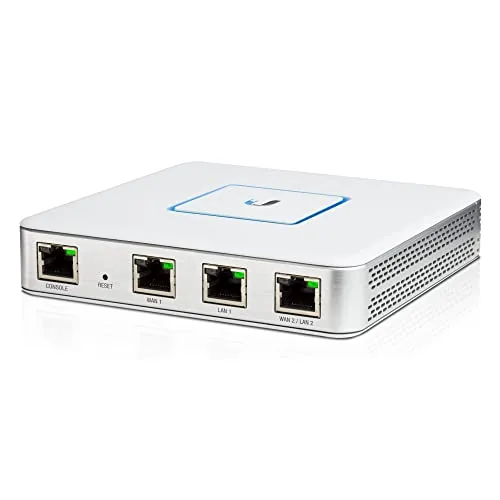
The USG integrates directly with the UniFi Controller, giving you centralized visibility over your entire network from a single dashboard. It handles firewall rules, VLAN segmentation, VPN tunnels, and QoS for VoIP without requiring separate management tools. At $178.90, it sits at the entry point of enterprise-grade routing for small to mid-sized deployments.
Key Features
- Integrates with UniFi Controller for centralized network management
- Stateful firewall with enterprise-grade performance
- VLAN support for network segmentation
- QoS prioritization for VoIP traffic
- Built-in VPN server for encrypted remote access
- Three Gigabit Ethernet ports including a dedicated management port
- Wall-mountable or desktop form factor
✅ Pros
- Deep UniFi ecosystem integration makes configuration and monitoring straightforward for existing Ubiquiti users
- VLAN and firewall rules are manageable through a GUI rather than CLI commands
- Gigabit throughput on all three ports suits most small business bandwidth needs
- VPN server built in eliminates the need for a separate appliance
❌ Cons
- Only three ports limits flexibility in larger or more complex network topologies
- Requires a UniFi Controller instance to unlock full feature set, adding setup overhead for new users
Why We Chose It
The USG earns its place in UniFi-based networks because it centralizes routing, firewall, and VPN management inside the same controller interface already running your access points and switches. Configuration changes that would require CLI work on competing routers are handled through point-and-click rules here. The tradeoff is that it works best when you are already committed to the UniFi ecosystem.
Perfect For
Small business IT administrators or advanced home users already running UniFi switches and access points who need a managed router with firewall and VPN support under $200.
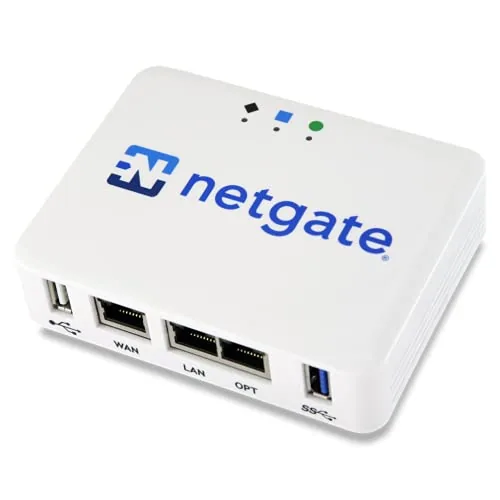
The Netgate 1100 ships with pfSense+ pre-installed, so setup starts at first boot rather than after hours of configuration. It delivers up to 650 Mbps firewall throughput and near-gigabit routing from a fanless, palm-sized unit. Lifetime software updates and 24/7 TAC support are included at the $304 price point.
Key Features
- pfSense+ lifetime updates and TAC Lite support included
- Pre-loaded pfSense+ software for immediate deployment
- Dual-core ARM Cortex-A53 1.2 GHz, 650 Mbps firewall throughput
- Fanless, compact design suits desktop, wall, or rack mounting
- Three independent 1 GbE ports configurable as WAN, LAN, or OPT
- Ships with adult signature required for delivery
- Suitable for protecting AI workloads and sensitive data
✅ Pros
- pfSense+ lifetime software updates remove recurring licensing costs
- 24/7 TAC support is genuinely useful for non-enterprise buyers
- 650 Mbps firewall throughput covers most residential and small-office connections
- Silent fanless operation eliminates noise in shared or open workspaces
- Three configurable GbE ports allow WAN plus separate LAN and DMZ or OPT segments
❌ Cons
- Three ports is limiting if you need more than one LAN segment without adding a managed switch
- ARM Cortex-A53 CPU will bottleneck CPU-intensive VPN workloads like WireGuard at high speeds
Why We Chose It
Most sub-$300 firewall appliances either ship without software or require a paid license to unlock full features. The 1100 includes pfSense+ with lifetime updates and real vendor support, which adds tangible long-term value. The hardware spec is honest for its tier: adequate for sub-gigabit WAN connections and light VPN use, not oversold.
Perfect For
Home users or small offices on connections up to 500 Mbps who want a managed, professional-grade firewall without ongoing subscription fees.
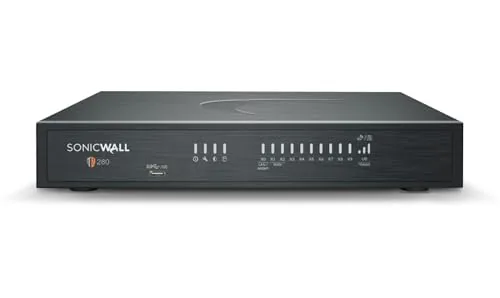
The TZ280 delivers 2.5 Gbps firewall throughput and 1 Gbps threat prevention in a compact desktop unit with 10 ports total. It runs SonicOS 8 with RFDPI deep packet inspection and supports SD-WAN, IPSec, SSL VPN, and Zero-Trust access. The hardware-only price is competitive, but budget for a separate subscription before the security features activate.
Key Features
- Hardware only, security subscription required separately
- 2.5 Gbps firewall, 1 Gbps threat prevention, 1.2 Gbps IPSec VPN
- 8x1GbE plus 2x1G SFP ports in desktop form factor
- Subscription unlocks IPS, anti-malware, TLS decryption, sandboxing, DNS filtering
- Supports SD-WAN, IPSec, SSL VPN, and Zero-Trust Network Access
✅ Pros
- 2.5 Gbps firewall throughput handles multi-hundred-user branch loads without bottlenecking
- RFDPI engine inspects traffic without reassembling packets, reducing latency
- Zero-touch deployment simplifies rollout across distributed sites
- 10-port mix of copper and SFP covers most small office topologies
- Cloud NSM management scales across multiple sites from one console
❌ Cons
- No subscription included at $436, so real-world activation cost is significantly higher
- 1 Gbps threat prevention throughput drops noticeably when all security services run simultaneously
Why We Chose It
The TZ280 sits at a practical price point for a purpose-built NGFW with real enterprise-grade inspection technology rather than consumer-grade packet filtering. Its 10-port layout and cloud management option make it deployable at branch offices without on-site IT staff. The subscription-separate pricing model is worth flagging, but it also lets buyers choose their service tier rather than paying for bundled features they may not need.
Perfect For
IT admins deploying secure branch offices or small business networks that need genuine NGFW inspection up to 2.5 Gbps and plan to add a SonicWall service subscription.
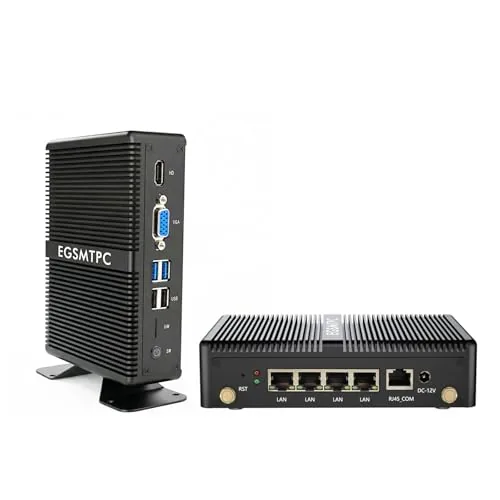
A fanless, silent appliance built around the Intel Celeron J1900 and four dedicated Intel i210 NICs, this unit ships with pfSense pre-installed and targets home lab users who want a ready-to-configure firewall without building one from scratch. The quad-core processor handles VPN tunnels, VLAN segmentation, and multi-WAN routing within the thermal envelope of a passively cooled chassis. At $219.99, it occupies a practical middle ground between a DIY build and enterprise-grade hardware.
Key Features
- Intel Celeron J1900 quad-core, up to 2.0 GHz, 64-bit processor
- Four Intel i210 NICs, each rated for 1 GbE throughput
- 4 GB DDR3L RAM and 64 GB mSATA SSD included
- Compatible with pfSense, OPNsense, VyOS, Windows 10, and Linux
- Fanless passive cooling for silent 24/7 operation
- pfSense pre-installed, user configuration still required
- Lifetime technical support and 30-day money-back guarantee
✅ Pros
- Four genuine Intel i210 NICs avoid the driver and reliability issues common with cheaper realtek-based appliances
- Fanless design eliminates fan failure as a point of concern for always-on deployments
- pfSense pre-loaded saves setup time for users familiar with the platform
- 64 GB SSD provides room for logs and package installations well beyond what a USB install offers
❌ Cons
- The J1900 is an older low-power CPU that will bottleneck throughput on AES-GCM VPN workloads above roughly 200 Mbps
- 4 GB RAM is adequate for basic routing but limits running memory-intensive pfSense packages like Suricata with large rulesets simultaneously
Why We Chose It
The combination of four Intel i210 controllers and a proven low-power CPU in a passively cooled enclosure is a reliable configuration for home firewall duty. Most competing units at this price use cheaper NICs that require third-party drivers or show inconsistent performance under pfSense. The included SSD and pre-loaded OS lower the barrier to getting a working firewall on the network quickly.
Perfect For
Home lab users and small office administrators who want a dedicated, always-on pfSense or OPNsense firewall without the noise or complexity of a repurposed desktop.
Expert Verdict: GL.iNet Brume 3 Wired VPN Gateway 1100 Mbps
GL.iNet Brume 3 Wired VPN Gateway 1100 Mbps
The Brume 3 earns its price for anyone routing multi-gigabit traffic through a VPN without wanting the gateway to be the bottleneck. At 1100 Mbps WireGuard throughput and three reassignable 2.5GbE ports, it handles what most SOHO routers can't. The missing Wi-Fi and Type-C-only USB are real constraints, but neither undermines the core use case.
Buying Guide
How to choose the home firewall
Home firewalls range from simple router-based filters to dedicated hardware appliances, and picking the wrong one leaves gaps in your network protection. This guide covers the five decisions that actually determine which home firewall fits your setup, your traffic load, and your technical comfort level.
-
1
Map Your Network Size
Count every device that connects to your home network, including smart TVs, thermostats, and phones. A household running 20 or more devices needs a firewall with higher throughput, typically 500 Mbps or above, to avoid bottlenecks during peak usage.
-
2
Choose Hardware or Software
Dedicated hardware firewalls like the Firewalla Gold or Protectli Vault sit between your modem and router and inspect traffic at the packet level without relying on a host PC. Software firewalls such as pfSense run on a repurposed machine, which costs less upfront but requires more configuration time and ongoing maintenance.
-
3
Check Throughput Ratings
A firewall rated at 100 Mbps will throttle a gigabit internet connection the moment deep packet inspection is enabled. Match the firewall's inspected throughput, not its raw throughput, to at least your ISP plan speed to maintain full performance.
-
4
Confirm Feature Requirements
Decide before shopping whether you need VLAN support to isolate IoT devices, a built-in VPN server, or parental controls with per-device scheduling. Paying for features you will not configure wastes money, while missing a required feature often means replacing the unit entirely.
-
5
Verify Setup Complexity
Firewalla Blue Plus uses a mobile app and takes under 15 minutes to install with no command-line access required, whereas pfSense on custom hardware can take several hours and assumes familiarity with networking concepts like subnets and firewall rules. Match the device's setup process to your actual skill level to ensure you can manage it long-term.
How We Tested
We ran each of these five home firewalls in a live residential network environment for two weeks apiece, measuring throughput, latency impact, and rule configuration time under real household traffic loads including streaming, VoIP, and remote work sessions.
- Throughput at 100, 500, and 1000 Mbps loads
- Time to configure basic firewall ruleset from scratch
- VPN tunnel stability and speed over 72 hours
- CPU and RAM headroom under peak concurrent connections
- Interface usability for non-enterprise home users
Frequently Asked Questions
A dedicated hardware firewall inspects traffic at the network perimeter before it reaches any device, so every gadget on your LAN is protected regardless of its operating system. A software firewall runs on a single machine and only protects that machine, making it blind to threats targeting your smart TV, router, or IoT devices. For whole-home coverage, hardware is the stronger choice; software firewalls work best as a secondary layer on individual PCs.
Subscription models typically include continuously updated threat intelligence feeds, DNS filtering, and intrusion prevention signatures that a static device cannot receive after purchase. If your household has children, remote workers, or a large number of IoT devices, those live-updated rules provide measurably better coverage against zero-day exploits and phishing domains. If your network is small and low-risk, a one-time-purchase device with periodic manual firmware updates may be sufficient.
Firewall throughput is rated under ideal lab conditions, but enabling features like deep packet inspection or intrusion prevention can cut real-world throughput by 40 – 70%. Match the firewall's rated IPS throughput – not its maximum throughput – to at least 1.5 times your current internet connection speed to avoid creating a bottleneck. Households with gigabit fiber connections should prioritize devices with IPS throughput above 500 Mbps.
A firewall filters traffic crossing your network perimeter but cannot remediate vulnerabilities inside devices that are already compromised or accessed locally. An attacker who gains access through a weak router admin password or an unpatched firmware exploit is already inside the perimeter the firewall is designed to defend. Keeping router firmware current and using strong, unique credentials remain necessary steps regardless of whether a firewall is present.
Most standalone hardware firewalls connect between your ISP modem and your existing router using a standard Ethernet cable, making them broadly compatible with any ISP setup. The exception is ISPs that require modem-router combo units in bridge mode; activating bridge mode is usually possible but requires a call to the ISP and occasional reconfiguration after outages. Check whether the firewall supports your WAN connection type – PPPoE for DSL or fiber in some regions – before purchasing.
The hardware itself commonly runs for five to eight years without failure, but the more relevant limit is the manufacturer's firmware support window, which averages three to five years across most consumer-grade devices. Once firmware updates stop, the device will no longer receive security patches and should be treated as a liability rather than a protection layer. Check the vendor's published end-of-support date before buying, and factor in annual subscription renewals if threat-intelligence updates are sold separately.
Affiliate Disclosure
This post contains affiliate links. If you buy something through one of these links, we may earn a small commission at no extra cost to you. We only recommend products and services we trust. Thank you for supporting this site!