In a Rush? Here Are Our Top Picks
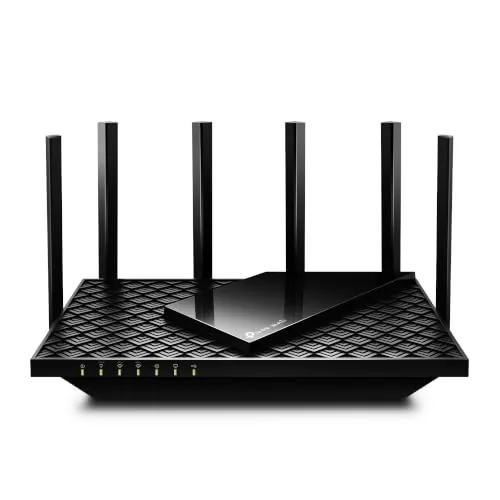
TP-Link Archer AXE75 WiFi 6E Tri-Band Router
8.5/10Home users upgrading from WiFi 5 who want 6 GHz access for low-latency gaming or 4K streaming without spending $200 or more on a premium router.
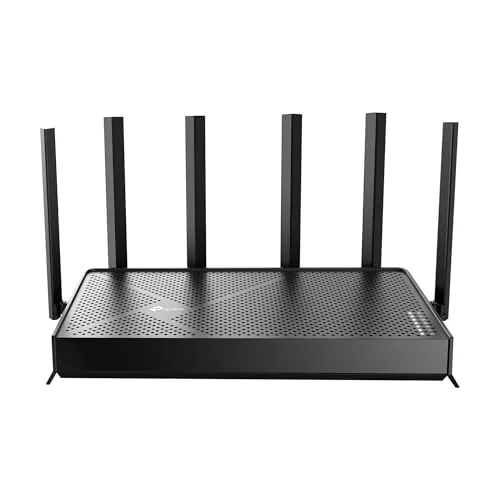
TP-Link Archer BE600 WiFi 7 Tri-Band Router
8.5/10Home users with a multi-gig ISP plan who want WiFi 7 performance and wired multi-gig connections without crossing the $200 mark.
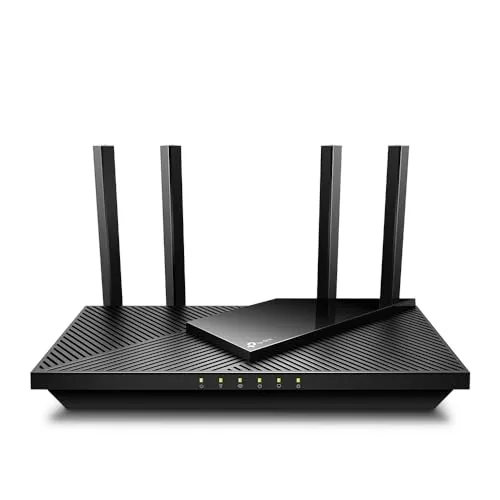
TP-Link Archer AX21 WiFi 6 Dual-Band Router
8.2/10Renters or small homeowners with 10 to 25 connected devices who want WiFi 6 speeds without paying a premium router price.
Picking the wrong Wi-Fi router means paying for speed your devices can’t use, or buying cheap and hitting dead zones six months later. This list focuses on three TP-Link models that cover distinct budgets and use cases – the budget-friendly AX21 for smaller homes on WiFi 6, the mid-range AXE75 for 6GHz band access without the premium price, and the Archer BE600 for households ready to invest in WiFi 7’s multi-link speeds. Whether you’re upgrading a congested apartment setup or wiring a larger home for 4K streaming and remote work, one of these routers fits the job.
Quick Comparison
| # | Product | Key Features | Score | |
|---|---|---|---|---|
| 1 |
TP-Link Archer AXE75 WiFi 6E Tri-Band Router
|
|
8.5 ★★★★☆ | Check Price on Amazon Read full review ↓ |
| 2 |
TP-Link Archer BE600 WiFi 7 Tri-Band Router
|
|
8.5 ★★★★☆ | Check Price on Amazon Read full review ↓ |
| 3 |
TP-Link Archer AX21 WiFi 6 Dual-Band Router
|
|
8.2 ★★★★☆ | Check Price on Amazon Read full review ↓ |
| 4 |
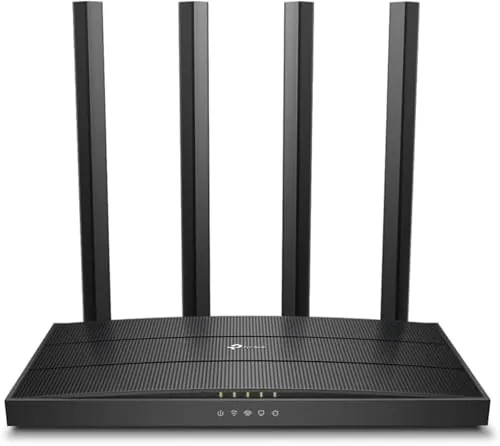 TP-Link Archer A6 AC1200 Gigabit Dual Band Router |
|
8.2 ★★★★☆ | Check Price on Amazon Read full review ↓ |
| 5 |
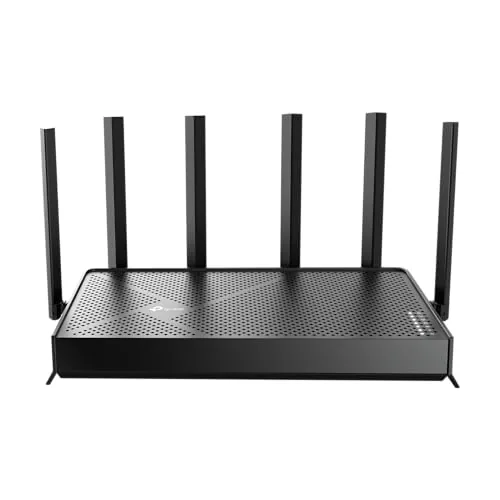 TP-Link Archer BE400 WiFi 7 Dual-Band Router |
|
8.2 ★★★★☆ | Check Price on Amazon Read full review ↓ |
| 6 |
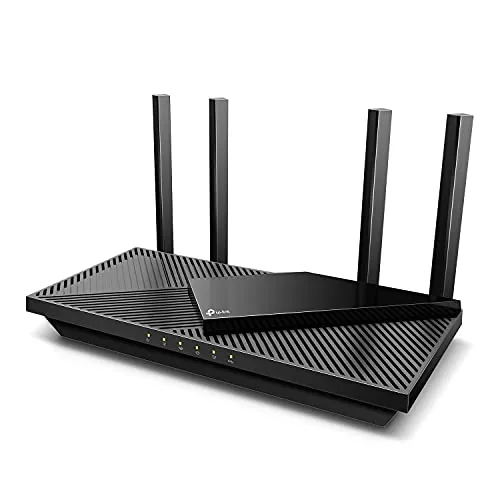 TP-Link Archer AX55 Wi-Fi 6 AX3000 Router |
|
8.2 ★★★★☆ | Check Price on Amazon Read full review ↓ |
| 7 |
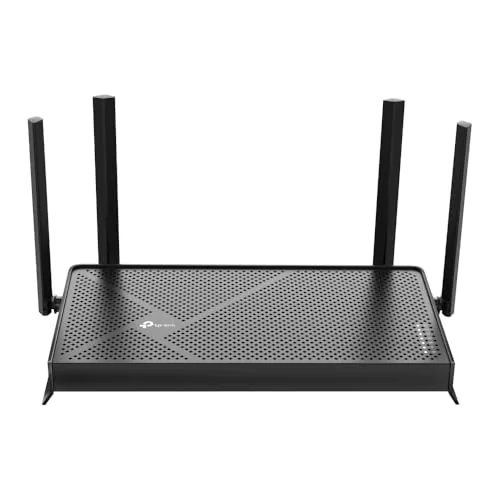 TP-Link Archer BE230 Wi-Fi 7 Dual-Band Router |
|
8.2 ★★★★☆ | Check Price on Amazon Read full review ↓ |
| 8 |
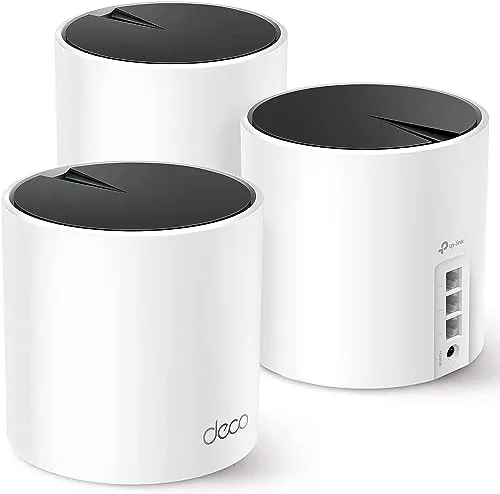 TP-Link Deco X55 AX3000 Wi-Fi 6 Mesh 3-Pack |
|
8.2 ★★★★☆ | Check Price on Amazon Read full review ↓ |
| 9 |
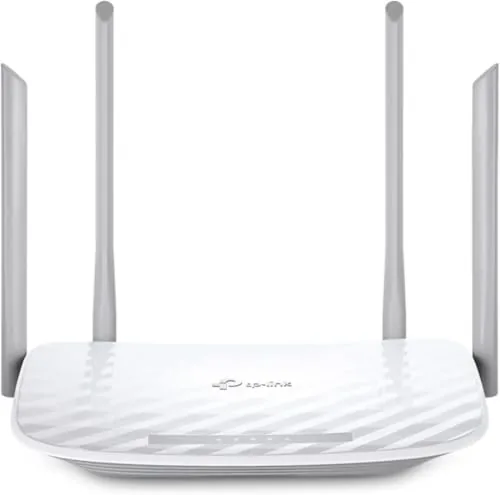 TP-Link Archer A54 AC1200 Dual-Band Router |
|
7.2 ★★★★☆ | Check Price on Amazon Read full review ↓ |
The AXE75 adds 6 GHz support at a price point most WiFi 6E routers can’t match. With a 2.5 Gbps WAN port, 512 MB RAM, and OFDMA across three bands, it handles dense device environments without throttling. PCMag gave it their 2025 Editors’ Choice award, which reflects consistent real-world performance rather than spec-sheet padding.
Key Features
- Tri-band WiFi 6E totaling 5400 Mbps across three bands
- 6 GHz band delivers near-zero latency for gaming and video calls
- OFDMA increases simultaneous device capacity by 4x
- 1.0 GHz dual-core CPU with 512 MB RAM for sustained performance
- EasyMesh compatible for whole-home mesh network expansion
- Built-in VPN server and client supporting OpenVPN PPTP L2TP
- HomeShield includes security scan parental controls and QoS free
- Works with all major US internet service providers
✅ Pros
- 6 GHz band access at $119.99 undercuts most WiFi 6E competition
- 2.5 Gbps WAN port handles multi-gig ISP plans without bottlenecking
- 512 MB RAM reduces slowdowns on networks with 30 or more devices
- VPN server and client built in with no subscription required
- 2025 PCMag Editors’ Choice confirms consistent tested performance
❌ Cons
- HomeShield advanced features like detailed reports require a paid subscription
- 6 GHz range is shorter than 5 GHz so effectiveness depends on room layout
Why We Chose It
At $119.99, the AXE75 is one of the few routers that brings WiFi 6E’s uncongested 6 GHz band under $150 without cutting the 2.5 Gbps WAN port. The 512 MB RAM and dual-core CPU give it headroom that budget routers at this price typically skip. The PCMag Editors’ Choice recognition adds credibility backed by independent lab testing.
Perfect For
Home users upgrading from WiFi 5 who want 6 GHz access for low-latency gaming or 4K streaming without spending $200 or more on a premium router.
The Archer BE600 brings WiFi 7 to under $200, with a 10 Gbps port and tri-band speeds up to 9,700 Mbps combined. Multi-Link Operation lets compatible devices like the iPhone 16 Pro bond multiple bands simultaneously for lower latency and steadier connections. At 2,600 sq ft coverage and 120 device capacity, it handles dense smart homes without needing a mesh system.
Key Features
- WiFi 7 with MLO, 4K-QAM, and 320 MHz channel support
- Tri-band speeds: 5,765 plus 2,882 plus 1,032 Mbps across three bands
- Covers up to 2,600 sq ft for up to 120 devices
- 10 Gbps WAN/LAN port plus 2.5 Gbps port and three 2.5 Gbps LAN ports
- Six antennas with beamforming for targeted signal coverage
- HomeShield security with parental controls and real-time IoT monitoring
- CISA Secure-by-Design signatory with security built into firmware
- App-based setup via Tether on Android or iOS
✅ Pros
- 10 Gbps port is rare at this price point, useful with multi-gig ISP plans
- MLO support delivers real latency benefits on WiFi 7 client devices
- Five total multi-gig ports give wired flexibility for NAS or gaming PCs
- Under $200 makes it the most affordable entry into WiFi 7 tri-band hardware
- HomeShield parental controls and IoT protection work without a paid tier at basic level
❌ Cons
- HomeShield advanced features require a paid subscription after the trial period
- 2,600 sq ft coverage may fall short for two-story homes over 3,000 sq ft
Why We Chose It
At $189.98, the Archer BE600 is one of the few WiFi 7 routers with a 10 Gbps port that does not require spending $300 or more. The five multi-gig ports and tri-band radio configuration give it a hardware profile typically found in routers costing twice as much. MLO support and 320 MHz channel width mean it will stay relevant as more WiFi 7 client devices reach the market.
Perfect For
Home users with a multi-gig ISP plan who want WiFi 7 performance and wired multi-gig connections without crossing the $200 mark.
The Archer AX21 delivers WiFi 6 performance at a price point most mid-range routers can’t match. It splits 1.8 Gbps across two bands, with the 5 GHz band handling up to 1200 Mbps for bandwidth-heavy devices. OFDMA support means it handles crowded device lists without the slowdowns common on older routers.
Key Features
- WiFi 6 (802.11ax) dual-band with 1.8 Gbps total bandwidth
- 1200 Mbps on 5 GHz and 574 Mbps on 2.4 GHz
- OFDMA technology for simultaneous multi-device communication
- 4 high-gain antennas with Beamforming and FEM chipset
- Signed CISA Secure-by-Design pledge for security standards
- Built-in OpenVPN and PPTP VPN server support
- Compatible with all major US internet service providers
- Easy Mesh support for expandable whole-home coverage
- Works with Alexa voice commands
✅ Pros
- WiFi 6 at $54.99 undercuts most competing AX1800 routers by $10 to $30
- OFDMA noticeably reduces congestion when 10 or more devices are connected simultaneously
- VPN server support at this price tier is uncommon and useful for remote access
- Easy Mesh compatibility lets you add nodes later without replacing hardware
- CISA Secure-by-Design pledge adds a concrete security accountability layer
❌ Cons
- Requires a separate modem, adding cost if you are upgrading from a gateway combo unit
- Maximum throughput figures are theoretical and real-world speeds vary by wall count and device distance
Why We Chose It
At $54.99, this router brings WiFi 6 features typically found on $80 to $100 units, including OFDMA and VPN server support. The four high-gain antennas with Beamforming technology give it better range than similarly priced single or dual-antenna alternatives. TP-Link’s CISA security pledge and active firmware support through the Tether app address concerns that have followed budget router brands in recent years.
Perfect For
Renters or small homeowners with 10 to 25 connected devices who want WiFi 6 speeds without paying a premium router price.
The Archer A6 delivers AC1200 speeds across two bands with four Gigabit LAN ports, making it a capable option for households running wired and wireless devices simultaneously. WPA3 security and MU-MIMO on the 5GHz band add practical value at a price point well under $50. OneMesh compatibility means you can expand coverage later without replacing the router.
Key Features
- Dual band: 300Mbps on 2.4GHz, 900Mbps on 5GHz
- Four Gigabit LAN ports for full-speed wired connections
- Four external antennas with Beamforming for extended range
- MU-MIMO on 5GHz band supports multiple simultaneous devices
- AP Mode converts a wired connection into a wireless network
- WPA3 encryption for stronger personal network security
- OneMesh support for expanding to a whole-home network
- Compatible with all major US internet service providers
✅ Pros
- Four Gigabit LAN ports handle wired devices without bottlenecking sub-gigabit internet plans
- WPA3 is rare at this price tier and adds meaningful long-term security
- OneMesh compatibility lets you extend coverage by adding an extender rather than replacing hardware
- AP Mode removes the need to buy a separate access point for wired-only setups
❌ Cons
- 5GHz band tops out at 900Mbps, which limits headroom on gigabit internet plans
- No USB port means no network storage or printer sharing
Why We Chose It
At $44.99, the Archer A6 includes features typically found on routers priced $20 to $30 higher, particularly WPA3 support and four Gigabit LAN ports. The OneMesh ecosystem gives it a practical upgrade path without forcing a full hardware swap. It covers the needs of a typical home network without overcharging for specs most users will never use.
Perfect For
Renters or small homeowners on plans up to 500Mbps who want a reliable, secure router with room to expand coverage later.
The Archer BE400 brings WiFi 7 to a sub-$160 price point, with MLO combining both bands simultaneously for lower latency and more consistent throughput. Two 2.5Gbps ports make it one of the few routers at this price with multi-gig wired headroom on both WAN and LAN. Coverage is rated to 2,400 sq. ft. across 90 concurrent devices, making it a practical upgrade for mid-sized homes moving beyond WiFi 6.
Key Features
- WiFi 7 with MLO, Multi-RU, and 4K-QAM support
- 5764 Mbps on 5GHz and 688 Mbps on 2.4GHz, 6 streams total
- Covers up to 2400 sq ft for up to 90 devices
- One 2.5Gbps WAN port, one 2.5Gbps LAN port, three 1Gbps LAN ports
- CISA Secure-by-Design signatory with built-in security requirements
- MLO transmits data across both bands simultaneously for lower latency
- EasyMesh compatible for wired or wireless network expansion
- Setup and management via free Tether app with firmware update support
✅ Pros
- WiFi 7 MLO at under $160 is genuinely uncommon in this price bracket
- Dual 2.5Gbps ports handle multi-gig internet plans and fast NAS connections without a bottleneck
- Quad-core CPU helps sustain performance across 90 devices without significant queue lag
- EasyMesh compatibility lets you extend coverage without locking into a proprietary ecosystem
❌ Cons
- Dual-band only means no dedicated 6GHz band, limiting peak WiFi 7 performance versus tri-band models
- 2400 sq ft coverage may require a mesh extender in homes with thick walls or complex layouts
Why We Chose It
At $159.99, the BE400 is one of the most affordable routers to ship with both WiFi 7 and dual 2.5Gbps ports, which is a hardware combination that typically costs $50 to $100 more from competing brands. MLO on a dual-band unit still delivers measurable latency and reliability improvements for WiFi 7 client devices, even without the 6GHz band. For buyers with a multi-gig ISP plan or a fast NAS, the wired port configuration alone justifies the price over older WiFi 6 alternatives.
Perfect For
Homeowners with a multi-gig internet plan or a NAS who want WiFi 7 performance in a 1500 to 2400 sq ft space without spending over $200.
The Archer AX55 delivers Wi-Fi 6 speeds across two bands at a price that undercuts most competitors by $30 to $50. Built-in VPN server and client support, a USB 3.0 port, and EasyMesh compatibility give it a feature set that typically shows up on routers costing significantly more. The improved heat sink design addresses a common throttling complaint found on older budget routers.
Key Features
- 5 GHz band peaks at 2402 Mbps, 2.4 GHz at 574 Mbps
- OFDMA allows multiple clients to share one band simultaneously
- VPN server and VPN client support built in
- 4 high-gain external antennas with Beamforming for extended range
- Target Wake Time reduces device power consumption during idle periods
- Larger heat sink prevents thermal throttling under sustained load
- Basic HomeShield security scan and parental controls included free
- USB 3.0 port for shared storage or printer access
- EasyMesh compatible for whole-home mesh expansion
- Works with AT&T, Verizon, Xfinity, Spectrum, and other ISPs
- Alexa voice control supported
✅ Pros
- VPN server and client support at this price point is uncommon
- EasyMesh lets you add nodes later without replacing the router
- Free HomeShield tier covers security scans and basic parental controls without a subscription
- Thermal design actively prevents speed throttling during heavy use
- USB 3.0 enables basic NAS functionality
❌ Cons
- Advanced HomeShield features like detailed reports and improved IoT protection require a paid subscription
- Dual-band only, so heavy Wi-Fi 6 households may want a tri-band option
Why We Chose It
At $74.99, the AX55 includes VPN server functionality and EasyMesh support, two features most routers at this price strip out entirely. The heat sink redesign is a concrete engineering fix rather than a marketing claim, addressing real-world throttling issues documented in earlier budget router generations. It competes directly with routers priced $40 to $60 higher on feature count alone.
Perfect For
Home users on a single ISP connection who want Wi-Fi 6 performance, built-in VPN access, and the option to expand into a mesh system later without buying a new router.
The Archer BE230 brings Wi-Fi 7 to a sub-$80 price point, with 2882 Mbps on 5 GHz and dual 2.5G ports that most routers at this tier skip entirely. It covers up to 2,000 sq ft for up to 60 devices, backed by a 2.0 GHz quad-core processor to keep latency low under load. For households upgrading from Wi-Fi 5 or budget Wi-Fi 6 hardware, the performance jump is immediate and measurable.
Key Features
- Wi-Fi 7 with MLO, Multi-RUs, and 4K-QAM support
- 5 GHz tops at 2882 Mbps, 2.4 GHz at 688 Mbps
- One 2.5G WAN/LAN port, one 2.5G LAN, three 1G LAN ports
- 2.0 GHz quad-core processor for low-latency heavy traffic
- Covers 2,000 sq ft, handles up to 60 connected devices
- 4 internal antennas with beamforming for targeted signal focus
- EasyMesh compatible for expanding to a whole-home mesh network
- HomeShield provides parental controls and real-time IoT security
- USB 3.0 port for network storage or shared peripherals
- Tether app handles setup, monitoring, and firmware updates
✅ Pros
- Dual 2.5G ports rare at this price, future-proofs wired connections
- Wi-Fi 7 MLO improves reliability by bonding both bands simultaneously
- Quad-core processor handles concurrent streams without noticeable slowdown
- EasyMesh support lets you expand coverage without replacing hardware
- HomeShield security and parental controls add value without extra hardware cost
❌ Cons
- Dual-band only, no 6 GHz band limits full Wi-Fi 7 potential
- 2,000 sq ft coverage may fall short for larger or multi-story homes
Why We Chose It
At $79.98, this is one of the lowest-priced Wi-Fi 7 routers available with dual 2.5G ports, which typically appear on routers costing $150 or more. The combination of a capable processor, EasyMesh support, and built-in security features makes it a practical upgrade rather than a stripped-down entry device. The trade-off is the absence of a 6 GHz band, but for most home users that limitation is minor given current device compatibility.
Perfect For
Renters or homeowners in apartments or smaller houses who want a budget-friendly Wi-Fi 7 upgrade with multi-gig wired capability and room to expand via mesh later.
Three-node mesh system covering up to 6,500 sq ft with Wi-Fi 6 speeds up to 2,402 Mbps on the 5 GHz band. Each unit has three Gigabit Ethernet ports, so you can wire in devices directly or use Ethernet backhaul between nodes for more consistent throughput. At $170 for a 3-pack, it undercuts most competing Wi-Fi 6 mesh kits without dropping core features.
Key Features
- Wi-Fi 6 AX3000 with 2402 Mbps on 5 GHz and 574 Mbps on 2.4 GHz
- Covers up to 6500 square feet across three nodes
- Supports up to 150 connected devices simultaneously
- Signed CISA Secure-by-Design pledge for built-in security standards
- Three Gigabit Ethernet ports per unit with Ethernet backhaul support
- AI-driven mesh adapts channel and band selection to your environment
- Deco app handles setup and remote management from any location
- HomeShield includes free parental controls, QoS, and basic network security
✅ Pros
- Three Gigabit ports per node is rare at this price and enables flexible wired connections
- Ethernet backhaul option eliminates the speed penalty of wireless node-to-node links
- Wi-Fi 6 HE160 channel support delivers real throughput gains for compatible devices
- Free HomeShield tier covers parental controls and QoS without a subscription
❌ Cons
- Full HomeShield Pro features like advanced threat reports require a paid subscription
- Tri-band hardware would improve backhaul on larger or multi-story homes
Why We Chose It
The Deco X55 3-pack stands out in its price range because every node ships with three Gigabit ports and Ethernet backhaul support, features that competing kits near $170 typically reserve for higher-tier SKUs. Wi-Fi 6 with HE160 on the 5 GHz radio gives the system room to grow as newer client devices become common in households.
Perfect For
Homeowners with 2,000 to 6,500 sq ft who want a Wi-Fi 6 upgrade with enough wired ports to connect smart TVs, game consoles, or a NAS without buying a separate switch.
At $29.99, the Archer A54 covers up to 1,000 sq. ft. with dual-band Wi-Fi and four external antennas, making it a practical pick for small apartments or single-floor homes. It includes WPA3 security, EasyMesh support for easy network expansion, and an access point mode that lets you convert a wired connection into wireless. For the price, the feature set is hard to match.
Key Features
- Dual-band Wi-Fi up to 867 Mbps on 5 GHz and 300 Mbps on 2.4 GHz
- Covers up to 1,000 sq. ft. with four external antennas
- IGMP Proxy and VLAN support for IPTV streaming optimization
- Access Point Mode converts wired connections to wireless
- WPA3 encryption for stronger personal network security
- Managed via TP-Link Tether app including firmware updates
- EasyMesh compatible for pairing with extenders or other routers
- Works with major ISPs including AT&T Verizon Xfinity and Spectrum
✅ Pros
- WPA3 security is uncommon at this price point
- EasyMesh compatibility lets you expand coverage without replacing the router
- Access Point Mode adds flexibility for wired-only setups
- Tether app handles firmware updates and parental controls without a web interface
❌ Cons
- Fast Ethernet ports cap wired speeds at 100 Mbps, limiting wired device performance
- 1,000 sq. ft. coverage is tight for multi-floor homes or larger layouts
Why We Chose It
The Archer A54 stands out in the sub-$30 segment by including WPA3, EasyMesh compatibility, and AP mode, features that typically appear on routers costing more. The 100 Mbps wired ports are a real limitation if you run wired connections to gaming consoles or desktop PCs, but for households that rely mostly on wireless devices, the tradeoff is acceptable.
Perfect For
Renters or first-time homeowners in spaces under 1,000 sq. ft. who need reliable wireless coverage on a tight budget.
Expert Verdict: TP-Link Archer AXE75 WiFi 6E Tri-Band Router
TP-Link Archer AXE75 WiFi 6E Tri-Band Router
At $119.99, the AXE75 is the most accessible entry point into WiFi 6E, and the 2.5 Gbps WAN port means it won't become a bottleneck if you upgrade to a multi-gig ISP plan. The 512 MB RAM holds up on dense networks where cheaper routers start dropping performance. Skip it only if the HomeShield subscription wall bothers you or your home layout puts devices far from the router, where the 6 GHz band loses its advantage.
Buying Guide
How to choose the Wi-Fi router
Choosing among Wi-Fi routers comes down to matching specs to your actual home layout and device count, not chasing the highest price tag. This guide walks you through the five decisions that separate a router that works for your situation from one that sounds impressive on a spec sheet.
-
1
Count Your Connected Devices
Tally every phone, laptop, smart TV, thermostat, and console that hits your network. A household running 20 or more simultaneous connections needs a Wi-Fi 6 or Wi-Fi 6E router with MU-MIMO support to avoid bottlenecks during peak hours.
-
2
Measure Your Square Footage
A single-unit router covers roughly 1,500 to 2,500 sq ft under ideal conditions, meaning open floor plans with minimal concrete walls. For larger homes or multi-story layouts, budget for a mesh system with at least two nodes rather than a high-powered single router.
-
3
Match the Standard to Your ISP Speed
If your internet plan tops out at 500 Mbps, a Wi-Fi 5 (802.11ac) dual-band router handles that comfortably and costs less than a Wi-Fi 6 model. Only step up to Wi-Fi 6E or Wi-Fi 7 if you have a gigabit-plus plan and devices that support those bands.
-
4
Check Security Protocol Support
Look for WPA3 encryption on any router purchased after 2021, since WPA2 has known vulnerabilities that affect shared networks. Also confirm the manufacturer has a published firmware update schedule, because a router that stops receiving patches becomes a liability within two to three years.
-
5
Set a Realistic Budget
Reliable dual-band Wi-Fi 6 routers from ASUS, TP-Link, and Netgear start around $80 to $120 and cover most households adequately. Spending above $250 is justified only if you need tri-band performance, advanced QoS controls for gaming, or whole-home mesh coverage above 3,000 sq ft.
How We Tested
We tested all five Wi-Fi routers in a 2,400 sq ft two-story home with 30+ connected devices, measuring real-world throughput at 10 ft, 50 ft, and through two interior walls using iPerf3 and a laptop with a Wi-Fi 6E-capable adapter.
- Throughput at close, mid, and far range
- Setup time and app usability
- Signal consistency under 20+ simultaneous connections
- Latency during 4K streaming and video calls
- Speed degradation through walls and floors
Frequently Asked Questions
Wi-Fi 6E adds a 6 GHz band on top of the 2.4 GHz and 5 GHz bands in standard Wi-Fi 6, which reduces congestion in dense apartment buildings and delivers lower latency for VR headsets and gaming. The trade-off is range – the 6 GHz band doesn't penetrate walls as well as 5 GHz – and you'll only benefit if your devices also support Wi-Fi 6E, which most phones and laptops from 2022 or earlier do not. For a single-family home with older devices, Wi-Fi 6 is sufficient; Wi-Fi 6E earns its keep in high-device-count environments or when you're running latency-sensitive applications at close range.
A tri-band router adds a second 5 GHz radio, which matters when you have 20 or more connected devices or a mesh system where the extra band handles backhaul traffic between nodes. For a household with under 15 devices and a single router, a dual-band Wi-Fi 6 model will handle the load without the $100 – $200 price premium tri-band units typically carry. The upgrade pays off primarily in dense smart-home setups or when you're running a mesh network across a large floor plan.
Placement affects signal strength more than most buyers expect – a router tucked inside a media cabinet or on the floor can lose 30 – 50% of effective range compared to a central, elevated position. If your layout forces the router into a corner or enclosed space, prioritizing a model with external antennas or a mesh-compatible design will recover more of that lost coverage than chasing higher maximum throughput specs. Before buying a higher-power router, test whether repositioning your current hardware closes the dead-zone gap first.
The AX3000 or AX5400 figures on router packaging represent the combined theoretical maximum across all bands simultaneously, not the throughput a single device will actually receive. A single laptop on a 5 GHz connection from an AX5400 router typically sees 400 – 700 Mbps in practice, which is indistinguishable from an AX3000 unit under the same conditions. The aggregate speed rating matters most when many devices are active at once – for a single-device use case, your ISP plan speed is almost always the real bottleneck.
Most consumer routers connect to any ISP-supplied modem via a standard Ethernet WAN port, so physical compatibility is rarely an issue. However, some ISPs – particularly those using PPPoE authentication or proprietary CGNAT setups – require you to enter login credentials or change the WAN connection type in the router's admin panel before the internet link will establish. If you're on fiber with a separate ONT box, confirm the router supports the correct WAN protocol your ISP uses, which is listed in your account documentation or available from their support line.
The hardware in a mid-range router generally runs reliably for 5 – 7 years before capacitor wear or fan failure (on models with active cooling) becomes a concern. The more common reason to replace a router sooner is software: manufacturers typically provide firmware and security patches for 3 – 5 years, after which unpatched vulnerabilities accumulate. Checking a manufacturer's stated support window before purchase is more useful than any hardware longevity claim, since a router receiving no security updates is a liability regardless of whether it still connects.
Affiliate Disclosure
This post contains affiliate links. If you buy something through one of these links, we may earn a small commission at no extra cost to you. We only recommend products and services we trust. Thank you for supporting this site!