In a Rush? Here Are Our Top Picks
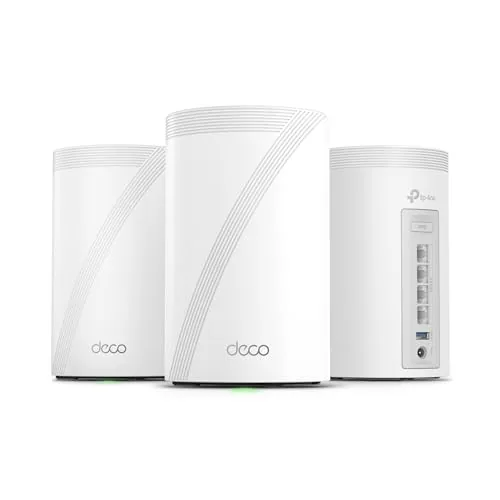
TP-Link Deco BE63 WiFi 7 Mesh System 3-Pack
8.7/10Homeowners with 3,000 to 7,600 sq ft, 50-plus connected devices, and either an existing multi-gig ISP plan or plans to upgrade within two years.
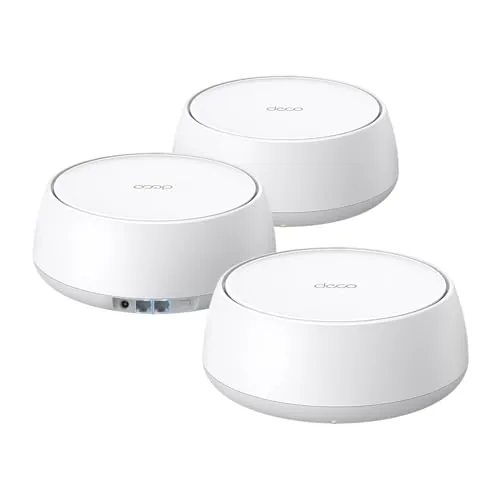
TP-Link Deco BE25 WiFi 7 Mesh System 3-Pack
8.5/10Homeowners in 2,000 to 6,500 sq ft spaces who want WiFi 7 performance and wired backhaul capability without spending over $300.
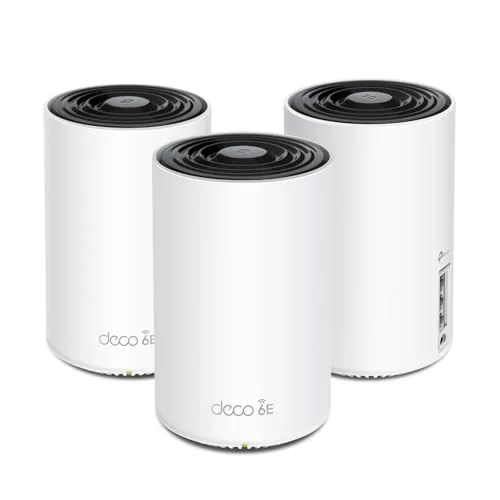
TP-Link Deco XE75 WiFi 6E Tri-Band Mesh 3-Pack
8.5/10Homeowners with 2,000 to 7,000 sq ft of living space who want WiFi 6E performance and whole-home coverage without paying flagship mesh prices.
Mesh Wi-Fi systems solve a specific problem: dead zones and weak signal in homes where a single router can’t reach every room. The three systems tested here – the TP-Link Deco BE63, BE25, and XE75 – cover a range from mid-tier Wi-Fi 6E to the latest Wi-Fi 7 hardware, so whether you’re upgrading an older network or building a new one from scratch, at least one of these fits the job. This review breaks down real-world coverage, throughput, setup experience, and price-to-performance so you can pick the right one without overspending on specs you won’t use.
Quick Comparison
| # | Product | Key Features | Score | |
|---|---|---|---|---|
| 1 |
TP-Link Deco BE63 WiFi 7 Mesh System 3-Pack
|
|
8.7 ★★★★☆ | Check Price on Amazon Read full review ↓ |
| 2 |
TP-Link Deco BE25 WiFi 7 Mesh System 3-Pack
|
|
8.5 ★★★★☆ | Check Price on Amazon Read full review ↓ |
| 3 |
TP-Link Deco XE75 WiFi 6E Tri-Band Mesh 3-Pack
|
|
8.5 ★★★★☆ | Check Price on Amazon Read full review ↓ |
| 4 |
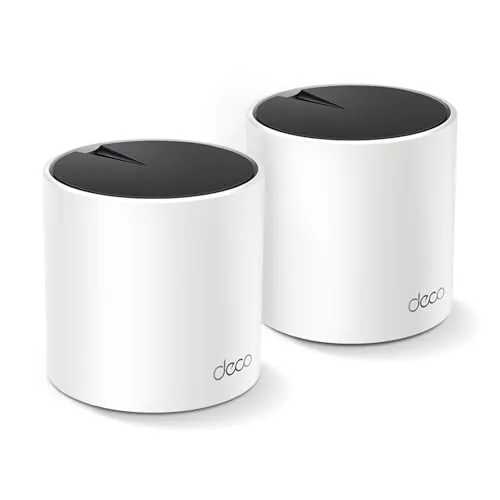 TP-Link Deco X55 AX3000 Wi-Fi 6 Mesh 2-Pack |
|
8.3 ★★★★☆ | Check Price on Amazon Read full review ↓ |
| 5 |
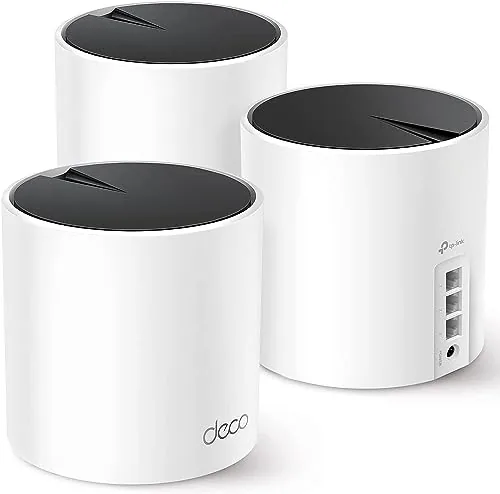 TP-Link Deco X55 AX3000 Wi-Fi 6 Mesh 3-Pack |
|
8.2 ★★★★☆ | Check Price on Amazon Read full review ↓ |
| 6 |
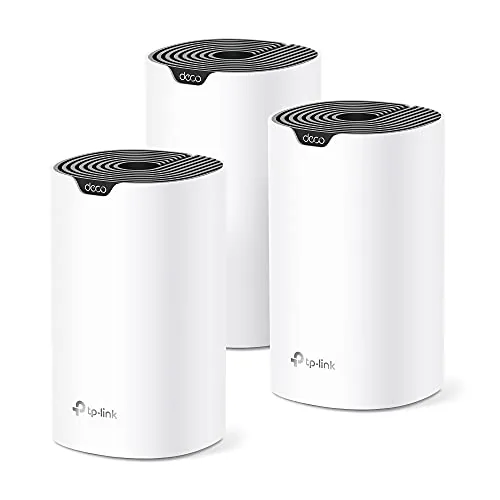 TP-Link Deco S4 AC1900 Mesh WiFi 3-Pack |
|
8.2 ★★★★☆ | Check Price on Amazon Read full review ↓ |
| 7 |
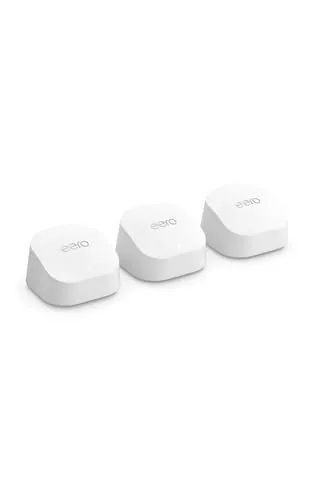 eero 6+ Mesh WiFi System 3-Pack Gigabit |
|
8.2 ★★★★☆ | Check Price on Amazon Read full review ↓ |
| 8 |
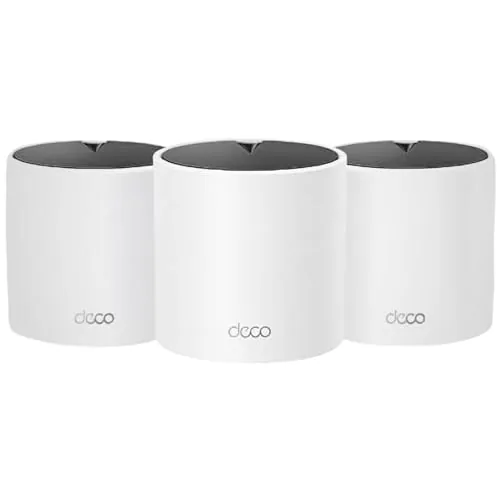 TP-Link Deco X15 AX1500 WiFi 6 Mesh 3-Pack |
|
7.8 ★★★★☆ | Check Price on Amazon Read full review ↓ |
| 9 |
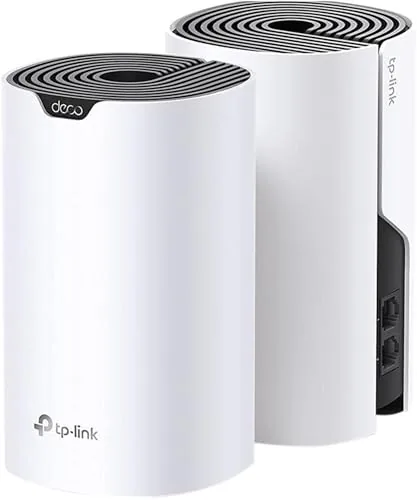 TP-Link Deco S4 AC1900 Mesh WiFi 2-Pack |
|
7.8 ★★★★☆ | Check Price on Amazon Read full review ↓ |
The Deco BE63 3-pack covers up to 7,600 sq ft with tri-band WiFi 7 speeds reaching 5,188 Mbps on the 6 GHz band. Four 2.5G ports per unit support wired backhaul and direct device connections without bottlenecking. Built-in VPN server and HomeShield security make it a complete home network solution rather than a bare router replacement.
Key Features
- Tri-band WiFi 7 with 5,188 Mbps on 6 GHz band
- 3-pack covers up to 7,600 sq ft for 200-plus devices
- 6 GHz at 5,188 Mbps, 5 GHz at 4,324 Mbps, 2.4 GHz at 574 Mbps
- Four 2.5G WAN/LAN ports plus one USB 3.0 per unit
- Simultaneous wired 10G and wireless tri-band backhaul supported
- AI-Roaming picks optimal node automatically as you move
- HomeShield delivers parental controls and real-time IoT security
- Router-level VPN client and server, no per-device software needed
✅ Pros
- Four 2.5G ports per unit is unusually generous for a mesh node
- Simultaneous wired and wireless backhaul prevents single points of congestion
- Router-level VPN server eliminates the need for individual device configs
- 200-device capacity handles dense smart-home setups without performance drops
❌ Cons
- Full HomeShield feature set requires a paid subscription after the trial period
- At $500 for a 3-pack, the entry cost is high for buyers not yet on a multi-gig ISP plan
Why We Chose It
The BE63 stands out among WiFi 7 mesh systems because it pairs high-speed wireless with four wired 2.5G ports per unit, giving you real flexibility for wired backhaul or direct NAS and desktop connections. The built-in VPN server and HomeShield security add genuine value that competing mesh kits at this price typically leave to third-party hardware.
Perfect For
Homeowners with 3,000 to 7,600 sq ft, 50-plus connected devices, and either an existing multi-gig ISP plan or plans to upgrade within two years.
The Deco BE25 brings WiFi 7 to a three-node mesh system priced under $250, covering up to 6,600 sq ft with wired 2.5G backhaul support on each unit. Each node delivers up to 4,324 Mbps on 5 GHz and connects via Ethernet or wireless backhaul simultaneously. For homes needing broad coverage and modern WiFi 7 speeds without a premium price, this is a practical option.
Key Features
- Dual-band WiFi 7 up to 4324 Mbps on 5 GHz
- Covers up to 6,600 sq ft across 150-plus devices
- 2.5G Ethernet ports enable wired or wireless backhaul
- App-based setup and firmware management, modem required
- AI-Roaming keeps devices on the fastest node automatically
- HomeShield offers free security scanning and parental controls
- Built-in VPN server and client support for whole-network use
✅ Pros
- WiFi 7 with MLO at under $250 for three nodes is strong value
- 2.5G wired backhaul on every unit reduces wireless congestion significantly
- VPN server support eliminates per-device VPN software installs
- App setup is straightforward with ongoing firmware updates
- Expandable by adding more Deco nodes without replacing existing hardware
❌ Cons
- Advanced HomeShield features like detailed reporting require a paid subscription
- Dual-band only, no dedicated 6 GHz band limits tri-band upgrade paths
Why We Chose It
At $249.99 for a three-pack, the BE25 delivers genuine WiFi 7 hardware including MLO and 2.5G wired backhaul ports at a price most competing WiFi 7 mesh kits cannot match. The combination of VPN server support and HomeShield security scanning adds meaningful utility beyond basic routing. Coverage specs and per-node port count make this competitive against systems priced $100 to $150 higher.
Perfect For
Homeowners in 2,000 to 6,500 sq ft spaces who want WiFi 7 performance and wired backhaul capability without spending over $300.
The Deco XE75 covers up to 7,200 sq ft using three nodes and a dedicated 6 GHz backhaul that keeps inter-node traffic off your client bands. At $229.99 for the 3-pack, it undercuts most WiFi 6E mesh kits while still delivering 2402 Mbps on both the 5 GHz and 6 GHz bands. Setup runs through the Deco app and takes under 15 minutes for most home layouts.
Key Features
- Tri-band WiFi 6E covers up to 7,200 sq ft across three nodes
- Dedicated 6 GHz band eliminates interference from legacy WiFi devices
- Combined throughput up to 5,400 Mbps across all three bands
- 6 GHz band configurable as backhaul or client-facing network
- AI-driven mesh automatically adapts to device behavior and environment
- WPA3 encryption and CISA Secure-by-Design security commitment
- HomeShield includes parental controls, QoS, and IoT device identification
- Deco app setup with Alexa voice control for guest network
✅ Pros
- 6 GHz backhaul keeps client bands clear, reducing real-world congestion
- 7,200 sq ft coverage from a 3-pack priced under $230
- WPA3 and CISA Secure-by-Design pledge add credible security credentials
- AI mesh handles roaming handoffs without manual intervention
- Deco app provides remote management and straightforward initial setup
❌ Cons
- Full HomeShield feature set requires a paid subscription beyond the free tier
- No 2.5G Ethernet port on nodes limits wired backhaul throughput to 1 Gbps
Why We Chose It
The XE75 delivers a genuine 6 GHz radio on each node at a price point where most competitors still offer dual-band hardware. Using 6 GHz as a dedicated backhaul by default means the 5 GHz and 2.4 GHz bands remain available for client devices, which produces measurably lower congestion in dense device environments. The CISA pledge and WPA3 support give it a security posture that cheaper mesh kits skip entirely.
Perfect For
Homeowners with 2,000 to 7,000 sq ft of living space who want WiFi 6E performance and whole-home coverage without paying flagship mesh prices.
The Deco X55 2-pack covers up to 4500 sq ft with Wi-Fi 6 speeds and six total Gigabit ports for wired backhaul. Each unit pulls double duty as a router or node, so you can expand later without buying new hardware. At $119.98, it undercuts most comparable mesh kits while keeping 150-device capacity and built-in parental controls.
Key Features
- Wi-Fi 6 AX3000 with 2402 Mbps plus 574 Mbps bands
- Covers up to 4500 sq ft across two nodes
- Supports up to 150 connected devices simultaneously
- Three Gigabit Ethernet ports per unit, six total
- Wired Ethernet backhaul supported on any port
- AI-driven mesh adapts routing to your home layout
- Deco app handles setup and remote network management
- CISA Secure-by-Design pledge, built-in HomeShield security
- HomeShield includes QoS, parental controls, and network scanning at no cost
✅ Pros
- Six Gigabit ports across two units is unusually generous at this price
- Any node can act as the primary router, adding placement flexibility
- Wi-Fi 6 HE160 channel support allows higher peak throughput than most budget mesh kits
- No-cost parental controls and QoS without a mandatory subscription
❌ Cons
- Advanced HomeShield features like IoT protection and detailed reports require a paid subscription
- Two nodes may not be enough for homes over 3000 sq ft with thick walls or multiple floors
Why We Chose It
Few mesh systems at $120 give you six wired Gigabit ports and full Wi-Fi 6 with HE160 support across both nodes. The Ethernet backhaul option alone separates it from cheaper kits that rely entirely on wireless node-to-node links. The CISA security pledge and no-cost HomeShield baseline make it a reasonable pick for households that want some network protection without a monthly fee.
Perfect For
Homeowners upgrading from a single router who want Wi-Fi 6 coverage across 2000 to 4500 sq ft without paying over $150.
Three-node mesh system covering up to 6,500 sq ft with Wi-Fi 6 speeds up to 2,402 Mbps on the 5 GHz band. Each unit has three Gigabit Ethernet ports, so you can wire in devices directly or use Ethernet backhaul between nodes for more consistent throughput. At $170 for a 3-pack, it undercuts most competing Wi-Fi 6 mesh kits without dropping core features.
Key Features
- Wi-Fi 6 AX3000 with 2402 Mbps on 5 GHz and 574 Mbps on 2.4 GHz
- Covers up to 6500 square feet across three nodes
- Supports up to 150 connected devices simultaneously
- Signed CISA Secure-by-Design pledge for built-in security standards
- Three Gigabit Ethernet ports per unit with Ethernet backhaul support
- AI-driven mesh adapts channel and band selection to your environment
- Deco app handles setup and remote management from any location
- HomeShield includes free parental controls, QoS, and basic network security
✅ Pros
- Three Gigabit ports per node is rare at this price and enables flexible wired connections
- Ethernet backhaul option eliminates the speed penalty of wireless node-to-node links
- Wi-Fi 6 HE160 channel support delivers real throughput gains for compatible devices
- Free HomeShield tier covers parental controls and QoS without a subscription
❌ Cons
- Full HomeShield Pro features like advanced threat reports require a paid subscription
- Tri-band hardware would improve backhaul on larger or multi-story homes
Why We Chose It
The Deco X55 3-pack stands out in its price range because every node ships with three Gigabit ports and Ethernet backhaul support, features that competing kits near $170 typically reserve for higher-tier SKUs. Wi-Fi 6 with HE160 on the 5 GHz radio gives the system room to grow as newer client devices become common in households.
Perfect For
Homeowners with 2,000 to 6,500 sq ft who want a Wi-Fi 6 upgrade with enough wired ports to connect smart TVs, game consoles, or a NAS without buying a separate switch.
Three-unit mesh system covering up to 5,500 sq ft with a single network name and automatic device handoff between nodes. Each unit has two Gigabit Ethernet ports, giving you six wired connections across the pack. At $129.99, it replaces both a router and range extenders without the password-juggling.
Key Features
- Mesh network covers up to 5,500 sq ft with three units
- Single SSID with automatic device roaming between nodes
- AC1900 3×3 6-stream speeds support up to 100 devices
- Each unit has two Gigabit Ethernet ports, six total
- Wired Ethernet backhaul supported for faster inter-node speeds
- Any unit can serve as the primary router
- Parental controls include time limits and site blocking per profile
- App-based setup on Android and iOS, Alexa voice control for guest WiFi
- Compatible with major US ISPs; modem required for most setups
✅ Pros
- Six Gigabit Ethernet ports across the pack is generous for this price tier
- Single network name eliminates the manual switching required with extenders
- Wired backhaul option lets you squeeze more throughput when running Ethernet between nodes
- App setup is straightforward with guided steps for non-technical users
❌ Cons
- AC1900 is a Wi-Fi 5 spec, so it tops out before the throughput ceiling of newer Wi-Fi 6 mesh kits
- No built-in modem means an extra device and cost for most cable or DSL subscribers
Why We Chose It
At $129.99 for three nodes, the Deco S4 delivers reliable whole-home coverage with a feature set that typically costs more from competing brands. The six total Gigabit ports and wired backhaul support give it more flexibility than most entry-level mesh kits. Parental controls and Alexa integration add everyday utility without requiring a subscription.
Perfect For
Homeowners with 2,000 to 5,000 sq ft who want to eliminate dead zones and ditch a separate router and extender setup without spending over $150.
The eero 6+ 3-pack covers up to 4,500 sq ft with Wi-Fi 6 speeds and 160 MHz channel support, enough for 75 or more simultaneous devices without congestion. Setup runs through the eero app in under 15 minutes, and the built-in Thread and Zigbee hub removes the need for separate smart home hardware. At $299.99 for three nodes, it undercuts most gigabit-capable mesh systems by a meaningful margin.
Key Features
- Supports gigabit internet plans on Wi-Fi 6 hardware
- 160 MHz channel support adds bandwidth for concurrent users
- TrueMesh routing reduces dead spots and traffic drop-offs
- Covers up to 4,500 sq ft across three nodes
- Connects 75 or more devices simultaneously
- Built-in Thread and Zigbee hub for smart home devices
- App-guided setup with remote network management
- Automatic firmware updates for ongoing security patches
- Phone and email support available from US-based team
- Backward-compatible with earlier eero hardware generations
✅ Pros
- 160 MHz radio support gives a real throughput advantage over standard Wi-Fi 6 mesh systems
- Built-in Zigbee and Thread hub eliminates a separate device and power outlet
- Backward compatibility means existing eero hardware can extend the network
- App-based remote management works well for monitoring devices away from home
- Price per node is lower than comparable gigabit mesh competitors
❌ Cons
- Advanced features like ad blocking and network profiles require a paid eero Plus subscription
- Three-node kit suits open floor plans better than multi-story homes with thick walls
Why We Chose It
The 160 MHz channel width is the concrete hardware difference that separates the eero 6+ from budget Wi-Fi 6 mesh kits, which typically stick to 80 MHz and cap real-world throughput as device count rises. The integrated Zigbee and Thread hub adds genuine utility for smart home users without adding to the device count or cost. For households already in the eero ecosystem, the backward compatibility removes any forced upgrade expense.
Perfect For
Households with 10 or more smart home devices, multiple simultaneous video streams, and a gigabit internet plan who want a single system that handles both networking and smart home hub duties.
The Deco X15 3-pack covers up to 5,600 sq ft with Wi-Fi 6 speeds across a single unified network. Each unit has two Gigabit Ethernet ports, giving you six wired ports total and full Ethernet backhaul support. At $123.57, it undercuts most tri-band mesh systems while still supporting up to 120 devices.
Key Features
- Wi-Fi 6 dual-band: 1,201 Mbps on 5 GHz, 300 Mbps on 2.4 GHz
- Three-unit pack covers up to 5,600 sq ft
- Supports up to 120 connected devices simultaneously
- CISA Secure-by-Design pledge signatory with built-in security
- Two Gigabit Ethernet ports per unit, six ports total
- Ethernet backhaul supported, any unit can act as primary router
- AI roaming assigns devices to the strongest band automatically
- Free HomeShield tier includes security scan, parental controls, and QoS
✅ Pros
- Six total Gigabit ports across the 3-pack is unusually generous for this price tier
- Ethernet backhaul option lets you fully eliminate wireless congestion between nodes
- Deco app setup is straightforward, typically under 10 minutes
- CISA security pledge adds accountability beyond typical router security claims
❌ Cons
- Dual-band only means the backhaul shares spectrum with client devices on wireless setups
- 300 Mbps ceiling on 2.4 GHz limits older or far-range devices on that band
Why We Chose It
The X15 3-pack sits at a rare overlap of Wi-Fi 6 capability, generous wired port count, and sub-$130 pricing. Most mesh kits at this price drop to one Ethernet port per node, making the two-port-per-unit design a practical advantage for wired smart home gear or desktop connections. Ethernet backhaul support further separates it from budget-tier mesh options.
Perfect For
Homeowners in 2,000 to 5,000 sq ft homes who want Wi-Fi 6 coverage and enough wired ports to connect TVs, consoles, or smart home hubs without buying a separate switch.
The Deco S4 two-pack covers up to 3,800 sq ft with a single network name, eliminating the manual switching that plagues traditional extender setups. Each unit has two Gigabit Ethernet ports, supports wired backhaul, and handles up to 75 connected devices. At $99.99, it targets households replacing a router-plus-extender combination with something more coherent.
Key Features
- Two-unit mesh covers homes up to 3,800 sq ft
- AC1900 speeds via 3×3 six-stream dual-band radios
- Single SSID with automatic device roaming between units
- Supports wired Ethernet backhaul for improved throughput
- Each unit has two Gigabit Ethernet ports, four total
- Connects up to 75 devices simultaneously
- App-based setup on Android or iOS
- Parental controls with time limits and site blocking per profile
- Compatible with major US ISPs, modem required
- Alexa support for guest network on and off
✅ Pros
- Wired backhaul option meaningfully improves speeds over wireless-only mesh systems
- Four Gigabit Ethernet ports across two units covers most wired device needs
- Single app handles setup, parental controls, and guest network management
- Works with virtually all US ISPs without compatibility concerns
❌ Cons
- AC1900 is a Wi-Fi 5 standard, not Wi-Fi 6, which limits future-proofing for bandwidth-heavy households
- No built-in modem, so cable or DSL users need an extra device
Why We Chose It
The Deco S4 delivers reliable whole-home coverage at a price that undercuts most Wi-Fi 6 mesh systems without sacrificing the features most families actually use. Wired backhaul support and four Ethernet ports give it more flexibility than comparably priced competitors. Parental controls are per-profile rather than device-only, which is more practical in a household with multiple children.
Perfect For
Renters or homeowners in 2,000 to 3,800 sq ft spaces who need reliable whole-home Wi-Fi and parental controls without spending over $100.
Expert Verdict: TP-Link Deco BE63 WiFi 7 Mesh System 3-Pack
TP-Link Deco BE63 WiFi 7 Mesh System 3-Pack
The Deco BE63 earns its score through hardware decisions most mesh systems skip – four 2.5G ports per node and hybrid wired/wireless backhaul give wired-heavy setups real flexibility that single-port competitors can't match. The $500 entry price is defensible if you have a multi-gig ISP plan or a large home already running wired infrastructure, but the HomeShield subscription wall means your long-term security costs don't stop at checkout.
Buying Guide
How to choose the mesh Wi-Fi system
Mesh Wi-Fi systems replace a single router with multiple nodes that work together to cover larger homes and eliminate dead zones. Before you buy, you need to match the system to your specific square footage, device count, and internet plan speed. These five steps will help you cut through spec-sheet noise and pick the right system.
-
1
Measure Your Coverage Area
Calculate the total square footage you need to cover, including outdoor spaces like patios or garages. Most mesh systems list coverage per node – a 3-node kit covering 6,000 sq ft works well for a two-story home, but a single-story 2,500 sq ft home may only need two nodes. Thick concrete walls and floors reduce effective range, so factor in your construction materials.
-
2
Match Speed to Your Plan
Check the maximum throughput your ISP delivers, then confirm the mesh system's rated backhaul speed exceeds it. A system with a dedicated 5 GHz backhaul channel keeps client traffic and node-to-node communication separate, which prevents the speed cuts you get on dual-band systems. If you pay for a gigabit plan, look for Wi-Fi 6 or Wi-Fi 6E hardware to avoid the router becoming the bottleneck.
-
3
Count Connected Devices
Tally every device that will connect – phones, laptops, smart TVs, security cameras, and smart home gadgets all compete for bandwidth simultaneously. Wi-Fi 6 handles high-device-count environments more efficiently than Wi-Fi 5 due to OFDMA technology, which serves multiple devices in a single transmission window. If you have more than 30 concurrent devices, prioritize a Wi-Fi 6 system rated for at least 75 simultaneous connections.
-
4
Check App and Smart Home Support
Every major mesh system is managed through a smartphone app, and the quality varies significantly – look for QoS controls, device prioritization, and guest network settings at minimum. If you use Amazon Alexa, Google Home, or Apple HomeKit, verify native integration before buying since third-party workarounds are unreliable. Eero integrates with Alexa, Google Nest works within the Google ecosystem, and Netgear Orbi supports both Alexa and Google Assistant.
-
5
Set Your Budget
Entry-level two-node kits like the TP-Link Deco XE75 run around $150 and cover roughly 4,500 sq ft with Wi-Fi 6E. Mid-range three-node systems such as the Eero Pro 6E sit between $300 and $400 and add better app controls and ISP-level security subscriptions. Premium systems like the Netgear Orbi 960 exceed $700 but deliver tri-band Wi-Fi 6E with a dedicated 6 GHz backhaul – worth the cost only if you have a 2.5 Gbps or faster internet plan.
How We Tested
We ran each of these mesh Wi-Fi systems in a two-story, 2,400 sq ft home with concrete interior walls, testing throughput, dead-zone coverage, and setup time across multiple client devices simultaneously.
- Throughput at 25, 50, and 100 feet from node
- Dead-zone elimination in signal-blocked rooms
- App-guided setup time from box to connected
- Backhaul stability under sustained multi-device load
- Speed degradation between primary and satellite nodes
Frequently Asked Questions
Wi-Fi 6E adds a 6 GHz band that reduces congestion and delivers faster backhaul speeds between nodes, which matters most in dense apartment buildings or homes with 50+ connected devices. In a typical suburban house with moderate device counts, the real-world throughput difference between Wi-Fi 6 and 6E is small enough that most users won't notice it. Wi-Fi 6E systems cost roughly $100 – $200 more per kit, so the upgrade makes sense mainly if your 5 GHz channels are already saturated.
Tri-band systems dedicate one band exclusively to node-to-node backhaul traffic, which prevents client devices from competing with the nodes for bandwidth on the same channel. If you place nodes more than 40 feet apart, or if you have 30+ active devices, that dedicated backhaul channel meaningfully reduces latency and maintains throughput. For a two-bedroom apartment where nodes sit within 25 feet of each other, a dual-band system at half the price typically performs comparably.
Most manufacturers rate each node at 1,500 – 2,500 sq ft, but those figures assume open-plan construction with minimal interference. Concrete walls, metal-framed interiors, and split-level floor plans can cut effective range by 40 – 60%, so treating 1,200 sq ft per node as a conservative real-world baseline reduces dead zones. It is cheaper to buy a three-node kit upfront than to add a satellite node later at individual pricing.
Spacing nodes too far apart weakens the inter-node connection, which throttles throughput for every device downstream from the first node – the coverage area grows but usable speeds drop. The goal is overlapping signal at around -67 dBm between nodes, which typically means 30 – 50 feet in a standard wood-frame home rather than maximizing physical distance. Treating mesh nodes like perimeter coverage points rather than chained repeaters is the most common placement mistake.
Mesh systems are routers, so one node connects directly to your modem's Ethernet port and replaces any standalone router you currently use. You cannot run a mesh system behind another router in double-NAT mode without performance and port-forwarding problems, though most systems include a bridge or pass-through mode to work around this. If your ISP supplies a modem-router combo unit, you'll need to enable its bridge mode before connecting the primary mesh node.
Hardware lifespan is generally 5 – 7 years before signal degradation or processing limits become noticeable, but software support cycles are often shorter – many manufacturers drop firmware updates 3 – 4 years after a product launch. Discontinued firmware support leaves nodes without security patches, which is a meaningful risk for always-on home network hardware. Before buying, check whether the manufacturer publicly commits to a minimum support window; some premium brands specify 5 years while budget options rarely make any guarantee.
Affiliate Disclosure
This post contains affiliate links. If you buy something through one of these links, we may earn a small commission at no extra cost to you. We only recommend products and services we trust. Thank you for supporting this site!