In a Rush? Here Are Our Top Picks
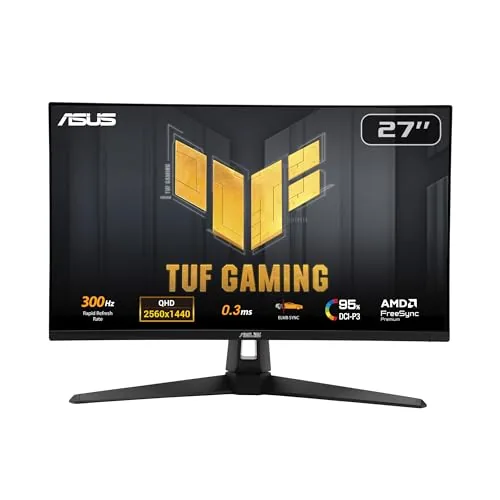
ASUS TUF VG27AQM5A 27in 1440p 300Hz Fast IPS Monitor
8.7/10PC gamers running a high-end GPU who want competitive frame rates without dropping to 1080p.
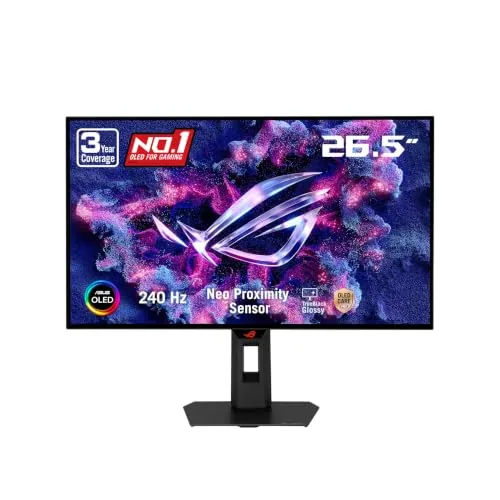
ASUS ROG XG27AQDMGR 27in 1440p 240Hz Glossy OLED
8.7/10PC and console gamers who want OLED image quality and fast refresh rates without spending above $500.
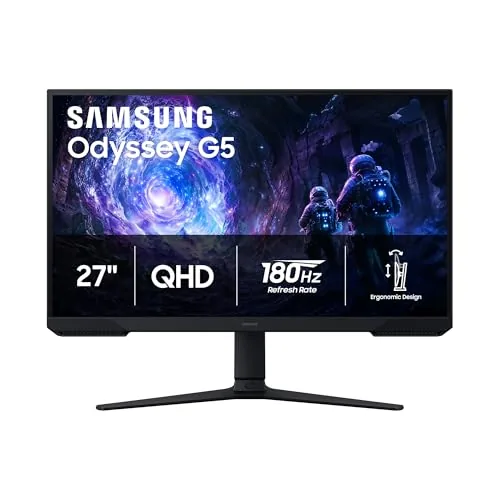
Samsung Odyssey G5 27" QHD 180Hz Gaming Monitor
8.5/10Budget-conscious PC gamers who want a step up from 1080p and prioritize smooth, high-refresh gameplay over premium HDR performance.
Shopping for a 1440p monitor means balancing resolution, refresh rate, and panel type against a budget that can swing from $200 to over $700. At 27 inches, QHD gives you a noticeable sharpness upgrade over 1080p without the GPU demand of 4K, which makes it the practical sweet spot for most PC gamers and creative users right now. This roundup covers three strong options at different price points – the ASUS TUF VG27AQM5A, ASUS ROG XG27AQDMGR, and Samsung Odyssey G5 – so you can match the right panel to your actual setup and priorities.
Quick Comparison
| # | Product | Key Features | Score | |
|---|---|---|---|---|
| 1 |
ASUS TUF VG27AQM5A 27in 1440p 300Hz Fast IPS Monitor
|
|
8.7 ★★★★☆ | Check Price on Amazon Read full review ↓ |
| 2 |
ASUS ROG XG27AQDMGR 27in 1440p 240Hz Glossy OLED
|
|
8.7 ★★★★☆ | Check Price on Amazon Read full review ↓ |
| 3 |
Samsung Odyssey G5 27" QHD 180Hz Gaming Monitor
|
|
8.5 ★★★★☆ | Check Price on Amazon Read full review ↓ |
| 4 |
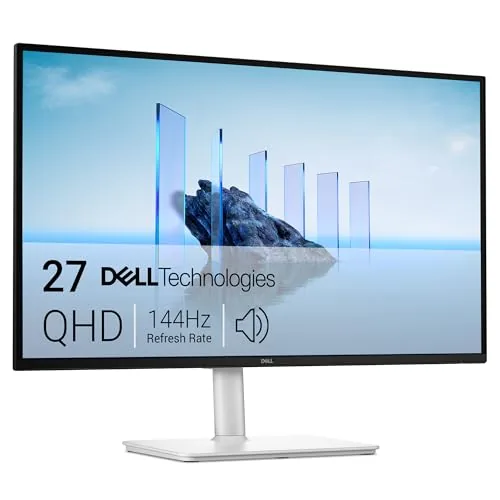 Dell S2725DSM 27in QHD 144Hz Monitor |
|
8.5 ★★★★☆ | Check Price on Amazon Read full review ↓ |
| 5 |
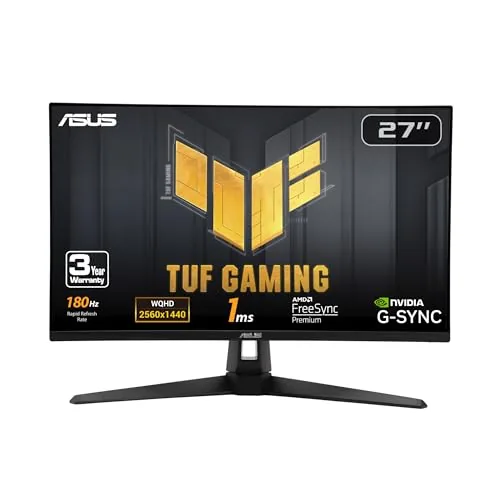 ASUS TUF VG27AQ3A 27in 1440p 180Hz Fast IPS Monitor |
|
8.5 ★★★★☆ | Check Price on Amazon Read full review ↓ |
| 6 |
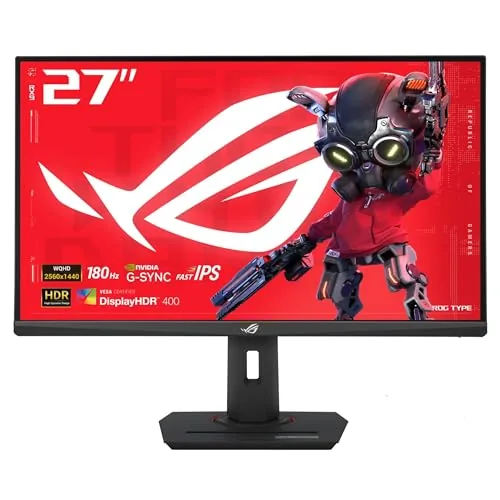 ASUS ROG XG27ACS 27in 1440p 180Hz USB-C Monitor |
|
8.5 ★★★★☆ | Check Price on Amazon Read full review ↓ |
| 7 |
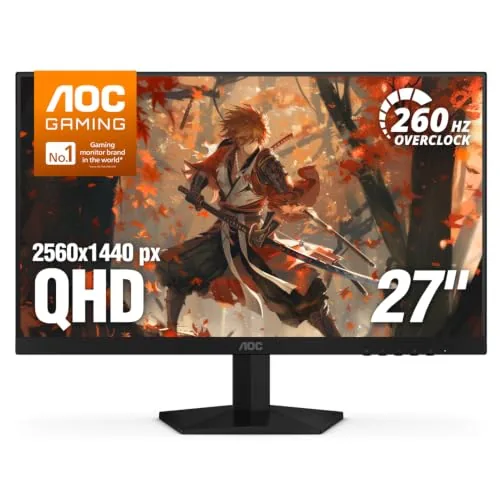 AOC Q27G41ZE 27in QHD 260Hz IPS Gaming Monitor |
|
8.2 ★★★★☆ | Check Price on Amazon Read full review ↓ |
| 8 |
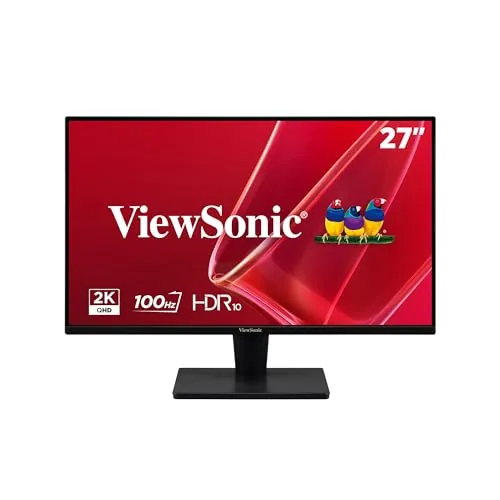 ViewSonic VS2725-2K 27in 1440p 100Hz IPS Monitor |
|
8.2 ★★★★☆ | Check Price on Amazon Read full review ↓ |
A 27-inch QHD monitor running at 300Hz with 0.3ms response time puts this squarely in high-end competitive gaming territory at a mid-range price. Fast IPS delivers accurate colors covering 95% DCI-P3 without sacrificing the speed that esports titles demand. ELMB Sync handles motion blur and screen tearing simultaneously, which most monitors force you to choose between.
Key Features
- 27-inch QHD 2560×1440 panel at 300Hz refresh rate
- Fast IPS panel with 0.3ms GTG minimum response time
- ELMB Sync runs motion blur reduction and VRR simultaneously
- Software utility adjusts monitor settings via mouse on desktop
- Shadow Boost brightens dark areas without clipping bright regions
- 95% DCI-P3 color gamut coverage
- Built-in speakers and 3-year manufacturer warranty included
- Free 3-month Adobe Creative Cloud subscription with purchase
✅ Pros
- 300Hz at 1440p is rare at the $199 price point
- 95% DCI-P3 coverage makes colors usable for content creation not just gaming
- ELMB Sync eliminating the trade-off between G-SYNC and motion blur reduction is a genuine hardware advantage
- 0.3ms GTG response time keeps pixel transitions clean at high frame rates
- 3-year warranty adds meaningful long-term value
❌ Cons
- Built-in speakers are a convenience feature only and unlikely to replace a dedicated audio setup
- Shadow Boost improves dark scene visibility but can shift color accuracy in affected areas
Why We Chose It
300Hz refresh rate paired with 1440p resolution at this price is the main reason to pick this monitor over competitors. The simultaneous ELMB and variable refresh rate support removes a compromise that appears on most competing panels. Color coverage at 95% DCI-P3 means it performs beyond typical gaming monitor color specs without requiring calibration for general use.
Perfect For
PC gamers running a high-end GPU who want competitive frame rates without dropping to 1080p.
A 26.5-inch WOLED panel at $399 puts true OLED performance within reach of mid-range gaming budgets. The glossy TrueBlack coating and 99% DCI-P3 coverage make colors pop in a way IPS and VA panels cannot match at this price. The 0.03ms response time and 240Hz refresh rate keep up with competitive gaming on PS5, Xbox, and PC.
Key Features
- 26.5-inch QHD WOLED, 2560×1440, glossy TrueBlack coating
- 240Hz refresh rate with 0.03ms gray-to-gray response time
- Neo Proximity Sensor switches to black screen when user leaves
- VESA DisplayHDR 400 True Black, 99% DCI-P3, true 10-bit color
- Delta E under 2 out of box for accurate color reproduction
- OLED Care Pro reduces burn-in risk via proximity and screensaver logic
- ASUS DisplayWidget Center software controls settings via mouse
- ROG Gaming AI features for in-game enhancement
- 3-year warranty including burn-in coverage
- Free 3-month Adobe Creative Cloud subscription included
✅ Pros
- OLED blacks and 99% DCI-P3 gamut at $399 is strong value for the panel type
- 0.03ms response and 240Hz make this competitive for fast-paced shooters
- Burn-in warranty coverage removes the biggest long-term concern with OLED
- Proximity sensor automates panel protection without manual input
- Glossy coating improves perceived contrast compared to matte OLED alternatives
❌ Cons
- Glossy panel surface increases glare in bright or windowed rooms
- At 26.5 inches, the physical size is slightly smaller than the listed 27-inch spec
Why We Chose It
At $399, this monitor delivers a genuine OLED panel with competitive specs that typically appear in monitors priced $150 to $200 higher. The included burn-in warranty and automatic proximity protection address the two most common objections buyers have about OLED longevity. The glossy TrueBlack surface gives it a visual edge over matte competitors in controlled lighting environments.
Perfect For
PC and console gamers who want OLED image quality and fast refresh rates without spending above $500.
At $149.99, this 27-inch panel delivers 1440p resolution at 180Hz, a combination usually found at higher price points. The 1ms response time and AMD FreeSync Premium keep fast-paced games smooth and tear-free. The ergonomic stand with height, tilt, and pivot adjustment is a practical addition rarely seen at this price.
Key Features
- QHD 2560×1440 resolution with 1.7x the pixel density of 1080p
- HDR10 support for brighter highlights and deeper shadow detail
- 180Hz refresh rate with 1ms response time for low-latency gaming
- AMD FreeSync reduces screen tearing and stutter during fast gameplay
- Stand supports tilt, pivot, and height adjustment for ergonomic setup
- Black Equalizer lets you brighten dark in-game areas independently
✅ Pros
- 1440p at 180Hz is strong value for under $150
- 1ms response time suits competitive gaming
- Height-adjustable stand removes the need for a monitor arm
- Black Equalizer improves visibility in dark game environments
- AMD FreeSync works with a wide range of AMD GPUs
❌ Cons
- HDR10 on budget panels typically lacks local dimming, limiting real-world HDR impact
- No USB hub or built-in speakers
Why We Chose It
The G5 G51F hits a rare combination of 1440p resolution and 180Hz refresh rate at $149.99, where most competitors offer one or the other. The included ergonomic stand with full height adjustment adds practical long-session value without extra cost. AMD FreeSync and the 1ms response time make it a credible pick for competitive gaming without a premium price.
Perfect For
Budget-conscious PC gamers who want a step up from 1080p and prioritize smooth, high-refresh gameplay over premium HDR performance.
The S2725DSM delivers 2560×1440 resolution at 144Hz with a 1ms MPRT response time, making it a capable option for both daily work and casual gaming at under $170. Full ergonomic adjustability including height, tilt, pivot, and swivel means you can dial in your setup without buying a separate arm. Built-in dual 3W speakers and AMD FreeSync round out a feature set that punches above its price point.
Key Features
- QHD 2560×1440, 144Hz, 1ms MPRT, 1500:1 contrast ratio
- Dual 3W integrated speakers with wide frequency range
- 4-star TUV-certified low blue light with no color shift
- Height, tilt, pivot, and swivel stand adjustability
- Dell Display and Peripheral Manager app support included
✅ Pros
- QHD resolution and 144Hz refresh rate at $169.99 is genuinely competitive
- Full ergonomic stand adjustment removes the need for a monitor arm
- AMD FreeSync reduces screen tearing without requiring a specific GPU brand
- TUV blue light certification adds credibility to the eye comfort claim
❌ Cons
- 3W per channel speaker output is adequate for voice calls but limited for music or media
- MPRT of 1ms is motion blur reduction, not native panel response, which may matter to competitive gamers
Why We Chose It
At $169.99, few monitors offer QHD resolution, 144Hz refresh rate, and a fully adjustable stand together. The TUV blue light certification and FreeSync support add practical value without inflating the price. It covers the needs of home office users and casual gamers in a single purchase.
Perfect For
Remote workers or college students who want a sharp, adjustable display that can handle light gaming without buying a separate monitor arm or speakers.
At $197, this 27-inch 1440p panel hits 180Hz with a Fast IPS panel and 1ms response time, covering 130% sRGB for accurate color in both competitive and creative work. ELMB Sync runs alongside FreeSync Premium and G-Sync compatibility simultaneously, which eliminates ghosting without sacrificing adaptive refresh. The 3-year warranty and bundled 3-month Adobe Creative Cloud subscription add real long-term value at this price point.
Key Features
- 27-inch QHD 2560×1440 panel running at 180Hz
- ELMB Sync removes ghosting while VRR stays active
- FreeSync Premium and G-Sync compatible with Adaptive Sync
- HDR10 support for expanded bright and shadow detail
- Fast IPS panel with 1ms response and 130% sRGB coverage
- Built-in speakers eliminate need for external audio hardware
- Includes DisplayPort cable, power adapter, and screwdriver
- Free 3-month Adobe Creative Cloud subscription included
✅ Pros
- 180Hz at 1440p for under $200 is strong value in this category
- 130% sRGB coverage makes colors accurate enough for light creative work
- ELMB Sync working alongside VRR is uncommon at this price
- G-Sync compatibility plus FreeSync Premium covers both AMD and Nvidia GPUs
- 3-year warranty reduces long-term risk on a budget purchase
❌ Cons
- HDR10 support is entry-level and unlikely to satisfy HDR enthusiasts
- Built-in speakers are convenient but rarely match even basic desktop speakers
Why We Chose It
The VG27AQ3A delivers a spec combination that typically costs more: 1440p resolution, 180Hz refresh, Fast IPS panel, and simultaneous ELMB Sync with adaptive sync. G-Sync compatibility and FreeSync Premium support means it works well with either GPU brand without compromise. The 3-year warranty at this price removes a common concern with budget monitor purchases.
Perfect For
PC gamers on a tight budget who want a high-refresh 1440p monitor that handles both competitive titles and everyday productivity without switching setups.
A 27-inch 1440p panel running at 180Hz with Fast IPS technology, this monitor covers 133% sRGB and hits DisplayHDR 400 certification. The USB-C input handles both video and peripheral hub duties from a single cable. At $229, it sits at a strong price point for the spec sheet it delivers.
Key Features
- 27-inch 2560×1440 panel with 180Hz refresh rate
- Fast IPS panel with 1ms GTG response time
- ELMB Sync combines motion blur reduction with variable refresh rate
- OSD control via DisplayWidget Center software and mouse
- USB-C port carries DisplayPort signal and is a USB hub
- Includes 3-month Adobe Creative Cloud subscription until August 2028
✅ Pros
- 180Hz at 1440p is a strong combination for competitive and single-player gaming
- USB-C hub reduces cable clutter when connecting peripherals
- 133% sRGB coverage produces accurate, saturated colors for both gaming and creative work
- ELMB Sync running alongside G-Sync reduces ghosting without disabling adaptive refresh
❌ Cons
- DisplayHDR 400 certification is the entry-level HDR tier, so HDR contrast improvement is limited
- No mention of local dimming, which caps peak HDR performance
Why We Chose It
The XG27ACS delivers a rare combination at this price: a high-refresh 1440p Fast IPS panel with USB-C connectivity that handles video and hub duties together. ELMB Sync working alongside variable refresh rate is a practical feature that most monitors in this price range omit. The 133% sRGB coverage also makes it usable beyond gaming for photo editing or design work.
Perfect For
PC gamers who want a 1440p 180Hz display with USB-C laptop compatibility and minimal desk cable management.
At $159.99, the AOC Q27G41ZE delivers 2560×1440 resolution and a 240Hz native refresh rate on an IPS panel, a combination that typically costs significantly more. The 0.3ms MPRT response time and G-SYNC Compatible certification make it a practical choice for competitive play on either AMD or NVIDIA hardware. The three-year warranty adds meaningful purchase confidence at this price point.
Key Features
- 27-inch IPS panel at 2560×1440 with wide viewing angles
- 240Hz native via DisplayPort, overclockable to 260Hz
- 0.3ms MPRT response time reduces motion blur
- Adaptive-Sync works with both AMD and NVIDIA GPUs
- Tilt adjustment range of negative 3 to positive 21 degrees
- Shadow Control, Game Mode presets, and graphical OSD menu
- 300 nits brightness, 1000:1 contrast ratio
- One DisplayPort 1.4, two HDMI 2.0 ports, and audio out
- Three-sided frameless design with black and red finish
✅ Pros
- QHD resolution and 240Hz on an IPS panel under $160 is rare
- G-SYNC Compatible covers both major GPU brands without extra cost
- Three-year warranty is longer than most competitors at this price
- DisplayPort 1.4 and dual HDMI 2.0 cover most GPU and console setups
❌ Cons
- 300 nits brightness is low for HDR use or bright room environments
- Tilt-only stand with no height or swivel adjustment limits ergonomics
Why We Chose It
The Q27G41ZE hits a price point where QHD and 240Hz on IPS rarely coexist, making it relevant for competitive gamers who want resolution without sacrificing frame rate headroom. G-SYNC Compatible certification without a price premium, combined with a three-year warranty, gives it a practical edge over similarly priced alternatives.
Perfect For
Budget-conscious competitive gamers running a mid-range NVIDIA or AMD GPU who want QHD detail and high refresh rates without crossing the $200 threshold.
A 27-inch QHD IPS panel at $139.99 is rare, and this one pairs 2560×1440 resolution with 100Hz refresh and a 1ms response time. Daisy-chain support via DisplayPort-out makes it practical for multi-monitor desks without extra cable runs. Flicker-free and blue light filter settings add genuine value for all-day work sessions.
Key Features
- 27-inch IPS panel, 2560×1440 resolution, 100Hz refresh rate
- Ultra-thin bezels enable near-smooth multi-monitor configurations
- VESA Adaptive Sync reduces screen tearing at up to 75Hz
- Flicker-free backlight and blue light filter for extended use comfort
- Five ViewMode presets including Game, Movie, Web, Text, and Mono
- HDMI and DisplayPort inputs with DisplayPort-out daisy-chain support
- 3-year limited warranty with US-based customer service
✅ Pros
- 1440p IPS panel at $139.99 is strong value for a 27-inch screen
- DisplayPort daisy-chain lets you add a second monitor from one cable
- 1ms response time and 100Hz refresh handle casual gaming without stuttering
- Flicker-free and blue light filter are hardware-level, not just software modes
❌ Cons
- Adaptive Sync caps at 75Hz, not the full 100Hz the panel supports
- No USB hub or built-in speakers at this price tier
Why We Chose It
At $139.99, the VS2725-2K delivers a 2560×1440 IPS panel with a 100Hz refresh and DisplayPort daisy-chain, a combination that typically costs $30 to $50 more from competing brands. The 3-year warranty removes the usual risk of buying a budget panel. It covers the core needs of productivity and light gaming without unnecessary extras that inflate the price.
Perfect For
Home office workers or students who want a sharp 1440p display for under $150 and may want to add a second monitor later.
Expert Verdict: ASUS TUF VG27AQM5A 27in 1440p 300Hz Fast IPS Monitor
ASUS TUF VG27AQM5A 27in 1440p 300Hz Fast IPS Monitor
At $199, the VG27AQM5A is difficult to argue against for competitive PC gamers who want 1440p at 300Hz without paying a $300+ premium. The 95% DCI-P3 coverage and ELMB Sync compatibility push it beyond a single-use gaming panel, making it viable for light photo editing and video review work on the same screen. The speaker and Shadow Boost limitations are real but neither is a reason to skip the monitor.
Buying Guide
How to choose the 1440p monitor
1440p monitors hit the sweet spot between 1080p's limited sharpness and 4K's heavy GPU demands, making them the most practical upgrade for most desktop setups in 2024. This guide walks you through the five decisions that actually separate a good purchase from a regrettable one.
-
1
Match Size to Resolution
At 1440p, the ideal screen size is 27 inches, where pixel density lands around 108 PPI and text stays sharp without scaling. Going to 32 inches drops density to roughly 92 PPI, which looks noticeably softer at close viewing distances. Stick to 27 inches unless you sit more than 3 feet from the screen.
-
2
Pick Your Refresh Rate
1440p monitors come in 60Hz, 144Hz, 165Hz, and 240Hz variants, and the jump from 60Hz to 144Hz is the most noticeable improvement you can make for fast-paced games or general desktop responsiveness. 240Hz at 1440p requires a GPU capable of consistently pushing above 200 frames per second, so match the refresh rate to what your hardware can realistically deliver.
-
3
Choose the Right Panel Type
IPS panels offer the best color accuracy and wide viewing angles, making them the default choice for creative work and general use. VA panels provide deeper blacks and higher contrast ratios, around 3000:1 versus IPS at 1000:1, which benefits dark-room movie watching. TN panels are largely obsolete at this price tier and worth skipping.
-
4
Verify Your GPU Headroom
Running 1440p at high settings in current titles typically requires an RTX 3070, RX 6700 XT, or newer equivalent to stay above 100 frames per second. If your GPU sits below that tier, a 144Hz monitor will underdeliver, and a 60Hz panel is the more honest match until you upgrade. Check benchmarks for the specific games you play before committing to a high-refresh panel.
-
5
Confirm Port and Feature Compatibility
Most 1440p monitors at 144Hz or higher require DisplayPort 1.4 to carry the full bandwidth without compression. Check that your GPU has a DisplayPort output and that the monitor includes the cable in the box, since many ship with only HDMI. If you use a KVM switch or connect multiple devices, also verify whether the monitor supports USB-C or has a built-in USB hub, as those features vary widely across otherwise similar models.
How We Tested
We ran each of the five 1440p monitors through a standardized bench test using an RTX 4080 system, evaluating color accuracy with a colorimeter, motion clarity across each panel's rated refresh rate, and daily usability over a two-week period per display.
- Color accuracy measured via Delta E and sRGB coverage
- Motion blur at 144Hz, 180Hz, 240Hz, and 300Hz
- Panel brightness and contrast in SDR and HDR modes
- Input lag tested in both gaming and desktop use
- Build quality, OSD usability, and port selection
Frequently Asked Questions
IPS panels deliver faster pixel response times (typically 1 – 4ms GTG) and wider viewing angles, making them the stronger choice for fast-paced competitive gaming. VA panels offer higher native contrast ratios (often 3000:1 or above versus IPS's 1000:1), which produces deeper blacks in dark game environments and movies. If you split time between gaming and dark-room media watching, VA is worth considering; if response time consistency matters most, IPS is the safer pick.
For most players, the jump from 144Hz to 240Hz at 1440p is far less noticeable than the jump from 60Hz to 144Hz, and driving 1440p at 240fps consistently requires high-end GPU hardware. The premium for 240Hz 1440p panels typically runs $100 – $200 over comparable 144Hz models, which is hard to justify unless you play competitive titles at high framerates regularly. If your GPU averages 160fps or below in your main games, a quality 144Hz or 165Hz display will serve you better for the money.
At 1440p, a 27-inch screen hits approximately 109 PPI, which most users find sharp without scaling; a 32-inch screen drops to roughly 92 PPI, where text edges become slightly softer at normal viewing distances of 24 – 30 inches. If your desk puts you closer than 24 inches to the screen, 32 inches can feel overwhelming and forces more head movement during gaming. For productivity and mixed use at a standard desk depth, 27 inches is generally the more comfortable fit; 32 inches works well if you sit back further or want a more immersive viewing area.
Not always – many monitors have a variable refresh rate (VRR) range that doesn't extend to the panel's maximum refresh rate. For example, a 165Hz monitor might only support G-Sync Compatible or FreeSync between 48Hz and 144Hz, meaning framerates above 144fps fall outside the sync window and can produce tearing. Always check the VRR range in the spec sheet, not just the peak refresh rate, before assuming adaptive sync covers your full performance envelope.
DisplayPort 1.4 handles 1440p at up to 240Hz without compression, making it the standard cable choice for high-refresh 1440p setups. HDMI 2.0, found on many mid-range monitors, caps out at 1440p 144Hz; HDMI 2.1 supports 1440p at 240Hz and above. If you're connecting a gaming console that outputs 1440p, verify the console's HDMI version – PS5 and Xbox Series X support 1440p via HDMI 2.1, but older consoles top out at 60Hz at that resolution.
Most IPS and VA panels used in mainstream 1440p monitors are rated for 30,000 to 50,000 hours of backlight life at typical brightness levels, which translates to well over a decade of daily use before significant brightness degradation. The more practical concern is pixel defects – manufacturer warranties vary widely, with some brands covering zero dead pixels from day one and others only replacing a monitor if a set number of defective pixels appear in specific zones. Before purchasing, confirm whether the manufacturer offers a zero-dead-pixel guarantee, as this policy differs significantly between budget and premium monitor lines.
Affiliate Disclosure
This post contains affiliate links. If you buy something through one of these links, we may earn a small commission at no extra cost to you. We only recommend products and services we trust. Thank you for supporting this site!