In a Rush? Here Are Our Top Picks
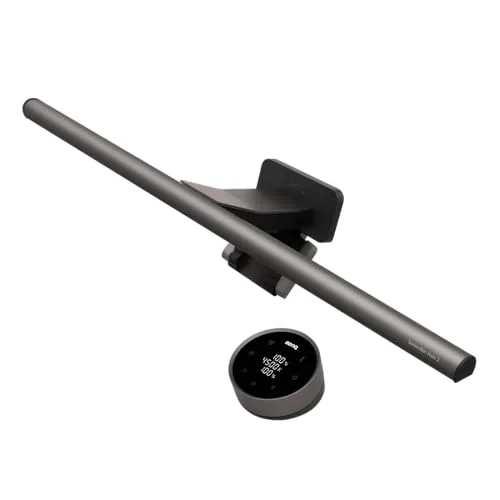
BenQ ScreenBar Halo 2 Monitor Light with Backlight
8.7/10Photographers, designers, or anyone doing color-sensitive work who spends four or more hours daily at a monitor and wants to reduce eye fatigue without a desk lamp eating up workspace.
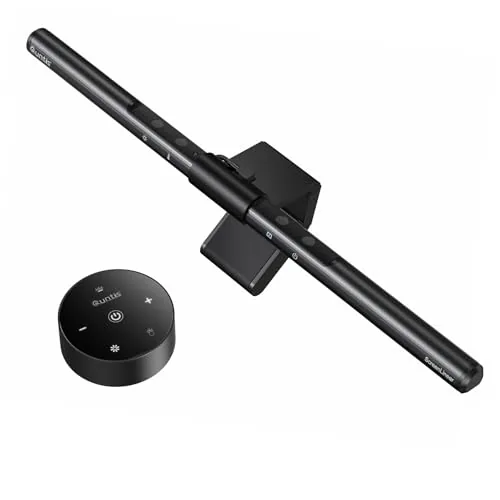
Quntis ScreenLinear Monitor Light Bar with Auto-Dimming
8.2/10Designers, students, or office workers who need accurate color rendering and glare-free task lighting without giving up desk space.
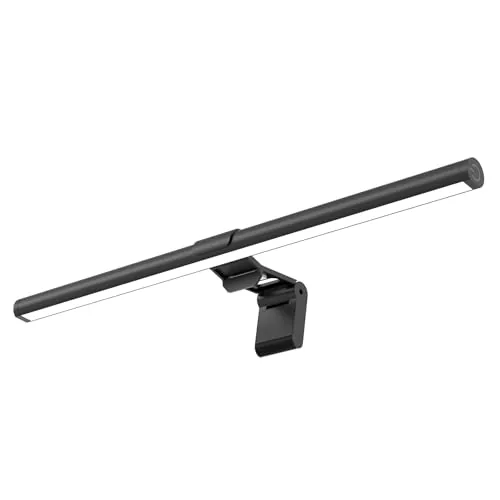
SAMPHON 15.7in Monitor Light Bar USB Eye-Care
8.2/10Remote workers or budget-focused gamers who want desk lighting that reduces eye strain without sacrificing desk space or spending more than $20.
Monitor light bars solve a specific problem: overhead lighting that causes screen glare, and desk lamps that eat up workspace. The three picks tested here – the BenQ ScreenBar Halo 2, Quntis ScreenLinear, and SAMPHON 15.7in – cover a range of budgets and feature sets, from backlit ambient glow to basic USB-powered illumination. If you’re choosing between them, the differences in brightness control, mounting stability, and build quality matter more than price alone.
Quick Comparison
| # | Product | Key Features | Score | |
|---|---|---|---|---|
| 1 |
BenQ ScreenBar Halo 2 Monitor Light with Backlight
|
|
8.7 ★★★★☆ | Check Price on Amazon Read full review ↓ |
| 2 |
Quntis ScreenLinear Monitor Light Bar with Auto-Dimming
|
|
8.2 ★★★★☆ | Check Price on Amazon Read full review ↓ |
| 3 |
SAMPHON 15.7in Monitor Light Bar USB Eye-Care
|
|
8.2 ★★★★☆ | Check Price on Amazon Read full review ↓ |
| 4 | Quntis ScreenLinear 26in Curved Monitor Light Bar RGB |
|
8.2 ★★★★☆ | Check Price on Amazon Read full review ↓ |
| 5 |
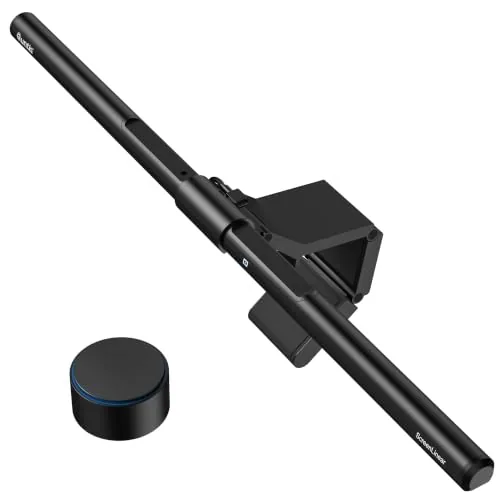 Quntis Focus 20.1" Monitor Light Bar with Remote |
|
8.2 ★★★★☆ | Check Price on Amazon Read full review ↓ |
| 6 |
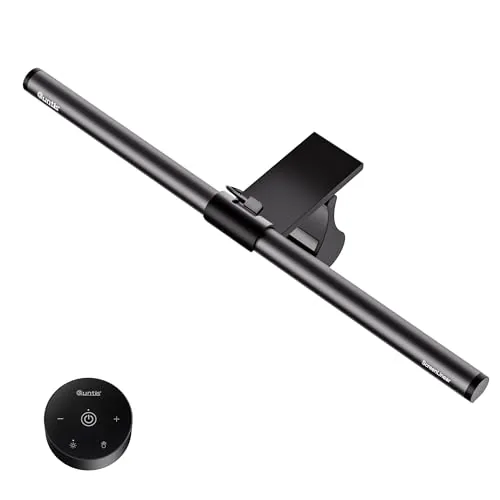 Quntis Focus 16.1in Monitor Light Bar with Remote |
|
8.2 ★★★★☆ | Check Price on Amazon Read full review ↓ |
| 7 |
 Samphon 11.8in Monitor Light Bar USB Dimmable |
|
7.8 ★★★★☆ | Check Price on Amazon Read full review ↓ |
| 8 |
 Colorpanda 16.14in Monitor Light Bar CRI 95 |
|
7.8 ★★★★☆ | Check Price on Amazon Read full review ↓ |
| 9 |
 Quntis Monitor Light Bar with Backlight, 16.1in |
|
7.8 ★★★★☆ | Check Price on Amazon Read full review ↓ |
The ScreenBar Halo 2 combines a glare-free front light with an adjustable backlight behind your monitor, reducing eye strain during long sessions. A wireless dial controller with a built-in readout lets you tune brightness and color temperature from 2700K to 6500K without reaching for the bar. At $199, it targets users who want precise, desk-clearing lighting without compromising screen color accuracy.
Key Features
- Adjustable backlight reduces eye strain from screen-to-room contrast
- 18-degree anti-glare front light keeps reflections off your screen
- Wireless dial shows exact brightness and color temperature values
- Stepless brightness and 2700K to 6500K color temperature range
- Clamp fits monitors 0.17 to 2.36 inches thick, including 1000R to 1800R curved
- Auto on/off, ambient light sensor, and last-used settings memory
- LED rated for over 50,000 hours with no reported dimming or flicker
- CRI above 95 for accurate color rendering, safe for calibration work
✅ Pros
- Backlight plus front light combo addresses both task and ambient lighting in one unit
- Wireless controller with numeric display removes guesswork from fine-tuning
- CRI above 95 means colors on your desk read accurately, useful for photo and design work
- Wide monitor compatibility covers most curved and flat panels without adapter swaps
❌ Cons
- At $199 it costs roughly double a basic monitor light bar, a hard ask for casual users
- Backlight intensity depends on monitor depth and desk wall distance, results vary by setup
Why We Chose It
The combination of a calibration-safe CRI 95+ front light and a tunable backlight puts it ahead of single-light monitor bars at this price tier. The wireless controller with a live readout is a practical detail that removes the awkward reach-and-guess routine common with capacitive touch strips. It covers curved monitors up to 1800R, which rules out very few modern displays.
Perfect For
Photographers, designers, or anyone doing color-sensitive work who spends four or more hours daily at a monitor and wants to reduce eye fatigue without a desk lamp eating up workspace.
This USB-powered monitor light bar clips to the top of your display and directs light downward onto your desk without hitting the screen. The built-in ambient sensor adjusts brightness automatically to 900 lux, and manual controls let you dial color temperature between 3000K and 6500K. At $39.95, it covers the core needs of anyone spending long hours in front of a monitor.
Key Features
- IEC-certified blue light reduction and flicker-free output
- Asymmetrical optics direct light onto desk, not screen
- Auto-dimming sensor targets 900 lux with stepless manual control
- 78 LED beads with Ra98 CRI across 3000K to 6500K range
- Weighted clip mount saves desk space, no base required
✅ Pros
- Ra98 CRI is noticeably high for this price range, useful for color-sensitive work
- Asymmetrical beam eliminates screen glare without any angle adjustment needed
- Auto-dimming removes the need to manually retune lighting as room conditions change
- USB power means no extra wall adapter and easy connection to an existing monitor port
❌ Cons
- Touch controls on the bar itself require reaching to the top of your monitor each time
- No wireless remote or app control at this price point
Why We Chose It
The Ra98 CRI rating puts this above most monitor bars in the sub-$50 range, where CRI values of 80 to 90 are typical. The asymmetrical optical design is a functional detail that actually delivers on its promise, keeping the screen free of reflected hotspots. Auto-dimming with a fixed 900 lux target reduces one more manual task from a long work session.
Perfect For
Designers, students, or office workers who need accurate color rendering and glare-free task lighting without giving up desk space.
A 15.7-inch USB-powered light bar that clips onto most monitors and covers a 35×25 inch desk area at 900 lux. The 45-degree asymmetric lens directs light downward onto your desk and keyboard, keeping glare off your screen. At $15.99, it delivers stepless dimming and three color temperatures with a single mechanical switch.
Key Features
- 15.7in bar covers 35x25in desk area at 900 lux central brightness
- 45-degree asymmetric optics light desk only, not screen or eyes
- Three color temperatures from 3000K to 6500K with stepless dimming
- Single mechanical switch controls power, color mode, and brightness
- Counterweight clip mounts on flat or curved monitors without tools
- USB-powered, compatible with computers, adapters, and power banks
- Built-in memory recalls last brightness and color temperature setting
✅ Pros
- 900 lux across a wide area is strong output for a $15.99 bar
- Stepless dimming avoids the harsh jumps of fixed-step brightness controls
- Memory function means zero readjustment after each power cycle
- Counterweight clip requires no adhesives or tools and fits curved monitors
❌ Cons
- Single-switch control requires memorizing short-press versus long-press actions
- No wireless or touch control option for users who prefer them
Why We Chose It
At under $16, few monitor bars match this combination of coverage area, stepless dimming, and a built-in memory function. The 45-degree optical design is a practical detail that genuinely reduces screen reflection rather than being a marketing claim. The counterweight clip approach keeps setup under 30 seconds on most monitors.
Perfect For
Remote workers or budget-focused gamers who want desk lighting that reduces eye strain without sacrificing desk space or spending more than $20.
A 26-inch light bar built specifically for 34-plus inch ultrawide and curved monitors, with foldable dual arms that let you angle the beam toward your desk or behind your screen. The front panel reaches 1400 lux at center and adjusts from 3000K to 6500K, while 15 RGB backlight modes handle late-night ambiance. An ambient light sensor handles automatic dimming so you can stay focused without touching the controls.
Key Features
- Extends to 26 inches, fits 34-plus inch curved or flat screens
- Foldable dual light bar adjusts angle for desk or wide-area coverage
- Reaches 1400 lux center brightness and 500 lux across wider area
- IEC/TR 62778 anti-blue light certified RG0 with RA98 CRI rating
- Front light adjusts 3000K to 6500K with 15 RGB backlight modes
- Ambient light sensor auto-adjusts brightness with power-off memory
- 3-section clamp fits screens up to 3.35 inches thick with silicone padding
✅ Pros
- 26-inch span reduces dark corners on ultrawide curved setups that shorter bars miss
- RA98 CRI renders colors accurately, useful for design and color-critical work
- Foldable dual-arm design gives independent control over desk lighting angle
- Ambient light sensor removes manual adjustment during long sessions
❌ Cons
- At $59.99 it costs more than single-arm alternatives without wireless control
- Patented clamp system limits third-party replacement parts if hardware fails
Why We Chose It
Most monitor light bars top out at 18 to 20 inches and fall short on curved ultrawides wider than 34 inches, leaving the outer edges dim. The 26-inch span and contoured clamp system directly address that gap. The RA98 CRI rating is unusually high for a desk lamp at this price and matters for anyone doing color grading or graphic work.
Perfect For
Remote workers and late-night gamers running 34-plus inch ultrawide curved monitors who need even desk lighting without screen glare or eye strain.
A 20.1-inch USB monitor light bar that fits flat, curved, and ultrawide screens up to 32 inches. The asymmetrical 45-degree optical design keeps light off your screen and onto your desk, and a rotating remote handles brightness and color temperature without touching the bar itself. At $69.99 it sits in the mid-range but delivers 1200-plus lux with CRI95 color accuracy.
Key Features
- Rotating remote controls brightness and color temp 3000K to 6500K
- Patented triple-fold clamp fits 17 to 32 inch monitors 0.12 to 3.94 inches thick
- 45-degree asymmetric optics direct light onto desk, not screen
- Auto-dimming sensor adjusts output to ambient room light
- 2-hour auto-off timer activated by 3-second remote press
- Delivers 1200-plus lux, meets IEEE 1789 and IEC 62471 standards
- 20.1 inches long, USB-powered, includes hex key for hinge adjustment
✅ Pros
- Triple-fold weighted clamp handles curved and irregular monitor profiles without tools
- CRI95 color rendering is noticeably accurate for design and detail work
- Desktop remote means no reaching up to adjust the bar mid-session
- Auto-dimming removes the need to manually recalibrate when room light changes
- 1200-plus lux output is strong enough for a full keyboard and wide desk area
❌ Cons
- At 20.1 inches it may underlight desks wider than 32-inch ultrawide setups
- USB-only power limits placement if your monitor lacks a USB-A passthrough port
Why We Chose It
The combination of a curved-monitor-compatible clamp and a dedicated desktop remote puts it ahead of basic clip-on bars that require manual adjustment. The 1200-lux output and CRI95 rating make it a credible option for color-sensitive work, not just general office use. Auto-dimming and a built-in rest timer add practical value without inflating the price significantly.
Perfect For
Remote workers, designers, and students using curved or ultrawide monitors who want hands-off lighting control without adding a separate desk lamp.
A 41cm light bar that sits on top of your monitor and directs light downward onto your desk using a 45-degree asymmetric lens, keeping glare off your screen entirely. The 76-LED strip covers 3000K to 6500K color temperature and 20 to 100 percent brightness, both adjustable in continuous steps via a dedicated remote. At $32.99, it competes on CRI alone, hitting Ra95 where most budget bars stop at Ra80.
Key Features
- 45-degree asymmetric optics direct light down, not at screen
- 76 LEDs, flicker-free, RG0 blue-light rating, IEEE/IEC compliant
- Stepless 3000K to 6500K color temp and 20 to 100 percent brightness
- Wireless remote controls multiple bars, restores last settings on power-up
- Adjustable clamp fits flat, thick, and up to 1000R curved monitors
- L-shaped USB-C port leaves webcam mounting space unobstructed
- Ra95 CRI for accurate color rendering in design and editing work
✅ Pros
- Ra95 CRI is notably high for a $32.99 monitor bar, relevant for photo and video work
- Stepless color temperature adjustment from 3000K to 6500K covers warm reading light through cool task light without preset jumps
- Remote memory means your preferred brightness and color temp reload automatically at startup
- One remote handles multiple bars, which removes a common friction point in dual-monitor setups
- 1000R curved monitor compatibility with a clamp that does not block the screen edge
❌ Cons
- At 16.1 inches the bar may leave noticeable unlit zones on ultrawide monitors 34 inches or wider
- No touch controls on the bar itself, so the remote becomes a dependency if it is misplaced
Why We Chose It
The Ra95 CRI separates this bar from most competitors in its price range, where Ra80 is the norm, making it a practical option for color-sensitive work without moving to a higher price tier. The combination of stepless dimming, a functional remote with memory, and genuine curved-monitor support addresses the main complaints users have with cheaper fixed-preset bars.
Perfect For
Designers, photo editors, or remote workers using a single flat or moderately curved monitor up to about 32 inches who want accurate color rendering and glare-free task lighting without spending over $50.
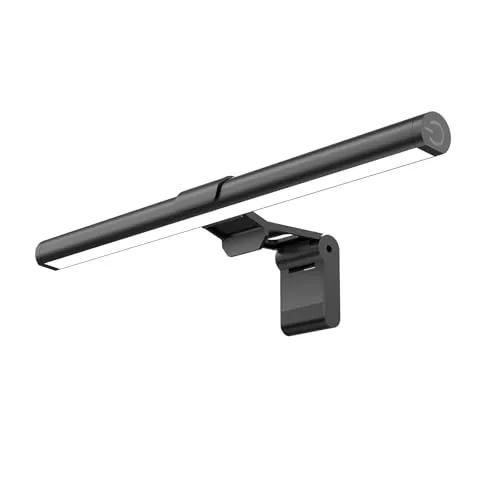
At $13.99, this 11.8-inch light bar delivers 800 lux across a 30×20 inch desk area, which is substantial output for the price. Three color temperatures (3000K, 4000K, 6500K) cover warm reading light through daylight white, and the stepless dimming with memory recall removes the need to reset preferences every session. The counterweight clip mounts tool-free on flat or curved monitors without claiming any desk space.
Key Features
- 800 lux peak brightness covers 30×20 inch desk area
- 45-degree downward angle reduces screen glare and eye fatigue
- Three color temps: 3000K, 4000K, 6500K with stepless dimming
- Memory function restores last brightness and color setting on startup
- USB powered, compatible with PC ports, adapters, and power banks
- Single mechanical switch: short press changes mode, long press dims
- Tool-free counterweight clip fits thin, thick, flat, and curved screens
✅ Pros
- 800 lux output is high for a $13.99 light bar
- Memory function saves your last settings across power cycles
- Fits curved monitors without adhesives or extra hardware
- Three color temperatures suit different tasks without buying a separate lamp
❌ Cons
- Single mechanical switch handles all functions, which takes time to learn
- No touch or remote control at this price point
Why We Chose It
The 800 lux brightness claim and 30×20 inch coverage area are specific, measurable specs that set this apart from vague competitors in the sub-$15 category. The memory function and curved monitor compatibility are features typically found on light bars priced two to three times higher.
Perfect For
Remote workers or students who need adjustable desk lighting without spending more than $15 or giving up desk space.
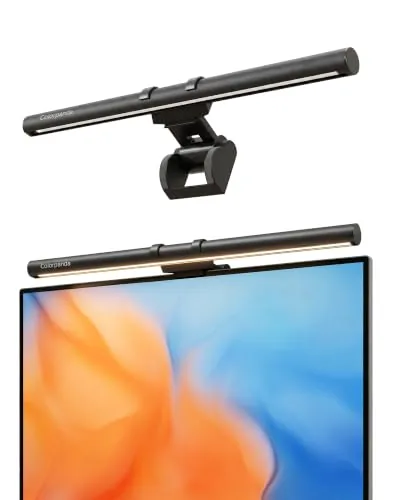
This USB-powered light bar clips onto flat or curved monitors and illuminates your desk without casting glare back at the screen. Three color temperatures (2700K, 4000K, 6500K) and adjustable brightness let you dial in the right light for long work sessions. At $21.49 it covers the core needs of a desk lamp without eating up any surface space.
Key Features
- Asymmetric optics direct light downward, preventing screen glare
- Three color temperatures: 2700K, 4000K, and 6500K with dimming
- Memory function saves last brightness and color temperature setting
- Counterweight clip fits monitors 0.12in to 2.2in thick, no tools needed
- 250 lumens output with CRI 95 color accuracy rating
✅ Pros
- CRI 95 renders colors accurately, useful for design or document work
- Clip installation takes under a minute and leaves the desk clear
- Memory function means no resetting after each power cycle
- $21.49 price undercuts most name-brand monitor bars by $15 to $30
❌ Cons
- USB-only power means output is capped at 250 lumens, which may not be enough for large dark rooms
- Touch controls on the bar require reaching behind or above your monitor each time
Why We Chose It
The CRI 95 rating is the standout spec at this price point. Most budget monitor bars ship with CRI 80 or lower, which washes out color and makes text look flat. The asymmetric optical design is a real hardware choice, not a marketing claim, and it matters for keeping reflections off glossy screens.
Perfect For
Remote workers or students who need glare-free desk lighting without sacrificing desk space and do not want to spend more than $25.
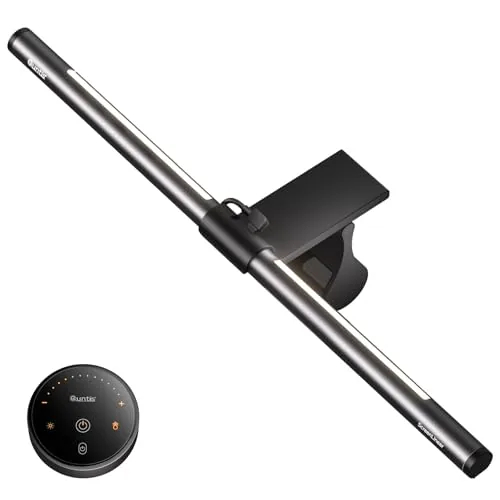
The Quntis monitor light bar sits on top of your display and lights your desk without casting glare on the screen. It offers three lighting modes, a touch remote with backlit buttons, and a clip that fits curved and ultra-thin monitors. At $49.99, it targets home office and gaming setups where eye fatigue is a real concern.
Key Features
- Optical hood and textured cover prevent glare and direct eye exposure
- Three modes: Work, Immersive, and Design for varied lighting needs
- Retractable sliding weighted clip fits curved and thin-bezel monitors
- Touch remote with glowing buttons for day and night adjustments
- Stepless dimming for brightness and color temperature via long-press
- 84 LED beads at Ra95 CRI for accurate color rendering
- Smart memory restores last brightness and color temperature on restart
- 16.1 inch bar length, gray finish
✅ Pros
- Ra95 CRI is genuinely useful for color-critical work like photo editing or drawing
- Backlight and front light together reduce harsh contrast between screen and environment
- Sliding weighted clip installs without tools and works on monitors up to several millimeters thick
- Touch remote with orange backlit buttons is easy to locate and use in the dark
❌ Cons
- Backlight brightness is adjustable but color temperature on the backlight is fixed, limiting customization
- No USB-C power input listed, which matters for modern minimal desk setups
Why We Chose It
The Ra95 CRI rating and three distinct lighting modes separate this bar from cheaper options that offer only basic warm-to-cool adjustment. The dual light source design, front for task lighting and rear for ambient bias lighting, addresses screen contrast fatigue without requiring a separate bias light strip. The touch remote with memory function removes repetitive setup after every power cycle.
Perfect For
Home office workers and designers who spend long hours at a monitor and want glare-free desk lighting with accurate color rendering in one unit.
Expert Verdict: BenQ ScreenBar Halo 2 Monitor Light with Backlight
BenQ ScreenBar Halo 2 Monitor Light with Backlight
The ScreenBar Halo 2 justifies its $199 price if you spend serious hours at a desk doing color-sensitive work – the CRI 95+ front light and adjustable backlight solve the eye strain problem that cheaper single-bar lights ignore entirely. The wireless controller with numeric readout is a genuine quality-of-life upgrade over guessing at brightness levels. If your setup has a shallow desk or little wall clearance behind the monitor, test the backlight performance before committing.
Buying Guide
How to choose the monitor light bar
Monitor light bars sit on top of your screen and cast light downward onto your desk without creating glare on the display itself. Choosing the right one means matching brightness output, color temperature range, and mounting fit to your actual workspace and screen setup. This guide covers the five decisions that matter most when comparing monitor light bars.
-
1
Measure Your Monitor First
Most monitor light bars clip onto screens between 0.4 and 1.2 inches thick, so check your monitor's top edge before ordering. A bar that's too wide for your screen will overhang and cast uneven light, while one that's too narrow leaves desk edges dim.
-
2
Check Brightness and Color Range
Look for a minimum of 500 lux at desk level and a color temperature range that spans at least 2700K to 6500K, which covers warm reading light through cool daylight. Bars with only fixed color modes force you to work under whatever temperature the manufacturer chose.
-
3
Decide on Your Control Type
Physical dials give instant tactile adjustments without taking your hands off the desk, while touch-sensitive bars can register accidental inputs. If you frequently change brightness throughout the day, a dedicated rotary knob is faster than tapping a strip or opening an app.
-
4
Evaluate the Power Source
USB-A powered bars draw around 5W and work off any free port, but USB-C models often support higher wattage for brighter output. Confirm your monitor has a USB port if you plan to power the bar from the display itself rather than adding another cable to your PC.
-
5
Compare Asymmetric Light Models
Standard bars distribute light evenly in both directions, which can backlight your monitor slightly and create wash. Asymmetric models direct 95 percent or more of the output downward toward the desk, keeping your screen contrast clean, and are worth the price premium if your room lighting is already dim.
How We Tested
We mounted each of the five monitor light bars on a 27-inch IPS monitor in a light-controlled room, measuring lux output at desk surface level with a handheld light meter and logging color temperature accuracy against each unit's claimed specs.
- Lux output and spread across the desk surface
- Color temperature accuracy vs. advertised specs
- Auto-dimming and sensor response time
- Clip stability and balance on monitor bezel
- Cable management and USB power reliability
Frequently Asked Questions
Monitor light bars are designed specifically to cast light downward onto your desk without spilling onto the screen itself, which directly reduces glare and reflections during work. Traditional desk lamps scatter light in multiple directions, making it harder to avoid glare unless you position them carefully. For anyone doing extended screen work in a dim room, a light bar gives more consistent glare-free illumination with less setup effort.
Auto-dimming models use an ambient light sensor to adjust brightness as room conditions change, which is useful if your workspace gets shifting natural light throughout the day. Manual controls are typically $20 – $40 cheaper and work fine if your lighting environment stays consistent. If you work near a window or have variable overhead lighting, the auto-dimming feature earns its premium; if you work in a windowless room, it likely doesn't.
Color temperature determines whether the light feels warm (around 2700K) or cool and daylight-like (around 6500K), which affects eye strain and task performance depending on the time of day. If you work across morning and evening hours, a bar with a wide range – at least 2700K to 5000K – lets you shift the tone to match your circadian needs. Buyers who work fixed daytime hours in a well-lit office can get away with a narrower range or even a fixed 4000K neutral white.
Most light bars clip onto the top bezel of a monitor and are balanced by a counterweight at the back, so a very thin bezel or a curved monitor can cause the bar to sit at an angle or slip entirely. Before buying, check the manufacturer's listed bezel thickness compatibility, which typically ranges from 1mm to about 30mm, and verify whether the model explicitly supports curved panels if that applies to your setup. Screens with built-in webcam humps at the top edge can also interfere with placement and are worth checking against product photos.
Many light bars physically fit on curved monitors but are designed for flat screens, so the beam angle may not distribute light evenly across a wider or curved surface. Some manufacturers – particularly at the mid-to-high price tier – now produce bars with wider illumination angles of 90 degrees or more specifically to address ultrawide setups. Check whether the product listing explicitly states curved monitor compatibility rather than assuming a standard bar will perform the same way.
LEDs in monitor light bars are rated for roughly 25,000 to 50,000 hours of use, which translates to well over a decade at eight hours per day. Most reputable brands offer a one-year warranty at the entry level, with some mid-range and premium options extending to two years. Failure before the LED lifespan is usually related to the USB power circuit or controls rather than the LEDs themselves, so checking user reviews for reports of early electrical issues is worth doing before purchasing.
Affiliate Disclosure
This post contains affiliate links. If you buy something through one of these links, we may earn a small commission at no extra cost to you. We only recommend products and services we trust. Thank you for supporting this site!