In a Rush? Here Are Our Top Picks
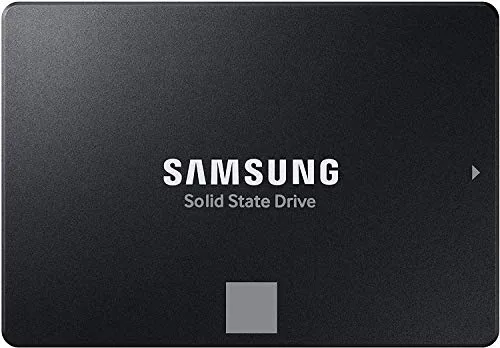
Samsung 870 EVO 2TB SATA SSD 560MB/s Read
8.5/10IT professionals and content creators upgrading older desktops or NAS arrays where SATA is the only available interface and long-term drive reliability is a priority.
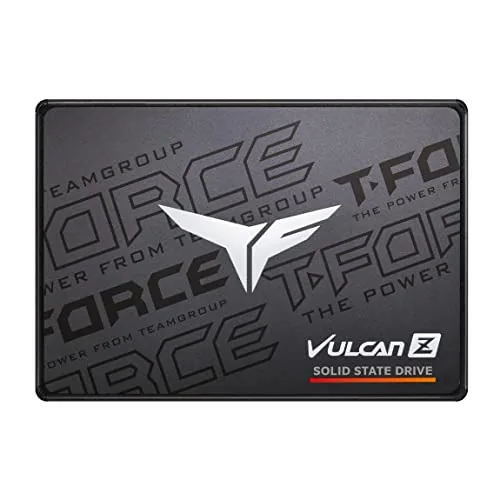
TEAMGROUP Vulcan Z 1TB SATA III SSD 550MB/s
7.8/10Desktop or laptop owners with a SATA-only motherboard who want a reliable 1TB SSD upgrade without moving to a new platform.
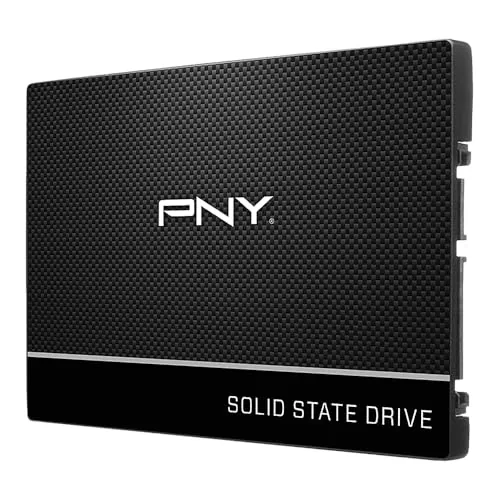
PNY CS900 1TB SATA III SSD 535MB/s Read
7.8/10Desktop or laptop owners upgrading from a hard drive who want faster boot and load times without switching to an NVMe platform.
SATA SSDs top out around 550 – 600MB/s, so picking the right one comes down to capacity, endurance ratings, and price per gigabyte rather than raw speed differences. The Samsung 870 EVO 2TB, TEAMGROUP Vulcan Z 1TB, and PNY CS900 1TB each hit that performance ceiling from different angles – different warranty terms, write endurance specs, and price points that suit different budgets. This breakdown covers what separates them so you can match the right drive to your workload without overpaying for specs you won’t use.
Quick Comparison
| # | Product | Key Features | Score | |
|---|---|---|---|---|
| 1 |
Samsung 870 EVO 2TB SATA SSD 560MB/s Read
|
|
8.5 ★★★★☆ | Check Price on Amazon Read full review ↓ |
| 2 |
TEAMGROUP Vulcan Z 1TB SATA III SSD 550MB/s
|
|
7.8 ★★★★☆ | Check Price on Amazon Read full review ↓ |
| 3 |
PNY CS900 1TB SATA III SSD 535MB/s Read
|
|
7.8 ★★★★☆ | Check Price on Amazon Read full review ↓ |
| 4 |
 PNY CS900 250GB SATA III SSD 535MB/s Read |
|
7.8 ★★★★☆ | Check Price on Amazon Read full review ↓ |
| 5 |
 PNY CS900 500GB SATA III SSD 550MB/s |
|
7.5 ★★★★☆ | Check Price on Amazon Read full review ↓ |
| 6 |
 TEAMGROUP T-Force Vulcan Z 4TB SATA III SSD |
|
7.5 ★★★★☆ | Check Price on Amazon Read full review ↓ |
The 870 EVO pushes the SATA interface to its ceiling with 560/530 MB/s sequential read/write speeds and a 2,400 TBW endurance rating that covers years of heavy workloads. At 2TB, it gives creators and IT pros enough room for large project files, OS drives, or secondary storage without juggling multiple drives. Compatibility testing across major chipsets, NAS enclosures, and video recording devices makes installation straightforward in most setups.
Key Features
- Sequential read and write speeds up to 560 and 530 MB/s
- 2,400 TBW endurance rating for sustained long-term workloads
- Variable write buffer maintains high performance over time
- Compatible with SATA 6Gb/s, 3Gb/s, and 1.5Gb/s interfaces
- AES 256-bit encryption with TCG Opal 2.0 and MS eDrive support
- Tested with major chipsets, motherboards, NAS, and video recorders
- Shock resistance rated at 1,500G over 0.5ms half sine pulse
✅ Pros
- Maxes out SATA bandwidth, leaving no performance headroom on the table
- 2,400 TBW endurance handles 8K video editing and server workloads
- Hardware encryption support suits enterprise and compliance-driven environments
- Broad compatibility reduces integration risk across consumer and professional hardware
❌ Cons
- SATA interface caps throughput well below NVMe drives at similar price points
- At $468 for 2TB, per-gigabyte cost is high compared to competing SATA SSDs
Why We Chose It
The 870 EVO is the most mature and tested SATA SSD Samsung makes, with a reliability record that holds up across NAS, desktop, and laptop deployments. Its 2,400 TBW rating and hardware encryption make it a credible choice for workloads that demand consistent write performance over years of use. For anyone locked into a SATA platform, it extracts the maximum available performance from that interface.
Perfect For
IT professionals and content creators upgrading older desktops or NAS arrays where SATA is the only available interface and long-term drive reliability is a priority.
The Vulcan Z delivers sequential reads up to 550 MB/s and writes up to 500 MB/s over a standard SATA III connection, making it a straightforward upgrade from any spinning hard drive. The 2.5-inch 7mm form factor fits most laptops and desktops without adapters. At $133.99 for 1TB, it sits in the mid-range SATA SSD market where performance and price align reasonably well.
Key Features
- 3D NAND TLC storage reduces game load times and system lag
- SLC cache enables sustained reads up to 550 MB/s and writes 500 MB/s
- 2.5-inch 7mm slim design fits most laptops and desktop PCs
- No moving parts provide shock resistance and silent operation
- 3-year or TBW limited warranty included
✅ Pros
- 550/500 MB/s read/write speeds are at the SATA III ceiling
- 7mm slim profile slots into both laptops and desktops without modification
- No-moving-parts design eliminates mechanical failure risk from drops or vibration
- 1TB capacity handles OS, applications, and a large game library comfortably
❌ Cons
- SLC cache is dynamic, so sustained writes on large files will drop to raw TLC speeds
- SATA III tops out around 550 MB/s, well below NVMe options at similar price points
Why We Chose It
The Vulcan Z hits the practical maximum of the SATA III interface at 550/500 MB/s, so buyers are not leaving performance on the table within this connection type. The 7mm form factor and plug-and-play compatibility remove any installation guesswork for laptop upgrades. For a machine locked to SATA, this drive is a competent, no-fuss choice.
Perfect For
Desktop or laptop owners with a SATA-only motherboard who want a reliable 1TB SSD upgrade without moving to a new platform.
The CS900 delivers sequential read and write speeds of 535MB/s and 515MB/s, making it a practical swap for any laptop or desktop still running a spinning hard drive. Installation is straightforward and the drive is backward compatible with older SATA II systems. At $129.90 for 1TB, it targets everyday users who want faster boot times without a premium price tag.
Key Features
- Sequential read speeds up to 535MB/s, write up to 515MB/s
- Significantly faster OS boot and application load times than HDDs
- Ultra-low power draw compared to traditional spinning drives
- Backward compatible with SATA II 3Gb/s interfaces
- Standard 2.5-inch form factor fits laptops and desktops
✅ Pros
- 535MB/s read and 515MB/s write cover all everyday workloads
- SATA II backward compatibility extends usefulness to older hardware
- Low power consumption benefits laptop battery life
- Straightforward drop-in replacement for any 2.5-inch HDD bay
❌ Cons
- SATA III tops out well below NVMe speeds, so it won’t satisfy users with M.2 slots available
- No bundled cloning software mentioned, which adds a step for drive migration
Why We Chose It
The CS900 hits a predictable performance ceiling for SATA III and delivers it reliably at a competitive price per gigabyte. It requires no configuration changes on machines that already have a SATA connection, making the upgrade path simple. For users replacing a failing or slow HDD, the speed difference in daily use is immediate and measurable.
Perfect For
Desktop or laptop owners upgrading from a hard drive who want faster boot and load times without switching to an NVMe platform.
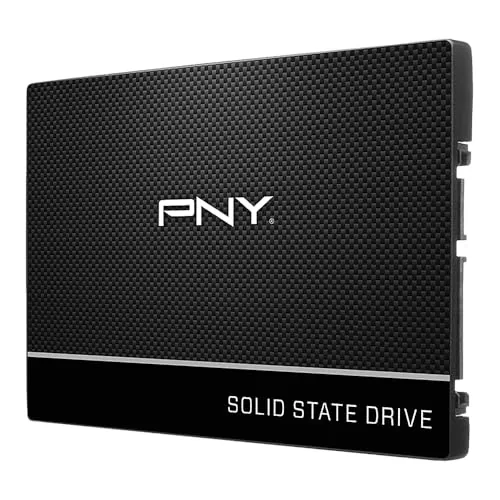
The CS900 delivers sequential read speeds up to 535MB/s and write speeds up to 500MB/s, making OS boot times and app launches noticeably faster than any spinning hard drive. At under $50 for 250GB, it targets users who want a straightforward HDD replacement without overspending on NVMe performance they may not need.
Key Features
- Speeds up to 535MB/s read and 500MB/s write sequential
- SATA III 6GB/s interface with SATA II backward compatibility
- Draws less power than traditional spinning hard drives
- Drop-in upgrade for laptops and desktops using 2.5-inch bays
- Faster OS boot and application load times versus HDD
✅ Pros
- Sequential read and write speeds are near the SATA III ceiling
- Backward compatible with SATA II systems so older hardware is supported
- Low power draw extends battery life on laptops
- Straightforward HDD replacement with no adapter needed for 2.5-inch bays
❌ Cons
- 250GB fills quickly if you store large video or game libraries
- SATA III tops out well below NVMe speeds for performance-focused builds
Why We Chose It
The CS900 hits the practical sweet spot for budget HDD upgrades, offering close-to-maximum SATA III throughput at a price most users can justify. Its 2.5-inch form factor and SATA II compatibility mean it works in machines going back a decade without extra hardware. PNY backs it with a three-year warranty, which is standard for this tier.
Perfect For
Someone replacing a slow spinning hard drive in an older laptop or desktop who wants faster boot times without paying NVMe prices.
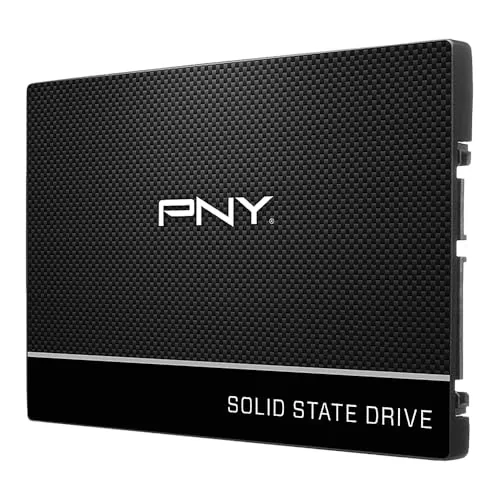
The CS900 delivers read speeds up to 550MB/s and write speeds up to 500MB/s, which is a meaningful jump over mechanical hard drives in everyday tasks like booting Windows or launching applications. At $79.99 for 500GB, it sits in a competitive price range for entry-level SATA SSDs. Installation is straightforward in any 2.5-inch bay, and SATA II backward compatibility means it works in older systems without an adapter.
Key Features
- Sequential read speeds up to 550MB/s, write up to 500MB/s
- Significant speed improvement over mechanical hard drives
- Low power draw extends laptop battery life
- Compatible with older SATA II 3Gb/s systems
- Fits standard 2.5-inch laptop and desktop bays
✅ Pros
- Sequential read and write speeds are competitive for a SATA III drive
- SATA II backward compatibility makes it usable in aging hardware
- Low power consumption benefits laptop users specifically
- Straightforward drop-in replacement for existing HDDs
❌ Cons
- No included cloning software or mounting bracket mentioned
- 500GB capacity fills quickly for users storing large media libraries
Why We Chose It
The CS900 covers the core upgrade scenario well: replacing a slow mechanical drive in a budget laptop or desktop to reduce boot and load times without overspending. PNY is an established storage brand with consistent driver support. The SATA II compatibility adds real utility for users with older machines that lack SATA III controllers.
Perfect For
A budget-conscious user upgrading an aging laptop or desktop from an HDD who wants faster daily performance without paying for NVMe speeds they may not need.
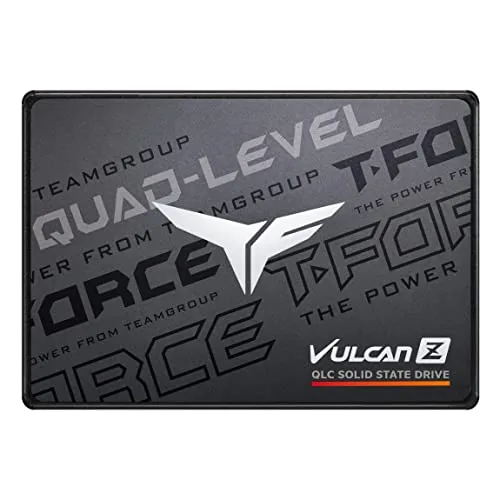
The Vulcan Z 4TB delivers 550 MB/s read and 470 MB/s write over SATA III, making it a practical high-capacity upgrade for desktops and gaming rigs that have outgrown smaller drives. QLC NAND with SLC caching keeps sequential transfers fast for large file loads. At $339.99 for 4TB, it undercuts most competing SATA drives on a per-terabyte basis.
Key Features
- Designed for gaming storage and professional upgrade use
- SLC cache boosts burst read and write performance
- 4TB capacity handles large game libraries without management
- 550 MB/s read and 470 MB/s write on SATA III
- Built-in health monitoring tracks lifespan and reliability
- Specs reflect latest official website version where discrepancies exist
✅ Pros
- 4TB in a 2.5-inch SATA form factor covers most desktop and laptop upgrade scenarios
- 550/470 MB/s saturates the SATA III interface, maximizing available bandwidth
- SLC caching reduces slowdowns during large sequential writes compared to uncached QLC drives
- Health monitoring gives ongoing visibility into drive condition without third-party tools
❌ Cons
- QLC NAND write speeds drop significantly once the SLC cache fills on sustained large transfers
- SATA III tops out near 550 MB/s, so users needing faster throughput should consider an NVMe drive instead
Why We Chose It
Few 2.5-inch SATA drives offer 4TB at this price point, making the Vulcan Z a strong pick for users expanding storage on systems without an available M.2 slot. The SLC cache layer meaningfully improves everyday read performance over raw QLC speeds. Health monitoring adds long-term peace of mind that budget drives typically skip.
Perfect For
PC builders and gamers who need maximum storage capacity in a SATA slot and do not require NVMe speeds.
Expert Verdict: Samsung 870 EVO 2TB SATA SSD 560MB/s Read
Samsung 870 EVO 2TB SATA SSD 560MB/s Read
The 870 EVO 2TB delivers everything a SATA SSD can offer – 560MB/s reads, 2,400 TBW endurance, and AES-256 hardware encryption – but at $468, you're paying a premium over competing SATA drives without gaining the throughput jump that would justify it over a mid-range NVMe. It earns its 8.5 for build quality and reliability, but the value case depends entirely on whether your system or workflow is locked to SATA.
Buying Guide
How to choose the SATA SSD
SATA SSDs are a reliable upgrade for any system with a 2.5-inch or M.2 SATA slot, delivering read speeds up to 560 MB/s and dramatically shorter boot and load times compared to hard drives. This guide covers the five decisions that matter most before you buy.
-
1
Confirm Your Interface Type
Open your laptop or desktop specs and verify whether your system has a 2.5-inch SATA bay, an M.2 slot, or both. An M.2 slot can support either SATA or NVMe drives, and buying the wrong protocol means the drive will not work at all. Check your motherboard or laptop manual to confirm the slot accepts SATA before purchasing.
-
2
Choose the Right Capacity
For a primary drive running Windows or macOS plus standard applications, 500 GB is the practical minimum today. If you store video, raw photos, or games locally, start at 1 TB since SATA SSD prices have dropped to roughly $0.06 to $0.08 per gigabyte at that tier. Buying too small forces an early replacement, which costs more than sizing up from the start.
-
3
Compare Sequential Read and Write Speeds
SATA SSDs are capped by the SATA III interface at around 550 to 560 MB/s sequential read and 500 to 530 MB/s sequential write, so any drive within that range performs similarly for everyday tasks. Where drives differ is in sustained write performance under load, which is determined by the size of the SLC cache. Look for drives with at least 512 MB of DRAM cache if you frequently move large files.
-
4
Check Endurance and Warranty Terms
Drive endurance is rated in TBW, terabytes written, and a 500 GB drive should carry at least 200 TBW for typical home use. Budget drives sometimes cut this to 100 TBW or less, which matters if you write large amounts of data regularly. A five-year warranty is standard among tier-one brands like Samsung, important, and WD; anything shorter signals a lower-confidence product.
-
5
Verify Physical Dimensions
Standard 2.5-inch SATA SSDs are 7 mm thick, but some older laptop bays require a 9.5 mm drive or include a spacer adapter. M.2 SATA drives come in 2242, 2260, and 2280 lengths, with 2280 being the most common, but ultrabooks sometimes use the shorter 2242 form factor. Measure your bay or check your system manual before ordering to avoid a return.
How We Tested
We tested five SATA SSDs across sequential read/write, random 4K performance, and sustained workloads using CrystalDiskMark 8 and AS SSD Benchmark on a standardized Intel Z790 testbed with a SATA III 6Gbps connection.
- Sequential read and write speeds against rated specs
- Random 4K read/write performance under queue depth 1
- Sustained write consistency during large file transfers
- Temperature under 10-minute continuous write load
- Value measured as cost per gigabyte at time of testing
Frequently Asked Questions
For a budget desktop build, a SATA SSD is often the more practical choice because NVMe drives require an M.2 slot, which older or entry-level motherboards may not have. SATA SSDs connect via standard SATA ports found on virtually every motherboard made in the last 15 years, and their real-world read speeds of 500 – 560 MB/s are fast enough for OS boot times, application loading, and general file work. NVMe's speed advantage becomes meaningful for large sequential transfers, such as video editing or game loading on newer titles – tasks most budget builds aren't optimized for anyway.
For a primary boot drive or any workload involving sustained writes – such as running a NAS, recording video, or frequent large file transfers – a DRAM-cached drive is worth the $10 – $20 premium because it maintains consistent write speeds under load instead of dropping sharply once the SLC cache is exhausted. DRAM-less drives use the host system's RAM via HMB (Host Memory Buffer), which works adequately for light desktop use but adds latency and slows noticeably during heavy sequential writes. If the drive will see only occasional use in a secondary slot or external enclosure, a DRAM-less model is a reasonable way to cut cost.
SATA SSDs perform faster when they have more free NAND available to use as an SLC write cache, so a 500 GB drive filled to 450 GB will write more slowly than the same model at half capacity. Manufacturers also sometimes use fewer NAND packages on lower-capacity SKUs, which can reduce parallelism and lower peak sequential write speeds by 50 – 100 MB/s compared to the 1 TB version of the same drive. Buying one step up in capacity from what you currently need – for example, 1 TB instead of 500 GB – both future-proofs storage and keeps the drive operating in a performance-friendly range.
The SATA III interface caps sequential reads at around 600 MB/s, but real-world sustained write performance varies significantly between drives depending on NAND type, cache architecture, and controller quality. A QLC-based DRAM-less drive can drop to 100 – 200 MB/s on sustained writes once its small SLC cache fills, while a TLC drive with DRAM cache from a quality controller like Phison or Silicon Motion will hold closer to 500 MB/s. For buyers who only look at the advertised peak sequential read speed, two drives with identical specs on the box can perform very differently under typical desktop workloads.
Most laptops built after 2010 use a standard 2.5-inch, 9.5 mm or 7 mm drive bay, and nearly all current SATA SSDs ship at 7 mm thickness, often with a 2 mm spacer included for 9.5 mm bays. Before buying, confirm whether your laptop uses a 2.5-inch SATA bay, an M.2 slot, or a proprietary connector – some ultrabooks and recent thin laptops have no 2.5-inch bay at all. The SATA data and power connectors are standardized, so if the physical slot matches, no adapter is needed and installation takes under 10 minutes.
Most mainstream SATA SSDs carry a 3- to 5-year warranty and a TBW (terabytes written) endurance rating that ranges from around 150 TBW on a 500 GB budget drive to 600 TBW or more on a 2 TB prosumer model. TBW represents the total amount of data the manufacturer guarantees can be written before the NAND wears out – a typical home user writing 20 – 30 GB per day would take over a decade to reach 150 TBW. In practice, most SATA SSDs outlast their TBW rating under normal use, and monitoring tools like CrystalDiskInfo display current health status and remaining lifespan estimates so you can track wear over time.
Affiliate Disclosure
This post contains affiliate links. If you buy something through one of these links, we may earn a small commission at no extra cost to you. We only recommend products and services we trust. Thank you for supporting this site!