In a Rush? Here Are Our Top Picks
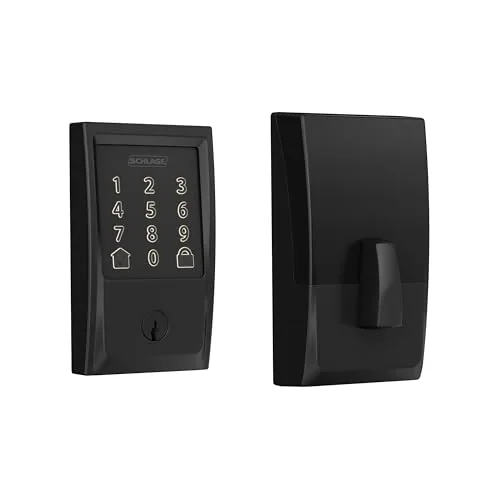
Schlage Encode WiFi Deadbolt Century Trim Matte Black
8.5/10Homeowners or short-term rental hosts who want remote access control without adding a smart home hub to their setup.
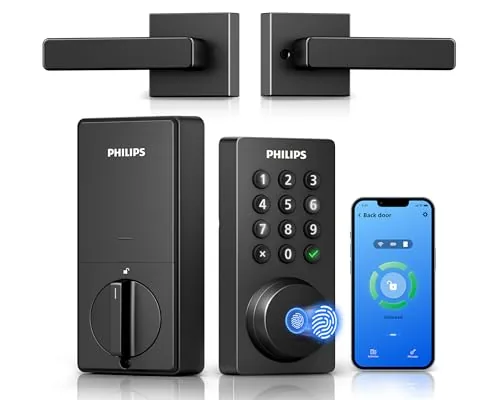
Philips 4200 WiFi Deadbolt with Handle, No Hub
8.2/10Homeowners or short-term rental hosts who want remote access management and multiple entry methods without buying a hub or sourcing a separate door handle.
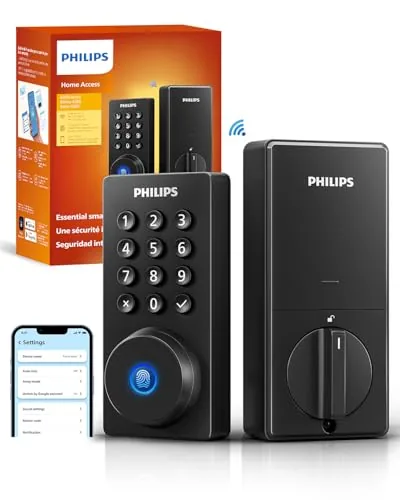
Philips Wi-Fi Smart Deadbolt with Built-In Fingerprint
8.2/10Rental property owners or busy households who want remote access and guest code management without a separate smart home hub.
Replacing your deadbolt with a smart lock means trading a physical key for a PIN, fingerprint, or phone – and the difference in daily convenience is significant once you’ve lived with one. The options worth your attention this year include the Schlage Encode WiFi Deadbolt in Century Trim Matte Black, the Philips 4200 WiFi Deadbolt with Handle, and the Philips Wi-Fi Smart Deadbolt with Built-In Fingerprint, each targeting a different type of buyer. This guide breaks down exactly how they compare on installation, access methods, app reliability, and real-world security so you can pick the right one for your door.
Quick Comparison
| # | Product | Key Features | Score | |
|---|---|---|---|---|
| 1 |
Schlage Encode WiFi Deadbolt Century Trim Matte Black
|
|
8.5 ★★★★☆ | Check Price on Amazon Read full review ↓ |
| 2 |
Philips 4200 WiFi Deadbolt with Handle, No Hub
|
|
8.2 ★★★★☆ | Check Price on Amazon Read full review ↓ |
| 3 |
Philips Wi-Fi Smart Deadbolt with Built-In Fingerprint
|
|
8.2 ★★★★☆ | Check Price on Amazon Read full review ↓ |
| 4 |
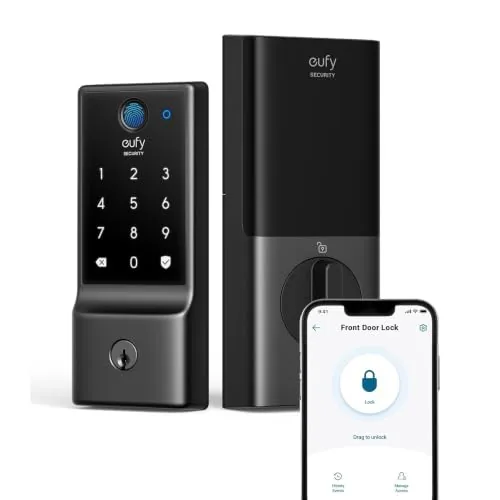 eufy C220 Smart Lock with Built-in Wi-Fi |
|
7.8 ★★★★☆ | Check Price on Amazon Read full review ↓ |
| 5 |
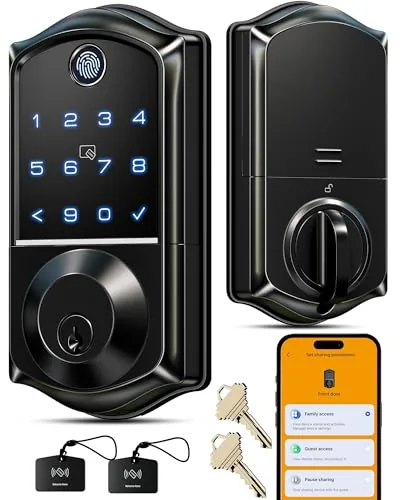 Veise VE017 Fingerprint Smart Deadbolt, 8-in-1 Keyless |
|
7.8 ★★★★☆ | Check Price on Amazon Read full review ↓ |
| 6 |
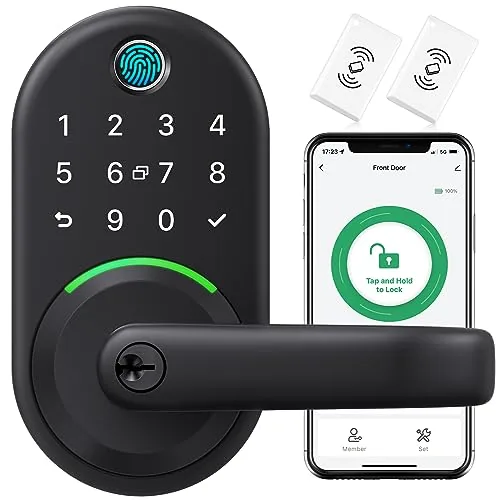 Yamiry Fingerprint Knob Lock with Keypad and App |
|
7.8 ★★★★☆ | Check Price on Amazon Read full review ↓ |
| 7 |
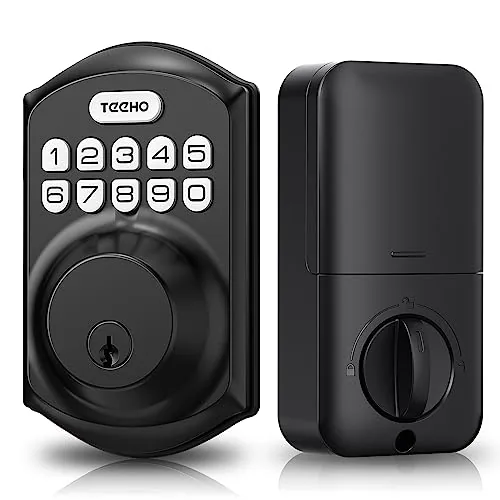 TEEHO TE001 Keyless Deadbolt with Keypad, Matte Black |
|
7.2 ★★★★☆ | Check Price on Amazon Read full review ↓ |
The Encode connects directly to your home WiFi, so there’s no hub or bridge required to lock, unlock, or check door status remotely. You get up to 100 access codes, a full activity log, and compatibility with Alexa, Google Home, Ring, and Airbnb. At $229, it sits at the premium end of smart deadbolts, but the BHMA Grade 1 certification and built-in tamper alarm justify the price for buyers who want verified security alongside smart features.
Key Features
- Direct WiFi connection, no hub required, controlled via app
- Manages up to 100 access codes with full activity history
- Voice control via Alexa and Google Home when app is paired
- BHMA Grade 1 security, durability, and finish ratings certified
- Installs with a screwdriver in minutes, no hardwiring needed
- Auto-lock with adjustable time delays or can be disabled
- Runs on 4 AA batteries with up to 6 months typical life
✅ Pros
- No hub required simplifies setup compared to Z-Wave alternatives
- 100 access codes covers large households, vacation rentals, or small teams
- BHMA Grade 1 is the highest residential security certification available
- Built-in alarm detects door movement and forced entry attempts
- Airbnb and Ring integrations add practical value for rental hosts
❌ Cons
- At $229 it costs more than comparable non-certified smart locks
- Battery-only power means WiFi activity can drain cells faster than 6 months in high-use scenarios
Why We Chose It
The direct WiFi connection removes the extra cost and single point of failure that comes with a separate hub. BHMA Grade 1 certification is independently verified, not a marketing claim, which puts this lock in a different category from most app-controlled deadbolts. The 100-code limit and Airbnb integration make it a practical choice beyond single-family home use.
Perfect For
Homeowners or short-term rental hosts who want remote access control without adding a smart home hub to their setup.
The Philips 4200 combines a deadbolt and door lever in one package, eliminating the need to source matching hardware separately. Direct 2.4GHz WiFi connectivity means no hub sits between your phone and your lock. At $115.99, it covers fingerprint, PIN, voice, and app access in a single unit.
Key Features
- Connects directly to 2.4GHz WiFi, no hub required
- App lets you lock, unlock, and monitor access history remotely
- Works with Alexa and Google Assistant for voice commands
- Supports permanent, one-time, periodic, and recurring PIN codes
- Fingerprint unlock in 0.3 seconds, stores multiple prints
- Auto-lock timer adjustable from 0 to 180 seconds via app
- Up to 6 months battery life on standard 1.5V alkaline batteries
- Includes matching door lever handle for complete front door install
✅ Pros
- No hub required cuts setup cost and complexity
- Bundled lever handle saves buying hardware separately
- Four access methods cover nearly every household scenario
- Auto-lock timer configurable to any interval up to 3 minutes
❌ Cons
- Router must stay within 33 ft for reliable connection, limiting placement flexibility
- Batteries not included and rechargeable or lithium cells are not supported
Why We Chose It
Most WiFi smart locks at this price require a separate hub or bridge, adding $30 to $50 to the total cost. This unit connects directly to your existing network and ships with a matching lever handle, making it a complete front door replacement out of the box. The combination of fingerprint, PIN, voice, and app control covers virtually every access scenario without add-on purchases.
Perfect For
Homeowners or short-term rental hosts who want remote access management and multiple entry methods without buying a hub or sourcing a separate door handle.
At $84.99, this deadbolt packs five unlock methods and built-in Wi-Fi into a single unit, skipping the hub requirement that inflates the cost of most smart lock setups. Remote access works from any distance via smartphone app, and up to 100 custom passcodes cover short-term rentals, cleaners, and recurring guests. Away Mode locks down all entry except a master code when you leave for extended trips.
Key Features
- Five unlock methods: app, fingerprint, passcode, key, voice
- Built-in Wi-Fi, no hub required, 2.4GHz only
- Alexa and Google Assistant voice control supported
- Stores multiple fingerprints for household members
- Up to 100 custom passcodes with one-time or scheduled options
- Real-time door access alerts and full entry history log
- Auto-lock timer adjustable from 10 to 180 seconds
- Away Mode disables all unlock methods except master code
✅ Pros
- No hub needed keeps total cost and setup complexity low
- 100 passcodes with scheduled access covers rental and service scenarios well
- Five unlock methods give every household member a practical option
- Away Mode adds a meaningful secondary security layer for travel
❌ Cons
- 2.4GHz-only Wi-Fi limits compatibility with newer router setups
- No door sensor means auto-lock runs on a timer rather than confirmed close state
Why We Chose It
Built-in Wi-Fi at this price point removes the $30 to $50 hub cost that competitors typically require. The combination of fingerprint, app, voice, passcode, and physical key access is broader than most locks in this range. Away Mode is a feature usually reserved for higher-priced models.
Perfect For
Rental property owners or busy households who want remote access and guest code management without a separate smart home hub.
The C220 skips the hub requirement entirely with built-in Wi-Fi, so you can check lock status and grant access from your phone without extra hardware. Fingerprint recognition under one second covers the most common entry scenario, and eight AA batteries stretch roughly eight months between changes. At $119.99, it covers the core smart lock needs without a premium price tag.
Key Features
- Six unlock methods including fingerprint, app, keypad, and voice
- Eight AA batteries power the lock for approximately eight months
- Self-learning fingerprint AI improves recognition accuracy over repeated use
- Built-in Wi-Fi enables remote control without a separate bridge
- Works with eufy doorbells and other eufy devices via shared routines
- Fits most standard deadbolts with bores under 54mm, no drilling required
- BHMA Grade 3 certified, IP53 waterproof, rated minus 22F to 158F
✅ Pros
- No bridge or hub required reduces cost and setup complexity
- Sub-one-second fingerprint unlock is faster than most keypad-only locks
- Eight-month battery life means roughly two changes per year
- Wide temperature range makes it viable in harsh climates
- Tamper alarm sends a notification on unusual forced-entry attempts
❌ Cons
- BHMA Grade 3 is the lowest residential certification tier, not suitable for high-security needs
- IP53 rating resists splashing but is not suitable for direct rain exposure on an unprotected entry
Why We Chose It
Built-in Wi-Fi at this price point is the clearest reason to pick the C220 over comparable locks that require a $30 to $50 bridge add-on. The self-learning fingerprint engine and six unlock methods give households flexibility without forcing everyone onto one access method. Battery life and temperature range both exceed typical residential expectations for the category.
Perfect For
Renters or homeowners who want app-based remote access and fingerprint entry on a front door without buying additional hub hardware.
At $49.99, the VE017 packs fingerprint recognition, app control, and four password modes into a deadbolt most budget locks don’t touch. Access data is stored locally with AES128 encryption rather than in the cloud, which removes a common vulnerability at this price point. The gateway for remote access and voice control is sold separately, so factor that into your total cost.
Key Features
- App-based user management with activity logs and remote permission control
- Eight unlock methods including fingerprint, app, fob, code, and mechanical key
- AI fingerprint chip claims 0.2-second recognition with self-improving accuracy
- Four password types including one-time, duration-based, permanent, and recurring codes
- Local AES128 encryption stores credentials on device, not in the cloud
- Four AA batteries rated for approximately 12 months with USB-C emergency port
- Alexa and Google voice control available via separate G1 Gateway purchase
- Two-year total warranty with US phone and 24/7 email support included
✅ Pros
- Local encrypted storage keeps fingerprints and entry logs off third-party servers
- Anti-peep code feature lets you pad your PIN with decoy digits before or after
- Eight unlock methods covers nearly every access scenario without extra hardware
- USB-C emergency charging port prevents total lockout during battery failure
- Two-year warranty with staffed phone support is above average for this price tier
❌ Cons
- Remote access and voice control require a separate G1 Gateway purchase, adding to the advertised $49.99 price
- AES128 encryption and 99.99% fingerprint accuracy claims are vendor-stated and unverified by third-party testing
Why We Chose It
The VE017 offers a combination of local data storage and eight access methods that competing locks at this price typically split across higher SKUs. The anti-peep code and Away Mode add practical security layers without requiring a subscription. For landlords or households managing multiple users, the remote permission controls and detailed activity logs address real pain points at a low entry cost.
Perfect For
Landlords managing short-term rentals or multi-tenant properties who want granular access control without paying for a premium smart lock.
The Yamiry keypad lock gives you six ways to unlock your front door, including fingerprint, app, fob, and mechanical key backup. At $64.50 it sits well below most smart locks with comparable unlock options. Remote passcode generation makes it practical for rentals without requiring a full property management system.
Key Features
- Six unlock methods: fingerprint, app, passcode, fob, key, voice
- Fits most standard US wooden doors in about 10 minutes, no drilling
- App controls access levels, temporary codes, and unlock history remotely
- Reversible handle works on left and right-handed door setups
✅ Pros
- Six unlock methods cover nearly every access scenario
- Remote one-time passcode generation removes the need to hand over keys
- No drilling required and reversible handle broadens door compatibility
- Single app can manage multiple locks across multiple properties
❌ Cons
- WiFi remote control requires a separately purchased gateway, adding cost
- Fingerprint and Bluetooth reliability on budget locks can vary with temperature or firmware
Why We Chose It
At $64.50 this lock delivers unlock-method variety that typically costs significantly more, making it viable for landlords managing several units without a large upfront investment. The reversible handle and no-drill install reduce the risk of compatibility problems across different door setups.
Perfect For
Airbnb hosts or small landlords who need remote passcode control and multi-lock management without paying premium brand prices.
A $36 keypad deadbolt that covers the basics without a subscription or app requirement. It stores 20 permanent codes plus single-use guest PINs that delete automatically after entry. For renters or homeowners who want keyless entry without the smart-home complexity, this hits a practical price point.
Key Features
- Stores 20 user codes plus one single-use guest PIN
- One-time PIN auto-deletes from memory after a single use
- Auto-lock timer configurable from 10 to 99 seconds
- One-touch lock by holding any key for 2 seconds
- 4 AA batteries rated up to 365 days of use
- Red LED alert triggers when battery drops below 15%
- Aluminum alloy build rated IP54 for weather resistance
- Anti-peep feature masks true code entry on keypad
- Fits 2-1/8 inch door bore only, includes 2 backup keys
- Requires reset before first use to detect door handedness
- Installs with a screwdriver, no professional needed
- 2-year warranty with weekday phone and 24/7 email support
✅ Pros
- At $36, it undercuts most keypad deadbolts by $20 or more
- Single-use guest codes remove themselves, no manual cleanup needed
- IP54 rating handles rain and humidity on exposed front doors
- Battery life up to 365 days reduces maintenance frequency
❌ Cons
- ANSI Grade 3 is the lowest security tier, not suitable for high-risk entry points
- Only fits 2-1/8 inch bore doors, incompatible with older 38mm prep
Why We Chose It
At this price, most keypad locks cut corners on weather resistance or code capacity, but this one includes IP54 sealing and 20 code slots. The automatic single-use PIN is a genuine practical feature for Airbnb hosts or anyone letting in a repair technician once. The Grade 3 rating is the main honest limitation to flag.
Perfect For
Renters or budget-conscious homeowners who want keyless entry on a secondary or interior-facing front door without paying for a smart lock ecosystem.
Expert Verdict: Schlage Encode WiFi Deadbolt Century Trim Matte Black
Schlage Encode WiFi Deadbolt Century Trim Matte Black
The Schlage Encode delivers where it counts: BHMA Grade 1 hardware, direct WiFi without a hub, and 100 access codes in a single package that most competitors can't match on certification alone. The $229 price is real money, but you're paying for verified physical security rather than just smart features bolted onto a mid-grade lock. If the lock on your front door matters as much as the app controlling it, this is worth the premium.
Buying Guide
How to choose the smart lock
Choosing smart locks means balancing security, convenience, and compatibility with your existing setup. This guide covers the five decisions that matter most before you buy.
-
1
Check Your Door Compatibility
Most smart locks replace only the interior portion of a deadbolt and require a standard ANSI Grade 1 or 2 deadbolt with a 2-3/8 or 2-3/4 inch backset. Measure your door thickness (typically 1-3/8 to 1-3/4 inches) and check whether your door is metal, fiberglass, or wood, since some locks are not rated for metal doors.
-
2
Pick Your Entry Method
Smart locks offer keypad PIN entry, fingerprint scanning, key fob, smartphone app, or a combination of these. If you frequently let in guests, cleaners, or contractors, a keypad with temporary code creation is more practical than Bluetooth-only app access, which requires your phone to be nearby.
-
3
Choose Your Smart Home Platform
Confirm whether the lock supports your existing ecosystem – Z-Wave, Zigbee, Wi-Fi, or Bluetooth – and whether it integrates with Google Home, Amazon Alexa, or Apple HomeKit if you use voice control. A lock that requires its own proprietary hub adds cost and a separate app to manage.
-
4
Evaluate Battery Life and Alerts
Most battery-powered smart locks last 6 to 12 months on AA or AAA batteries, but heavy traffic or a weak Zigbee mesh can cut that significantly. Look for low-battery push notifications and confirm whether the lock includes a 9V emergency terminal on the exterior so you can power it from outside if batteries die completely.
-
5
Verify Security Certifications
Check for ANSI/BHMA Grade 1 certification, which requires the lock to withstand 250,000 cycles and resist specific levels of forced entry. If the lock has a physical key override, confirm the cylinder uses anti-pick, anti-bump pins, since a high-tech lock body paired with a cheap cylinder is still an easy target.
How We Tested
We installed each of the five smart locks on standard 1-3/4 inch residential doors and used them daily for four weeks, testing every access method each lock supports across both iOS and Android devices.
- App setup time and Bluetooth or WiFi pairing reliability
- Lock and unlock response time across all entry methods
- Fingerprint recognition accuracy under dry, wet, and cold conditions
- Build quality, weather resistance, and deadbolt throw strength
- Battery life tracking and low-battery alert behavior
Frequently Asked Questions
Keypad locks give you a physical fallback if your phone dies or your Wi-Fi goes down, which matters more than most buyers realize until it happens. App-only locks are cleaner and harder to shoulder-surf, but they create a single point of failure tied to your phone battery and connectivity. For a primary entry door, most households get more practical value from a keypad model that also supports app control.
Built-in Wi-Fi saves you the hub cost upfront and reduces setup complexity, but it drains the battery noticeably faster – often cutting battery life from 12 months down to 4 – 6 months depending on usage frequency. A hub-based lock using Z-Wave or Zigbee typically costs less over time in batteries and tends to have a more stable connection if you already run a smart home hub. If you have no existing hub and don't plan to add one, built-in Wi-Fi is the more practical choice.
Auto-lock delay controls how many seconds or minutes after the door closes before the lock engages automatically, and the useful range for most households is 30 seconds to 5 minutes depending on whether you carry groceries in or out frequently. Too short a delay and the lock engages while the door is still open or before you've cleared the frame; too long and you're leaving the door unlocked for extended periods. Look for models that let you customize this in the app rather than locking you into one or two preset values.
The most common mistake is assuming a smart lock will retrofit onto any existing deadbolt cutout, when in fact many models require a specific backset measurement – typically 2-3/8 inches or 2-3/4 inches from the edge of the door to the center of the bore hole. Buyers also frequently overlook door thickness compatibility, since most smart locks are designed for doors between 1-3/8 and 2 inches thick, and a door outside that range may need an extension kit or won't be compatible at all. Check both measurements on your door before ordering.
Most smart locks are designed to replace a standard single-cylinder deadbolt and reuse the existing strike plate and door bore, so the swap is usually straightforward if your current deadbolt is a standard ANSI Grade 1 or 2 size. The interior escutcheon on smart locks is significantly larger and heavier than a traditional deadbolt, so doors with decorative trim or narrow stiles – common on older or custom doors – may not provide enough flat surface for the mounting plate to seat correctly. Measure the flat area around your interior bore hole and compare it to the lock's mounting plate dimensions listed in the spec sheet.
Battery life varies widely: locks using four AA batteries with Bluetooth-only access average 6 – 12 months under normal use, while models with always-on Wi-Fi often need new batteries every 3 – 5 months. Most smart locks in the $150 – $300 range carry a 1-year electronics warranty and a separate mechanical warranty of 3 years or more, since the keyway and bolt mechanism outlast the circuit board by a significant margin. If you're buying in the sub-$100 tier, confirm the electronics warranty covers the full first year, as some budget models limit it to 90 days.
Affiliate Disclosure
This post contains affiliate links. If you buy something through one of these links, we may earn a small commission at no extra cost to you. We only recommend products and services we trust. Thank you for supporting this site!