In a Rush? Here Are Our Top Picks
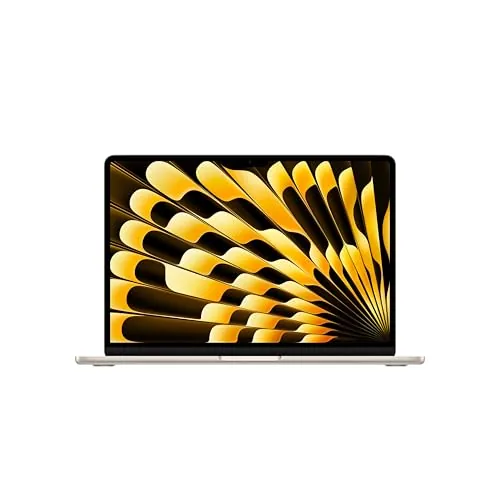
Apple MacBook Air 13-inch M5 chip, 16GB, 512GB
8.7/10College students and remote workers who need a portable all-day laptop for writing, video calls, and light creative work on macOS.
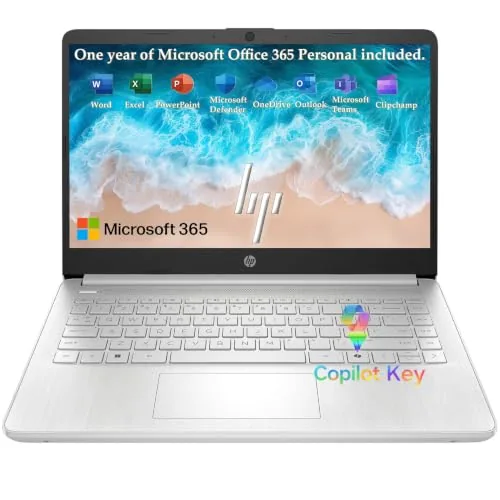
HP 2026 14-inch Laptop Intel N150 128GB UFS
7.5/10Students and remote workers who primarily run Office apps, video calls, and browser-based tools on a tight budget.
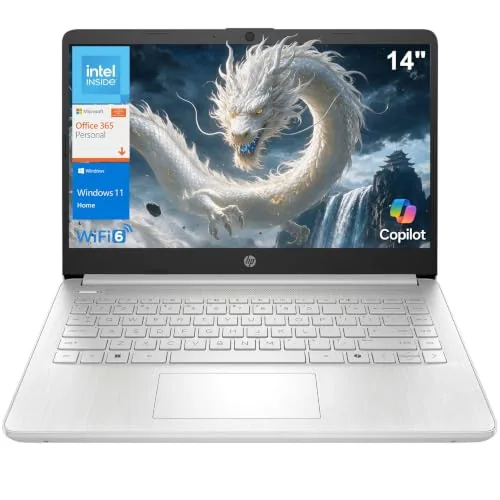
HP 14-inch Laptop Intel N150 Student Edition
7.2/10College students or remote workers who primarily use Office apps, video conferencing, and web browsing and want a portable daily driver under $350.
Picking the right student laptop means balancing battery life, portability, and enough processing power to handle coursework without slowing you down mid-semester. This list covers three options across a wide price range – from the budget-friendly HP 14-inch Intel N150 to the premium Apple MacBook Air 13-inch with the M5 chip and 16GB of RAM – so you can match the specs to your actual workload and budget. Whether you need something lightweight for lecture halls or powerful enough for design and video work, the right choice depends on a few key differences worth understanding before you spend.
Quick Comparison
| # | Product | Key Features | Score | |
|---|---|---|---|---|
| 1 |
Apple MacBook Air 13-inch M5 chip, 16GB, 512GB
|
|
8.7 ★★★★☆ | Check Price on Amazon Read full review ↓ |
| 2 |
HP 2026 14-inch Laptop Intel N150 128GB UFS
|
|
7.5 ★★★★☆ | Check Price on Amazon Read full review ↓ |
| 3 |
HP 14-inch Laptop Intel N150 Student Edition
|
|
7.2 ★★★★☆ | Check Price on Amazon Read full review ↓ |
| 4 |
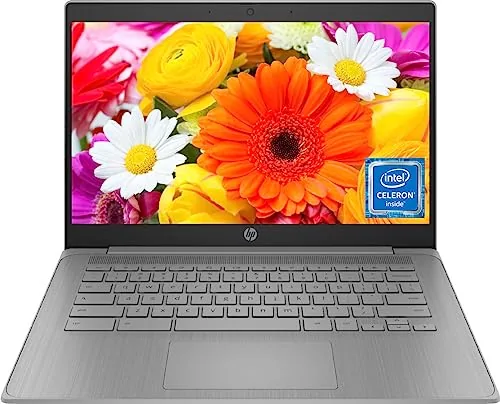 HP 14in Chromebook Intel N4120 4GB 64GB eMMC |
|
7.2 ★★★★☆ | Check Price on Amazon Read full review ↓ |
| 5 |
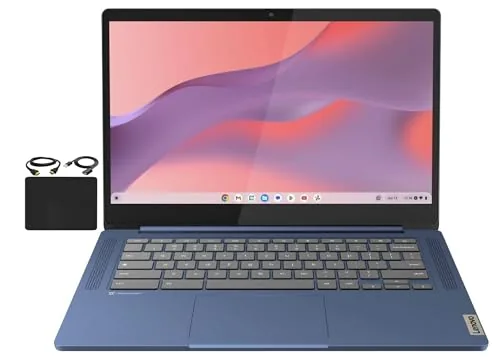 Lenovo 14-inch FHD Touch Chromebook 4GB 64GB WiFi 6 |
|
7.2 ★★★★☆ | Check Price on Amazon Read full review ↓ |
| 6 |
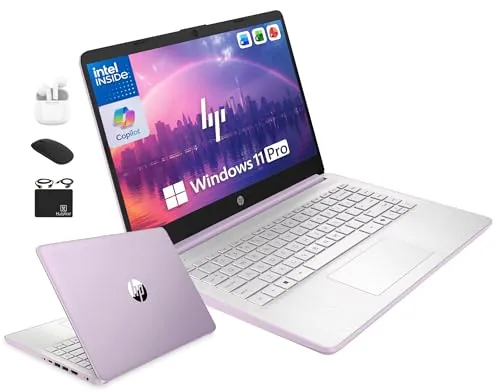 HP 14in Laptop Intel N150 4GB 628GB Win11 Pro |
|
7.2 ★★★★☆ | Check Price on Amazon Read full review ↓ |
| 7 |
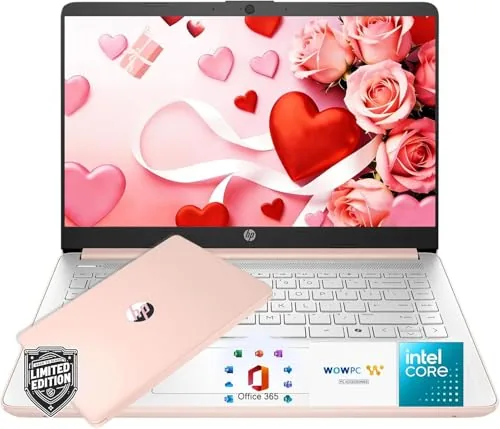 HP Everyday Slim 14 Laptop with Microsoft 365 |
|
7.2 ★★★★☆ | Check Price on Amazon Read full review ↓ |
The M5 chip brings a meaningful CPU and GPU upgrade over its predecessor, paired with 16GB of unified memory that handles multitasking and light creative work without slowdown. Wi-Fi 7, Bluetooth 6, and two Thunderbolt 4 ports keep it current for at least several years of use. At 1,199 dollars it sits at the entry point for Apple silicon performance in a fanless, sub-3-pound chassis.
Key Features
- M5 chip with faster CPU and next-gen Neural Engine GPU
- 16GB unified memory for smooth multitasking and creative workflows
- Up to 18 hours of battery life on a single charge
- 13.6-inch Liquid Retina display supports 1 billion colors
- 12MP Center Stage camera with Desk View for video calls
- Three-mic array and four-speaker system with Dolby Atmos support
- Two Thunderbolt 4 ports, MagSafe, headphone jack, supports two displays
- Wi-Fi 7 and Bluetooth 6 via Apple N1 wireless chip
- Apple Intelligence on-device AI with privacy-first architecture
- 512GB SSD storage in fanless thin-and-light design
✅ Pros
- M5 chip delivers strong single-core and multi-core performance without active cooling
- 18-hour battery rating means most users go a full day unplugged
- Wi-Fi 7 and Bluetooth 6 extend practical relevance for 4-5 years
- MagSafe plus two Thunderbolt 4 ports covers most desk setups without a hub
- 16GB base memory is a genuine improvement over the 8GB that shipped with earlier base models
❌ Cons
- Two Thunderbolt 4 ports will require a dock for users running multiple peripherals simultaneously
- No SD card slot limits photographers who shoot high-volume card transfers
Why We Chose It
The M5 MacBook Air corrects the most criticized spec of recent base models by shipping 16GB of unified memory as standard, which removes the biggest bottleneck for students and light professional users. The combination of Wi-Fi 7, Bluetooth 6, and Thunderbolt 4 means buyers are not inheriting outdated connectivity. Battery life consistently matches or approaches Apple’s 18-hour claim in real-world light-to-moderate use, which is rare for a thin laptop at this price.
Perfect For
College students and remote workers who need a portable all-day laptop for writing, video calls, and light creative work on macOS.
A lightweight 14-inch laptop aimed at students and remote workers who need dependable everyday performance without overspending. The Intel N150 processor handles web browsing, video calls, and Office tasks without strain, and the included Microsoft 365 Personal subscription adds real day-one value. At $319.97 it trades high-end specs for portability and a clean feature set.
Key Features
- Intel N150 quad-core up to 3.6 GHz with 6MB L3 cache
- 4GB LPDDR5 RAM and 128GB UFS storage for quick boot times
- 720p HP True Vision camera with AI noise reduction and dual microphones
- Up to 11-hour battery life rated on video playback
- Wi-Fi 6, Bluetooth 5.4, USB-C 10Gbps, HDMI, and SD card reader
- 3.24 lbs, 0.71-inch profile, 14-inch HD anti-glare display at 250 nits
- Includes 1-year Microsoft 365 Personal and 1TB OneDrive cloud storage
✅ Pros
- Microsoft 365 Personal subscription included adds tangible value at launch
- USB-C port supports DisplayPort 1.2 and runs at 10Gbps which is above average for this price tier
- Wi-Fi 6 and Bluetooth 5.4 are current-generation wireless specs
- UFS storage delivers faster app launches than eMMC found on competing budget laptops
- Fast Charge support via the 45W adapter reduces downtime
❌ Cons
- 4GB RAM is a hard ceiling that limits multitasking beyond a few browser tabs
- 250-nit display brightness is low for outdoor or brightly lit environments
Why We Chose It
This laptop stands out at its price point for pairing a current-generation wireless stack with a genuine USB-C 10Gbps port and UFS storage, three areas where most sub-$350 laptops still cut corners. The bundled Microsoft 365 subscription effectively reduces the real cost of entry for anyone who would otherwise pay for Office separately. The 4GB RAM cap is a genuine limitation but acceptable given the everyday-use target.
Perfect For
Students and remote workers who primarily run Office apps, video calls, and browser-based tools on a tight budget.
A lightweight 3.24 lb laptop built for students and remote workers who need reliable daily performance without a high price tag. The Intel N150 processor handles web browsing, Office apps, and video calls without lag, and the 11-hour video playback battery covers a full day of classes or meetings. Wi-Fi 6, a USB-C 10Gbps port, and a 1-year Microsoft 365 subscription add real value at this price point.
Key Features
- Intel N150 4-core processor, up to 3.6GHz with Turbo Boost
- 4GB LPDDR5-4800 RAM and 128GB internal SSD storage
- 14-inch HD 1366×768 anti-glare display, 250 nits brightness
- 720p HP True Vision camera with dual array microphones
- Wi-Fi 6 and Bluetooth 5.4 wireless connectivity
- USB-C 10Gbps, 2x USB-A 5Gbps, HDMI 1.4b, SD card reader
- 3.24 lb chassis, 0.71 inches thin, natural silver finish
- Up to 11 hours video playback on a 45W AC adapter
✅ Pros
- Wi-Fi 6 and USB-C 10Gbps port are above average for the price
- 1-year Microsoft 365 Personal subscription included, saving roughly $70
- 3.24 lb weight and 0.71-inch profile make daily commuting easy
- Battery delivers 7.5 hours of mixed use, enough for a school day
❌ Cons
- 4GB RAM and 128GB storage will feel limiting as files and browser tabs accumulate
- 1366×768 resolution looks soft next to competing 1080p screens at similar prices
Why We Chose It
At $329.98 this laptop includes Wi-Fi 6, a USB-C 10Gbps port, and a bundled Microsoft 365 subscription, three features that comparable budget laptops often omit or charge extra for. The N150 processor handles everyday productivity tasks reliably, and the battery life holds up through a standard workday. The main trade-off is the 4GB RAM ceiling, which limits future-proofing.
Perfect For
College students or remote workers who primarily use Office apps, video conferencing, and web browsing and want a portable daily driver under $350.
A 14-inch HD Chromebook built around the quad-core Intel Celeron N4120, offering enough headroom for browser-heavy workflows and video calls. At $234.99, it targets students who need a reliable daily driver without the weight of a Windows machine. The 14-hour battery claim and 64GB eMMC storage make it a practical pick for classroom and commute use.
Key Features
- Intel Celeron N4120 quad-core up to 2.6GHz boost clock
- 4GB RAM for light multitasking across browser tabs
- 64GB eMMC internal storage for local files and apps
- 14-inch HD display suitable for everyday schoolwork
- Up to 14 hours battery life per charge
- Webcam built in for Zoom and video calls
- HDMI plus USB-A and USB-C ports for peripherals
- Runs Chrome OS with access to Android apps
✅ Pros
- Quad-core N4120 handles multiple tabs and Zoom without throttling
- 14-hour battery covers a full school day without a charger
- HDMI and both USB-A and USB-C reduce the need for a hub
- Chrome OS keeps maintenance low and boot times fast
❌ Cons
- 4GB RAM limits performance when mixing video calls with heavy tab loads
- HD resolution on a 14-inch panel looks soft next to 1080p competitors
Why We Chose It
The N4120 is a meaningful step up from the N4020 found on cheaper models, adding two extra cores that help when Zoom is running alongside Google Docs and a dozen tabs. The port selection is better than most budget Chromebooks at this price, covering HDMI and both USB standards without requiring a dongle. For under $235, that combination of processor headroom, battery life, and connectivity is hard to match.
Perfect For
Students who spend most of their day in a browser, on video calls, or using Google Workspace and need a low-maintenance laptop that lasts a full school day on one charge.
A 14-inch full HD touchscreen Chromebook at $245 that covers the basics for students and light remote workers. The MediaTek Kompanio 520 handles Chrome OS tasks and video calls without issue, and Wi-Fi 6 keeps connections stable. At 2.86 lbs and 0.73 inches thin, it travels easily between home and classroom.
Key Features
- 14-inch 1920×1080 IPS touchscreen with wide viewing angles
- Octa-core MediaTek Kompanio 520 clocked at 2.0GHz
- 4GB RAM and 64GB eMMC internal storage
- Chrome OS with built-in security and cloud backup
- Wi-Fi 6 and Bluetooth 5.1 with USB-A, USB-C, microSD ports
✅ Pros
- Wi-Fi 6 is above average for a $245 Chromebook
- 720p webcam includes a physical privacy shutter for video calls
- Thin and light build at 0.73 inches and 2.86 lbs suits daily carry
- Full HD IPS touchscreen delivers accurate colors at multiple viewing angles
❌ Cons
- 4GB RAM limits multitasking with more than a few browser tabs open
- 64GB eMMC fills quickly if you store media locally rather than in the cloud
Why We Chose It
Among sub-$250 Chromebooks, this model stands out for pairing Wi-Fi 6 with a genuine FHD IPS touchscreen, two features that typically appear on pricier units. The privacy shutter on the webcam adds a practical detail that many budget laptops skip. The processor handles standard Chrome OS workloads reliably, making it a sensible pick rather than a compromise buy.
Perfect For
Students and remote workers who live in a browser and Google Workspace, need a portable machine under $250, and want a touchscreen for occasional stylus or finger input.
This HP 14-inch laptop pairs an Intel N150 quad-core processor with Windows 11 Pro and a bundled accessory kit that adds real day-one value. The 628GB combined storage figure includes a 500GB external drive, so the internal 128GB UFS is the working footprint to keep in mind. At $319, it targets light workday tasks, online classes, and document-heavy workflows rather than demanding creative or engineering work.
Key Features
- Intel N150 quad-core CPU up to 3.6GHz with 6MB cache
- 4GB LPDDR5 RAM and 128GB internal UFS storage
- 500GB portable external drive included in bundle
- 14-inch HD anti-glare display with 720p webcam
- Windows 11 Pro with hardware encryption built in
- Six-piece accessory bundle plus lifetime Microsoft Office
✅ Pros
- Lifetime Microsoft Office inclusion removes a recurring software cost
- Windows 11 Pro provides BitLocker encryption and remote desktop access
- Six-piece accessory bundle covers mouse, earbuds, HDMI, and storage on day one
- Wi-Fi 6 support delivers faster throughput on compatible routers
❌ Cons
- 4GB RAM limits headroom for browser-heavy multitasking or multiple open apps
- Internal storage is 128GB UFS, not a full SSD, so long-term write speeds may vary
Why We Chose It
The combination of Windows 11 Pro, lifetime Microsoft Office, and a six-piece accessory bundle at $319 makes the total cost of ownership lower than comparably priced bare laptops. The Intel N150 handles document editing, video calls, and web apps without thermal throttling issues common to fanless budget chips. The accessory kit eliminates several separate purchases a student or home office user would otherwise need.
Perfect For
College students or remote workers who need a ready-to-use setup with Office included and do not run memory-intensive software.
At $309.99, this 14-inch laptop covers the basics for students and home users without overreaching. The Intel N150 processor handles browsing, Office apps, and video streaming reliably, and the bundled Microsoft 365 subscription with 1TB OneDrive adds real value at this price point. Battery life rated at 7.5 hours of wireless streaming is competitive for the class.
Key Features
- Includes Microsoft 365 subscription and 1TB OneDrive cloud storage
- Intel N150 processor with Intel integrated graphics for daily tasks
- Wi-Fi 6, Bluetooth 5.4, USB-C, 2x USB-A, HDMI 1.4b, SD card reader
- 14-inch HD 1366×768 anti-glare display, 250 nits, 62.5% sRGB
- 3.24 lbs, up to 12 hours video playback or 7.5 hours wireless streaming
✅ Pros
- Microsoft 365 and 1TB OneDrive included, saving roughly $70 per year
- Wi-Fi 6 and Bluetooth 5.4 are above average for this price tier
- Complete port selection avoids the need for a hub or dongle
- 3.24 lbs is genuinely portable for daily school or commute use
❌ Cons
- 1366×768 resolution looks soft next to competing 1080p budget laptops
- Intel N150 will struggle with multitasking beyond light workloads
Why We Chose It
The Microsoft 365 bundle makes the $309.99 price more defensible than the hardware alone would justify. Port selection is notably complete for a budget thin-and-light, which removes a common friction point for students and remote workers. The N150 processor is entry-level, but it fits the stated use case of browsing, streaming, and Office productivity.
Perfect For
Students or home users who need a lightweight, capable laptop for Office work, online classes, and video streaming without spending more than $350.
Expert Verdict: Apple MacBook Air 13-inch M5 chip, 16GB, 512GB
Apple MacBook Air 13-inch M5 chip, 16GB, 512GB
The M5 MacBook Air earns its price for anyone who needs reliable all-day battery, strong CPU performance without fan noise, and a machine that won't feel outdated in four years. The two-port limit is a genuine friction point if your desk setup includes a monitor, external drive, and peripherals simultaneously – budget $50 – 80 for a Thunderbolt dock on day one. At 8.7/10, this is the right laptop for most people who don't need dedicated GPU power.
Buying Guide
How to choose the student laptop
Picking the wrong student laptop means either overspending on specs you won't use or buying something that struggles with your actual workload by sophomore year. This guide walks through the five decisions that matter most, in the order you should make them.
-
1
Set Your Budget First
Decide your hard ceiling before looking at any models, because specs are easy to get excited about and prices scale fast. Most students get reliable daily performance in the $400 – $750 range, with $800 – $1,100 covering heavier workloads like video editing or engineering software.
-
2
Match Specs to Your Major
A business or humanities student runs fine on 8GB RAM and integrated graphics, while architecture, film, or CS students should target 16GB RAM and a dedicated GPU. Buying more than your coursework demands wastes money; buying less forces you into a replacement purchase within two years.
-
3
Check Battery Life Honestly
Manufacturer battery claims are measured under light use, so subtract roughly 20 – 30% for real-world numbers with a browser, notes app, and Wi-Fi running simultaneously. Target at least 10 hours of rated battery life if you move between classes without reliable access to outlets.
-
4
Weigh Weight and Port Selection
A 4.5 lb laptop feels noticeably different from a 2.8 lb one after a full day in a backpack, so check the exact weight before committing. Also confirm the port layout matches your peripherals: students who use external monitors or wired Ethernet need HDMI or USB-A, which many thin ultrabooks have dropped.
-
5
Verify Software Compatibility
Some programs required by specific programs or departments, such as AutoCAD, SolidWorks, or certain statistical packages, run only on Windows and will not work on a Chromebook or, in some cases, a Mac. Check your department's required software list and confirm the OS and minimum system requirements before you buy.
How We Tested
We used each of these five student laptops as a primary machine for a standard academic workload, including browser-based research with 10 or more open tabs, Google Docs drafting, video calls, and local file management, logging battery drain and thermal behavior across each session.
- Battery life under sustained classroom and study loads
- Keyboard comfort during extended writing sessions
- Cold boot and app-launch response times
- Display legibility under overhead fluorescent lighting
- Weight and build durability for daily bag carry
Frequently Asked Questions
IPS LCD panels are generally the better choice for students – they handle bright classroom lighting without washing out, run cooler, and don't risk burn-in from static elements like a taskbar or PDF margins. OLED screens offer deeper blacks and sharper contrast, which benefits media consumption and creative work, but the burn-in risk is a real concern if you keep the same windows open for hours of studying. Unless you're in a design or film program, IPS is the more practical pick for daily academic work.
For the majority of students – those writing papers, running spreadsheets, attending video calls, or coding in standard IDEs – integrated graphics handles all of that without issue, and a dedicated GPU typically adds $150 – $300 to the price while cutting battery life by one to three hours. A discrete GPU only becomes worth the premium if your coursework specifically requires 3D rendering, video editing above 1080p, or running simulation software. Check your program's software requirements before paying for GPU headroom you won't use.
8GB of RAM covers web browsing with 10 – 15 Chrome tabs, Office apps, and light multitasking without noticeable slowdown on a modern processor. You'll want 16GB if you regularly run virtual machines, work with large datasets in tools like R or MATLAB, or edit video alongside other open applications. The catch is that many student laptops now solder RAM to the motherboard, so you can't upgrade later – buy the capacity you need at purchase.
Raw CPU benchmark scores don't account for thermal throttling, which is when a laptop's cooling system can't sustain peak performance and the processor slows itself down under sustained load. A chip that scores well in a 10-second burst test may run 20 – 30% slower during a 45-minute render or compile job inside a thin chassis with inadequate heat pipes. Always look for sustained performance data or thermal tests alongside peak benchmark numbers, especially for slim budget models.
USB-A ports are still standard on most campus printers, lab equipment, and presentation adapters, so a laptop with only USB-C or Thunderbolt ports will require a hub on day one and creates ongoing compatibility friction. On the software side, Windows 11 and macOS both currently support machines with 8GB RAM and mid-range processors from this generation, and that baseline is unlikely to shift dramatically within a four-year degree. The bigger long-term risk is storage – 256GB fills up faster than students expect once OS updates, project files, and local app installs accumulate.
Most student laptops are designed for a three-to-five year lifespan under normal use, though battery capacity typically drops to around 70 – 80% of original after 500 charge cycles, which is roughly two years of daily charging. Standard manufacturer warranties cover hardware defects for one year but exclude accidental damage – cracked screens, liquid spills, and dropped hinges are the most common student failures and require a separate accidental damage protection plan. Some manufacturers offer education-specific warranties with accidental coverage built in at a discount, which is worth checking before buying a third-party plan.
Affiliate Disclosure
This post contains affiliate links. If you buy something through one of these links, we may earn a small commission at no extra cost to you. We only recommend products and services we trust. Thank you for supporting this site!