In a Rush? Here Are Our Top Picks
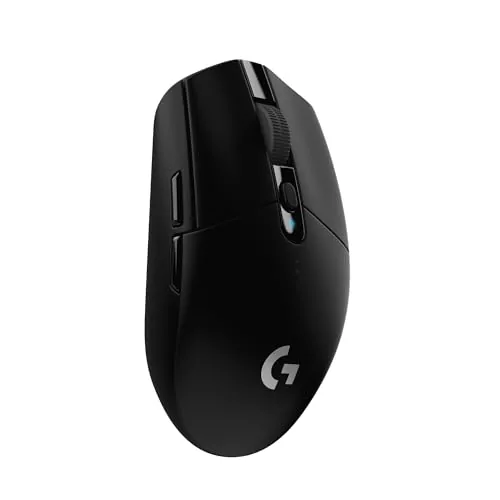
Logitech G305 Lightspeed Wireless Gaming Mouse
8.5/10Budget-conscious PC or laptop gamers who want genuine wireless performance without paying a premium or managing daily charging.
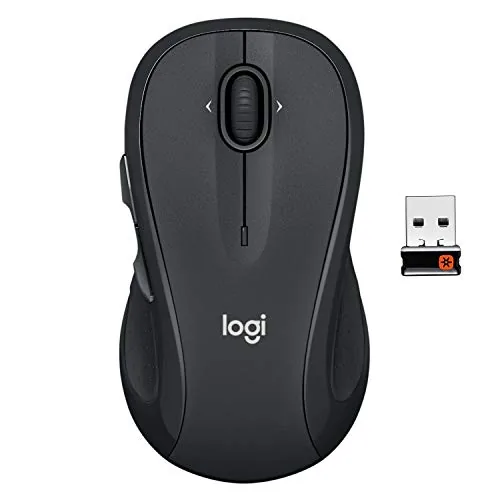
Logitech M510 Wireless Mouse with 2-Year Battery Life
7.8/10Office workers or students who want a reliable, low-maintenance wireless mouse for daily desktop or laptop use without spending more than $30.
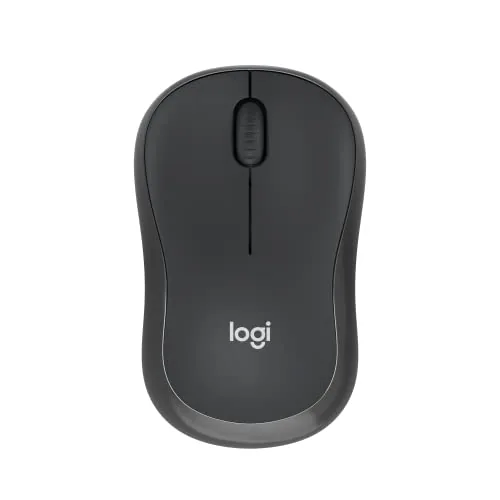
Logitech M240 Silent Bluetooth Mouse Graphite
7.8/10Remote workers, students, or commuters who need a quiet, portable mouse for use in shared or public spaces.
Wireless mice have closed the gap on wired performance to the point where most users – gamers included – have little reason to stay tethered. The three picks covered here span that range: the G305 Lightspeed for competitive gaming, the M510 for all-day office work on a single AA battery charge, and the M240 for quiet Bluetooth use across multiple devices. Whether you’re cutting latency or just cutting the cord on your desk setup, one of these likely fits.
Quick Comparison
| # | Product | Key Features | Score | |
|---|---|---|---|---|
| 1 |
Logitech G305 Lightspeed Wireless Gaming Mouse
|
|
8.5 ★★★★☆ | Check Price on Amazon Read full review ↓ |
| 2 |
Logitech M510 Wireless Mouse with 2-Year Battery Life
|
|
7.8 ★★★★☆ | Check Price on Amazon Read full review ↓ |
| 3 |
Logitech M240 Silent Bluetooth Mouse Graphite
|
|
7.8 ★★★★☆ | Check Price on Amazon Read full review ↓ |
| 4 |
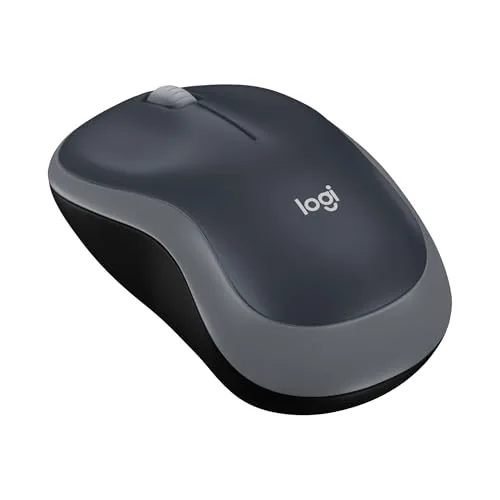 Logitech M185 Compact Wireless Mouse Swift Grey |
|
7.2 ★★★★☆ | Check Price on Amazon Read full review ↓ |
| 5 |
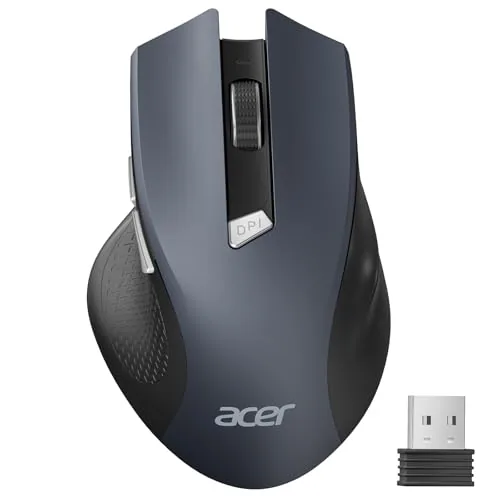 Acer Wireless Mouse 2.4GHz 6-Button for Large Hands |
|
7.2 ★★★★☆ | Check Price on Amazon Read full review ↓ |
| 6 |
 TECKNET Wireless Mouse 2600 DPI Ergonomic Compact |
|
7.2 ★★★★☆ | Check Price on Amazon Read full review ↓ |
| 7 |
 HP X3000 G3 Wireless Mouse 1600 DPI 15-Month |
|
7.2 ★★★★☆ | Check Price on Amazon Read full review ↓ |
| 8 |
 Afaartcci Dual-Mode Silent Wireless Mouse Rechargeable |
|
7.2 ★★★★☆ | Check Price on Amazon Read full review ↓ |
The G305 delivers 1ms wireless response at a price point where most mice are still wired. A single AA battery runs up to 250 hours of continuous play, with an optional low-power mode stretching that to roughly nine months. At 3.4 oz with onboard nano receiver storage, it travels as easily as it performs.
Key Features
- HERO optical sensor with 400 IPS and up to 12,000 DPI
- 1ms report rate wireless connection via LIGHTSPEED technology
- Up to 250 hours continuous use on one AA battery
- Weighs 3.4 oz with lightweight mechanical construction
- Nano receiver stores inside mouse body for travel
✅ Pros
- Competition-grade 1ms wireless at a budget price
- 250-hour battery life removes charging anxiety entirely
- Built-in receiver storage prevents loss during transport
- HERO sensor maintains accuracy without burning through battery
❌ Cons
- Uses AA battery rather than rechargeable internal cell
- Only 6 programmable buttons limits macro-heavy play styles
Why We Chose It
At $29.99, the G305 offers LIGHTSPEED wireless technology typically found in mice costing two to three times more. The 250-hour battery life and integrated receiver storage make it practical for both desk setups and travel bags without compromise on sensor quality.
Perfect For
Budget-conscious PC or laptop gamers who want genuine wireless performance without paying a premium or managing daily charging.
The M510 is a full-size wireless mouse built for all-day desk use, with contoured rubber grips and a broad palm support area. Back/Forward buttons and tilt-scroll add practical control beyond basic navigation. At $27.99, it covers the essentials without unnecessary complexity.
Key Features
- Contoured shape with rubber grips and wide palm support
- Five programmable buttons plus horizontal and vertical tilt scroll
- Two-year battery life with on/off switch and sleep mode
- Nano USB receiver stays plugged in and supports multiple devices
✅ Pros
- 2-year battery life reduces how often you swap batteries
- Nano receiver is small enough to leave in a laptop port permanently
- Tilt-scroll wheel handles horizontal navigation without extra clicks
- Compatible with Windows, Mac, Linux, and Chrome OS out of the box
❌ Cons
- Button programming requires Logitech SetPoint or Control Center software install
- Marketed as ambidextrous but Back/Forward buttons are right-hand optimized
Why We Chose It
The M510 earns its place at this price by combining a genuinely long battery life with a receiver design that stays put in a laptop. The rubber grip surface and palm contour make it more comfortable during extended use than flat-bodied mice in the same price range.
Perfect For
Office workers or students who want a reliable, low-maintenance wireless mouse for daily desktop or laptop use without spending more than $30.
The M240 connects via Bluetooth without a USB dongle, making it genuinely portable for laptop users who dislike occupied ports. Click noise is reduced by 90% compared to standard mice, which matters in quiet offices or shared spaces. At $18.99, it covers the basics well without unnecessary extras.
Key Features
- Bluetooth only, no USB dongle or receiver needed
- Click sound reduced 90% while preserving tactile click feel
- Up to 18-month battery life with auto sleep mode
- Ambidextrous compact body fits right or left hand
- Wireless range up to 10 meters from paired device
- Compatible with Windows, macOS, Linux, ChromeOS, iPadOS, Android
- Body contains 48% certified post-consumer recycled plastic in Graphite
✅ Pros
- No dongle means one less thing to carry or lose
- 90% quieter clicks work well in libraries, offices, or meetings
- 18-month battery life reduces how often you swap batteries
- Broad OS compatibility including ChromeOS and Android tablets
❌ Cons
- Only 3 buttons with no customization, limiting power users
- No USB receiver option, so pairing requires Bluetooth support on the host device
Why We Chose It
The M240 covers the two most common complaints about travel mice: dongle clutter and noisy clicks. The 18-month battery claim removes another maintenance friction point that cheaper wireless mice typically fail on. For a sub-$20 Bluetooth mouse, the recycled plastic build and wide OS support add value without inflating the price.
Perfect For
Remote workers, students, or commuters who need a quiet, portable mouse for use in shared or public spaces.
The M185 is a no-frills 2.4 GHz wireless mouse that works equally well in left or right hands. At under $15, it covers the basics well: reliable connection up to 33 feet, up to 12 months of battery life on a single AA, and plug-and-play setup via a nano USB receiver. It fits small to medium hands and works across Windows, Mac, and laptops without any driver installation.
Key Features
- Ambidextrous contoured shape fits left and right hand users
- Up to 12 months battery life with smart sleep mode included
- Compatible with Windows PC, Mac, and most laptops out of box
- Nano USB-A receiver connects wirelessly up to 33 feet away
- Compact size suits small to medium hands and tight workspaces
- Contains up to 77 percent certified post-consumer recycled plastic
- Product carbon footprint measured at 3.97 kg CO2e
✅ Pros
- Under $15 with an included AA battery ready to use immediately
- Nano receiver stays in the USB port without snagging on bags
- Works on Windows and Mac with zero driver installation required
- 12-month battery estimate reduces how often you replace batteries
❌ Cons
- Line-by-line scroll wheel lacks free-spin or adjustable resistance
- No dedicated nano receiver storage slot for travel
Why We Chose It
The M185 earns its place at this price by delivering a reliable 2.4 GHz connection, genuinely long battery life, and true ambidextrous usability without requiring any setup. Most budget mice cut corners on one of those three areas. The recycled plastic construction is a minor but tangible plus for sustainability-conscious buyers.
Perfect For
Remote workers, students, or anyone needing a dependable backup or travel mouse without spending more than $15.
A straightforward 2.4GHz wireless mouse built for medium to large hands, with plug-and-play USB-A setup and no driver installation required. Three DPI levels let you shift between general browsing and more precise cursor work. At under $10, it covers the basics without asking you to spend more than necessary.
Key Features
- 2.4GHz wireless, stable connection up to 32 feet
- Three DPI settings: 800, 1200, and 1600
- Forward and back side buttons for browser navigation
- LED indicator shows active DPI level and low battery
- Auto-sleep after 10 minutes, wakes in 2 to 3 clicks
- Buttons and scroll wheel rated for 10 million clicks
- USB-A nano receiver stores inside the battery compartment
✅ Pros
- Plug-and-play setup works without any driver installation
- DPI indicator light removes guesswork when switching sensitivity levels
- Side navigation buttons add real utility for browser-heavy workflows
- Receiver stores inside the mouse, reducing the chance of losing it
❌ Cons
- Side buttons are non-functional on Mac, limiting usefulness for Apple users
- AAA batteries not included, adding a small extra cost at purchase
Why We Chose It
At $9.98, this mouse delivers a reliable wireless connection, a useful DPI range, and a hand-size callout that most budget mice skip. The onboard receiver storage is a practical detail that prevents the common problem of misplacing the dongle. Button durability rated at 10 million clicks is a credible longevity claim for the price tier.
Perfect For
Windows users with medium to large hands who need a no-fuss wireless mouse for office or school work on a tight budget.
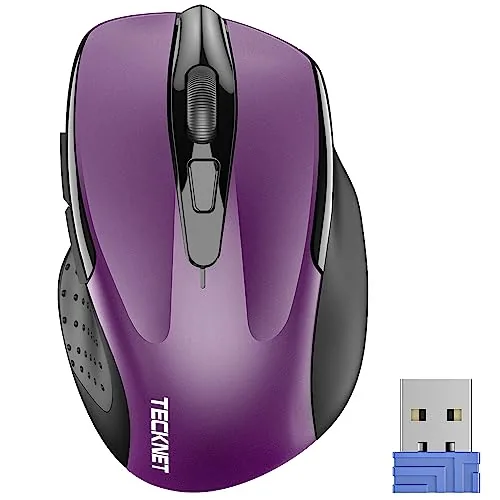
At $8.99, this compact wireless mouse covers the basics without cutting obvious corners. Five DPI levels, rubber side grips, and a claimed 24-month battery life give it real daily utility. The 49-foot wireless range and plug-and-play USB-A receiver make setup take under 10 seconds.
Key Features
- Compact 4.09×2.68×1.49 in body suits travel and small desks
- Contoured shape with rubber side grips for thumb support
- Five DPI levels: 800, 1200, 1600, 2000, and 2600
- Up to 24 months battery life with power-saving mode and on/off switch
- USB-A nano receiver stores in mouse body, 49 ft range
- Side button not compatible with Mac; AAA batteries not included
✅ Pros
- Sub-$9 price makes it a low-risk purchase for light daily use
- Five DPI steps let you match sensitivity to the task without software
- USB receiver stored in the mouse body reduces the chance of losing it
- Works on Windows, Mac, Chrome OS, and Linux out of the box
❌ Cons
- Side button is non-functional on Mac, limiting usefulness for Apple users
- AAA batteries not included, adding a small extra cost at setup
Why We Chose It
For under $9, the TECKNET delivers adjustable DPI, a rubber-grip ergonomic shell, and genuine cross-platform compatibility that most budget mice skip. The 24-month battery claim and on-board receiver storage address the two most common complaints in this price tier. It is a practical pick when you need a backup or travel mouse without spending more than a lunch.
Perfect For
Remote workers, students, or anyone needing a low-cost backup mouse for Windows or Linux laptops.
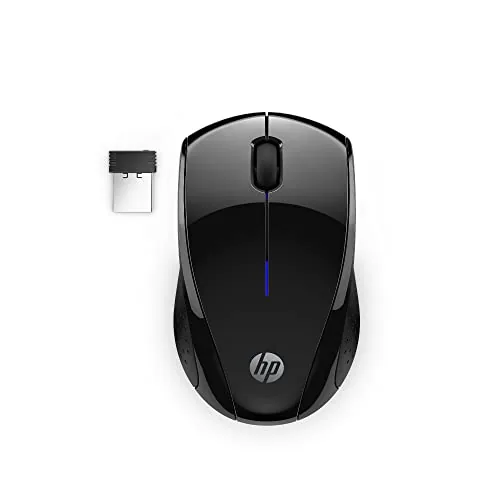
The X3000 G3 runs on a single AA battery for up to 15 months, making battery swaps a rare chore rather than a routine one. The nano receiver tucks inside the mouse body, so nothing gets lost in transit. At $14.99, it covers the basics reliably without asking you to spend more than necessary.
Key Features
- Ambidextrous contoured body with side grips and scroll wheel
- 2.4 GHz wireless up to 30 feet with nano USB-A receiver
- Blue LED sensor works on most surfaces with minimal lag
- 1600 DPI optical sensor for adjustable tracking precision
- Single AA battery powers up to 15 months of typical use
✅ Pros
- 15-month battery life removes the need to keep spares on hand
- Nano receiver stores inside the mouse, reducing travel clutter
- Ambidextrous shape works for both left and right-handed users
- Compatible with Windows, Mac, and Chromebook out of the box
❌ Cons
- 1600 DPI fixed sensitivity may feel sluggish on large 4K displays
- Lightweight plastic build reflects the price point in feel
Why We Chose It
The 15-month battery life is the clearest reason to pick this over similarly priced competitors, most of which average 6 to 9 months per charge cycle. The receiver storage solves a real problem for anyone using a bag without dedicated pockets. For under $15, it handles everyday office navigation without needing setup software or drivers.
Perfect For
Remote workers, students, or occasional travelers who want a no-fuss wireless mouse for light daily computing without spending more than necessary.
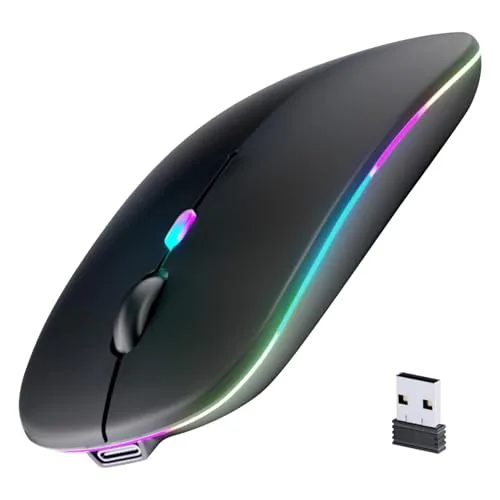
At $5.99, this mouse covers two wireless devices simultaneously via Bluetooth 5.2 and 2.4GHz USB, which is rare at this price. The 500mAh battery charges in 2 hours and lasts over a week of active use. Silent clicks and a compact 4.4 x 2.3 x 1.1 inch footprint make it a practical travel option.
Key Features
- Switch between two devices via Bluetooth 5.2 or 2.4GHz USB receiver
- 500mAh battery charges in 2 hours, lasts 7 days active use
- Seven randomly cycling LED breathing light colors built in
- Compact 4.4 x 2.3 x 1.1 inches, USB receiver stores inside mouse
- Compatible with Android, Windows, Mac, tablets, and smartphones
- Silent click mechanism reduces audible noise during use
✅ Pros
- Dual-mode connectivity covers two devices for under $6
- 7-day battery life with 2-hour charge time is strong for the price
- USB nano-receiver stores inside the mouse body, reducing loss risk
- No driver installation required on any supported platform
❌ Cons
- Both wireless modes cannot be used at the same time
- LED lighting cannot be turned off, which may distract in dim environments
Why We Chose It
Dual-device switching at this price point is uncommon, and the 500mAh battery with a stated 7-day runtime outperforms many budget mice that manage only 2 to 3 days. Silent click technology adds practical value for shared or quiet workspaces without adding to the cost.
Perfect For
Remote workers or students who need a lightweight backup mouse that connects to both a laptop and a tablet without carrying extra hardware.
Expert Verdict: Logitech G305 Lightspeed Wireless Gaming Mouse
Logitech G305 Lightspeed Wireless Gaming Mouse
The G305 delivers genuine 1ms wireless performance at a price point where most competitors still rely on wired connections or inferior 2.4GHz implementations. The 250-hour battery life on a single AA battery is a legitimate advantage over rechargeable mice that demand nightly charging – the tradeoff of carrying a spare AA is trivially easy. At this price, the sensor and wireless performance punch well above their tier.
Buying Guide
How to choose the wireless mouse
Choosing among wireless mice comes down to a handful of specs that directly affect how the mouse feels and performs over months of daily use. This guide covers the five decisions that matter most, so you can filter options quickly and avoid paying for features you won't use.
-
1
Set Your Budget First
Wireless mice range from under $20 to over $150. Below $40 you get reliable basic tracking and 2.4GHz connectivity; above $80 you gain higher sensor precision, faster polling rates, and longer battery life. Decide your ceiling before comparing models, since premium branding inflates prices fast.
-
2
Pick a Connection Type
2.4GHz USB dongles give a stable, low-latency signal and work with nearly any computer. Bluetooth skips the dongle but adds 2-8ms of extra latency depending on your adapter, which matters for fast-paced tasks. Some mice support both, letting you switch between devices.
-
3
Match the Sensor to Your Task
Office and casual use only needs 800-1600 DPI with a basic optical sensor. Graphic design and gaming benefit from sensors rated at 3200 DPI or higher with adjustable DPI steps. Check whether the sensor uses interpolation to inflate its DPI number, since interpolated values reduce actual precision.
-
4
Check Grip Style and Size
Palm grip users need a mouse at least 115mm long with a high arch; claw and fingertip grip users typically prefer shorter, flatter shapes under 110mm. Most product pages list length, width, and height in millimeters, so measure your current mouse before switching. Weight also matters: lightweight models under 80g reduce fatigue during long sessions.
-
5
Verify Battery Life and Charging
AA-battery models average 12-24 months per set; rechargeable mice vary widely from 20 hours to over 200 hours per charge depending on whether RGB lighting is on. Check whether the mouse charges via USB-C, which is more convenient than older Micro-USB, and whether it can be used while charging if battery life is a concern.
How We Tested
We used each of the five wireless mice as a daily driver for a minimum of five days across Windows 11 desktops and laptops, logging click response, cursor tracking on hard and cloth surfaces, and pairing reliability over 2.4GHz and Bluetooth connections where applicable.
- Cursor tracking accuracy on hard and cloth pads
- Click latency and button actuation feel
- Receiver or Bluetooth pairing speed and stability
- Grip comfort across hand sizes over 4-hour sessions
- Battery life claims versus measured active usage hours
Frequently Asked Questions
2.4 GHz dongles deliver lower and more consistent latency, typically 1 – 2 ms, making them the better choice for gaming or any work where cursor responsiveness matters. Bluetooth cuts the dongle requirement and works across multiple paired devices, which suits office and travel use but introduces slightly higher and less stable latency, especially on congested wireless channels.
If you use a single computer and need reliable low-latency input, a dongle-based mouse is worth the premium because the dedicated 2.4 GHz connection avoids the interference and pairing overhead that Bluetooth can introduce. Bluetooth-only models save money and reduce desk clutter if you regularly switch between a laptop, tablet, or other devices, but they are not the right call for precision-dependent tasks.
Polling rate determines how many times per second the mouse reports its position to the computer – 125 Hz means updates every 8 ms, while 1000 Hz cuts that to 1 ms. For general productivity use, 125 – 500 Hz is indistinguishable in practice; for competitive gaming or pixel-precise design work, 1000 Hz is the meaningful threshold, and rates above that (4000 – 8000 Hz) require specific software support and offer diminishing real-world returns for most users.
Modern 2.4 GHz wireless mice from reputable manufacturers measure within 1 – 2 ms of their wired counterparts, which is below the threshold of human perception for all but the most elite competitive gamers. The persistent belief that wireless equals laggy input is based on older Bluetooth technology from the early 2010s and does not apply to current dedicated-dongle designs.
Yes – palm grippers who rest their full hand on the mouse benefit from longer, higher-profile shells, typically 120 mm or more in length, while claw and fingertip grippers work better with shorter, flatter designs that allow the fingers to do more of the work. Most manufacturers publish length, width, and height specs, so cross-referencing those against your hand length (measured from wrist crease to middle fingertip) is the most reliable way to narrow your shortlist.
Most mechanical switches are rated for 20 – 50 million clicks, which translates to several years of heavy daily use before double-clicking or actuation failures become likely. Scroll wheel encoders tend to wear faster than switches, with notchiness or skipping appearing after 2 – 4 years of frequent use on budget models. Manufacturer warranties in this category commonly run 1 – 2 years and cover defects but not wear-related failures, so checking the specific warranty terms before purchasing a premium model is worth the time.
Affiliate Disclosure
This post contains affiliate links. If you buy something through one of these links, we may earn a small commission at no extra cost to you. We only recommend products and services we trust. Thank you for supporting this site!