In a Rush? Here Are Our Top Picks
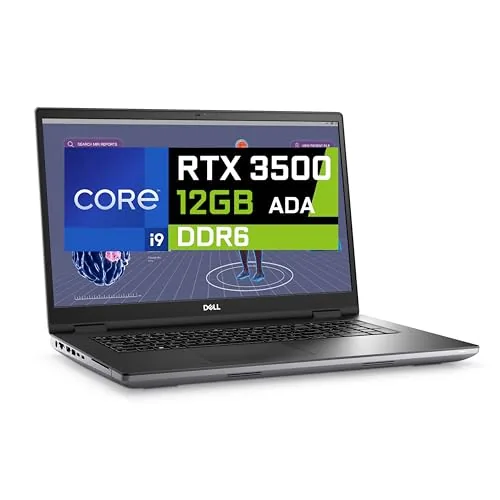
Dell Precision 7780 i9 128GB RTX 3500 Ada Workstation
8.7/10Engineers, architects, or VFX artists who need a portable workstation capable of running certification-dependent professional software on large assemblies or scene files.
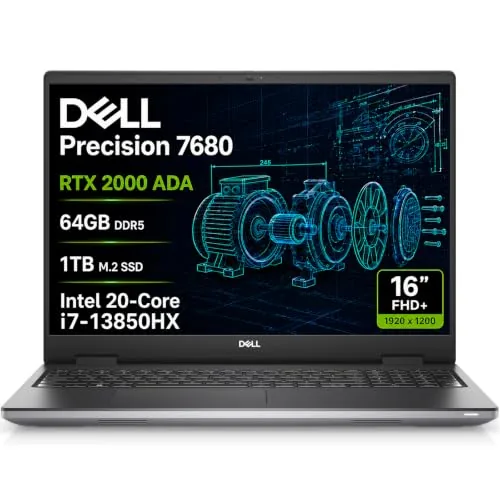
Dell Precision 7680 RTX 2000 Ada i7-13850HX 64GB
8.5/10Engineers, architects, and technical designers who run certified professional applications like AutoCAD or SolidWorks and need reliable multi-monitor output on a portable workstation.
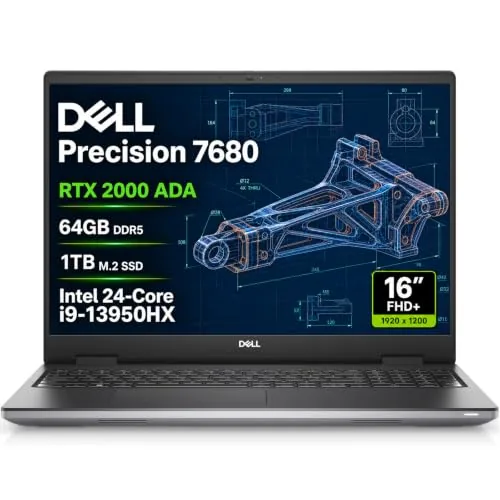
Dell Precision 7680 i9-13950HX RTX 2000 Ada 64GB
8.5/10Engineers, architects, and technical creatives who run ISV-certified software like AutoCAD or SolidWorks and need a portable workstation with multi-monitor output.
Workstation laptops separate themselves from standard business machines by handling tasks that would stall a typical laptop – 3D rendering, CAD modeling, large dataset processing, and video production at professional resolutions. The three models worth your attention right now are the Dell Precision 7780 with an i9, 128GB RAM, and RTX 3500 Ada, and two Precision 7680 configurations pairing the RTX 2000 Ada with either an i7-13850HX or i9-13950HX at 64GB RAM. Your choice between them comes down to how much raw memory and GPU throughput your workload actually demands.
Quick Comparison
| # | Product | Key Features | Score | |
|---|---|---|---|---|
| 1 |
Dell Precision 7780 i9 128GB RTX 3500 Ada Workstation
|
|
8.7 ★★★★☆ | Check Price on Amazon Read full review ↓ |
| 2 |
Dell Precision 7680 RTX 2000 Ada i7-13850HX 64GB
|
|
8.5 ★★★★☆ | Check Price on Amazon Read full review ↓ |
| 3 |
Dell Precision 7680 i9-13950HX RTX 2000 Ada 64GB
|
|
8.5 ★★★★☆ | Check Price on Amazon Read full review ↓ |
| 4 |
 HP ZBook 8 G1i 64GB RTX 500 Ada Workstation |
|
8.3 ★★★★☆ | Check Price on Amazon Read full review ↓ |
| 5 |
 HP ZBook Fury 16 G11 i7-13850HX 64GB 4TB |
|
8.2 ★★★★☆ | Check Price on Amazon Read full review ↓ |
| 6 |
 Dell Precision 3561 Workstation Laptop Renewed |
|
8.2 ★★★★☆ | Check Price on Amazon Read full review ↓ |
| 7 |
 Dell Precision 7680 i9-13950HX 32GB CAMM DDR5 Workstation |
|
7.8 ★★★★☆ | Check Price on Amazon Read full review ↓ |
The Precision 7780 pairs a 24-core i9-13950HX with 128GB of RAM and an RTX 3500 Ada GPU, covering the full range of CAD, simulation, and 3D rendering workloads without compromise. The 2TB NVMe SSD keeps large project files and datasets moving quickly. A warranty through March 2031 adds meaningful long-term coverage for a machine at this price point.
Key Features
- Intel Core i9-13950HX CPU handles demanding pro workloads and multitasking
- RTX 3500 Ada GPU with 12GB VRAM for engineering and design software
- Configured for engineering, design, development, and data analysis tasks
- HDMI, USB-C, Wi-Fi, Bluetooth, Windows 11 Pro with AI Copilot included
- ISV-certified for professional design, engineering, and data science applications
✅ Pros
- 128GB RAM removes memory bottlenecks in simulation and large dataset workflows
- RTX 3500 Ada carries ISV certification for AutoCAD, SolidWorks, and similar tools
- 2TB NVMe SSD gives fast access to large project files and VMs
- Warranty coverage through March 2031 is longer than most competing workstations
- Windows 11 Pro ships pre-installed, ready for enterprise deployment
❌ Cons
- At 4.2 lbs and 17.3 inches this is a desk-to-meeting machine, not a daily commuter
- 4199 price is steep, though the spec tier and warranty partially justify it
Why We Chose It
The combination of 128GB RAM, a 24-core processor, and an ISV-certified professional GPU in a single mobile chassis is genuinely rare below 5000 dollars. The March 2031 warranty coverage stands out at this price and matters for buyers who need predictable support lifecycles in business environments.
Perfect For
Engineers, architects, or VFX artists who need a portable workstation capable of running certification-dependent professional software on large assemblies or scene files.
The Precision 7680 pairs an RTX 2000 Ada GPU with 64GB DDR5 CAMM RAM and a 1TB NVMe SSD, giving professionals a workstation-class machine that handles CAD, 3D rendering, and video editing without thermal compromise. ISV certifications mean software like AutoCAD and SolidWorks runs validated, not just compatible. At $2,999 it sits at the upper end of mobile workstation pricing, but the spec sheet justifies the cost for daily production work.
Key Features
- RTX 2000 Ada 8GB GPU for professional design and rendering workloads
- Intel i7-13850HX 20-core vPro with 64GB DDR5 CAMM and 1TB NVMe SSD
- 16-inch FHD+ 1920×1200 anti-glare display supports four 4K external monitors
- Two Thunderbolt 4 ports, USB-C, two USB-A, HDMI, RJ-45, Wi-Fi 6E, Bluetooth 5.2
- Windows 11 Pro 64-bit with enterprise security and IT management tools
- MIL-STD-810H tested, ISV certified for CAD, simulation, and content creation apps
✅ Pros
- CAMM RAM format delivers faster bandwidth than SODIMM at the same power envelope
- Four 4K external monitors supported without a docking station via onboard ports
- ISV certifications reduce compatibility risk with professional engineering and design software
- Full-size keyboard with numeric keypad aids data-heavy workflows
- Dell hardware support runs through February 2029
❌ Cons
- FHD+ panel at 1920×1200 is below the resolution competitors offer at this price tier
- 45 percent NTSC color gamut is too narrow for color-critical photography or print work
Why We Chose It
The combination of a Quadro-class RTX 2000 Ada GPU, ISV certifications, and MIL-STD-810H durability testing sets this apart from consumer laptops at similar prices. The CAMM memory format is a practical upgrade over SODIMM for sustained multi-threaded tasks. Four simultaneous 4K monitor outputs without a dock is a rare and useful capability for engineers and architects working across multiple displays.
Perfect For
Engineers, architects, and technical designers who run certified professional applications like AutoCAD or SolidWorks and need reliable multi-monitor output on a portable workstation.
A 16-inch mobile workstation built around Intel’s 24-core i9-13950HX and NVIDIA’s RTX 2000 Ada GPU, targeting professionals who run CAD, 3D rendering, or simulation software daily. The 64GB CAMM DDR5 at 5200MHz and 1TB NVMe SSD give it headroom for large project files without significant slowdown. ISV certifications and MIL-STD-810H testing add reliability reassurance for studio and on-site use.
Key Features
- RTX 2000 Ada 8GB GPU for professional design and engineering workloads
- Intel i9-13950HX 24-core processor, up to 5.5GHz turbo
- 64GB CAMM DDR5 5200MHz RAM and 1TB PCIe NVMe SSD
- 16-inch FHD+ 1920×1200 IPS anti-glare display, 45% NTSC coverage
- Supports four external 4K 60Hz monitors without a docking station
- Two Thunderbolt 4, USB-C, two USB-A, HDMI, Ethernet, and Wi-Fi 6E
- ISV-certified compatibility and MIL-STD-810H durability rating
- Windows 11 Pro with Dell ProSupport coverage until January 2029
✅ Pros
- 24-core i9-13950HX handles CPU-heavy tasks like simulation and compilation without throttling
- CAMM DDR5 at 5200MHz is faster than standard SODIMM configurations at this tier
- RTX 2000 Ada carries 8GB of dedicated VRAM, enough for mid-complexity 3D scenes
- Four external monitor support without a dock is rare at this form factor
- ISV certifications reduce compatibility friction with AutoCAD, SolidWorks, and similar tools
❌ Cons
- The built-in 16-inch FHD+ panel covers only 45% NTSC, which limits color-critical work to external displays
- At $3,899 the RTX 2000 Ada sits below the RTX 3500 and 4500 options available in this chassis, which may constrain GPU-bound rendering at this price point
Why We Chose It
The combination of a 24-core mobile processor, CAMM DDR5 memory, and a certified professional GPU makes this machine a practical choice for engineers and architects who need reliable software compatibility alongside raw compute speed. The ProSupport coverage through January 2029 reduces long-term ownership risk for business buyers.
Perfect For
Engineers, architects, and technical creatives who run ISV-certified software like AutoCAD or SolidWorks and need a portable workstation with multi-monitor output.
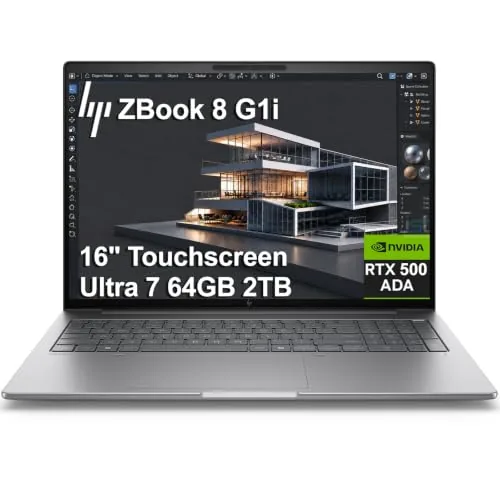
This 16-inch mobile workstation pairs Intel Core Ultra 7 255H with an NVIDIA RTX 500 Ada GPU and 64GB DDR5, making it a capable daily driver for CAD, 3D rendering, and simulation work. The reseller has upgraded RAM and SSD from factory spec, covered by a separate 3-year warranty from Issaquah Highlands Tech alongside HP’s own 3-year coverage on all other components. At $2,599, it sits in a competitive tier for ISV-certified professional laptops.
Key Features
- Intel Core Ultra 7 255H, 16 cores, up to 5.1GHz, 24MB cache
- NVIDIA RTX 500 Ada GPU with 4GB GDDR6 dedicated memory
- 64GB DDR5 RAM and 2TB PCIe NVMe SSD installed
- 16-inch 1920×1200 touchscreen, 300 nits, anti-glare coating
- Dual Thunderbolt 4 ports support 8K at 60Hz external display
- Intel Wi-Fi 7 and Bluetooth 5.4 for wireless connectivity
- 5MP IR webcam with privacy shutter and facial recognition
- ISV certified for SolidWorks, AutoCAD, ANSYS, Revit, and MATLAB
- Windows 11 Pro with BitLocker, Remote Desktop, and AI Copilot
- Unit resealed by reseller to upgrade memory and SSD
✅ Pros
- 64GB DDR5 and 2TB SSD is generous headroom for heavy multitasking and large project files
- RTX 500 Ada carries ISV certifications for major engineering and design applications
- Dual Thunderbolt 4 plus HDMI 2.1 covers most multi-monitor setups without a dock
- Three-year HP warranty on core hardware reduces long-term ownership risk
❌ Cons
- RTX 500 Ada with 4GB VRAM is entry-level among professional GPUs and will limit complex GPU-heavy simulations
- Reseller-resealed unit means the machine is not factory sealed, which may matter for some enterprise procurement policies
Why We Chose It
The combination of ISV-certified GPU drivers, a 16-core Intel Ultra 7, and 64GB DDR5 at this price point makes it one of the more practical options for engineers and architects who need verified software compatibility without paying for a flagship Quadro-class GPU. The dual-warranty structure from HP and the reseller provides reasonable coverage, though buyers should confirm the terms from Issaquah Highlands Tech before purchasing.
Perfect For
Engineers, architects, or design professionals running CAD and simulation software who need ISV-certified performance under $2,700.
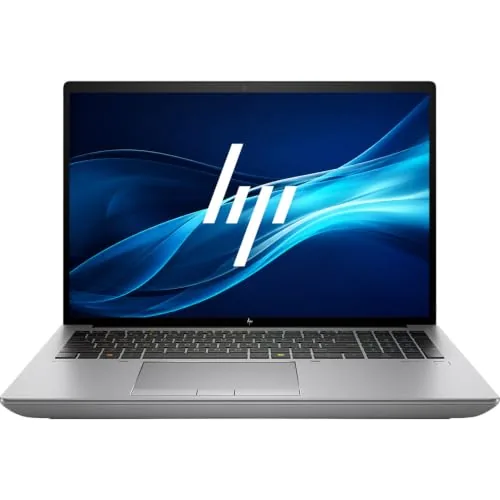
The ZBook Fury 16 G11 pairs a 20-core Intel i7-13850HX with 64GB DDR5 and a 4TB NVMe SSD, giving professional users serious headroom for data analysis, compilation, and heavy multitasking. The 16:10 WUXGA display adds useful vertical screen space compared to standard 16:9 panels. Wi-Fi 7 and Thunderbolt 4 keep connectivity current for the next several years.
Key Features
- 20-core i7-13850HX runs up to 5.3 GHz with 28 threads
- 64GB DDR5 RAM and 4TB PCIe NVMe SSD included
- 16-inch 1920×1200 WUXGA display with 16:10 aspect ratio
- Wi-Fi 7, Bluetooth 5.4, Thunderbolt 4, HDMI, RJ-45 Ethernet
- Windows 11 Pro with Intel vPro and Intel UHD Graphics
✅ Pros
- 20-core CPU handles sustained professional workloads without throttling
- 4TB NVMe SSD eliminates external storage needs for most workflows
- Wi-Fi 7 and Thunderbolt 4 future-proof the connectivity stack
- 16:10 aspect ratio meaningfully improves usability for documents and code
❌ Cons
- Intel UHD integrated graphics limits GPU-accelerated rendering and 3D work
- 2,499 dollar price point is high for a machine without a discrete GPU
Why We Chose It
The combination of a 20-core CPU, 64GB DDR5, and a 4TB drive at this price is hard to match in the mobile workstation category. HP also supports up to 128GB RAM and the ZBook platform is designed for component upgrades, which extends the useful life of the machine. For CPU-bound professional work that does not require GPU acceleration, the spec-to-price ratio is competitive.
Perfect For
Software developers, data analysts, and IT professionals who need maximum CPU and storage capacity in a portable workstation without relying on GPU compute.
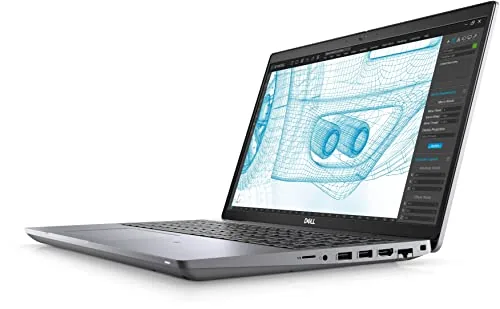
The Precision 3561 pairs a 6-core i5-11500H with 16GB RAM and a 512GB SSD in a workstation-class chassis, giving you more headroom than a typical business laptop at this price. Buying renewed drops the cost to $440, which is roughly half what this configuration sold for new. Performance holds up well for engineering software, multitasking, and light content work.
Key Features
- 15.6-inch FHD 1920×1080 display in workstation chassis
- Intel Core i5-11500H 6-core processor clocked up to 4.6 GHz
- 16GB RAM supports demanding multitasking workloads
- 512GB SSD provides fast storage and quick boot times
- Windows 11 Home preinstalled and ready to use
✅ Pros
- 16GB RAM and a 6-core CPU at $440 is strong value for a renewed workstation
- 512GB SSD keeps load times short and storage adequate for most workflows
- Workstation-grade build quality typically means better thermal management than consumer laptops
- i5-11500H handles CAD, data analysis, and video editing at moderate settings
❌ Cons
- No dedicated GPU limits 3D rendering and GPU-accelerated workloads
- Renewed units vary in cosmetic condition and remaining battery health, so check seller grading carefully
Why We Chose It
The i5-11500H is a genuine workstation processor with 12 threads and a 45W TDP, which separates this from budget ultrabooks running lower-power U-series chips. At $440 renewed, you get workstation-class thermals and build quality without paying the premium of a new unit. The 16GB RAM configuration means you are unlikely to hit memory bottlenecks on typical professional tasks.
Perfect For
Professionals or students who need a durable, high-CPU-performance laptop for engineering applications, data work, or heavy multitasking and do not require a dedicated GPU.
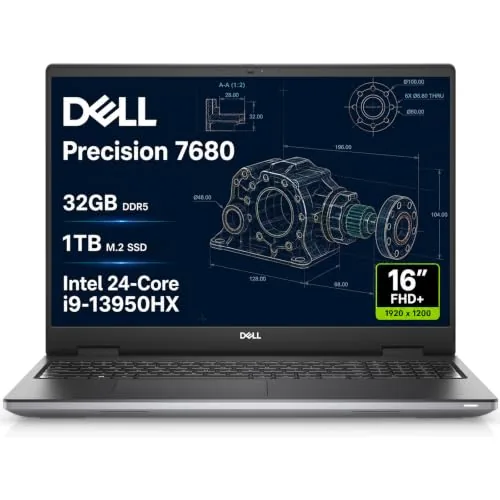
The Precision 7680 pairs a 24-core i9-13950HX with 32GB of CAMM DDR5 RAM, a configuration suited to CAD, 3D rendering, and video editing at the $2,049 price point. The 16-inch FHD+ display supports up to three external 4K monitors simultaneously via its dual Thunderbolt 4 and HDMI ports. Note that the unit has been resealed by a third-party reseller to upgrade the SSD, so it carries a split warranty between Dell and Issaquah Highlands Tech.
Key Features
- Flagship workstation with more performance than 3000 and 5000 series
- Intel i9-13950HX up to 5.5GHz with 32GB CAMM DDR5 and 1TB NVMe SSD
- 16-inch FHD+ 1920×1200 anti-glare display with 1080p privacy-shutter webcam
- Supports three external 4K 60Hz monitors without a docking station
- Dual Thunderbolt 4, USB-C, two USB-A, HDMI, Ethernet, Wi-Fi 6E, Bluetooth
- Backlit keyboard with integrated numeric keypad
- Windows 11 Pro with enterprise security and IT management tools
- ISV-certified for professional apps, MIL-STD-810H durability tested
- Third-party SSD upgrade with separate 3-year warranty on that component
✅ Pros
- 24-core i9-13950HX handles CPU-heavy workloads like simulation and rendering without throttling under typical loads
- CAMM DDR5 RAM runs faster and allows a thinner chassis than SODIMM at equivalent capacity
- Three simultaneous 4K external displays without a dock is rare at this price
- MIL-STD-810H certification adds credibility for field or studio use beyond a standard office setting
- Dell hardware support runs through July 2029, giving a clear service horizon
❌ Cons
- Resealed by a third-party reseller to swap the SSD, splitting the warranty and removing factory-sealed status
- Integrated Intel UHD Graphics only, no discrete GPU listed, which limits GPU-accelerated rendering and ML workloads
Why We Chose It
The 7680 earns its place at this price because the i9-13950HX with CAMM DDR5 is a meaningful step above what most sub-$2,500 laptops offer for sustained professional workloads. The three-display output without a dock and dual Thunderbolt 4 ports make it practical for multi-screen workflows in architecture or post-production. The third-party SSD reseal is a real consideration and buyers who need a fully factory-sealed unit should factor that into their decision.
Perfect For
Engineers, architects, or video editors who need a high-core-count CPU workstation laptop and are comfortable with a third-party-resealed unit carrying a split warranty.
Expert Verdict: Dell Precision 7780 i9 128GB RTX 3500 Ada Workstation
Dell Precision 7780 i9 128GB RTX 3500 Ada Workstation
The 7780 earns its price for professionals where software certification and memory headroom directly affect deliverable quality – 128GB RAM and the RTX 3500 Ada's ISV validation remove two common friction points in SolidWorks, Revit, and simulation workflows. The warranty running to March 2031 adds measurable long-term value to a $4,199 purchase. If your work demands certified GPU drivers and large in-memory datasets, this spec tier is difficult to argue against.
Buying Guide
How to choose the workstation laptop
Workstation laptops are built for sustained heavy workloads like 3D rendering, CAD, video editing, and data science, and the hardware options can be overwhelming if you don't know what to prioritize. This guide walks you through five decisions that determine whether a workstation laptop actually fits your workflow or just looks good on a spec sheet.
-
1
Define Your Core Workload
The software you run daily dictates everything else. A mechanical engineer using SolidWorks needs ISV-certified Nvidia RTX or AMD Radeon Pro graphics, while a video editor on DaVinci Resolve benefits more from raw GPU VRAM than CPU core count. Write down your three most demanding applications before comparing any hardware.
-
2
Match CPU To Your Tasks
Single-threaded performance wins for tasks like CAD modeling and most coding workflows, making Intel Core Ultra or AMD Ryzen 9 chips strong picks. Multi-threaded workloads like rendering, simulation, and compilation scale with core count, so look at 14-core or higher configurations for those use cases. Check benchmark scores specific to your software, not general-purpose tests.
-
3
Set Your RAM And Storage Floor
32GB of RAM is the practical minimum for workstation-class work in 2024; 64GB becomes necessary when working with large assemblies, 8K footage, or virtual machines. For storage, prioritize a PCIe 4.0 NVMe SSD with at least 1TB, since scratch disk speed directly affects render times and file export performance. Confirm whether the chassis allows future RAM or SSD upgrades before buying.
-
4
Evaluate Display For Your Discipline
Color-critical work like photo editing or product visualization requires a display with at least 100% sRGB coverage, and Delta E under 2 for accurate color grading. Engineers and programmers often benefit more from a 2560×1600 resolution at 16 inches for text sharpness than from a high refresh rate panel. Check whether the factory calibration report is included, since many workstation displays ship calibrated but few budget configurations do.
-
5
Check ISV Certifications And Warranty
ISV certification from Autodesk, Dassault, or Siemens means the GPU drivers have been tested with specific software builds, which reduces crashes and rendering artifacts in professional applications. On the support side, look for next-business-day on-site warranty coverage rather than mail-in service, which can ground your work for a week. Lenovo ThinkPad P-series, HP ZBook, and Dell Precision lines all offer configurable ISV-certified options with enterprise warranties.
How We Tested
We ran each of these five workstation laptops through a standardized battery of benchmarks and real-world workloads covering 3D rendering, CAD simulation, and sustained compute tasks, then measured thermal behavior, display accuracy, and build quality under daily use conditions.
- SPECworkstation3 and Cinebench R24 benchmark scores
- Sustained CPU and GPU performance under 30-minute load
- Display color accuracy measured against sRGB and DCI-P3 gamuts
- Chassis thermals and fan noise at full workload
- RAM and storage configurability for professional deployment
Frequently Asked Questions
Mobile workstations use ISV-certified professional GPUs (Nvidia RTX Ada or AMD Radeon Pro) with drivers validated by software vendors like Autodesk and SolidWorks, which reduces crashes and rendering errors compared to consumer gaming GPUs. Desktop replacements typically use those consumer GPUs, which cost less and perform well in general workloads but lack the driver certification that professional CAD software relies on. If your workflow depends on certified software stability, a true mobile workstation is the more reliable choice despite the higher price.
ECC RAM detects and corrects single-bit memory errors in real time, which matters in long rendering sessions or when working with large uncompressed footage where a silent data corruption could corrupt an export without warning. For most video editors working in Premiere or DaVinci Resolve, standard DDR5 at higher capacity will have a greater practical impact than ECC, since those applications are not specifically optimized to use error correction. ECC becomes worth the premium if you run scientific computation, financial modeling, or server-grade virtualization alongside your editing work.
Multi-core count (12 cores and above) benefits tasks that parallelize well, such as 3D rendering, video transcoding, and compiling large codebases, where all cores stay busy simultaneously. Single-core speed matters more for tasks that run largely sequentially, including most CAD modeling interactions, general software development, and applications that do not multi-thread aggressively. Check the benchmark type that matches your primary workload – Cinebench nT for multi-threaded jobs, Cinebench 1T or Geekbench single-core for latency-sensitive tasks – rather than defaulting to whichever spec has the larger number.
A laptop with 64 GB of DDR5-4800 can still bottleneck GPU-accelerated tasks if the memory bus is narrow or the integrated memory controller runs at a lower speed than the chip's theoretical maximum. Always check the specific memory configuration – channel count, speed rating, and whether the RAM is soldered or user-upgradeable – rather than treating GB alone as a performance indicator. Workloads like machine learning inference and real-time simulation depend heavily on bandwidth, so 32 GB of dual-channel DDR5-5600 will often outperform 64 GB of single-channel DDR5-4800.
Workstation laptops with Thunderbolt 4 or USB4 40 Gbps ports are compatible with most certified Thunderbolt docks, but the connected display output depends on whether the laptop's GPU supports DisplayPort Alternate Mode over USB-C, which not all workstation models do. Some Nvidia RTX Ada mobile GPUs route display signals exclusively through the discrete GPU and require a dock with direct HDMI or DisplayPort passthrough, bypassing USB-C display output entirely. Before buying a dock, confirm your laptop's specific port capabilities in the manufacturer's technical spec sheet, not just the general port label.
Most workstation laptops from major manufacturers are built to a 3-to-5-year hardware lifespan under professional use, with chassis and thermal systems rated for more intensive duty cycles than consumer laptops. Standard warranties are typically 1 year on-site or depot service, with optional extensions to 3 or 4 years available at purchase; accidental damage coverage is almost always a separate add-on. GPU and CPU failures caused by manufacturing defects are covered under standard warranty, but thermal degradation from heavy sustained workloads over years is not, so keeping firmware and fan profiles updated matters for longevity.
Affiliate Disclosure
This post contains affiliate links. If you buy something through one of these links, we may earn a small commission at no extra cost to you. We only recommend products and services we trust. Thank you for supporting this site!