In a Rush? Here Are Our Top Picks
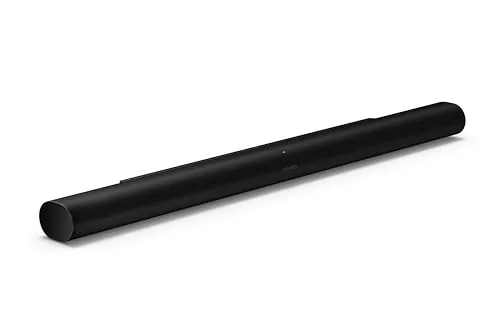
Sonos Arc Ultra Soundbar with Dolby Atmos 9.1.4
8.9/10Home theater owners who want Dolby Atmos spatial audio without running speaker cable or buying an AV receiver, especially those already using Sonos products.
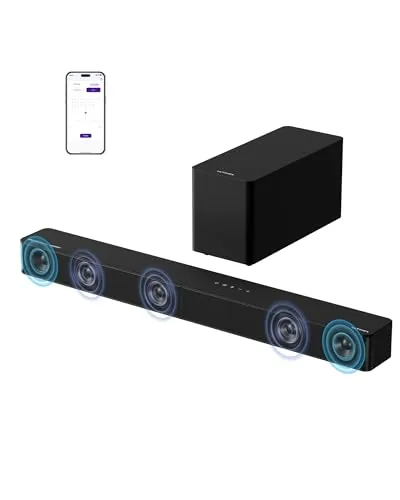
ULTIMEA Poseidon M60 5.1CH Dolby Atmos Soundbar 300W
8.2/10Apartment renters or small living room setups where rear speaker placement is impractical but full surround sound quality is still a priority.
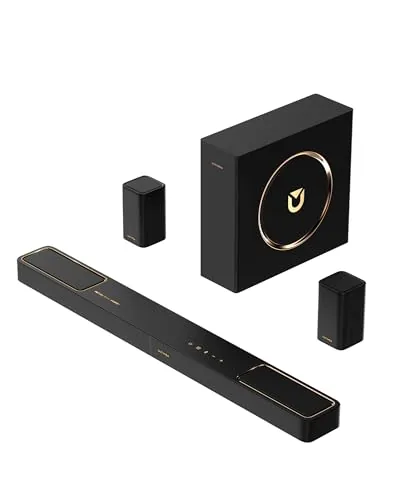
ULTIMEA Skywave F40 5.1.2ch Dolby Atmos Sound Bar
8.2/10Home theater buyers who want a true multi-speaker surround setup without the cost or complexity of a separate AV receiver and speaker system.
Dolby Atmos soundbars vary wildly in price and performance, and picking the wrong one means paying for height channels your room can’t use or settling for a system that clips at high volume. This roundup covers three options across different budgets – the Sonos Arc Ultra (9.1.4 configuration), the ULTIMEA Poseidon M60 (5.1CH, 300W), and the ULTIMEA Skywave F40 (5.1.2ch) – so you can match the hardware to your actual room size and spending limit. Whether you’re replacing a aging TV speaker or building out a dedicated home theater, the differences between these three come down to specific specs, not brand loyalty.
Quick Comparison
| # | Product | Key Features | Score | |
|---|---|---|---|---|
| 1 |
Sonos Arc Ultra Soundbar with Dolby Atmos 9.1.4
|
|
8.9 ★★★★☆ | Check Price on Amazon Read full review ↓ |
| 2 |
ULTIMEA Poseidon M60 5.1CH Dolby Atmos Soundbar 300W
|
|
8.2 ★★★★☆ | Check Price on Amazon Read full review ↓ |
| 3 |
ULTIMEA Skywave F40 5.1.2ch Dolby Atmos Sound Bar
|
|
8.2 ★★★★☆ | Check Price on Amazon Read full review ↓ |
| 4 |
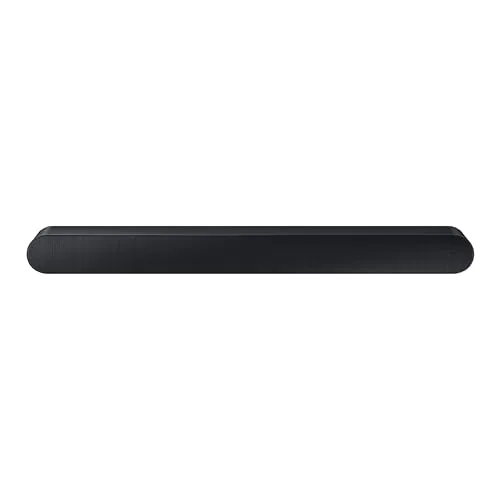 Samsung HW-S60D 5.0ch Wireless Dolby Atmos Soundbar |
|
8.2 ★★★★☆ | Check Price on Amazon Read full review ↓ |
| 5 |
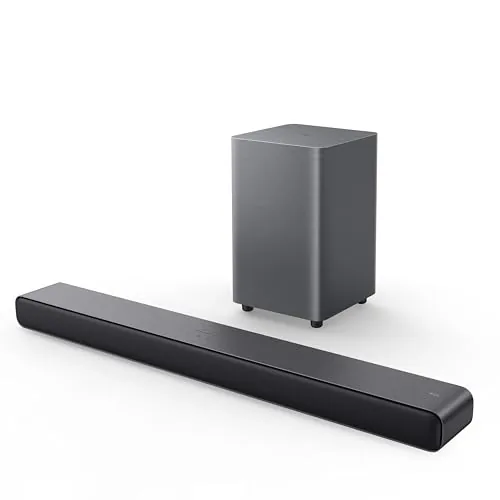 TCL S55H 2.1 Soundbar with Wireless Subwoofer 220W |
|
7.8 ★★★★☆ | Check Price on Amazon Read full review ↓ |
| 6 |
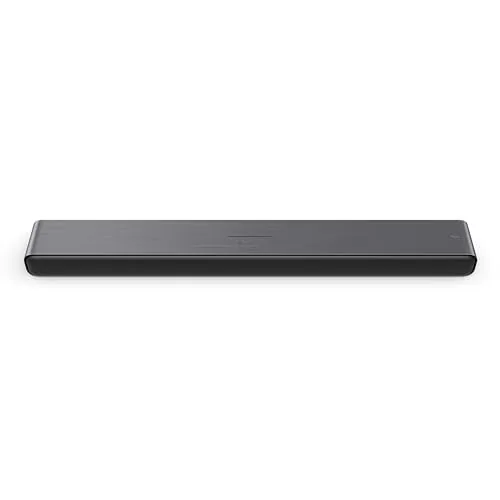 TCL S45H 2.0 Soundbar with Dolby Atmos 100W |
|
7.8 ★★★★☆ | Check Price on Amazon Read full review ↓ |
| 7 |
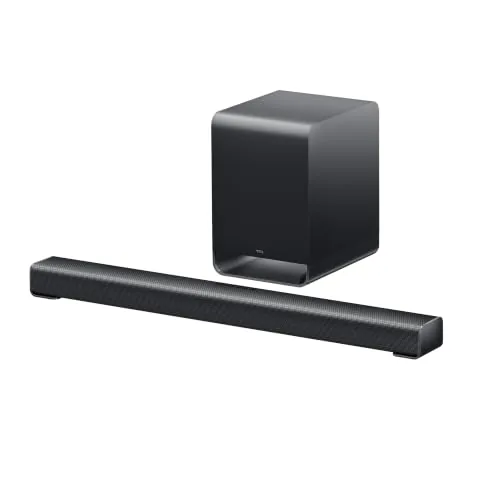 TCL S60K 3.1 Soundbar with Dolby Atmos and Sub |
|
7.8 ★★★★☆ | Check Price on Amazon Read full review ↓ |
The Arc Ultra delivers a genuine 9.1.4 spatial audio setup from a single soundbar, using Sound Motion technology to position audio across the room with precision. AI-powered Speech Enhancement isolates dialogue in real time, which is useful for action-heavy content or quieter listening environments. At $1,099 it sits at the top of the single-unit soundbar market, but it integrates cleanly into the Sonos ecosystem for buyers already invested there.
Key Features
- Sound Motion technology distributes audio precisely throughout the room
- 9.1.4 spatial audio channel configuration with Dolby Atmos decoding
- AI Speech Enhancement isolates and clarifies human dialogue automatically
- Low-profile design sized to sit below most flat-panel TVs
- Compatible with TV remote, app, touch controls, Alexa, and Sonos Voice Control
- Single HDMI eARC connection handles setup with in-app guidance
- Trueplay room calibration adjusts EQ to the listening space
- Supports WiFi, Bluetooth, Apple AirPlay 2, and Spotify Connect
✅ Pros
- 9.1.4 channel output from one unit eliminates the need for rear speakers in most rooms
- HDMI eARC setup takes under 15 minutes with no AV receiver required
- Trueplay calibration measurably adjusts output based on room acoustics, not just preset EQ curves
- Multi-platform streaming support covers nearly every audio source without switching inputs
- Expandable with Sonos Sub 4 or Era 300 speakers for buyers who want more bass or true surrounds
❌ Cons
- At $1,099 the base unit is expensive and full surround capability requires additional Sonos hardware
- Atmos performance depends heavily on ceiling height and room geometry, so results vary
Why We Chose It
The Arc Ultra stands out for delivering a channel count typically associated with multi-speaker systems through a single bar, using hardware-level acoustic engineering rather than software upmixing alone. The AI dialogue enhancement addresses one of the most common complaints about soundbars, specifically losing speech during loud scenes, and it works without manual adjustment. For buyers who want a clean single-cable living room setup with genuine spatial audio headroom, this is the most capable option in its form factor.
Perfect For
Home theater owners who want Dolby Atmos spatial audio without running speaker cable or buying an AV receiver, especially those already using Sonos products.
The Poseidon M60 delivers a 5.1-channel Dolby Atmos experience from a single soundbar unit, using side-firing drivers to create width without rear speakers. A dedicated wooden subwoofer with a 5.3L cabinet handles bass down to 45 Hz, while the companion app gives access to a 10-band EQ and 121 presets. At $158, it targets buyers who want surround-style audio without the wiring complexity of a full speaker system.
Key Features
- 5.1ch Dolby Atmos via side-firing drivers, no rear speakers needed
- DSP vocal isolation keeps dialogue clear at any volume
- 300W peak output, 5 drivers plus wired wooden subwoofer
- 45 Hz to 18 kHz response, 99 dB max SPL
- 18mm high-excursion subwoofer driver in 5.3L tuned cabinet
- HDMI eARC supports up to 37 Mbps for lossless Atmos
- App includes 10-band EQ, 121 presets, 13 surround levels
- Bluetooth 5.4 with low latency and strong interference resistance
✅ Pros
- Full 5.1ch Dolby Atmos without rear speaker placement or wiring
- Dedicated wooden subwoofer reaches 45 Hz for credible bass weight
- 10-band EQ and 121 app presets allow precise room tuning
- HDMI eARC delivers lossless audio versus optical or standard ARC
- VoiceMX dialogue enhancement works at low volumes during busy scenes
❌ Cons
- Side-firing drivers simulate surround rather than true discrete rear channels
- Subwoofer cable limits placement flexibility compared to wireless alternatives
Why We Chose It
At under $160, the Poseidon M60 includes hardware features typically found at higher price points, specifically HDMI eARC, Dolby Atmos certification, and a physically separate subwoofer with a tuned wooden enclosure. The app control depth, with a 10-band EQ and over 100 presets, is unusually thorough for this price tier. The combination makes it a strong option when budget and room complexity are both constraints.
Perfect For
Apartment renters or small living room setups where rear speaker placement is impractical but full surround sound quality is still a priority.
The Skywave F40 delivers a full 5.1.2-channel setup at under $240, including two physical rear surround speakers and up-firing drivers for genuine Dolby Atmos height effects. HDMI eARC carries lossless audio up to 37Mbps, so you get the full signal without compression artifacts. The companion app adds a 10-band EQ and 121 preset profiles, giving you more tuning control than most soundbars at this price.
Key Features
- 5.1.2ch system with up-firing drivers and rear surround speakers
- Neodymium magnets and 18-core voice coils improve height channel precision
- Two rear speakers plus dual up-firing drivers create 360-degree sound field
- HDMI eARC supports lossless audio up to 37Mbps bandwidth
- App offers 10-band EQ, 13-step level control, and 121 presets
✅ Pros
- Physical rear surround speakers included, not just simulated surround
- HDMI eARC delivers full lossless Dolby Atmos without signal compression
- App-based EQ with 10 bands and 121 presets is unusually deep for the price
- Bluetooth 5.4 reduces latency and dropout risk compared to older BT versions
❌ Cons
- No DTS compatibility limits flexibility with some Blu-ray and streaming sources
- At this price point, up-firing Atmos performance depends heavily on ceiling height and room acoustics
Why We Chose It
Few 5.1.2ch systems under $250 include physical rear speakers rather than relying on virtual surround processing. The combination of HDMI eARC lossless transmission and a genuine multi-speaker layout puts it ahead of single-bar competitors at similar prices. The depth of app-based customization is a practical advantage for users who want to tune audio to their specific room.
Perfect For
Home theater buyers who want a true multi-speaker surround setup without the cost or complexity of a separate AV receiver and speaker system.
The HW-S60D delivers 5-channel surround sound from a single bar, no external subwoofer required. Built-in up-firing speakers handle Dolby Atmos height effects, while SpaceFit Sound Pro calibrates output to your room automatically. At $278, it targets buyers who want clean setups without compromising on audio layering.
Key Features
- 5-channel sound with built-in subwoofers, no separate sub needed
- Pairs with Samsung TVs to combine speaker channels via Q-Symphony
- Wireless Dolby Atmos transmission eliminates HDMI cable requirement
- Alexa built-in plus Chromecast and AirPlay 2 support
- Microphone-based room analysis auto-optimizes EQ on placement
- Real-time scene detection adjusts audio mix by content type
- Up-firing speakers and acoustic beam activate automatically in Game Mode Pro
- Active Voice Analyzer isolates dialogue against ambient room noise
✅ Pros
- No external subwoofer or rear speakers needed keeps setup to one unit
- Wireless Dolby Atmos cuts cable clutter without losing height channel audio
- SpaceFit Sound Pro removes guesswork from placement and EQ tuning
- Alexa, AirPlay 2, and Chromecast cover most smart home ecosystems
- Q-Symphony doubles audio channels when paired with a compatible Samsung TV
❌ Cons
- Q-Symphony and some smart features require a Samsung TV to unlock
- All-in-one design limits bass extension compared to a dedicated subwoofer
Why We Chose It
The S60D earns its place at this price by combining Dolby Atmos, room calibration, and wireless connectivity in a single bar with no satellite units. The Active Voice Analyzer addresses one of the most common complaints with soundbars, which is dialogue getting buried under music and effects. For a living room with limited shelf or floor space, the hardware trade-offs are minor.
Perfect For
Apartment dwellers or minimalist setups where a multi-piece surround system is not practical but Dolby Atmos performance still matters.
The TCL S55H pairs a 31.89-inch soundbar with a wireless subwoofer in a 2.1 system rated at 220W total output. Dolby Atmos, DTS Virtual:X, and one-time AI room calibration via the TCL app handle most setup work automatically. At $99.99 with an HDMI cable, optical support, and a wall-mount kit included, the value-to-feature ratio is hard to beat at this price point.
Key Features
- 220W total output with wireless subwoofer for deep bass
- Dolby Atmos and DTS Virtual:X decoding included
- AI Sonic auto room calibration via TCL app one-time setup
- HDMI eARC/ARC, optical, Bluetooth, and AUX connectivity
- Soundbar measures 31.89 x 2.36 x 3.86 inches low-profile
- Subwoofer measures 7.68 x 12.60 x 7.68 inches wireless
- Box includes HDMI cable, remote with batteries, wall-mount kit
- Full-function remote plus Bluetooth app control supported
✅ Pros
- Wireless subwoofer removes cable clutter without extra cost
- AI room calibration reduces manual EQ tuning for most rooms
- HDMI eARC plus optical covers nearly any TV connection scenario
- Wall-mount kit and HDMI cable included, no extra purchases needed
❌ Cons
- 220W rating covers the full system, so per-driver power is lower than spec implies
- No dedicated center channel, so dialogue separation relies on virtual processing
Why We Chose It
The S55H covers the three connectors most buyers need, adds genuine room calibration rather than fixed EQ presets, and ships with every cable and mount required for a clean install. The wireless subwoofer at this price tier is a practical advantage over similarly priced all-in-one bars that keep bass in the same enclosure as the drivers.
Perfect For
Renters or apartment dwellers who want a clean, cable-minimal 2.1 setup under a 55-inch or smaller TV without spending over $100.
A 100W 2.0 soundbar at $79.99 that delivers Dolby Atmos and DTS Virtual:X spatial audio without a subwoofer. At 31.89 inches wide and under 2.5 inches tall, it fits cleanly under most TVs. AI-driven room calibration via the TCL app adjusts output to your room layout on first setup.
Key Features
- Dolby Atmos and DTS Virtual:X spatial audio simulation built in
- 100W total output for a 2.0 single-bar configuration
- AI Sonic auto room calibration via TCL app one-time setup
- Connects via HDMI eARC/ARC, optical, Bluetooth, or AUX
- Dimensions: 31.89 inches wide, 2.36 inches tall, 3.86 inches deep
- Includes HDMI cable, power cord, remote with batteries, wall-mount kit
- Full-function remote included alongside app control
✅ Pros
- 100W output is high for a sub-$80 2.0 soundbar
- Four connection options cover virtually any TV or projector setup
- Wall-mount kit and HDMI cable included, no extra purchases needed
- AI room calibration adds value typically absent at this price point
❌ Cons
- No separate subwoofer, so low-frequency impact has a ceiling
- Atmos and DTS:X are virtual simulations, not discrete object-based audio
Why We Chose It
At $79.99 the S45H delivers a combination of connection flexibility, bundled accessories, and room calibration that most competitors skip at this price. The 100W rating and slim 2.36-inch height make it practical for small to medium rooms where desk or shelf clearance is limited. The included wall-mount kit removes a common follow-up purchase.
Perfect For
Renters or apartment dwellers who want a clear, loud upgrade from built-in TV speakers without adding a subwoofer or running extra cables.
The S60K delivers spatial audio at a price most competing 3.1 systems can’t match, pairing Dolby Atmos and DTS:X decoding with a wireless 6.5-inch subwoofer for under $200. A single HDMI cable handles the connection, and AI room calibration adjusts the audio profile to your space automatically. Dialogue clarity gets dedicated support from a built-in center channel speaker and tweeter, which is uncommon at this price tier.
Key Features
- 3.1 channel setup with single HDMI cable connection
- Ray Danz technology widens the perceived soundstage
- Dolby Atmos and DTS:X spatial audio decoding built in
- Bluetooth streaming from smartphones and tablets
- Built-in tweeter delivers precise high-frequency detail
- Dedicated center channel speaker for clearer dialogue
- Wireless subwoofer with 6.5 inch driver and Bass Boost
- ChoruSound blends TV speakers with soundbar output
✅ Pros
- Dolby Atmos and DTS:X decoding at sub-$200 is genuinely rare
- Wireless subwoofer eliminates cable routing across the room
- Dedicated center channel and tweeter improve dialogue intelligibility
- AI room calibration removes manual EQ guesswork
❌ Cons
- No rear satellite speakers so true surround placement is simulated not physical
- ChoruSound relies on your TV speakers being decent enough to contribute meaningfully
Why We Chose It
At $199.99, the S60K includes hardware and codec support that typically appears in $300 to $400 systems, particularly the wireless subwoofer and both major spatial audio formats. The built-in center channel is a concrete hardware advantage over soundbars that fake dialogue clarity through EQ alone. AI room calibration adds practical setup value for buyers who won’t manually tune their system.
Perfect For
Budget-conscious home theater buyers who want Dolby Atmos decoding and real bass extension without running subwoofer cables across their living room.
Expert Verdict: Sonos Arc Ultra Soundbar with Dolby Atmos 9.1.4
Sonos Arc Ultra Soundbar with Dolby Atmos 9.1.4
The Arc Ultra delivers a genuine 9.1.4 spatial audio stage from a single bar, and Trueplay's room-adaptive calibration makes that claim hold up in practice rather than just on spec sheets. At $1,099 it demands a serious commitment, and buyers in low-ceiling or acoustically awkward rooms will get inconsistent Atmos results. For the right setup, it's worth the price.
Buying Guide
How to choose the Dolby Atmos soundbar
Dolby Atmos soundbars decode overhead audio channels to create three-dimensional sound without ceiling speakers, but not every model does this equally well. Before you spend anywhere from $200 to $1,500, these five steps will help you match the right soundbar to your room, gear, and listening habits.
-
1
Set Your Budget Range
Entry-level Dolby Atmos soundbars like the Vizio M-Series start around $200 and use upward-firing drivers to simulate height channels, while mid-range options from $400 to $700 add rear satellite speakers for a true surround configuration. Above $900, brands like Sonos and Samsung build in more powerful amplification and wider frequency response, which makes a measurable difference in rooms larger than 400 square feet.
-
2
Check Your TV Compatibility
Your TV needs an HDMI eARC port, not standard ARC, to pass a full Dolby Atmos signal to the soundbar without compression. Check your TV's spec sheet or input labeling before purchasing, because a standard ARC connection downgrades the signal to Dolby Digital 5.1, eliminating the height data that makes Atmos distinct.
-
3
Count Your Audio Channels
Soundbar channel configurations are listed as three numbers, such as 3.1.2, where the last digit indicates dedicated upward-firing drivers for height effects. A 3.1.2 or 5.1.2 configuration physically fires sound toward the ceiling for reflection, while a single-bar 2.1 labeled as Atmos-compatible relies entirely on digital processing, which produces a noticeably narrower effect.
-
4
Measure Your Room Size
A soundbar rated at 200 watts or more is appropriate for living rooms between 300 and 600 square feet, while compact models under 120 watts work well for bedrooms or rooms under 200 square feet. Rooms with low ceilings under eight feet or heavy carpet absorb reflected height channels poorly, making a model with physical upward-firing speakers more important in those spaces.
-
5
Verify Streaming Service Support
Dolby Atmos content is available on Netflix, Disney+, Apple TV+, and HBO Max, but only when you stream through a device that passes the Atmos bitstream correctly, such as an Apple TV 4K or Amazon Fire TV Stick 4K Max. If you stream directly from your TV's built-in apps, confirm the TV's smart platform supports Atmos passthrough, as some Samsung and LG models restrict this in their native app environments.
How We Tested
We evaluated each of these Dolby Atmos soundbars in a 14×18 ft living room over four weeks, running identical audio content through each unit including Atmos-encoded Blu-rays, Netflix Atmos streams, and stereo music to measure real-world height channel performance and bass accuracy across price points.
- Atmos height channel separation at listening distance
- Dialogue clarity at mid and low volume levels
- Wireless subwoofer latency and bass tightness
- HDMI eARC and app setup time and reliability
- Value relative to channel configuration and wattage
Frequently Asked Questions
Dolby Atmos uses object-based audio to position sounds in a three-dimensional space, and it has broader content support across Netflix, Disney+, and 4K Blu-ray. DTS:X works on the same object-based principle and handles channel counts more flexibly, but fewer streaming services encode content in DTS:X, so you'll encounter Atmos mixes far more often in practice. For most home theater setups, Atmos gives you more content to actually use the format with, though a soundbar that decodes both covers all your bases.
Physical up-firing drivers bounce sound off your ceiling to create genuine height channels, which produces more convincing overhead effects in rooms with flat ceilings between 8 and 10 feet – the sweet spot for ceiling reflection. Virtual Atmos processing uses psychoacoustic tricks to simulate height, and while it works on some material, it tends to collapse under dense, fast-moving soundtracks. If your room geometry supports it, the $100 – $200 premium for up-firing drivers typically produces a measurable difference in perceived height.
A 3.1.2 configuration handles front-stage width and two height channels, which is adequate for rooms up to roughly 300 square feet where rear surround information is less critical. Moving to 5.1.2 adds discrete rear channels, either through built-in rear-firing drivers or separate satellite speakers, and this makes a tangible difference when content uses active surround panning – action sequences, concerts, and sports broadcasts in particular. If your seating is more than 10 feet from the soundbar and you watch a lot of surround-heavy content, the rear channels justify the added cost or complexity.
Standard HDMI ARC can pass Dolby Atmos only when encoded in the lossy Dolby Digital Plus format, which covers most streaming sources. HDMI eARC is required to pass lossless Dolby TrueHD Atmos, the format used on 4K Blu-ray discs. If you stream exclusively and don't use physical media, ARC is functional – but if you use a 4K Blu-ray player connected through your TV, you'll lose the lossless audio layer without eARC.
Most soundbars run between 35 and 48 inches wide, so the bar should be no wider than your TV's screen width to avoid blocking remote-sensor paths – check that the TV's IR receiver sits above or clear of the bar's top edge. Depth matters most on furniture placement: soundbars with up-firing drivers typically add 2 – 3 inches of height compared to flat models, which can obstruct the bottom inch or two of TV picture on stands without height adjustment. Measure the clearance between your TV stand's shelf and the bottom of the TV panel before ordering, since returning a large soundbar is logistically inconvenient.
The physical hardware in a mid-range to premium soundbar is built to last 7 – 10 years under normal use, with the most common failure points being driver degradation at high volumes over time and HDMI port wear. Firmware support is a more realistic lifespan limiter – manufacturers typically push active firmware updates for 3 – 5 years, and Atmos decoding compatibility with future codec revisions depends on continued software patches. Before buying, check whether the manufacturer has a documented update history on their existing product lines, as some brands have abandoned firmware support within two years of launch.
Affiliate Disclosure
This post contains affiliate links. If you buy something through one of these links, we may earn a small commission at no extra cost to you. We only recommend products and services we trust. Thank you for supporting this site!