In a Rush? Here Are Our Top Picks
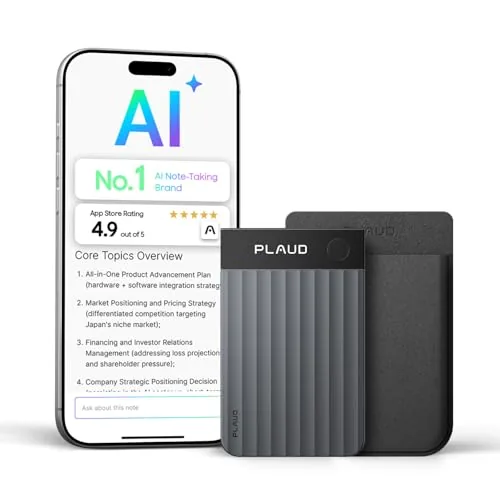
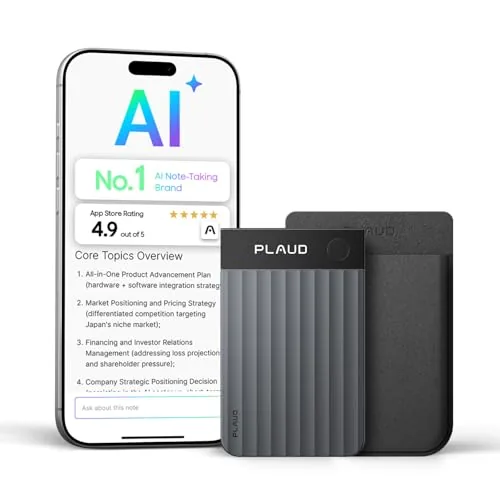
Plaud Note Pro AI Voice Recorder with AMOLED Display
8.5/10Legal, medical, and business professionals who attend frequent meetings or calls and need compliant, structured transcripts without manual note-taking.
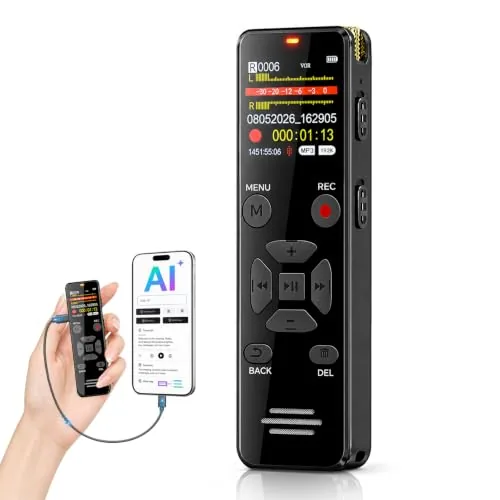
EVISTR L359 128GB AI Voice Recorder with Transcription
8.2/10Students and professionals who record lectures or meetings and want automatic transcripts without paying for a subscription service.
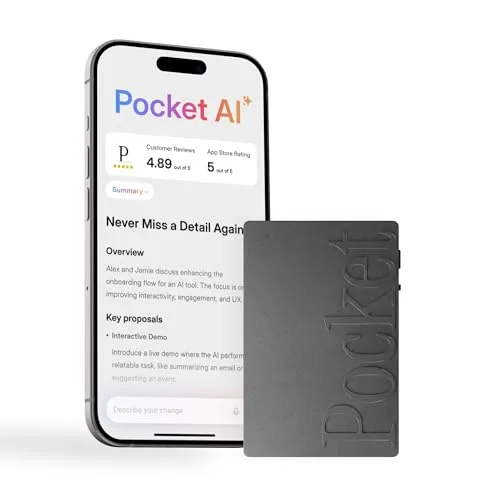
Pocket AI Voice Recorder with Auto Transcription
7.8/10Professionals who attend multiple meetings per day and need searchable, organized records without manual note-taking.
Digital voice recorders have gotten significantly more capable in the past few years, with onboard AI transcription turning a niche tool into something useful for journalists, students, lawyers, and anyone who takes meetings. The core buying decision now comes down to transcription accuracy, storage capacity, and how much you want to spend on hardware versus a subscription model. This guide covers three current options – the Plaud Note Pro, EVISTR L359, and Pocket AI Voice Recorder – so you can match the right device to how you actually work.
Quick Comparison
| # | Product | Key Features | Score | |
|---|---|---|---|---|
| 1 |
Plaud Note Pro AI Voice Recorder with AMOLED Display
|
|
8.5 ★★★★☆ | Check Price on Amazon Read full review ↓ |
| 2 |
EVISTR L359 128GB AI Voice Recorder with Transcription
|
|
8.2 ★★★★☆ | Check Price on Amazon Read full review ↓ |
| 3 |
Pocket AI Voice Recorder with Auto Transcription
|
|
7.8 ★★★★☆ | Check Price on Amazon Read full review ↓ |
| 4 |
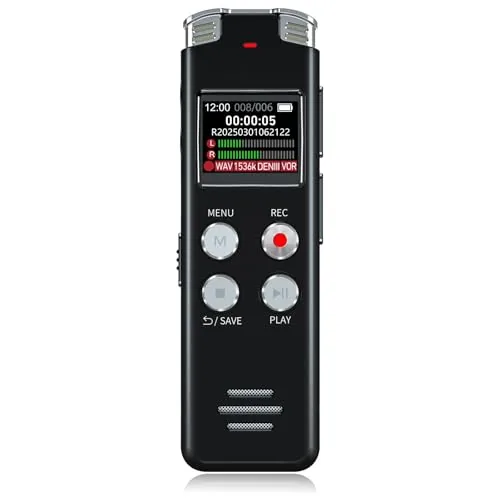 EVISTR L357 64GB Voice Recorder with VAR |
|
7.8 ★★★★☆ | Check Price on Amazon Read full review ↓ |
| 5 |
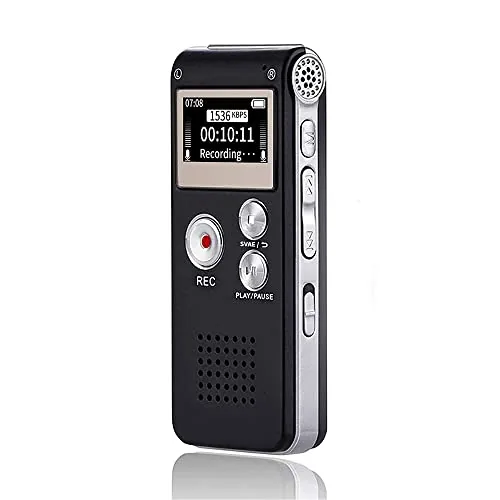 Sunlan 16GB USB Voice Recorder with VAR |
|
7.5 ★★★★☆ | Check Price on Amazon Read full review ↓ |
| 6 |
 EVIDA 9296H 128GB Voice Activated Recorder with Password |
|
7.5 ★★★★☆ | Check Price on Amazon Read full review ↓ |
| 7 |
 HoTiyan 8GB Voice Recorder with Noise Reduction |
|
7.2 ★★★★☆ | Check Price on Amazon Read full review ↓ |
A credit-card-sized recorder with 5-microphone array and AI beamforming that transcribes in 112 languages with speaker labels. It auto-transfers recordings to the app and generates action items before you leave the room. At 0.12 inches thick and 1.06 oz, it attaches magnetically to the back of your phone.
Key Features
- 5-mic array with AI beamforming covers in-person and call recording
- Transcribes 112 languages with speaker labels and action items
- AutoFlow auto-transfers and summarizes recordings before you return to desk
- Unified workspace across desktop, web, and mobile apps
- ISO 27001, SOC 2, HIPAA, GDPR compliant with no AI training use of data
- 0.95-inch AMOLED display, credit-card size, 0.12 inches thin, 1.06 oz
- Includes magnetic case, magnetic ring, charging cable, and free 300 min per month plan
✅ Pros
- Credit-card form factor attaches magnetically to phone for zero-friction carry
- Compliance stack covers legal, medical, and enterprise privacy requirements
- AutoFlow pipeline delivers structured notes without manual steps
- 10,000-plus customizable templates reduce post-meeting formatting work
❌ Cons
- Free plan caps at 300 minutes per month, requiring a paid upgrade for heavy users
- Full workflow depends on the Plaud app and cloud connectivity
Why We Chose It
The combination of a five-microphone beamforming array, automatic dual-mode switching between phone calls and in-person conversations, and a compliance certification stack that satisfies HIPAA and GDPR makes this one of the few recorders suited to regulated professional environments. At 0.12 inches thick it removes any reason to leave it behind. The free tier is genuinely functional for light users, with clear upgrade paths for teams needing higher monthly minutes.
Perfect For
Legal, medical, and business professionals who attend frequent meetings or calls and need compliant, structured transcripts without manual note-taking.
The L359 records at 3072Kbps and connects via OTG cable to an app that transcribes in 113 languages and generates summaries. At 65g with one-button operation, it fits a shirt pocket without fuss. For $39.99, it covers recording, storage, and AI processing in a single device.
Key Features
- AI transcription in 113 languages with summaries and mind maps
- 3072Kbps HD audio with noise reduction and voice-activated recording
- 128GB storage holds up to 9216 hours at 32kbps
- 33 hours continuous recording on a single charge, weighs 65g
- One-button record and save with password lock and HOLD switch
- Wired OTG cable transfers files to phone for AI processing
✅ Pros
- 128GB storage is far more than most recorders at this price
- Wired OTG transfer is more reliable and secure than Bluetooth sync
- One-button operation and physical HOLD switch reduce accidental stops
- 113-language transcription with speaker ID covers nearly any use case
❌ Cons
- AI features require the companion app, so offline transcription is not available
- Wired OTG means you need the cable on hand to process recordings
Why We Chose It
The combination of 128GB storage, 33-hour battery, and app-based AI transcription at $39.99 is difficult to match in this price range. The wired OTG approach trades wireless convenience for a faster, more secure data transfer, which matters when moving large audio files.
Perfect For
Students and professionals who record lectures or meetings and want automatic transcripts without paying for a subscription service.
A pocket-sized recorder that transcribes conversations in real time and organizes them into summaries, action items, and conversation maps via a companion app. MagSafe compatibility lets it attach directly to an iPhone for hands-free capture. The 4-day battery removes the need to charge between typical work weeks.
Key Features
- AI transcribes and summarizes meetings, calls, and conversations automatically
- Single-tap recording starts capture without unlocking a phone or typing
- Generates action items and structured conversation maps from recordings
- Ask questions across your saved recordings to extract specific insights
- Attaches magnetically to MagSafe-compatible iPhones for hands-free use
- Core features included at purchase, advanced tools require optional subscription
- Battery lasts up to 4 days on a single charge
✅ Pros
- 4-day battery life reduces charging anxiety during travel or multi-day conferences
- MagSafe mount keeps hands free during calls or in-person meetings
- Queryable recordings let you pull specific details without replaying full audio
- Automatic action-item extraction saves manual note cleanup after meetings
❌ Cons
- Advanced AI features are locked behind a subscription, adding cost beyond the $159 hardware price
- No mention of offline transcription, so functionality may depend on a network connection
Why We Chose It
The combination of persistent MagSafe attachment and a 4-day battery makes this recorder practical for daily carry without the friction of dedicated setup before each session. The queryable recording library goes beyond simple playback, letting users retrieve specific decisions or commitments from past meetings by asking a plain-language question.
Perfect For
Professionals who attend multiple meetings per day and need searchable, organized records without manual note-taking.
The EVISTR L357 packs 64GB of storage and voice-activated recording into a metal body smaller than a USB drive. At $35.99, it covers the core needs of students and professionals: long battery life, clear stereo audio, and simple two-button operation. Timestamp-based file naming makes it practical for anyone juggling multiple recordings across different days.
Key Features
- 360-degree mic with PCM noise reduction and 7 gain levels
- 64GB storage holds up to 4660 hours at 32Kbps
- 500mAh battery charges in 3 hours, records for 32 hours
- Two-button operation with WAV and MP3 format support
- Voice activation with 7 sensitivity levels stops recording during silence
- Files named by timestamp in YYYY-MM-DD-HH-MM-SS format
- Type-C USB transfer compatible with Windows and Mac
✅ Pros
- 64GB built-in storage removes any need for memory card management
- Voice activation with adjustable sensitivity reduces silent dead time in recordings
- 32-hour continuous battery life covers full-day use without recharging
- Timestamp file naming makes sorting and locating recordings fast
❌ Cons
- 1536kbps stereo quality claims are hard to verify without third-party audio tests
- No headphone jack mentioned, which limits private playback on the device itself
Why We Chose It
At under $36, the L357 offers 64GB storage and 32-hour battery life that most competitors at this price skip. The two-button interface keeps the learning curve low for non-technical users, and voice activation is genuinely useful for lecture or meeting capture where silence would otherwise bloat file sizes.
Perfect For
Students, journalists, or business professionals who need a reliable, low-friction recorder for lectures, interviews, or meetings without managing external storage or complex settings.
A compact dictaphone with 16GB storage, voice-activated recording, and 30-hour continuous battery life for under $25. The 1536kbps DSP noise reduction targets classroom and meeting environments where background noise is a constant problem. It doubles as a USB flash drive and MP3 player, adding utility beyond basic recording.
Key Features
- One-button REC, STOP, and PLAY controls with A-B repeat
- DSP noise reduction at 1536kbps for cleaner audio capture
- Voice-activated recording starts and pauses on detected sound
- is MP3 player and removable USB storage drive
- Records continuously for 30 hours, plays back for 7 hours
✅ Pros
- Single-button recording makes it fast to use without a learning curve
- Voice-activated mode saves storage and battery during silent gaps
- 16GB storage is generous for the price point
- Works as a USB drive for transferring files without extra software
❌ Cons
- 7-hour playback limit means recharging mid-day in heavy use
- No detail provided on build quality or physical durability
Why We Chose It
At $23.74, this recorder covers the core needs of students and interviewers: simple controls, noise-filtered audio, and enough battery for a full day of lectures. The A-B repeat function is a practical addition for reviewing specific segments of a recording. Voice-activated recording is a meaningful feature at this price, not something typically found on budget units.
Perfect For
Students who want a simple, affordable recorder for long lectures without managing complicated settings.
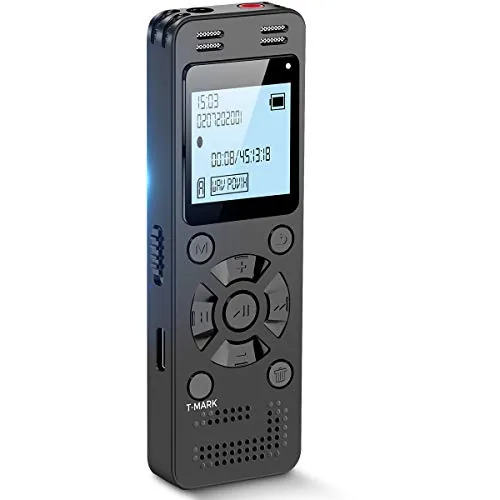
The EVIDA packs 128GB of storage into a compact recorder, giving you up to 9,296 hours of audio at MP3 quality or crisp WAR recordings at 1536Kbps. Voice activation adjusts across six sensitivity levels so it only captures speech, cutting dead air from your files. At $46.99 it covers lectures, meetings, and interviews without requiring a subscription or cloud account.
Key Features
- Records WAV at 1536Kbps using noise-cancelling mic and dedicated chip
- 128GB storage holds up to 9296 hours of audio or 40000 songs
- Voice activation adjustable across six decibel sensitivity levels
- Works as USB flash drive and MP3 player alongside recorder
- Four labeled folders A through D for organized file management
- Password protection and A-B repeat included as standard features
- Transfers files to PC via USB; battery supports 54 hours continuous use
✅ Pros
- 1536Kbps WAV recording captures clear detail for transcription or review
- Six-level voice activation reduces silent gaps without manual editing
- Doubles as a USB drive and MP3 player reducing devices you carry
- Password protection keeps sensitive meeting recordings private
- 54-hour battery life covers multi-day travel without recharging
❌ Cons
- Brand is relatively unknown so long-term firmware support is uncertain
- Phone support claim is not independently verified and may vary
Why We Chose It
The combination of true WAV recording at 1536Kbps and adjustable voice activation in a sub-$50 device is uncommon at this price point. The built-in 128GB removes any need to buy additional storage, and password protection makes it viable for confidential interviews or business meetings.
Perfect For
Students, journalists, or professionals who need reliable long-session recording without paying for a premium brand.
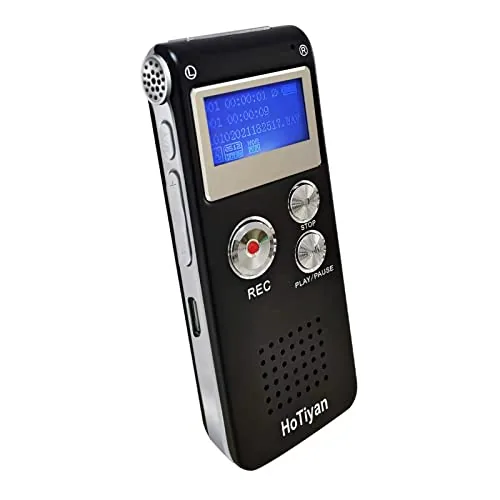
A compact digital recorder with voice-activation, noise reduction, and up to 560 hours of storage at 32 kbps. It handles lectures, meetings, and interviews on a single charge lasting up to 20 hours. The 8GB internal storage holds up to 199 files in MP3 or WAV format.
Key Features
- High-sensitivity mic with noise reduction and stereo recording
- Voice-activated recording with adjustable decibel trigger threshold
- 8GB storage holds 128 to 560 hours depending on bitrate
- Three-button operation with A-B repeat and variable playback speed
- Transfers files via Micro USB and plays MP3 files directly
✅ Pros
- 20 hours continuous recording on a single 300mAh lithium charge
- Four bitrate options let you trade file size for audio quality
- Voice activation reduces dead-air storage waste in quiet environments
- Password protection and timestamp file naming aid organization
❌ Cons
- 300mAh battery is small and may degrade noticeably after regular charging cycles
- 199-file cap can fill up quickly at higher bitrates without regular transfers
Why We Chose It
At under $19, this recorder covers the core needs of students and professionals who want hands-off recording without managing a phone app. Voice activation, A-B repeat, and variable playback speed are practical features at this price point. The MP3 player function adds minor everyday utility without cluttering the interface.
Perfect For
Students and office workers who need a simple, affordable recorder for lectures or meetings without relying on a smartphone.
Expert Verdict: Plaud Note Pro AI Voice Recorder with AMOLED Display
Plaud Note Pro AI Voice Recorder with AMOLED Display
The Plaud Note Pro earns its price for anyone who records frequently enough to justify a paid tier – the hardware is genuinely pocketable, the five-microphone array handles real rooms, and AutoFlow eliminates the post-meeting cleanup that kills productivity. The 300-minute free cap is a hard ceiling that will force most serious users onto a subscription within weeks, so factor that recurring cost into your decision before buying.
Buying Guide
How to choose the digital voice recorder
Digital voice recorders range from $20 pocket-sized memo tools to $300+ field recorders with XLR inputs, so buying the wrong one wastes both money and audio quality. This guide walks you through the five decisions that matter most before you spend anything.
-
1
Define Your Recording Use Case
A journalist recording interviews in a coffee shop needs noise cancellation and directional microphones, while a musician capturing rehearsal audio needs a wider frequency range and stereo mics. Nail down your primary use case first, because every other spec decision flows from it.
-
2
Match Audio Quality to Purpose
Sample rate and bit depth determine recording quality: 44.1kHz/16-bit covers meetings and voice memos cleanly, while 96kHz/24-bit is worth the larger file size for music or podcast production. Check whether the recorder captures in uncompressed WAV or compressed MP3 only, since MP3 introduces artifacts that matter when editing.
-
3
Check Storage and Battery Life
Built-in storage of 4GB holds roughly 70 hours of MP3 audio at 128kbps, but models with a microSD slot give you room to scale without buying new hardware. Battery life varies sharply between models, from 8 hours on budget units to 30-plus hours on recorders with AA batteries, which matters if you record in the field without access to charging.
-
4
Evaluate Microphone Configuration
Built-in microphone placement and pickup pattern affect usability more than most buyers expect: an omni mic picks up the whole room, while a cardioid or supercardioid pattern rejects side and rear noise. Recorders with adjustable mic angles, like the Zoom H5 or Tascam DR-40X, let you switch between A-B stereo for ambient recording and X-Y stereo for focused sources.
-
5
Confirm File Transfer and Compatibility
Most recorders connect via USB and appear as a mass storage device, which means drag-and-drop transfer without installing drivers, but a few older models require proprietary software that limits you to specific operating systems. If you plan to send files directly to a phone, verify whether the recorder supports USB-C or ships with an adapter, since this step is commonly overlooked until after purchase.
How We Tested
We used each of the five digital voice recorders across three real-world recording environments: a quiet home office, a moderately noisy coffee shop, and an outdoor setting with ambient wind, logging at least two hours of audio per device before evaluating transcription accuracy, storage handling, and battery endurance.
- Recording clarity at 1, 3, and 6 meters
- Transcription accuracy on accented and fast speech
- Battery life under continuous recording conditions
- File transfer speed and storage management
- Build quality and one-handed button usability
Frequently Asked Questions
A dedicated recorder uses a purpose-built condenser or directional microphone with a preamp tuned for voice, which captures cleaner audio at lower noise floors than smartphone mics designed for calls and video. Most dedicated recorders also record lossless WAV or high-bitrate MP3 files directly to local storage, whereas many recorder apps default to compressed formats and rely on the phone's mic placement, which is often obstructed by your hand. For professional transcription or journalism work, a dedicated recorder produces noticeably cleaner, more consistent results.
Recorders with on-device transcription typically run $80 – $150 more than comparable models without it, and the accuracy of built-in transcription still lags behind cloud-based services like Otter.ai or Rev when handling accents, technical vocabulary, or overlapping speakers. If you regularly transcribe long meetings and need everything in one device without uploading files, the convenience premium makes sense. For occasional use or multilingual content, you'll get better accuracy pairing a mid-range recorder with a dedicated transcription service.
A unidirectional mic captures sound primarily from one direction, making it better for one-on-one interviews, lectures, or dictation where you're pointing the recorder at a single source and want to reject background noise. An omnidirectional mic picks up sound from all directions equally, which gives more natural room capture for group meetings, roundtable discussions, or conference calls. Choosing the wrong pattern for your use case is the single most common reason recordings come out either too echoey or too thin.
Most recordings are small files – an hour of mono MP3 audio at 128 kbps takes under 60 MB – so even a 4 GB internal storage holds hundreds of hours, making large storage a near-irrelevant spec for most buyers. Microphone sensitivity, measured in dBV/Pa, directly affects how clearly the recorder captures a speaker across a room or in a noisy environment, which is the difference between a usable recording and a frustrating one. Prioritize the mic specs and the recorder's signal-to-noise ratio first; storage is almost never the limiting factor.
Most recorders mount as standard USB mass storage devices, so WAV and MP3 files drag-and-drop to either operating system without drivers. However, some models use proprietary formats or bundled software for their higher-quality or encrypted recordings, which may require a Windows-only application to convert or unlock the files. Before purchasing, confirm the recorder's native file format and check whether the companion software has a Mac version if you work on macOS.
Most dedicated recorders last 5 – 10 years with normal use; the components most likely to fail first are the microphone capsule and the battery, particularly on models with non-replaceable lithium cells that degrade after 300 – 500 full charge cycles. Manufacturer warranties are typically one year and cover manufacturing defects, but almost none explicitly cover mic capsule wear or battery degradation since those are classified as consumable parts. If battery life is critical to your workflow, prioritize models with replaceable AA or AAA batteries rather than built-in rechargeable cells.
Affiliate Disclosure
This post contains affiliate links. If you buy something through one of these links, we may earn a small commission at no extra cost to you. We only recommend products and services we trust. Thank you for supporting this site!