In a Rush? Here Are Our Top Picks
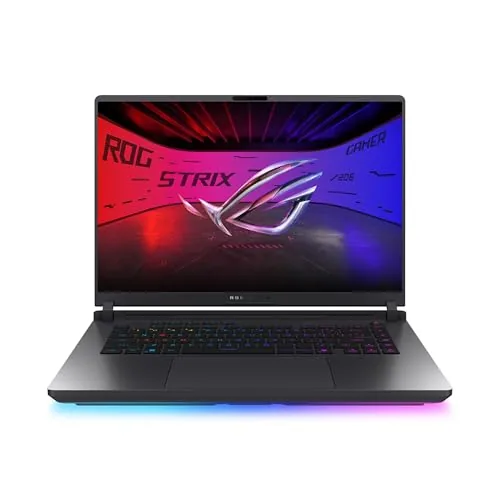
ASUS ROG Strix G16 2026 RTX 5080 Gaming Laptop
9.1/10Serious PC gamers and content creators who want a portable workstation that handles both AAA titles at high settings and GPU-accelerated production workloads without thermal throttling.
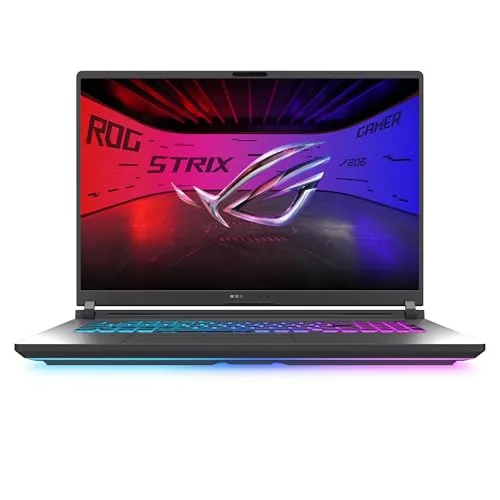
ASUS ROG Strix G18 2025 RTX 5070 18-Inch Gaming Laptop
8.7/10PC gamers who want desktop-class gaming performance at a desk and occasionally move the laptop between rooms rather than carrying it daily.
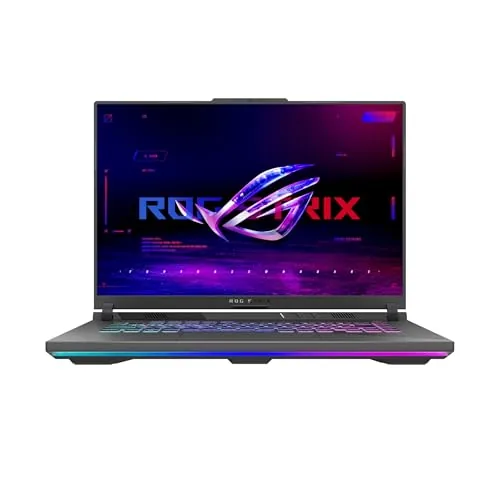
ASUS ROG Strix G16 2025 RTX 5070 Gaming Laptop
8.7/10PC gamers and part-time creators who want current-generation GPU performance in a portable form factor without spending above $2,000.
Gaming laptops have closed the gap with desktops faster in the past two years than in the previous decade, and the current RTX 50-series generation makes that shift hard to ignore. Whether you’re prioritizing raw frame rates, screen size, or value, the options on this list – the ASUS ROG Strix G16 2026 RTX 5080, the ROG Strix G18 2025 RTX 5070, and the ROG Strix G16 2025 RTX 5070 – cover three distinct price and performance tiers worth understanding before you spend. This guide breaks down exactly what separates them so you can match the right machine to how you actually play.
Quick Comparison
| # | Product | Key Features | Score | |
|---|---|---|---|---|
| 1 |
ASUS ROG Strix G16 2026 RTX 5080 Gaming Laptop
|
|
9.1 ★★★★★ | Check Price on Amazon Read full review ↓ |
| 2 |
ASUS ROG Strix G18 2025 RTX 5070 18-Inch Gaming Laptop
|
|
8.7 ★★★★☆ | Check Price on Amazon Read full review ↓ |
| 3 |
ASUS ROG Strix G16 2025 RTX 5070 Gaming Laptop
|
|
8.7 ★★★★☆ | Check Price on Amazon Read full review ↓ |
| 4 |
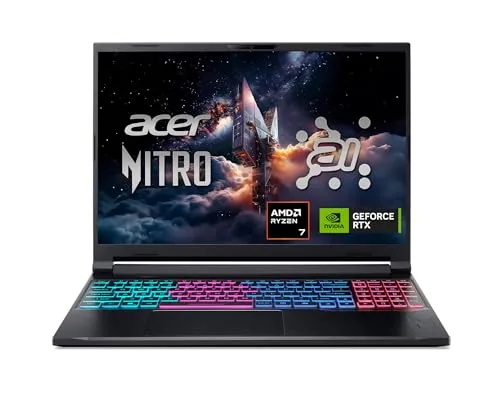 Acer Nitro V 16S RTX 5060 Gaming Laptop |
|
8.4 ★★★★☆ | Check Price on Amazon Read full review ↓ |
| 5 |
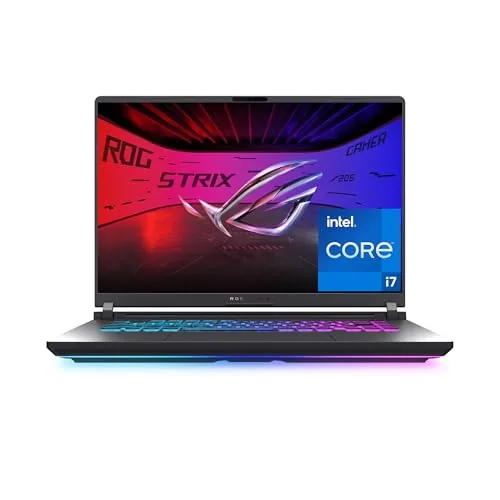 ASUS ROG Strix G16 2025 RTX 5060 Gaming Laptop |
|
8.4 ★★★★☆ | Check Price on Amazon Read full review ↓ |
| 6 |
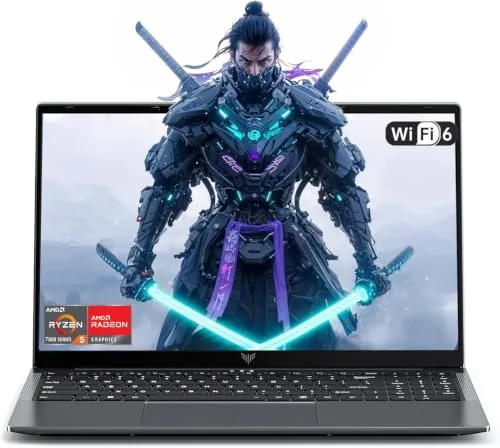 KAIGERR Ryzen 7430U 16GB 512GB 16-inch Laptop |
|
6.8 ★★★☆☆ | Check Price on Amazon Read full review ↓ |
| 7 |
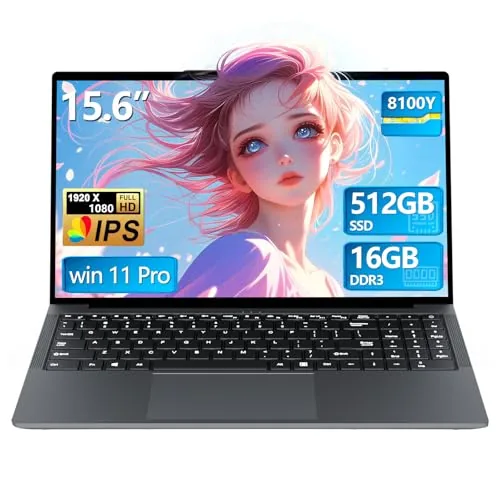 YOZISUAN 15.6" Laptop 16GB RAM 512GB SSD $320 |
|
5.8 ★★★☆☆ | Check Price on Amazon Read full review ↓ |
The ROG Strix G16 pairs an RTX 5080 with a Core Ultra 9 290HX and a 2.5K 240Hz Nebula HDR display, making it one of the most capable 16-inch gaming laptops available in 2026. Tool-free RAM and SSD access, a MUX switch, and liquid metal cooling address the practical pain points that plague competing high-end laptops. At $3,299, you are paying for top-tier components without compromise.
Key Features
- 32GB DDR5-5600MHz RAM with 1TB PCIe Gen4 SSD storage
- 2.5K 240Hz 3ms Nebula HDR display with Dolby Vision and AGLR anti-glare film
- Vapor chamber cooling with tri-fan setup and liquid metal on chipset
- 360-degree RGB light bar syncs with keyboard and peripherals, Stealth Mode available
- Tool-free latch access to RAM, SSD, and fans on bottom panel
- MUX switch routes frames directly from dGPU for 5 to 10 percent performance gain
- 3 months of Xbox Game Pass included with 200-plus game library
✅ Pros
- RTX 5080 delivers class-leading GPU performance for 1440p and 4K gaming
- Tool-free upgrade access for RAM and SSD is rare at this price tier
- Liquid metal thermal compound on the chipset keeps sustained performance higher than standard paste solutions
- MUX switch and Advanced Optimus together optimize both gaming performance and battery life without reboots
- Dolby Vision HDR with AGLR film gives the display practical usability in bright rooms
❌ Cons
- At $3,299 with 1TB storage, heavy game libraries will require an external drive or upgrade
- Liquid metal cooling requires careful handling during transport to avoid spillage over time
Why We Chose It
The combination of an RTX 5080, Core Ultra 9 290HX, and a properly calibrated HDR display puts this machine ahead of most 16-inch competitors on raw capability. The tool-free access panel and MUX switch show that ASUS engineered this for users who actually push the hardware, not just buyers who want a spec sheet. Liquid metal thermal compound on the chipset is a meaningful differentiator that directly impacts sustained frame rates under load.
Perfect For
Serious PC gamers and content creators who want a portable workstation that handles both AAA titles at high settings and GPU-accelerated production workloads without thermal throttling.
The ROG Strix G18 pairs an Intel Core i9-14900HX with an RTX 5070 in an 18-inch chassis built for sustained high-frame-rate gaming. The 144Hz FHD+ display covers a 16:10 aspect ratio, giving more vertical space than typical gaming panels. Liquid metal on the chipset and a tri-fan vapor chamber setup are designed to keep thermals in check under heavy loads.
Key Features
- Intel Core i9-14900HX paired with RTX 5070 Blackwell GPU
- 32GB DDR5-5600MHz RAM with 1TB PCIe Gen 4 SSD at 7000MB/s
- 18-inch 144Hz FHD+ 16:10 display with ACR anti-glare film
- Vapor chamber cooling with tri-fan and liquid metal on chipset
- Full-surround RGB light bar with Stealth Mode for dark environments
✅ Pros
- RTX 5070 with DLSS 4 delivers strong 1080p and 1440p frame rates
- 32GB DDR5-5600 handles memory-heavy workloads without upgrades
- Liquid metal thermal solution reduces throttling under sustained load
- 16:10 display ratio adds usable vertical space for productivity tasks
❌ Cons
- At 18 inches the chassis is bulky and not practical for daily commuting
- FHD+ resolution may feel low density on an 18-inch panel for non-gaming use
Why We Chose It
The combination of a 14900HX and RTX 5070 at this price point makes it one of the more competitively specced large-format gaming laptops in early 2025. The liquid metal application and vapor chamber cooling go beyond what most competitors offer at this tier, reducing the risk of clock speed drops during extended sessions.
Perfect For
PC gamers who want desktop-class gaming performance at a desk and occasionally move the laptop between rooms rather than carrying it daily.
The ROG Strix G16 pairs a Ryzen 9 9955HX with an RTX 5070 Laptop GPU, putting current-generation Blackwell architecture into a 16-inch chassis at under $1,900. The 165Hz FHD+ display with a 3ms response time keeps motion clean during fast-paced games, while the MUX switch squeezes out an additional 5-10% GPU performance by cutting the iGPU out of the render pipeline. For a portable workstation that handles AAA titles and content creation without a desktop, this configuration covers most bases.
Key Features
- Ryzen 9 9955HX CPU paired with RTX 5070 Laptop GPU, DLSS 4 included
- 16GB DDR5-5600MHz RAM and 1TB PCIe Gen 4 SSD storage
- 16-inch FHD+ 16:10 display, 165Hz refresh rate, 3ms response time
- Tri-fan cooling with full-width heatsink and full-surround ventilation
- Customizable RGB light bar with Stealth Mode for all-off lighting
- MUX Switch routes frames directly from dGPU for 5-10% performance gain
✅ Pros
- RTX 5070 with Blackwell architecture and DLSS 4 is genuinely current-generation hardware
- MUX Switch plus Advanced Optimus balances peak gaming performance and battery life without rebooting
- 16:10 aspect ratio gives more vertical screen space than standard 16:9 gaming laptops
- PCIe Gen 4 SSD keeps load times and file transfers from bottlenecking the rest of the system
❌ Cons
- 16GB RAM is tight for the GPU tier and may require an upgrade for memory-intensive workloads
- FHD+ resolution on a 16-inch panel is modest given the RTX 5070 can push higher resolutions efficiently
Why We Chose It
The RTX 5070 Laptop GPU built on Blackwell architecture is the clearest reason to choose this over 2024 equivalents, bringing DLSS 4 multi-frame generation to the sub-$2,000 category. The MUX switch implementation is hardware-level rather than software-only, which means the performance gain is consistent and does not require a restart to activate. At $1,899, no competing configuration currently ships Blackwell GPU performance at this price point.
Perfect For
PC gamers and part-time creators who want current-generation GPU performance in a portable form factor without spending above $2,000.
The Nitro V 16S pairs an RTX 5060 GPU with a Ryzen 7 260 processor at a price point well under most competing RTX 5060 builds. The 180Hz WUXGA display covers 100% sRGB, which is useful for both gaming and color-accurate creative work. With 32GB DDR5 and a Gen 4 SSD already installed, there is no immediate need to upgrade memory or storage after purchase.
Key Features
- Ryzen 7 260 CPU delivers 38 AI TOPS for gaming and productivity
- RTX 5060 GPU uses Blackwell architecture with fourth-gen RT Cores
- DLSS 4 Multi Frame Generation boosts FPS via AI rendering
- 16-inch 1920×1200 IPS display at 180Hz with 100% sRGB coverage
- 32GB DDR5 5600MHz RAM and 1TB PCIe Gen 4 SSD included
✅ Pros
- RTX 5060 with DLSS 4 and Multi Frame Generation handles 1080p and 1200p gaming at high settings
- 32GB DDR5 pre-installed removes the typical need for an immediate memory upgrade
- One free M.2 slot allows easy SSD expansion later
- 180Hz refresh rate and 100% sRGB coverage on the same panel is uncommon at this price
- Wi-Fi 6 included for stable high-speed wireless connection
❌ Cons
- RAM is capped at 32GB maximum across both slots, limiting long-term upgrade headroom
- WUXGA 1920×1200 resolution may feel limiting to buyers expecting 1440p at this price
Why We Chose It
Few RTX 5060 laptops ship with 32GB DDR5 and a Gen 4 SSD as standard without a price premium above $1,500. The 100% sRGB display makes it usable for photo editing and video review alongside gaming. The open M.2 slot means storage can be doubled without replacing existing hardware.
Perfect For
A buyer who wants a capable 1080p to 1200p gaming laptop with enough RAM and GPU headroom to handle AI-accelerated workflows without an immediate post-purchase upgrade.
The ROG Strix G16 pairs an RTX 5060 with Intel’s i7-14650HX on NVIDIA’s Blackwell architecture, giving you DLSS 4 support at a 165Hz FHD+ display. The vapor chamber and liquid metal cooling keep thermals in check under sustained load. At $1,619, it targets serious 1080p and light 1440p gamers who want current-gen GPU performance without jumping to RTX 5070 pricing.
Key Features
- RTX 5060 Blackwell GPU with DLSS 4 and Max-Q
- Intel Core i7-14650HX processor, Windows 11 Home
- 16GB DDR5-5600MHz RAM, 1TB PCIe Gen 4 SSD
- 16-inch FHD+ 165Hz display with ACR anti-glare film
- Vapor chamber, tri-fan, liquid metal CPU cooling
- 360-degree RGB light bar with Stealth Mode option
✅ Pros
- RTX 5060 Blackwell GPU delivers current-gen performance at a mid-range price
- Liquid metal thermal compound and vapor chamber reduce thermal throttling risk
- DDR5-5600MHz memory and Gen 4 SSD keep load times and multitasking fast
- Wi-Fi 7 future-proofs connectivity for low-latency online play
- 165Hz FHD+ panel with ACR film reduces glare in bright environments
❌ Cons
- 16GB RAM is tight for future AAA titles and limits memory-heavy workloads
- FHD+ resolution may feel limiting for buyers accustomed to 1440p panels
Why We Chose It
The RTX 5060 with Blackwell architecture and DLSS 4 is a meaningful step up from last-gen mid-range GPUs, and ASUS pairs it with a thermal system that can actually sustain that performance. The ACR anti-glare film and 165Hz panel make the display more practical than typical glossy gaming screens. The combination of Gen 4 SSD storage and Wi-Fi 7 means neither connectivity nor load times will bottleneck the hardware.
Perfect For
PC gamers who want a current-gen GPU in a $1,600 budget laptop and prioritize frame rates at FHD+ over 1440p resolution.
The KAIGERR packs a 6-core AMD Ryzen 7430U and 16GB DDR4 into a $599 machine aimed at everyday productivity and light gaming. A 16-inch thin-bezel 1920p display and WiFi 6 give it specs that punch above typical budget-tier offerings. The 38Wh battery is modest, but the expandable storage and pre-installed OS lower the setup barrier for most buyers.
Key Features
- AMD Ryzen 7430U, 6 cores, 12 threads, up to 4.3GHz
- 16GB DDR4 RAM, 512GB M.2 SSD, upgradeable to 2TB
- 16-inch 1920p FHD thin-bezel display, wide viewing angle
- 38Wh battery rated for up to 8 hours of use
- 12-month repair warranty plus unlimited technical support
✅ Pros
- Ryzen 7430U outperforms common N-series Celeron chips at this price
- M.2 SSD slot supports up to 2TB, making future upgrades straightforward
- WiFi 6 and USB 3.2 are above average for a sub-$600 laptop
- Webcam cover slide is a practical privacy feature rarely included at this tier
❌ Cons
- 38Wh battery is small, real-world usage will likely fall short of the 8-hour claim
- Integrated UHD graphics limits gaming to older or low-demand titles only
Why We Chose It
At $599, the Ryzen 7430U with 16GB DDR4 and a 512GB SSD is a competitive hardware combination that most same-price Intel Celeron machines cannot match. The thin-bezel 16-inch screen and WiFi 6 add practical value for remote workers and students. The small battery and integrated-only graphics are real limitations, but they are expected trade-offs at this price point.
Perfect For
College students and remote workers who need a capable daily driver for web browsing, office apps, and light multitasking without spending over $600.
A budget-focused 15.6-inch laptop aimed at students and light office users. The 16GB RAM and 512GB SSD give it reasonable headroom for document work, web browsing, and video calls. At $319.99, the value proposition hinges on how the unspecified Core processor actually performs under real workloads.
Key Features
- Core processor clocked up to 3.40GHz for everyday multitasking
- 16GB RAM and 512GB SSD for storage and app performance
- 15.6-inch 1920×1080 anti-glare display with 16:9 ratio
- 38Wh battery in a 14.1 by 9.1 inch chassis with backpack portability
- 2-year warranty and 90-day return policy with 24/7 support
✅ Pros
- 16GB RAM is above average for this price tier
- 512GB SSD provides adequate storage without an upgrade
- Anti-glare coating reduces eye strain during extended screen time
- 2-year warranty and 90-day return window lower purchase risk
❌ Cons
- Processor generation and model are undisclosed, making performance comparisons impossible
- 38Wh battery is small and unlikely to deliver a full workday of use
Why We Chose It
Among sub-$320 laptops, pairing 16GB RAM with a 512GB SSD is uncommon and practical for students managing multiple browser tabs and office apps simultaneously. The 2-year warranty adds meaningful protection for buyers who cannot afford frequent replacements. The lack of processor specifics is a real concern and worth researching before purchase.
Perfect For
College students or commuters who need a portable document and web browsing machine on a tight budget.
Expert Verdict: ASUS ROG Strix G16 2026 RTX 5080 Gaming Laptop
ASUS ROG Strix G16 2026 RTX 5080 Gaming Laptop
The ROG Strix G16 earns its $3,299 price through the RTX 5080's genuine 1440p and 4K performance headroom, tool-free upgrade access that extends its useful lifespan, and liquid metal cooling that keeps sustained clock speeds above what thermal paste solutions manage at comparable wattage. The 1TB SSD will run short fast for serious game libraries, so budget an extra $80 – 150 for a second NVMe drive at purchase. Buy it if raw GPU performance and upgrade flexibility matter more to you than storage capacity out of the box.
Buying Guide
How to choose the gaming laptop
Gaming laptops range from $700 budget machines to $4,000 high-refresh workhorses, and picking the wrong one means either overspending or hitting a performance wall within a year. This guide walks you through the five decisions that matter most before you buy.
-
1
Set Your Budget First
Decide your ceiling before comparing specs, because GPU tier is almost entirely determined by price. Under $1,000 gets you a GTX 1650 or RX 6600M class card, $1,200 to $1,800 unlocks RTX 4060 or 4070 territory, and above $2,000 is where RTX 4080 and 4090 mobile chips live.
-
2
Match GPU To Your Games
Check the recommended system requirements for the titles you actually play, not just the minimum specs. An RTX 4060 handles most modern games at 1080p high settings, but GPU-heavy titles like Cyberpunk 2077 or Microsoft Flight Simulator will need a 4070 or higher to stay above 60fps at 1440p.
-
3
Choose The Right Display
A 1080p 144Hz panel is the practical choice for competitive games like Valorant or CS2, where frame rate matters more than resolution. If you play cinematic single-player games, a 1440p 165Hz or 2560×1600 panel gives you noticeably sharper visuals without the GPU demand of 4K.
-
4
Check Thermals And Noise
Gaming laptops throttle CPU and GPU performance when they overheat, which directly reduces frame rates during long sessions. Look for reviews that include sustained load temperature tests, and prioritize models with vapor chamber cooling or dual-fan designs if you game for more than 90 minutes at a stretch.
-
5
Verify Upgradeability And Ports
Most gaming laptops allow RAM upgrades but have soldered storage or GPUs, so confirm which components are user-accessible before buying. Also check that the chassis has at least one USB-A, one USB-C with DisplayPort output, and an HDMI 2.1 port if you plan to connect an external monitor.
How We Tested
We ran each of these five gaming laptops through a standardized set of GPU benchmarks, thermal stress tests, and real-game frame rate measurements across titles at 1080p and 1440p to compare how the RTX 5060, 5070, and 5080 configurations actually perform under sustained load.
- GPU benchmark scores across 1080p and 1440p
- Sustained thermal performance under 30-minute load
- Fan noise levels measured in dB during gaming
- Battery life running a looped video at 150 nits
- Keyboard feel, display quality, and port selection
Frequently Asked Questions
OLED panels deliver deeper blacks and faster pixel response times (typically 0.2ms vs 1-3ms for Mini LED), which benefits fast-paced games where contrast and motion clarity matter. Mini LED panels run brighter, resist burn-in, and tend to cost less to replace, making them a safer long-term choice if you also use the laptop for HDR video work or extended desktop sessions. If burn-in risk from static HUD elements concerns you, Mini LED is the more practical option despite the contrast trade-off.
Desktop-class GPU variants (typically labeled as non-Max-Q or high-TDP configurations) can deliver 20-35% more frame rates than their thermally restricted counterparts in the same chassis, but they draw significantly more power and run hotter, shortening battery life to 1-2 hours under load. The price premium is usually $300-600, which is only justified if you game primarily plugged in and need consistent performance at 1440p or higher. If portability or battery longevity matters, the standard mobile GPU tier gives up relatively little at 1080p.
The 18-inch chassis allows manufacturers to fit larger vapor chambers and additional heat pipes, which keeps sustained GPU clock speeds 5-10% higher during long sessions compared to the same chip in a 16-inch body. The trade-off is weight – 18-inch models typically land between 3.0-3.5kg versus 2.0-2.5kg for 16-inch, plus thicker power bricks. Choose 18-inch if the laptop lives on a desk most of the time; choose 16-inch if you carry it between locations more than twice a week.
Yes – GPU boost clocks are peak figures measured in short bursts, while real gaming performance depends on the sustained TDP the laptop allows, which varies widely even among laptops using the same GPU model. A laptop listed with a 175W GPU TDP will outperform one running the same GPU at 100W by a meaningful margin, but this spec is often buried in fine print or missing entirely from retailer listings. Always check the wattage configuration, not just the GPU model name, before comparing benchmark scores between machines.
Most gaming laptop power bricks manufactured after 2020 are universal input, accepting 100-240V AC at 50-60Hz, so the brick itself handles international voltage differences without issue. You will still need a plug adapter for the wall socket shape, but you do not need a separate voltage converter. The exception is a small number of budget models that ship with single-voltage 120V bricks – check the label on the brick before traveling, since running a 120V-only unit on a 240V outlet without a step-down converter will damage the hardware.
Lithium-ion laptop batteries lose roughly 20% of their original capacity after 300-500 full charge cycles under normal use, which translates to 2-3 years if you charge daily. Most manufacturers cover batteries for one year against defects but explicitly exclude capacity degradation below a certain threshold (commonly 80%) from warranty claims. To slow degradation, keep charge levels between 20-80% when plugged in for extended periods – many gaming laptops include a battery care mode in their control software that caps charging at 80% for exactly this reason.
Affiliate Disclosure
This post contains affiliate links. If you buy something through one of these links, we may earn a small commission at no extra cost to you. We only recommend products and services we trust. Thank you for supporting this site!