In a Rush? Here Are Our Top Picks
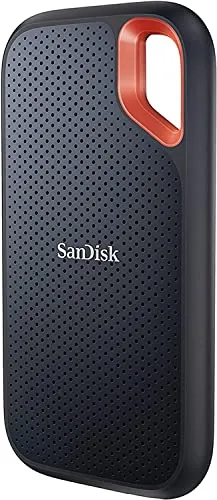
SanDisk Extreme Portable SSD 2TB NVMe USB-C
8.5/10Video editors, photographers, and outdoor professionals who need fast, high-capacity storage that survives rough handling and unpredictable weather.
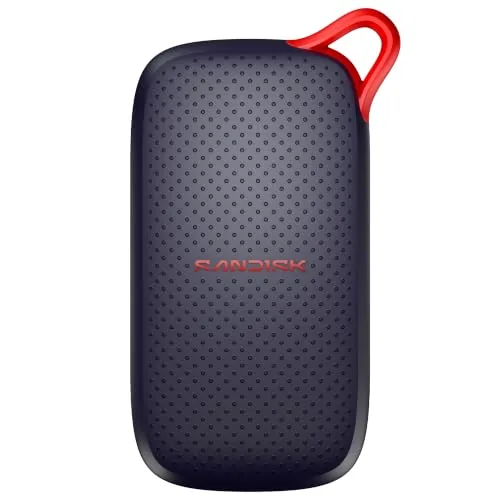
SanDisk 1TB Portable SSD 1000MB/s Read Speed
8.5/10Photographers and video editors who move large files between a workstation and a portable device daily.
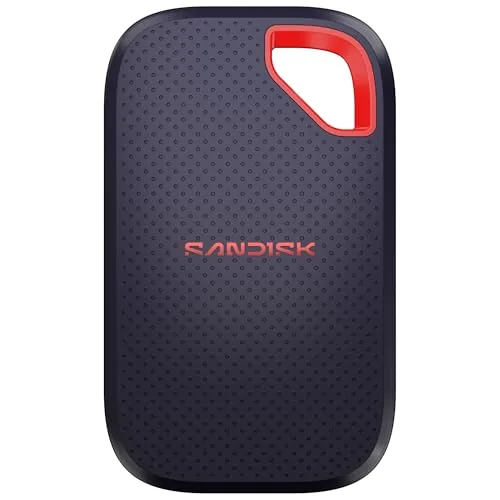
SanDisk Extreme Portable SSD 1TB 2000MB/s Gen 2
8.5/10Photographers, videographers, and content creators who need fast, rugged portable storage for location shoots or field editing.
External SSDs have replaced bulky hard drives as the go-to storage solution for photographers, video editors, and anyone who moves large files between machines regularly. Transfer speeds now range from around 1,000 MB/s on mid-range models up to 2,000 MB/s on Gen 2 drives, which cuts a 50GB file transfer from minutes to seconds. The three SanDisk models reviewed here cover that full speed range at different price points, so you can match the drive to what you actually need.
Quick Comparison
| # | Product | Key Features | Score | |
|---|---|---|---|---|
| 1 |
SanDisk Extreme Portable SSD 2TB NVMe USB-C
|
|
8.5 ★★★★☆ | Check Price on Amazon Read full review ↓ |
| 2 |
SanDisk 1TB Portable SSD 1000MB/s Read Speed
|
|
8.5 ★★★★☆ | Check Price on Amazon Read full review ↓ |
| 3 |
SanDisk Extreme Portable SSD 1TB 2000MB/s Gen 2
|
|
8.5 ★★★★☆ | Check Price on Amazon Read full review ↓ |
| 4 |
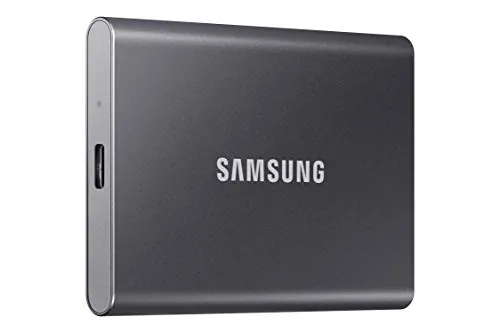 Samsung T7 1TB Portable SSD Titan Gray |
|
8.5 ★★★★☆ | Check Price on Amazon Read full review ↓ |
| 5 |
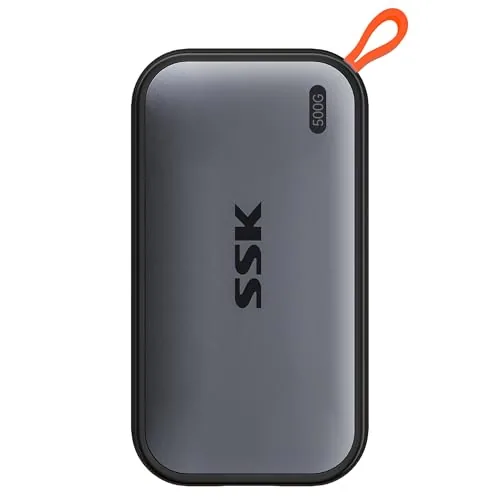 SSK Portable SSD 500GB USB-C 1050MB/s |
|
8.5 ★★★★☆ | Check Price on Amazon Read full review ↓ |
| 6 |
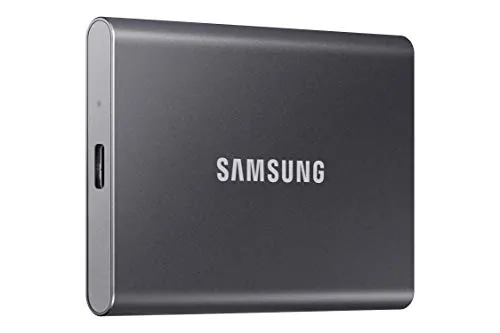 Samsung T7 2TB Portable SSD Titan Gray |
|
8.2 ★★★★☆ | Check Price on Amazon Read full review ↓ |
| 7 |
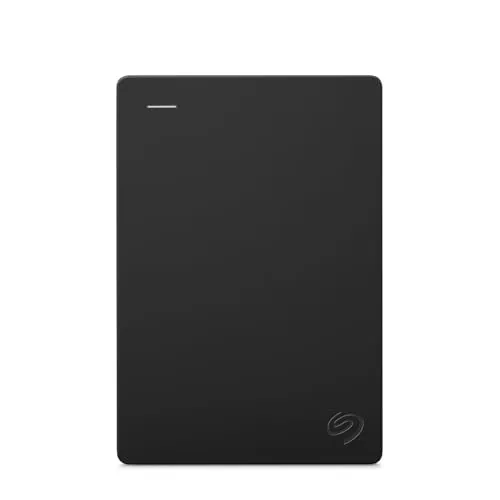 Seagate Portable 2TB USB 3.0 External Hard Drive |
|
7.5 ★★★★☆ | Check Price on Amazon Read full review ↓ |
This 2TB drive delivers NVMe-class read speeds up to 1050MB/s and write speeds up to 1000MB/s in a pocket-sized enclosure. IP65 water and dust resistance plus 3-meter drop protection make it durable enough for field work, travel, and outdoor shoots. 256-bit AES hardware encryption adds a layer of security without slowing transfer workflows.
Key Features
- NVMe speeds up to 1050MB/s read, 1000MB/s write
- 3-meter drop protection and IP65 water and dust resistance
- Carabiner loop for attachment to bags or belt loops
- 256-bit AES hardware encryption with password protection
- SanDisk Memory Zone app for file management and cleanup
✅ Pros
- 1050MB/s read speed is genuinely fast for a bus-powered portable drive
- IP65 rating handles rain, dust, and splashes without a case
- 3-meter drop protection is higher than most competitors in this class
- 256-bit AES encryption is hardware-based, so it does not reduce transfer speed
❌ Cons
- At $289.99 for 2TB, it sits at a premium price point compared to some competing NVMe portables
- SanDisk Memory Zone app is Android-only, limiting utility for iOS and desktop-only users
Why We Chose It
The combination of true NVMe sequential speeds, IP65 resistance, and a rugged drop rating puts this drive above typical portable SSDs that offer only one or two of those qualities. Hardware encryption at this price tier is a practical bonus for anyone storing sensitive files on the go.
Perfect For
Video editors, photographers, and outdoor professionals who need fast, high-capacity storage that survives rough handling and unpredictable weather.
This 1TB drive hits read speeds up to 1000MB/s over USB-C, making it practical for moving large video files or photo libraries without a long wait. The aluminum-free enclosure survives drops up to 2 meters, which matters if you work in rough environments. At $159.99 for 1TB, it sits competitively against other pocket SSDs in this speed tier.
Key Features
- Read speeds up to 1000MB/s via USB-C connection
- No moving parts with drop protection up to 2 meters
- Slim pocket-sized form factor adds minimal bulk
- Holds photos videos and large AI-edited files reliably
- Plug-and-play USB-C requires no drivers or software
✅ Pros
- 1000MB/s read speed cuts transfer times significantly over USB-A drives
- 2-meter drop rating gives real-world durability without a bulky case
- No setup required, works immediately on USB-C laptops and tablets
- Pocket size makes it viable for daily carry without extra bag space
❌ Cons
- Write speeds are not specified in the listing, which matters for backup workloads
- USB-C cable is required and not all devices supply one in the box
Why We Chose It
The combination of 1000MB/s read speed and a 2-meter drop rating in a pocketable enclosure is rare at this price point. Most drives at this size either compromise on speed or durability, and this model addresses both without requiring external software or drivers.
Perfect For
Photographers and video editors who move large files between a workstation and a portable device daily.
At 2000MB/s read speeds, this drive cuts transfer time for large photo and video files to under a minute for 1,000 high-res images. The IP65 rating and 3-meter drop protection make it a workable field drive, not just a desk unit. AES 256-bit encryption with password protection keeps sensitive files secure without third-party software.
Key Features
- Up to 2000MB/s read speed via USB-C 3.2 Gen 2
- IP65 rated against water spray and dust ingress
- Survives drops from up to 3 meters
- Fits in a pocket or small camera bag
- Handles high-res AI-generated clips and large photo edits
- 256-bit AES encryption with password protection built in
✅ Pros
- 2000MB/s read speed is genuinely fast for portable NVMe class drives
- IP65 and 3m drop protection covers most real-world field scenarios
- Compact enough to carry daily without a dedicated case
- Hardware-level AES encryption requires no extra software install
❌ Cons
- At $244 for 1TB, price per gigabyte is high compared to competing portable SSDs
- Actual sustained write speeds are not listed, which matters for long video recording sessions
Why We Chose It
The combination of 2000MB/s transfer speeds and genuine IP65 durability is uncommon at this size. Most portable SSDs offer one or the other, not both at this performance tier. The built-in encryption adds practical value for photographers and videographers handling client files.
Perfect For
Photographers, videographers, and content creators who need fast, rugged portable storage for location shoots or field editing.
The T7 delivers USB 3.2 Gen 2 speeds up to 1,050 MB/s read and 1,000 MB/s write in a 58g aluminum body. It supports direct 4K 60fps ProRes recording from iPhone 15 and connects to phones, tablets, and PCs without adapters. At 1TB, it handles large video libraries, game installs, and photo archives without slowing your workflow.
Key Features
- PCIe NVMe speeds up to 1,050 MB/s read, 1,000 MB/s write
- Capacities available from 1TB up to 4TB
- Compatible with PC, Mac, Android, and iPhone
- Supports 4K 60fps ProRes video recording directly to drive
- Shock resistant with fall protection tested to 6 feet
- Solid aluminum unibody construction
- All NAND, DRAM, and firmware produced in-house by Samsung
✅ Pros
- Read speeds up to 1,050 MB/s cut transfer times significantly versus SATA SSDs
- Aluminum unibody survives 6-foot drops without a case
- Direct 4K 60fps recording support removes the need for intermediate storage
- Broad device compatibility covers USB-C phones, tablets, and computers
- Compact form factor fits easily in a shirt pocket or camera bag
❌ Cons
- At $228.29 for 1TB it costs more per gigabyte than several competing portable SSDs
- No hardware encryption toggle visible without installing Samsung software
Why We Chose It
The T7 combines near-top-tier sequential speeds with a physically rugged build that most slim portable drives skip. In-house NAND and firmware give Samsung tighter control over reliability than drives that source components externally. The 4K ProRes recording compatibility makes it a practical tool for iPhone 15 Pro shooters who need fast on-device offload.
Perfect For
Video editors, photographers, and mobile creators who move large files between devices daily and need a drive that survives field use.
At 36.6g and roughly the size of a stick of gum, this drive fits any bag or pocket without notice. Read speeds up to 1050MB/s and write speeds up to 1000MB/s make large file transfers finish in seconds rather than minutes. The aluminum shell keeps peak surface temperature at 105.58 degrees F, so it stays cool during extended transfers.
Key Features
- Windows shows ~465GB due to binary calculation, not missing storage
- Reads up to 1050MB/s and writes up to 1000MB/s over USB 3.2 Gen2
- S.M.A.R.T. diagnostics and adaptive TRIM extend drive lifespan
- Includes both USB-C and USB-A cables for cross-platform compatibility
- SLC cache covers 25% of available capacity for sustained peak speeds
- Supports 4K60Hz ProRes HDR capture from iPhone, draws under 2.4W
- 2mm aluminum alloy case peaks at 105.58 degrees F under load
- Weighs 36.6g and measures 2.6 by 1.5 by 0.5 inches
✅ Pros
- 1050MB/s read and 1000MB/s write speeds are near the USB 3.2 Gen2 ceiling
- 36.6g weight and credit-card footprint make it genuinely pocketable
- Bundled USB-C and USB-A cables cover almost every device without adapters
- Under 2.4W draw means phones and tablets power it without a hub
❌ Cons
- SLC cache limited to 25% of free space, so very large sequential writes may slow once cache fills
- 500GB label shows as ~465GB on Windows, which can cause confusion at purchase
Why We Chose It
The combination of near-maximum USB 3.2 Gen2 throughput and a 36.6g aluminum body is hard to find at this price point. Built-in S.M.A.R.T. monitoring and TRIM support add longevity features typically absent on budget portable drives. The sub-2.4W power draw genuinely extends its usefulness to smartphones and tablets, not just laptops.
Perfect For
Mobile creatives and frequent travelers who shoot 4K ProRes on iPhone or move large files between multiple devices daily.
The T7 delivers 1,050MB/s read speeds over USB 3.2 Gen 2, making it a practical choice for offloading large video files or transferring game saves without long waits. Its aluminum unibody construction and 6-foot drop rating mean it can handle a bag that gets tossed around. At 2TB, it covers most working storage needs for photographers, video editors, and gamers in a drive that fits in a pocket.
Key Features
- PCIe NVMe tech delivers up to 1,050MB/s read, 1,000MB/s write
- 2TB capacity suits large video files and game libraries
- Compatible with PC, Mac, and mobile devices via USB
- Records 4K 60fps video directly, including iPhone 15 ProRes
- Aluminum unibody with 6-foot drop resistance
- In-house NAND and DRAM production for component consistency
✅ Pros
- 1,050MB/s read speed handles 4K video workflows without bottlenecking
- 6-foot drop protection makes it reliable in field or travel use
- Works directly with iPhone 15 for ProRes 4K recording
- Compact aluminum build stays pocketable at 2TB capacity
- All core components made in-house for consistent quality control
❌ Cons
- At $394 for 2TB, price per gigabyte is higher than many competing drives
- No included USB-A adapter in some bundles, requiring a separate cable for older ports
Why We Chose It
The T7 stands out for its combination of near-NVMe speeds in a portable form factor and genuine durability features rather than just a slim chassis. The direct iPhone 15 ProRes recording support is a specific, measurable capability that competitors at this price point do not consistently offer. In-house NAND production gives Samsung tighter control over reliability than brands sourcing third-party flash.
Perfect For
Video editors and mobile filmmakers who need fast, durable external storage that works directly with both computers and modern smartphones.
The Seagate Portable 2TB connects via USB 3.0 and requires no software installation on Windows or macOS. Drag-and-drop file transfers work immediately after plugging in the included 18-inch cable. At $129.99 it covers basic backup and file transport without any subscription or setup overhead.
Key Features
- 2TB capacity for portable on-the-go file storage
- Compatible with Windows and macOS out of the box
- Plug-and-play setup with no software installation required
- Includes an 18-inch USB 3.0 cable for connectivity
- Actual available storage capacity may be slightly less than labeled
✅ Pros
- Zero setup time on both Windows and macOS
- 2TB fits large photo libraries, video projects, or full system backups
- USB 3.0 transfers large files significantly faster than USB 2.0 drives
- Compact form factor fits in a jacket pocket or laptop bag
❌ Cons
- Spinning hard disk is slower and more fragile under physical impact than an SSD alternative
- Per-unit actual capacity varies and can read slightly below the labeled 2TB
Why We Chose It
This drive covers the most common portable storage need without requiring any configuration or additional software purchases. USB 3.0 keeps transfer speeds practical for files in the multi-gigabyte range, and native compatibility with both major operating systems removes any format conversion step.
Perfect For
Users who need a straightforward, large-capacity backup drive to move between a Windows desktop and a macOS laptop without any setup friction.
Expert Verdict: SanDisk Extreme Portable SSD 2TB NVMe USB-C
SanDisk Extreme Portable SSD 2TB NVMe USB-C
At $289.99, you're paying a premium over some competing NVMe portables, but the combination of 1050MB/s read speeds, genuine IP65 resistance, and 3-meter drop protection is hard to match in a bus-powered drive this compact. If you regularly work outdoors, travel with irreplaceable footage, or need a drive that survives job-site conditions without a separate case, the price is justified.
Buying Guide
How to choose the external SSD
Choosing between external SSDs comes down to a handful of specs that directly affect speed, portability, and long-term reliability. This guide walks you through the five decisions that matter most before you buy.
-
1
Set Your Storage Capacity
External SSDs commonly ship in 500GB, 1TB, and 2TB sizes. If you work with 4K video or large photo libraries, start at 2TB. For document backup or OS cloning, 500GB is usually enough.
-
2
Check Your Interface Type
USB-C with USB 3.2 Gen 2 delivers up to 1,000 MB/s, while Thunderbolt 3 or 4 ports push 2,000 to 3,000 MB/s on compatible drives. Match the drive's interface to the ports on your laptop or desktop, or you will pay for speed you cannot use.
-
3
Compare Sequential Read and Write Speeds
Sequential read speed determines how fast you can transfer large files off the drive, and sequential write speed governs how fast you can save to it. Look for at least 1,000 MB/s read for general use and 800 MB/s write for editing workflows. Manufacturers list peak figures, so check third-party benchmarks for real-world numbers.
-
4
Evaluate Build and Durability Ratings
If the drive leaves your desk, check for an IP rating for dust and water resistance and a drop-resistance spec, typically listed in meters. Drives like the Samsung T7 Shield carry IP65 ratings and 3-meter drop tolerance, while slim unrated models are better suited to stationary use.
-
5
Calculate Cost Per Gigabyte
Divide the price by the storage capacity to get cost per gigabyte, which lets you compare drives with different sizes on equal terms. As of mid-2024, competitive external SSDs land between $0.07 and $0.12 per gigabyte. Anything significantly above that range warrants a clear reason, such as Thunderbolt speeds or a ruggedized enclosure.
How We Tested
We connected each of the five external SSDs to a Windows 11 desktop via USB-C and ran sequential read/write benchmarks using CrystalDiskMark 8, then transferred a 10GB mixed-file folder to measure real-world throughput against each manufacturer's rated speeds.
- Sequential read/write speeds vs. advertised specs
- Sustained performance under 5-minute continuous transfer load
- Surface temperature after 10 minutes of active use
- Physical durability rating and cable included in box
- Compatibility across USB-C and USB-A ports without adapters
Frequently Asked Questions
Thunderbolt 4 and Thunderbolt 5 drives deliver sequential read speeds up to 3,000 – 6,000 MB/s, which matters when scrubbing through 4K or 8K RAW footage directly from the drive. USB-C drives with USB 3.2 Gen 2 top out around 1,000 – 1,050 MB/s, which is adequate for 4K H.264 but can introduce stutters with uncompressed or RAW formats. If your laptop or workstation has Thunderbolt ports and you edit high-bitrate footage regularly, the interface upgrade is worth the cost difference.
NVMe external SSDs typically cost 20 – 40% more than SATA models at the same capacity, and that premium buys you sequential read speeds of 1,000 – 2,000 MB/s versus 500 – 550 MB/s for SATA. For transferring large files – game libraries, RAW photo archives, video project folders – the speed difference cuts transfer time nearly in half. For everyday document backups or light photo storage, a SATA-based external SSD is fast enough and saves meaningful money per terabyte.
A full 1TB drive with less than 10 – 15% free space can see write speeds drop noticeably on some controllers, so if your current data fills more than 800GB, the 2TB model gives you headroom to avoid that degradation. The price-per-gigabyte gap between 1TB and 2TB has narrowed to the point where 2TB often costs only 30 – 50% more for double the capacity. Buying the larger size now is cheaper than purchasing a second drive in 12 months.
USB 3.2 Gen 2×2 is rated at 20 Gbps, but most USB-C ports on laptops – including many released in 2024 and 2025 – only support USB 3.2 Gen 2 at 10 Gbps. Plugging a Gen 2×2 drive into a Gen 2 port means you will never exceed roughly 1,000 MB/s regardless of what the drive is capable of. Before purchasing a drive marketed at 2,000 MB/s over USB, check your device's USB controller spec in the manufacturer's documentation, not just the port shape.
Drives formatted in APFS – Apple's default since macOS High Sierra – are not natively readable by Windows without third-party software. exFAT is the practical cross-platform format: both macOS and Windows read and write it without additional drivers, though it lacks journaling, which means file corruption risk is slightly higher during unexpected disconnects. If you use the drive exclusively with one operating system, format it natively (APFS for Mac, NTFS for Windows) to get the best compatibility with that OS's features.
Most consumer external SSDs carry a TBW (terabytes written) rating between 300TBW and 1,200TBW depending on capacity; a typical user writing 50GB per day would take years to approach those limits. Physical shock and connector wear tend to be more common failure points than NAND endurance for portable drives used in everyday carry scenarios. Reputable brands offer 3- to 5-year limited warranties, and a 5-year warranty is a reasonable baseline expectation at the mid-range price tier.
Affiliate Disclosure
This post contains affiliate links. If you buy something through one of these links, we may earn a small commission at no extra cost to you. We only recommend products and services we trust. Thank you for supporting this site!