In a Rush? Here Are Our Top Picks
Anker Prime 26,250mAh 300W Fast-Charge Power Bank
8.7/10Road-warriors and hybrid workers who charge two laptops daily and cannot tolerate long waits to top up the bank itself between uses.
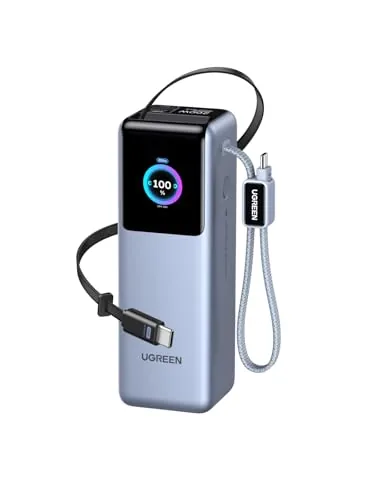
UGREEN Nexode Pro 25000mAh 200W Laptop Power Bank
8.7/10Frequent fliers who carry two laptops or a laptop plus tablet and want one self-contained charging unit without a cable pouch.
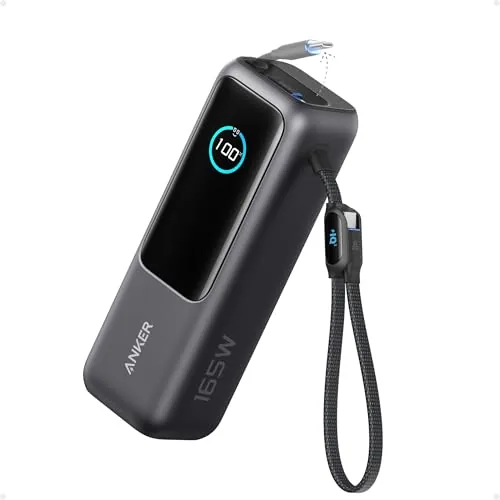
Anker 25,000mAh Power Bank 165W Triple USB-C Ports
8.5/10Remote workers and frequent travelers who need to keep a laptop and multiple devices charged across a full day without access to a wall outlet.
Most laptop power banks top out around 65 – 100W, which is enough to trickle-charge a laptop but won’t keep pace with a machine under load. The options reviewed here – the Anker Prime 300W, UGREEN Nexode Pro 200W, and Anker 165W Triple USB-C – all clear that threshold and can fully recharge a 15-inch laptop at least once per cycle. If you’re choosing between them, the deciding factors come down to output wattage, port count, and how much weight you’re willing to carry.
Quick Comparison
| # | Product | Key Features | Score | |
|---|---|---|---|---|
| 1 |
Anker Prime 26,250mAh 300W Fast-Charge Power Bank
|
|
8.7 ★★★★☆ | Check Price on Amazon Read full review ↓ |
| 2 |
UGREEN Nexode Pro 25000mAh 200W Laptop Power Bank
|
|
8.7 ★★★★☆ | Check Price on Amazon Read full review ↓ |
| 3 |
Anker 25,000mAh Power Bank 165W Triple USB-C Ports
|
|
8.5 ★★★★☆ | Check Price on Amazon Read full review ↓ |
| 4 |
 INIU 20000mAh 65W Compact Laptop Power Bank |
|
8.5 ★★★★☆ | Check Price on Amazon Read full review ↓ |
| 5 |
 Anker 25,000mAh Power Bank 165W Triple USB-C Ports |
|
8.5 ★★★★☆ | Check Price on Amazon Read full review ↓ |
| 6 |
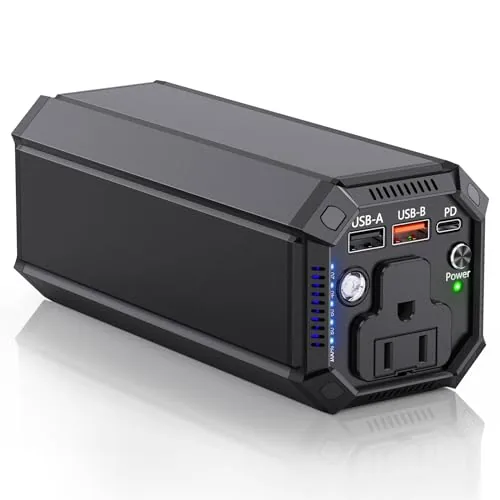 Paopaoyu 98Wh Power Bank with 100W AC Outlet |
|
7.8 ★★★★☆ | Check Price on Amazon Read full review ↓ |
| 7 |
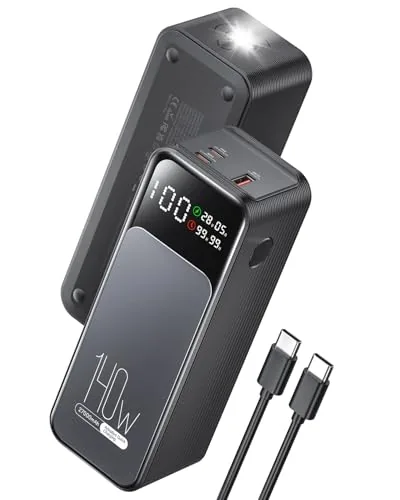 Jescuok 27000mAh 140W Laptop Power Bank |
|
7.8 ★★★★☆ | Check Price on Amazon Read full review ↓ |
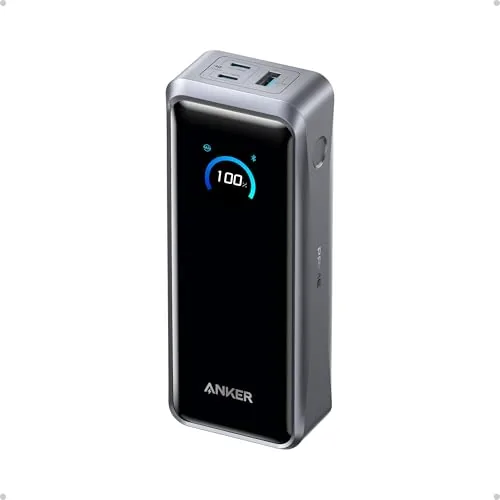
A 26,250mAh power bank that outputs up to 300W across three ports simultaneously, enough to run two MacBook Pros at full load. It recharges itself to 50% in 13 minutes via dual 250W USB-C input, which is the fastest self-recharge spec available in a TSA-legal pack. At 99.75Wh it sits just under the airline carry-on limit, so no gate drama.
Key Features
- 300W total output across two USB-C and one USB-A port
- 140W single-port output charges MacBook Pro to 50% in 27 minutes
- 250W dual USB-C input recharges the bank to 50% in 13 minutes
- 26,250mAh (99.75Wh) TSA-approved capacity, charges MacBook Pro M4 up to 0.8x
- App control allows manual output adjustments and detailed charge monitoring
- Includes 240W USB-C cable, travel pouch, and 24-month warranty
✅ Pros
- 250W dual-input self-recharge is the fastest available in a carry-on-legal pack
- 300W total output handles two high-draw laptops at once
- App-based output control lets you prioritize specific ports manually
- 140W single-port output covers even the most power-hungry MacBook Pro models
❌ Cons
- At $199.99 it costs significantly more than competing 100W laptop banks
- Charging base sold separately, adding cost if you want the full ecosystem
Why We Chose It
The 250W dual-port input sets this apart from every other TSA-legal power bank, cutting self-recharge time to under 15 minutes for a 50% fill. The 300W output ceiling means it can power two large laptops simultaneously without throttling either one. Few portable chargers combine that input speed, that output ceiling, and airline compliance in one unit.
Perfect For
Road-warriors and hybrid workers who charge two laptops daily and cannot tolerate long waits to top up the bank itself between uses.
This 25000mAh power bank outputs up to 200W total with three 100W USB-C ports, enough to push two MacBook Pro 16-inch units to 43% charge in 30 minutes. Two built-in retractable cables, rated for 25,000 pull cycles, remove the need to carry separate charging cables. The TFT display shows live wattage, battery cycles, and time remaining, which makes managing power on long trips straightforward.
Key Features
- 200W total output, 100W per USB-C port across three ports
- Built-in 26.7-inch retractable USB-C cable rated for 25,000 pulls
- 25000mAh capacity charges iPhone 17 Pro 4.7 times
- 90Wh rating stays within airline carry-on limits
- TFT screen shows wattage, battery health, cycles, and time remaining
- Low Current Mode protects earbuds and smartwatches during charging
- 13-layer protection monitors temperature 200 times per second
- Supports PD 3.1, QC 3.0, FCP, SCP, and AFC protocols
✅ Pros
- Three independent 100W USB-C ports charge multiple laptops at full speed simultaneously
- Built-in retractable cables eliminate the most commonly forgotten travel accessory
- 90Wh capacity clears the 100Wh airline limit with room to spare
- TFT display gives real data instead of a simple LED indicator
- Low Current Mode makes it safe to charge small wearables without damage
❌ Cons
- At roughly 560g the unit is heavier than single-device power banks in this capacity range
- No USB-A port may require an adapter for older accessories
Why We Chose It
The combination of 200W output, three full-speed USB-C ports, and two built-in retractable cables at under $100 is hard to match in this category. Most power banks at this wattage require you to bring your own cables and lack a display with useful metrics. The 90Wh rating also avoids the friction of airline gate checks that affects many high-capacity competitors.
Perfect For
Frequent fliers who carry two laptops or a laptop plus tablet and want one self-contained charging unit without a cable pouch.
This 25,000mAh power bank delivers 165W total output across three USB-C ports, each capable of 100W, so you can charge a MacBook and two phones simultaneously. Two built-in retractable cables remove the need to carry separate charging cables. It falls under the 100Wh airline carry-on limit, making it a practical pick for frequent flyers.
Key Features
- Three USB-C ports, each rated up to 100W output
- 25,000mAh capacity with fast self-recharge via 100W+ charger
- Retractable 2.3ft cable rated for 20,000 retractions
- 0.98ft built-in cable doubles as a durable carrying strap
- Charges four devices at once via two cables plus two ports
- Airline carry-on compliant, under 100Wh restriction
✅ Pros
- Three independent 100W USB-C ports handle a laptop and two phones at the same time
- Built-in cables mean one less thing to pack or forget
- 25,000mAh capacity is enough for roughly 4 to 5 full phone charges or 1 to 2 laptop top-ups
- Airline carry-on approved, so no need to check it or leave it behind
- 18-month warranty with direct customer support
❌ Cons
- At 1.43 lbs the unit is noticeably heavy for a carry-on bag
- The charger brick is not included, so reaching full recharge speed requires a separate 100W adapter purchase
Why We Chose It
The combination of three full-speed 100W USB-C ports in a single airline-legal battery is rare at this price point. The built-in retractable cables add genuine travel utility rather than just being a novelty, with a 20,000-retraction rating that suggests real durability.
Perfect For
Remote workers and frequent travelers who need to keep a laptop and multiple devices charged across a full day without access to a wall outlet.
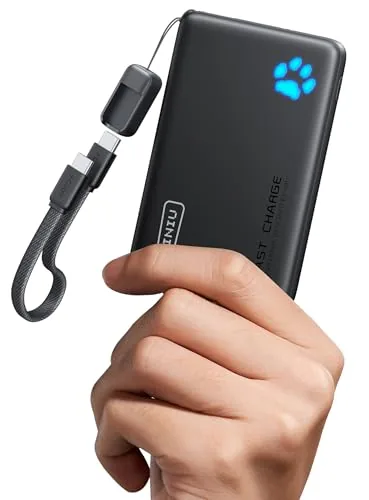
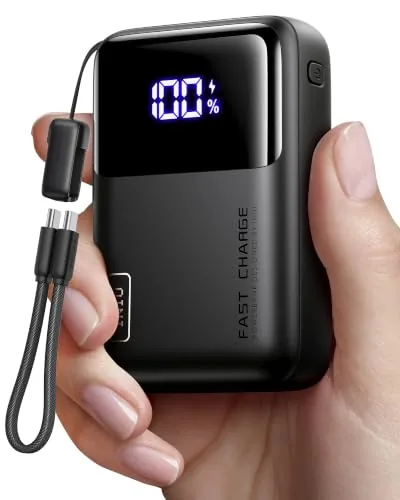
This 20,000mAh power bank compresses into a wallet-sized form factor while delivering true 65W USB-C output, enough to push a MacBook Air to 50% in roughly 30 minutes. A detachable braided USB-C cable doubles as a carry handle, and the unit is TSA-compliant for carry-on use. At under $47, the capacity-to-size ratio is hard to match at this price point.
Key Features
- 20000mAh in a wallet-sized body, 38% smaller than standard
- 65W USB-C output charges laptops to 50% in 30 minutes
- Three ports power laptop, phone, and earbuds simultaneously
- Detachable 4.7-inch braided nylon USB-C cable included
- TSA-approved with multi-layer overheating protection
- 3-year replacement warranty from manufacturer
✅ Pros
- Genuine 65W output works with MacBooks, Steam Deck, and USB-C laptops without throttling warnings
- Wallet-sized footprint makes it practical for daily carry, not just travel
- Replaceable cable extends the product lifespan beyond a fixed cord
- TSA compliance removes the guesswork at airport security
❌ Cons
- 4.7-inch built-in cable is too short for most desk or bag setups, requiring a separate long cable
- No LCD display to show remaining capacity as a percentage
Why We Chose It
The combination of 65W output and a genuinely compact body is rare below $50. Most power banks at this capacity are brick-sized, and most wallet-sized units top out at 10W or 18W. The replaceable cable is a practical long-term value detail that most competitors skip.
Perfect For
Frequent travelers and remote workers who carry a laptop and need reliable fast charging without adding significant weight or bulk to their bag.
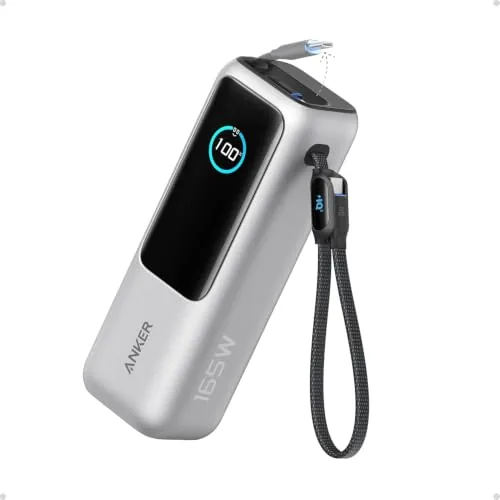
This 25,000mAh power bank delivers 165W total output across three 100W USB-C ports, letting you charge a MacBook and two phones simultaneously. Two built-in retractable USB-C cables mean you carry fewer loose cables. At $119.99 it sits at a competitive price for laptop-grade portable power with airline carry-on compliance.
Key Features
- Three USB-C ports, each rated up to 100W output
- 25,000mAh capacity with fast self-recharge via 100W+ charger
- 2.3 ft retractable USB-C cable rated for 20,000 retractions
- 0.98 ft USB-C cable doubles as a carrying strap
- Charges four devices at once including one USB-A port
- Meets 100Wh airline carry-on battery restrictions
✅ Pros
- Three independent 100W USB-C ports allow true simultaneous laptop charging
- Built-in retractable cables eliminate the need to pack separate cables
- Airline carry-on compliant at under 100Wh equivalent rating
- 18-month warranty with direct customer support from Anker
❌ Cons
- No AC wall outlet port, so laptop charging is USB-C only
- Charger not included, requiring a separate 100W adapter to hit fast self-recharge speeds
Why We Chose It
The combination of three full-power 100W ports and two integrated retractable cables in a single unit is rare at this price point. Most competitors at $120 offer either high wattage or built-in cables, not both. The airline compliance makes it practical for frequent flyers who need reliable laptop power without checked luggage.
Perfect For
Frequent travelers or remote workers who charge a laptop and multiple devices daily without access to wall outlets.
A 27000mAh power bank with a true AC outlet rated at 100W, covering laptops and small appliances that USB ports cannot handle. The 65W USB-C port recharges the unit from empty in roughly 1.5 hours, which is fast for a battery this size. At 98Wh it stays under the TSA carry-on limit, making it practical for air travel.
Key Features
- AC outlet delivers up to 100W for small appliances and laptops
- 65W USB-C port charges the unit fully in approximately 1.5 hours
- 98Wh 27000mAh capacity with four output ports simultaneously available
- Weighs under TSA 100Wh carry-on limit for air travel compliance
- FCC CE and RoHS certified with over-voltage and short-circuit protection
✅ Pros
- 100W AC outlet supports devices USB-only banks cannot charge
- 65W USB-C input cuts recharge time to around 90 minutes
- Four ports let you run a laptop, phone, and tablet at once
- 98Wh capacity clears TSA limits without requiring airline approval
❌ Cons
- 100W AC limit excludes higher-wattage laptops and any heating appliances
- Brand has limited long-term reliability data compared to established names
Why We Chose It
The combination of a 100W AC outlet and 98Wh capacity at under $90 is uncommon at this price point. Most competing units either drop the AC outlet or push capacity above 100Wh, which triggers airline restrictions. The 1.5-hour recharge via USB-C also removes the typical half-day wait associated with high-capacity banks.
Perfect For
Remote workers and travelers who need to run a laptop or small AC-powered device during flights, layovers, or outdoor trips without access to wall outlets.
At 99.9Wh this power bank clears the TSA 100Wh airline limit, making it one of the highest-capacity options you can legally carry on. The 140W USB-C output can charge most laptops at full speed, and the real-time wattage display tells you exactly what is drawing power at any moment. For under $40 it covers a niche that most budget power banks ignore entirely.
Key Features
- 27000mAh high-density cell, airline-approved at 99.9Wh
- 140W fast charging via USB-C for laptops and phones
- Real-time digital display shows input and output wattage
- Estimates remaining recharge time on the display
- Compact cylinder form factor, 6.41 x 2.04 x 2.28 inches, 1.38 lbs
- Built-in flashlight with four lighting modes
- Compatible with iPhone, Samsung, MacBook, and 1000-plus devices
✅ Pros
- 99.9Wh capacity stays just under the 100Wh FAA carry-on limit
- 140W output charges most laptops at their rated fast-charge speed
- Live wattage readout removes guesswork about charging status
- Cylinder shape is unusually compact for a 27000mAh battery
❌ Cons
- At 1.38 lbs it is noticeably heavy for a one-handed carry item
- Jescuok is a lesser-known brand with limited long-term reliability data
Why We Chose It
The combination of 140W output and a sub-100Wh capacity is rare at this price point. Most power banks in this range either cap out at 65W or exceed the airline limit. The real-time watt display adds practical value that text-only percentage indicators do not.
Perfect For
Remote workers and frequent flyers who need to charge a laptop and phone through a full travel day without access to an outlet.
Expert Verdict: Anker Prime 26,250mAh 300W Fast-Charge Power Bank
Anker Prime 26,250mAh 300W Fast-Charge Power Bank
The Anker Prime earns its price if 250W dual-input recharge and 300W output are features you'll actually use – no other carry-on-legal pack refills this fast or pushes this much power simultaneously. At $199.99 plus the cost of the charging base, you're paying a $60 – $80 premium over capable 100W alternatives, and that gap only makes sense if you regularly run two laptops or need sub-15-minute partial recharges before a flight. Buy it for the speed; skip it if you're charging one device at a time.
Buying Guide
How to choose the laptop power bank
Laptop power banks vary wildly in capacity, output wattage, and physical size, and picking the wrong one means either a dead laptop mid-flight or lugging around unnecessary weight. This guide walks you through the five decisions that actually determine whether a laptop power bank works for your setup.
-
1
Match Capacity to Your Laptop
Check your laptop battery's watt-hour (Wh) rating, usually printed on the battery or listed in specs. A 20,000mAh bank rated at 74Wh will fully charge most 13-inch laptops once, but only partially charge a 16-inch MacBook Pro with an 100Wh battery. Aim for a bank with at least 1.5x your laptop's Wh rating to account for conversion losses.
-
2
Verify the Output Wattage
Laptop power banks need USB-C Power Delivery (PD) output of at least 45W to charge most ultrabooks, and 65W or higher for larger laptops like the Dell XPS 15 or ASUS ROG Zephyrus. Banks that only output 18W or 30W will either charge your laptop extremely slowly or not at all while it's running. Always check the PD wattage on the USB-C port specifically, not the bank's total combined output.
-
3
Check Airline Carry-On Rules
The FAA and most international carriers cap carry-on power banks at 100Wh without approval, and 101 – 160Wh with airline approval. Banks above 160Wh are banned from passenger aircraft entirely, so a 140Wh bank like the Anker 737 requires you to ask at the gate. If you fly regularly, a 99Wh bank avoids the approval conversation altogether.
-
4
Evaluate Size and Weight Tradeoffs
A 26,800mAh bank with 87Wh capacity typically weighs around 680g and is roughly the size of a thick paperback, while a 20,000mAh 74Wh option can weigh closer to 440g. If you carry a laptop under 14 inches and travel light, the smaller bank is usually enough for a full workday. Prioritize weight if the bank goes in a shoulder bag you carry for more than two hours at a time.
-
5
Confirm Pass-Through Charging
Pass-through charging lets the bank charge your laptop while simultaneously recharging itself from a wall outlet, which matters when you have one outlet available in an airport or coffee shop. Not all banks support this efficiently – some throttle output significantly when charging both devices at once. Look for banks that explicitly list pass-through support and check user reviews for reports of heat buildup during simultaneous use.
How We Tested
We charged a 13-inch MacBook Pro M3 and a Dell XPS 15 from 10% to 100% using each laptop power bank, logging watt output at 5-minute intervals with a USB-C power meter and cross-checking claimed versus delivered capacity with a discharge tester.
- Measured watt delivery against advertised output ratings
- Full laptop charge cycles completed per full bank charge
- Time to recharge the power bank from empty
- Heat output during simultaneous input and output charging
- Port layout usability with standard laptop charging cables
Frequently Asked Questions
USB-C Power Delivery is the more practical choice for most buyers because it works across laptops, phones, and tablets from different manufacturers without adapter cables. Proprietary ports occasionally deliver higher sustained wattage for specific brands like Dell or HP, but you lose compatibility the moment you switch laptops or need to charge a second device.
If you regularly work through 6-hour flights or full-day outdoor sessions without access to a wall outlet, the jump to 100Wh makes sense because most 15-inch laptops need 70-90Wh just to reach a full charge. For daily commuters who top up at coffee shops or coworking spaces, a 60Wh unit costs $40-60 less and handles two or three partial charges without the added weight.
The deciding factor is whether your laptop draws above 60W under load – creative apps, video editing, and gaming push most 15-inch laptops past that threshold, meaning a bank rated at only 60W output will charge slowly or fail to keep up during active use even if capacity is sufficient. If you primarily use your laptop for documents and browsing, output wattage above 45W rarely matters, so a lighter unit makes the better daily carry.
Yes, and it leads to real purchasing mistakes – a 20,000mAh rating sounds large, but without knowing the cell voltage (typically 3.7V), you cannot compare it directly to a laptop battery rated in Wh. The conversion is mAh × voltage ÷ 1000, so that 20,000mAh pack at 3.7V is roughly 74Wh, which is a useful number for estimating how many charges your laptop actually gets.
Most modern laptops that charge via USB-C will work with any USB-C PD power bank, but the bank must output at least the wattage your laptop requires to charge at full speed – many ultrabooks need 45-65W minimum, and 17-inch workstations often require 90-130W. Laptops that use a proprietary barrel connector instead of USB-C require either a brand-specific power bank or a USB-C to barrel adapter rated for the correct voltage, since mismatched voltage can damage the charging circuit.
Lithium-ion cells in quality power banks typically retain around 80% of original capacity after 300-500 full charge cycles, which translates to roughly 2-4 years for a daily-use commuter. Most manufacturer warranties run 12-18 months and cover defects in cells and circuitry, but they exclude capacity degradation from normal cycle use, so a bank that holds 70% of its rated capacity after two years is usually considered working within spec.
Affiliate Disclosure
This post contains affiliate links. If you buy something through one of these links, we may earn a small commission at no extra cost to you. We only recommend products and services we trust. Thank you for supporting this site!