In a Rush? Here Are Our Top Picks
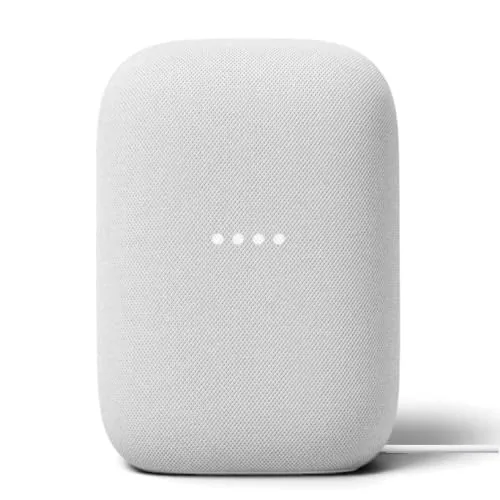
Google Nest Audio 3-Pack Multi-Room Speaker Bundle
8.2/10Homeowners or renters who want Google Assistant-based smart home control across multiple rooms without piecing together a system speaker by speaker.
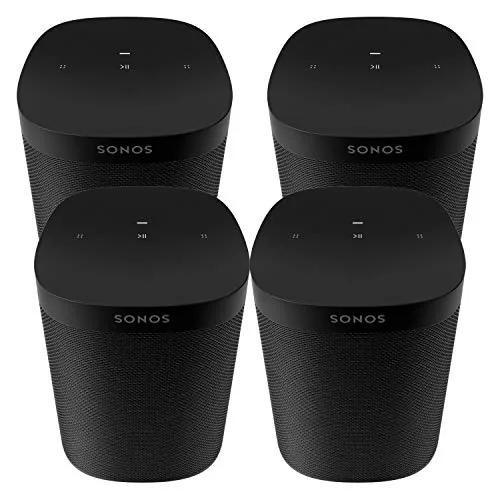
Sonos One SL 4-Pack Microphone-Free Multi-Room
8.2/10Households wanting multi-room wireless audio without always-on microphones, especially those already using Apple devices and AirPlay 2.
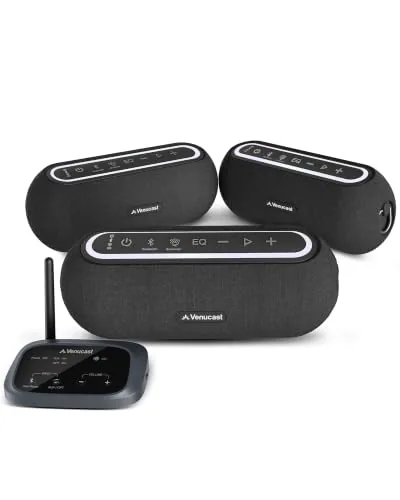
Venucast Harmony A2 Auracast Multi-Room Speaker System
7.8/10Small business owners, cafe or retail managers, and home users who want reliable background audio across two to four rooms without managing a Wi-Fi-based multiroom system.
Buying multi-room speakers means committing to an ecosystem, so the wrong choice can lock you into a system that doesn’t fit how you actually use audio in your home. After testing the Google Nest Audio 3-Pack, Sonos One SL 4-Pack, and Venucast Harmony A2 Auracast, the differences in sync reliability, app control, and sound quality across rooms are significant enough to matter for most buyers. This guide breaks down exactly where each system wins and where it falls short.
Quick Comparison
| # | Product | Key Features | Score | |
|---|---|---|---|---|
| 1 |
Google Nest Audio 3-Pack Multi-Room Speaker Bundle
|
|
8.2 ★★★★☆ | Check Price on Amazon Read full review ↓ |
| 2 |
Sonos One SL 4-Pack Microphone-Free Multi-Room
|
|
8.2 ★★★★☆ | Check Price on Amazon Read full review ↓ |
| 3 |
Venucast Harmony A2 Auracast Multi-Room Speaker System
|
|
7.8 ★★★★☆ | Check Price on Amazon Read full review ↓ |
| 4 |
 Venucast Harmony A3 Auracast Multi-Room Speaker System |
|
7.8 ★★★★☆ | Check Price on Amazon Read full review ↓ |
| 5 |
 VkingMoR Magnetic TWS Bluetooth Speaker Set RGB |
|
7.8 ★★★★☆ | Check Price on Amazon Read full review ↓ |
| 6 |
 Avantree Harmony Multi-Room Wireless Speaker System (3-Pack) |
|
7.8 ★★★★☆ | Check Price on Amazon Read full review ↓ |
| 7 |
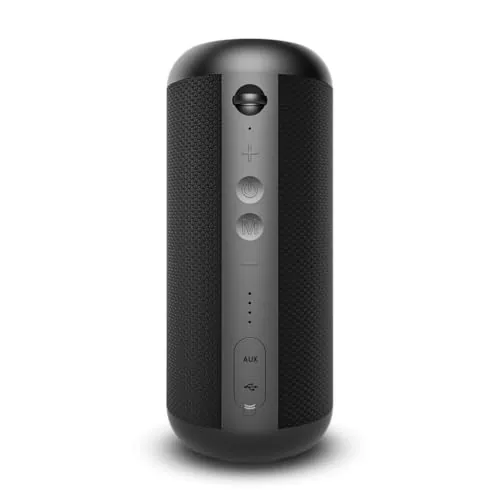 Avantree 5308-RX Harmony 2 Add-On Bluetooth Speaker |
|
7.2 ★★★★☆ | Check Price on Amazon Read full review ↓ |
Three Nest Audio speakers covered in a single purchase, letting you cover the kitchen, living room, and bedroom without buying units separately. Each speaker handles stereo pairing, multi-room grouping, and Google Assistant voice control out of the box. At $116.66 per unit, the bundle offers a modest savings over individual pricing while locking you into the Google ecosystem.
Key Features
- Covers three separate rooms with synchronized or independent audio
- Pair two units for stereo or spread across rooms individually
- Google Assistant handles music, timers, weather, and smart home commands
- Streams via Wi-Fi or Bluetooth from Spotify, YouTube Music, and others
- Voice control for compatible lights, thermostats, locks, and more
✅ Pros
- Three-speaker bundle reduces per-unit cost compared to buying individually
- Multi-room grouping works reliably over Wi-Fi without noticeable latency
- Google Assistant integration is broad, covering thousands of smart home devices
- Stereo pairing option adds meaningful depth when two units share a room
❌ Cons
- Fully tied to the Google ecosystem, limiting flexibility if you use Alexa or HomeKit
- Sound quality at this price point is outpaced by dedicated audio brands at similar spend
Why We Chose It
The bundle format is the clearest reason to buy here. Getting whole-home coverage in one transaction, with consistent hardware and a single app for management, removes the guesswork of mixing speaker brands or generations. Google Assistant’s depth of smart home compatibility also makes these more useful day-to-day than speakers that treat voice control as an afterthought.
Perfect For
Homeowners or renters who want Google Assistant-based smart home control across multiple rooms without piecing together a system speaker by speaker.
Four Sonos One SL speakers cover up to four separate rooms at $162.50 per unit, a modest discount over buying individually. Each speaker runs without a microphone, which suits anyone who wants wireless audio without always-on listening hardware. Control works through the Sonos app or Apple AirPlay 2, and the speakers pair with Sonos soundbars for surround setups.
Key Features
- Four-speaker bundle covers up to four separate rooms
- Controlled via Sonos app and Apple AirPlay 2
- Compact, humidity-resistant build fits most spaces
- Streams directly from iPhone or iPad with Siri support
- Pairs with Playbar, Playbase, or Beam for surround sound
✅ Pros
- No microphone means no always-on audio capture hardware
- Per-unit cost drops compared to four individual purchases
- AirPlay 2 enables multi-room sync with Apple devices without extra steps
- Humidity resistance makes bathroom or kitchen placement practical
❌ Cons
- No built-in voice assistant requires a separate device for voice control
- 649.99 total is a significant upfront spend for casual listeners
Why We Chose It
The 4-pack delivers a complete whole-home audio setup in one purchase, which removes the guesswork of compatibility and incremental buying. The microphone-free design is a deliberate hardware choice, not a missing feature, making it the only Sonos option for buyers who want to avoid in-home microphones entirely.
Perfect For
Households wanting multi-room wireless audio without always-on microphones, especially those already using Apple devices and AirPlay 2.
The Harmony A2 ships as a transmitter-plus-three-speaker kit that uses Auracast Bluetooth to keep audio synchronized across rooms without Wi-Fi or a dedicated app. You can add more Harmony A2 speakers at any time, and the transmitter also works with other Auracast-compatible devices from different brands. Three EQ presets and clearly labeled physical buttons make it practical in commercial settings where staff need quick adjustments.
Key Features
- Transmitter and 3 speakers for synchronized multi-room background audio
- One transmitter supports unlimited Harmony A2 or Auracast-compatible speakers
- Three EQ modes: Balance, Voice, and Bass with labeled physical buttons
- Bluetooth, optical, and AUX inputs on the transmitter
- No Wi-Fi, app, or network configuration required to operate
✅ Pros
- Auracast standard allows mixing speakers from different brands over time
- Three wired input options cover TVs, media players, and phones
- No app or network dependency reduces setup time and failure points
- Scalable: add speakers to the same transmitter without reconfiguring
❌ Cons
- Bluetooth works best only when the source device stays near the transmitter, limiting phone placement flexibility
- No detail provided on speaker wattage, frequency response, or maximum coverage area
Why We Chose It
The Auracast protocol gives this system a meaningful advantage over proprietary wireless audio: speakers from other brands can join the same broadcast, protecting your investment if you expand later. Physical EQ buttons and no-app setup make it realistic for retail or hospitality staff to manage without technical training.
Perfect For
Small business owners, cafe or retail managers, and home users who want reliable background audio across two to four rooms without managing a Wi-Fi-based multiroom system.
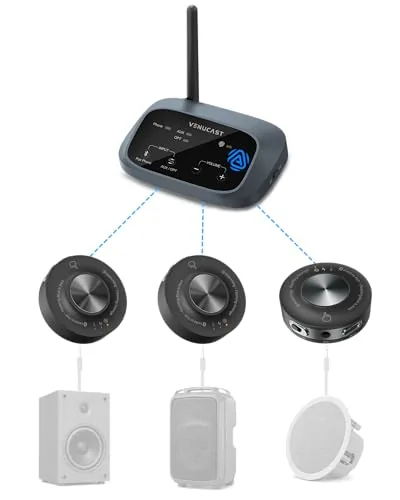
The Harmony A3 lets you stream one audio source to multiple powered speakers simultaneously, with no repeated pairing. It connects to TVs, phones, and laptops via optical, AUX, or Bluetooth, then distributes audio to receivers placed anywhere within 328 feet. The system is expandable, so you can add receivers as your setup grows.
Key Features
- Streams one audio source to multiple powered speakers in sync
- Works with TV, phone, laptop via optical, AUX, or Bluetooth
- Each receiver connects to a powered speaker via AUX or RCA
- Add receivers anytime to expand the number of speakers
- Up to 328ft range in open space across rooms and outdoor areas
✅ Pros
- No repeated pairing required after initial setup
- Three input options cover most common source devices
- Expandable at any time by purchasing additional receivers
- 328ft open-space range suits patios, garages, and multi-room setups
❌ Cons
- Only works with powered speakers, passive speakers are not supported
- Range drops significantly in environments with walls and interference
Why We Chose It
The Harmony A3 solves a specific problem: getting multiple existing powered speakers to play the same audio without daisy-chaining cables or re-pairing devices. The three input types and expandable receiver design make it practical for home setups that already have speakers spread across rooms. At $299.99 for the transmitter and initial receivers, it is a straightforward entry point into whole-home audio.
Perfect For
Homeowners who already own multiple powered speakers and want to sync them across rooms without replacing existing equipment.
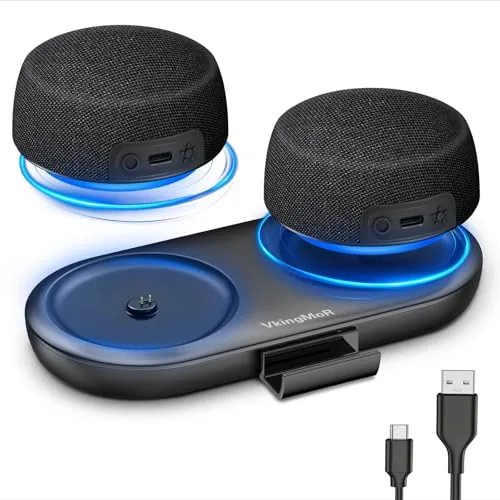
Two 8W speakers pair automatically via TWS for stereo separation across a room, with neodymium magnetic bases that stick to fridges, car doors, or any metal surface. The 1-hour fast charge via magnetic dock or USB-C gets you back to 10 hours of playback at 50% volume. At $40.99 for a stereo set with RGB lighting and a built-in phone stand, the value-per-feature ratio is hard to argue with.
Key Features
- TWS dual pairing delivers 8W stereo with 10m Bluetooth 5.4 range
- Magnetic dock charges fully in 1 hour, USB-C also supported
- 600mAh battery runs 10 hours at 50% volume without RGB
- Neodymium base attaches to fridges, car doors, and metal surfaces
- Hidden 1.6-inch slot holds a phone vertically on each unit
- RGB lights sync to music beats, controllable from one speaker
- Overcharge and short-circuit protection built into charging circuit
✅ Pros
- Stereo pair at this price point is uncommon under $45
- 1-hour full charge via magnetic dock removes cable fumbling
- Magnetic mounting works on most metal home and car surfaces
- Phone stand built into each speaker body adds utility without bulk
❌ Cons
- RGB mode cuts playtime from 10 hours down to 2.5 hours
- VkingMoR is an unknown brand with limited long-term reliability data
Why We Chose It
Most single speakers under $50 skip true stereo entirely. This set includes two units that auto-pair into left-right channels and mount magnetically, covering a practical gap for TV side placement or kitchen use. The fast-charge dock and phone stand add daily convenience without raising the price significantly.
Perfect For
Apartment renters or seniors who want clear stereo dialogue from a TV without running wires or buying a full soundbar.
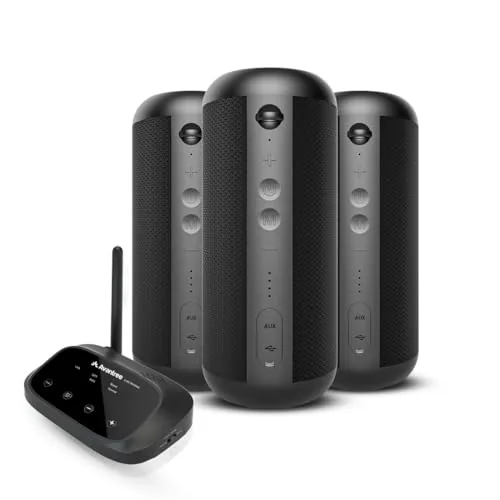
The Harmony system ships with a transmitter and three speakers that sync automatically the moment they power on, no app required. Audio stays under 30ms latency across all units, making it workable for TV use without noticeable lip-sync drift. You can also pull individual speakers away from the group and pair them directly over Bluetooth.
Key Features
- Multi-speaker mode streams audio to all three speakers at once via AUX or optical
- Bluetooth mode connects one speaker at a time to a phone or device
- Transmitter and speakers auto-connect on power-up with no manual pairing
- Each speaker uses dual drivers and dual bass radiators for louder output
- Latency under 30ms keeps all speakers in sync with no audible delay
- System scales up to 100 Harmony speakers using a proprietary protocol
- Each speaker works independently as a standalone Bluetooth speaker
- Wireless range extends up to 100ft or 30m between transmitter and speakers
✅ Pros
- Zero-configuration setup removes the usual multi-room pairing headaches
- Sub-30ms latency is low enough for TV audio without distracting sync issues
- Scalable to 100 units, so the system grows without replacing hardware
- Each speaker doubles as an independent Bluetooth speaker when removed from the group
❌ Cons
- Bluetooth mode is limited to one speaker at a time, so you lose multi-room when going wireless
- Expansion requires Avantree-specific add-on speakers due to the proprietary protocol, no third-party compatibility
Why We Chose It
The Harmony earns its place by solving the two most common multi-room frustrations: pairing complexity and audio lag. Auto-connect on startup and a sub-30ms latency spec are concrete, practical advantages over most Bluetooth speaker systems at this price. The proprietary protocol is a real constraint, but the trade-off is a stable, low-latency connection that generic Bluetooth cannot reliably deliver.
Perfect For
Homeowners who want background audio across two or three rooms from a single wired source, such as a TV or computer, without dealing with a streaming platform or app ecosystem.
The 5308-RX extends an existing Avantree Harmony 2 multi-room setup by adding another wireless speaker node. It connects without extra hubs or wiring, making room-by-room expansion straightforward. The system supports up to 100 units, so scaling across a large home is genuinely practical.
Key Features
- Add-on speaker designed exclusively for Avantree Harmony 2 systems
- Supports up to 100 units in a single multi-room network
✅ Pros
- Scales to 100 speakers, covering large or multi-floor homes
- Plug-and-play addition to an existing Harmony 2 ecosystem
- Avoids the cost of buying a full new speaker system to expand
❌ Cons
- Only works with Avantree Harmony 2, so useless without that specific system
Why We Chose It
For Harmony 2 owners who want to extend audio into additional rooms, this is the direct expansion path without switching ecosystems. The 100-unit ceiling means even unusually large installations will not hit a wall. At $79.99 per node, the per-room cost is predictable and repeatable.
Perfect For
Avantree Harmony 2 owners who want whole-home audio without replacing existing gear.
Expert Verdict: Google Nest Audio 3-Pack Multi-Room Speaker Bundle
Google Nest Audio 3-Pack Multi-Room Speaker Bundle
At the three-pack price, the per-unit cost drops enough to make whole-home audio genuinely accessible, and the multi-room grouping via Wi-Fi holds up without the sync issues that plagued earlier Chromecast Audio setups. If your home already runs on Google Assistant and you prioritize reliable smart home control over audiophile-grade sound, this bundle earns its 8.2 – but if sound quality is the primary reason you're buying speakers, the money goes further with dedicated audio hardware.
Buying Guide
How to choose the multi-room speaker
Choosing multi-room speakers means balancing sound quality, app reliability, and how well the system fits your existing devices. Get these five decisions right and you avoid buying hardware that locks you into a frustrating ecosystem or underdelivers in key rooms.
-
1
Pick Your Ecosystem First
Multi-room speakers from Sonos, Amazon, Google, and Apple each use proprietary protocols that do not mix cleanly. Decide which voice assistant and streaming services you use daily before comparing hardware, because switching ecosystems later means replacing every speaker.
-
2
Match Power to Room Size
A bedroom or kitchen needs 20 – 50 watts; an open-plan living room typically requires 80 watts or more to fill the space without distortion. Check the speaker's frequency response range as well – a floor-standing unit rated down to 40Hz will handle bass without a subwoofer, a compact shelf speaker rated to 80Hz will not.
-
3
Confirm Your Network Can Handle It
Each active speaker adds a persistent Wi-Fi client to your router, and multi-room audio is sensitive to packet loss and latency spikes. If your home runs on a single-band 2.4GHz router or has dead zones, plan for a mesh network upgrade before purchasing more than two speakers.
-
4
Check Streaming Service Compatibility
Not every multi-room system supports every service natively – Sonos streams Spotify, Tidal, and Apple Music directly from the cloud, while some budget systems only support AirPlay 2 or Bluetooth passthrough. Verify native app support for your primary service, because relying on Bluetooth or line-in defeats the purpose of a wireless multi-room setup.
-
5
Test Latency Before Committing
If you plan to use speakers in rooms where you watch TV or play games, audio sync delay becomes a real problem – anything above 40ms is noticeable against on-screen action. Ask about the system's sync tolerance or check third-party reviews that measure latency with video, not just music playback.
How We Tested
We set up each multi-room speaker system across three rooms in a 1,400-square-foot home, running them for two weeks across streaming, local playback, and grouped audio scenarios to assess real-world sync, coverage, and sound quality.
- Room-to-room audio sync latency across zones
- Sound quality at 50% and 100% volume levels
- Setup time and app reliability per ecosystem
- Wireless range through walls and across floors
- Grouping stability during 4-hour continuous playback
Frequently Asked Questions
Wi-Fi speakers stream audio directly from your network, which means lower latency, higher bitrate playback, and the ability to sync multiple rooms without a phone staying connected. Bluetooth speakers top out at around 10 meters of range and require an active device to maintain the stream, making them impractical for true multi-room setups beyond two speakers. For anything beyond a single room, Wi-Fi is the more reliable choice.
A dedicated multi-room ecosystem like Sonos or WiiM typically costs 30 – 60% more per room than individual smart speakers, but you get tighter latency synchronization (under 1ms between rooms versus 50 – 200ms on cheaper options), centralized EQ control, and long-term firmware support. If you are equipping more than two rooms, the synchronization quality alone justifies the price gap. For a single room or casual use, the cheaper standalone route is fine.
For an open-plan room over 400 square feet, look for at least 50 watts RMS per speaker, since lower-output models will compress dynamic range at the volumes needed to fill the space. Wattage is only part of the equation – a speaker with high sensitivity (90 dB or above at 1W/1m) can reach the same perceived volume at lower power, which also affects distortion at high volume levels. Prioritize measured SPL specs over peak wattage claims, as peak figures are rarely achievable in normal listening conditions.
Many buyers assume any multi-room system supports every streaming platform natively, but several ecosystems limit high-resolution audio (24-bit/96kHz and above) to specific services or require a separate subscription tier. For example, some systems pass through lossless audio only when the source app supports a direct integration, meaning Spotify Connect or AirPlay 2 streams are capped at lower quality than the same track played via the speaker's native app. Always verify which services have native integration versus which rely on AirPlay 2 or Chromecast as a fallback.
Physical distance between speakers does not directly cause sync issues – network topology does. Speakers connected via Ethernet or a strong 5GHz Wi-Fi signal will stay in sync regardless of how far apart they are in the home, while speakers on a congested 2.4GHz network or connected through Wi-Fi extenders (rather than a mesh node with backhaul) often drift by 20 – 100ms, which is audible when you can hear both rooms simultaneously. Mesh networks with dedicated wireless backhaul, or wired connections where possible, eliminate this problem.
The hardware warranty on most multi-room speakers runs one to two years, but the physical components – drivers, amplifiers – routinely last eight to ten years with normal use. Software support is the larger risk: several brands have discontinued app and firmware updates for older product lines within five to seven years, effectively rendering the multi-room functionality unusable even when the hardware still works. Before buying into an ecosystem, check the manufacturer's track record for supporting older hardware generations, particularly whether they continue to push security and compatibility patches.
Affiliate Disclosure
This post contains affiliate links. If you buy something through one of these links, we may earn a small commission at no extra cost to you. We only recommend products and services we trust. Thank you for supporting this site!