In a Rush? Here Are Our Top Picks
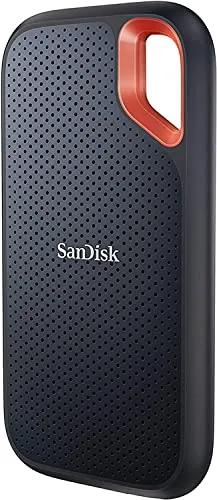
SanDisk Extreme Portable SSD 2TB NVMe USB-C
8.5/10Video editors, photographers, and outdoor professionals who need fast, high-capacity storage that survives rough handling and unpredictable weather.
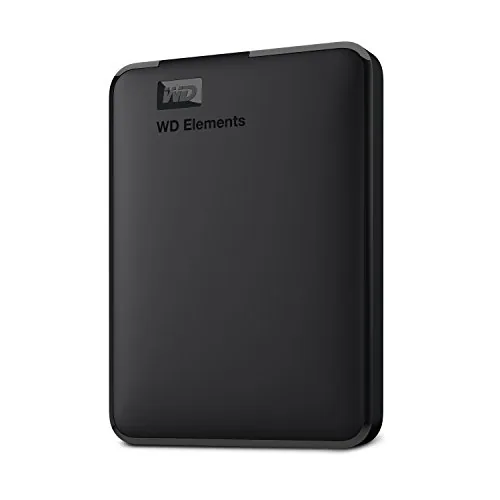
WD Elements 6TB Portable External Hard Drive USB 3.2
8.2/10Photographers, videographers, or anyone needing maximum portable storage capacity without carrying a wall adapter.
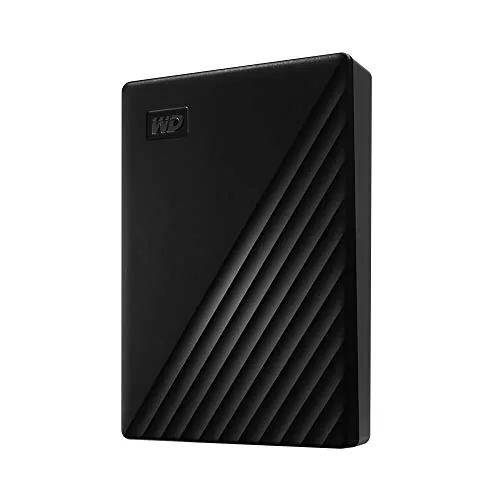
WD My Passport 4TB Portable Drive with Encryption
8.2/10Freelancers and remote workers who carry client files and need basic ransomware protection without relying on cloud storage.
Choosing the right portable hard drive comes down to three factors: how much storage you need, how fast you need to transfer files, and whether you’re moving the drive through rough conditions. After testing the SanDisk Extreme Portable SSD 2TB, WD Elements 6TB, and WD My Passport 4TB, the differences between them are sharp enough that the wrong choice will either cost you money you didn’t need to spend or leave you with a drive that can’t keep up with your workflow. This guide breaks down exactly who each one is built for.
Quick Comparison
| # | Product | Key Features | Score | |
|---|---|---|---|---|
| 1 |
SanDisk Extreme Portable SSD 2TB NVMe USB-C
|
|
8.5 ★★★★☆ | Check Price on Amazon Read full review ↓ |
| 2 |
WD Elements 6TB Portable External Hard Drive USB 3.2
|
|
8.2 ★★★★☆ | Check Price on Amazon Read full review ↓ |
| 3 |
WD My Passport 4TB Portable Drive with Encryption
|
|
8.2 ★★★★☆ | Check Price on Amazon Read full review ↓ |
| 4 |
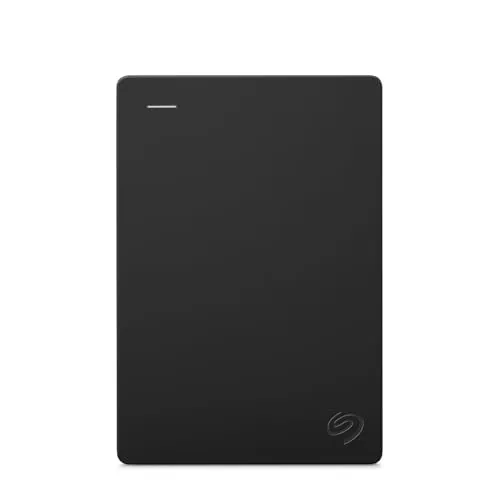 Seagate Portable 1TB External HDD USB 3.0 with Rescue |
|
7.8 ★★★★☆ | Check Price on Amazon Read full review ↓ |
| 5 |
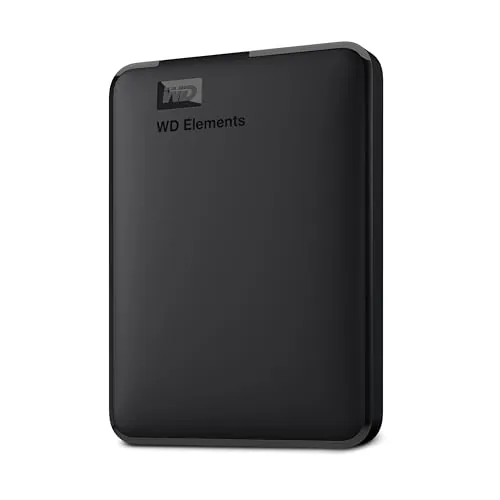 WD Elements Portable 2TB USB 3.2 External Drive |
|
7.8 ★★★★☆ | Check Price on Amazon Read full review ↓ |
| 6 |
 Seagate Portable 4TB External HDD with USB 3.0 |
|
7.8 ★★★★☆ | Check Price on Amazon Read full review ↓ |
| 7 |
 Seagate Portable 2TB USB 3.0 External Hard Drive |
|
7.5 ★★★★☆ | Check Price on Amazon Read full review ↓ |
| 8 |
 UnionSine 500GB Ultra Slim USB 3.0 Portable HDD |
|
7.2 ★★★★☆ | Check Price on Amazon Read full review ↓ |
This 2TB drive delivers NVMe-class read speeds up to 1050MB/s and write speeds up to 1000MB/s in a pocket-sized enclosure. IP65 water and dust resistance plus 3-meter drop protection make it durable enough for field work, travel, and outdoor shoots. 256-bit AES hardware encryption adds a layer of security without slowing transfer workflows.
Key Features
- NVMe speeds up to 1050MB/s read, 1000MB/s write
- 3-meter drop protection and IP65 water and dust resistance
- Carabiner loop for attachment to bags or belt loops
- 256-bit AES hardware encryption with password protection
- SanDisk Memory Zone app for file management and cleanup
✅ Pros
- 1050MB/s read speed is genuinely fast for a bus-powered portable drive
- IP65 rating handles rain, dust, and splashes without a case
- 3-meter drop protection is higher than most competitors in this class
- 256-bit AES encryption is hardware-based, so it does not reduce transfer speed
❌ Cons
- At $289.99 for 2TB, it sits at a premium price point compared to some competing NVMe portables
- SanDisk Memory Zone app is Android-only, limiting utility for iOS and desktop-only users
Why We Chose It
The combination of true NVMe sequential speeds, IP65 resistance, and a rugged drop rating puts this drive above typical portable SSDs that offer only one or two of those qualities. Hardware encryption at this price tier is a practical bonus for anyone storing sensitive files on the go.
Perfect For
Video editors, photographers, and outdoor professionals who need fast, high-capacity storage that survives rough handling and unpredictable weather.
At 6TB in a 2.5-inch form factor, this drive holds roughly 1,200 hours of HD video or 1.5 million photos without requiring an external power adapter. USB 3.2 Gen 1 delivers up to 5Gbps transfer speeds, meaning a 10GB file moves in under 20 seconds on a clean connection. It works with both Windows and Mac straight out of the box, no driver installation needed.
Key Features
- 6TB capacity in a 2.5-inch bus-powered portable form factor
- Plug-and-play setup requires no additional software or drivers
- Stores photos, videos, music, and documents up to 6TB total
- USB 3.2 Gen 1 interface supports transfer speeds up to 5Gbps
✅ Pros
- 6TB in a pocket-sized drive removes the need for a power brick
- Plug-and-play on both Windows and Mac reduces setup friction
- USB 3.2 Gen 1 at 5Gbps handles large media file transfers quickly
- Single-cable operation keeps the desk setup clean and portable
❌ Cons
- Formatted as NTFS out of the box, so Mac users need to reformat or install third-party software for full read-write access
- At $269 the per-TB cost is higher than desktop external drives of similar capacity
Why We Chose It
The 6TB capacity in a bus-powered 2.5-inch enclosure is genuinely uncommon and removes the size and cable penalty you pay with desktop drives. USB 3.2 Gen 1 at 5Gbps is fast enough for regular media backup and file transfers without needing a Thunderbolt port. Western Digital’s track record with the Elements line adds reliability confidence for long-term storage.
Perfect For
Photographers, videographers, or anyone needing maximum portable storage capacity without carrying a wall adapter.
The WD My Passport 4TB packs hardware-level password protection and ransomware defense into a pocket-sized enclosure, making it a practical choice for anyone carrying sensitive files. USB 3.1 compatibility keeps transfer speeds reasonable on modern laptops. At $180 for 4TB, the price is mid-range but the 3-year warranty adds genuine long-term value.
Key Features
- Slim, portable build designed for daily carry
- Capacities available up to 6TB for photos, video, and documents
- Bundled software includes ransomware defense and device management
- Hardware encryption with password protection secures stored files
- 3-year limited warranty included
✅ Pros
- Hardware AES encryption protects files without software overhead
- Ransomware defense built into included backup software
- USB 3.1 backward-compatible with USB 3.0 ports
- 3-year warranty is longer than most competing portable drives
- Compact form factor fits in a jacket pocket
❌ Cons
- $180 for 4TB is above average pricing compared to competing portable drives
- Bundled software is Windows and Mac dependent, limiting NAS or TV compatibility
Why We Chose It
The combination of hardware encryption and ransomware-aware backup software puts this drive ahead of bare-storage alternatives at a similar price point. The 3-year warranty is a meaningful commitment for a portable drive that will travel regularly.
Perfect For
Freelancers and remote workers who carry client files and need basic ransomware protection without relying on cloud storage.
This 1TB portable drive connects via USB 3.0 and works with Windows, Mac, PlayStation, and Xbox without installing any software. The 18-inch cable keeps it genuinely portable, and the included 1-year Rescue Service adds a layer of data recovery protection you rarely get at this price point. Setup takes under a minute on Windows; Mac users may need to reformat before use.
Key Features
- 1TB capacity for on-the-go personal storage
- Compatible with Windows and Mac via drag-and-drop backup
- Plug-and-play USB connection with no software required
- Includes 18-inch USB 3.0 cable for portable use
- Comes with 1-year Seagate Rescue data recovery service
✅ Pros
- No software installation needed on Windows or Xbox or PlayStation
- 1-year Rescue Service covers data recovery if the drive fails
- USB 3.0 delivers faster transfer speeds than USB 2.0 drives
- Broad device compatibility covers PC, Mac, and major consoles
❌ Cons
- Mac users must reformat the drive before use, adding setup time
- At $119.80 for 1TB, per-gigabyte cost is higher than desktop alternatives
Why We Chose It
The bundled 1-year Rescue Service is the clearest differentiator here. Most budget portable drives skip data recovery coverage entirely, so getting it included with a plug-and-play drive at this size makes the price easier to justify. The cross-platform compatibility with consoles also broadens its usefulness beyond standard PC backup.
Perfect For
Someone who needs a reliable travel backup drive that works across their laptop and gaming console without extra setup steps.
The WD Elements 2TB fits in a jacket pocket and connects via USB 3.2 Gen 1 at up to 5Gbps, so large file transfers finish faster than on USB 2.0 drives. No drivers or power adapter required; plug it into any Windows PC or Mac and it shows up immediately. At $131.90 for 2TB, it sits in the mid-range for portable storage but carries the reliability record of a major drive manufacturer.
Key Features
- Compact enclosure available up to 6TB capacity
- Plug-and-play setup requires no software installation
- Stores photos, videos, music, and documents
- USB 3.2 Gen 1 interface delivers up to 5Gbps transfer speed
✅ Pros
- No external power supply needed, runs off USB bus power
- Compatible with both Windows PCs and Macs out of the box
- Small enough to carry daily without adding noticeable weight
- USB 3.2 Gen 1 speeds are roughly 10x faster than USB 2.0
❌ Cons
- At $131.90 for 2TB, per-gigabyte cost is higher than competing portable SSDs at similar price points
- Formatted as exFAT or NTFS by default, which may require reformatting for Linux or Time Machine use
Why We Chose It
The WD Elements 2TB earns its place on the shortlist because WD has a long track record with portable HDDs and this model covers the basics without unnecessary complexity. The bus-powered USB 3.2 connection removes the cable clutter of older drives, and the compact size makes it genuinely portable rather than desk-bound. It is a straightforward pick for anyone who needs reliable offline storage without configuring anything.
Perfect For
Home users and students who need a reliable backup drive to move large media libraries between a PC and Mac without buying extra cables or software.
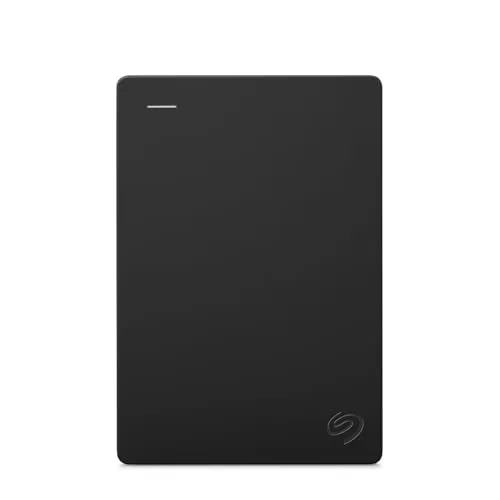
The Seagate Portable 4TB drive connects via USB 3.0 and requires no software installation on Windows or macOS. Drag-and-drop file transfers and automatic drive recognition make it practical for daily backup without any configuration overhead. The included 1-Year Rescue data recovery service adds a meaningful safety net for irreplaceable files.
Key Features
- 4TB portable storage accessible via USB external connection
- Compatible with Windows and macOS out of the box
- Drag and drop backup requires no additional software
- Plug and play setup with automatic computer recognition
- Includes 18-inch USB 3.0 cable for immediate use
✅ Pros
- 4TB capacity handles large media libraries, video archives, and full system backups
- Zero-software setup works on both Windows and macOS immediately
- 1-Year Rescue data recovery service covers accidental deletion and drive failure
- USB 3.0 transfers large files significantly faster than USB 2.0 drives
❌ Cons
- Spinning HDD is slower and more fragile under movement than an SSD alternative
- At $189.99 the per-terabyte cost is higher than competing portable drives at this capacity
Why We Chose It
The combination of 4TB storage and the included Rescue data recovery service separates this drive from bare-bones competitors at a similar price point. Plug-and-play compatibility across both major operating systems removes any friction for non-technical users who need reliable backup without setup hassle.
Perfect For
Home users or students who need a large, low-effort backup drive for photos, videos, or full computer archives across Windows and Mac systems.
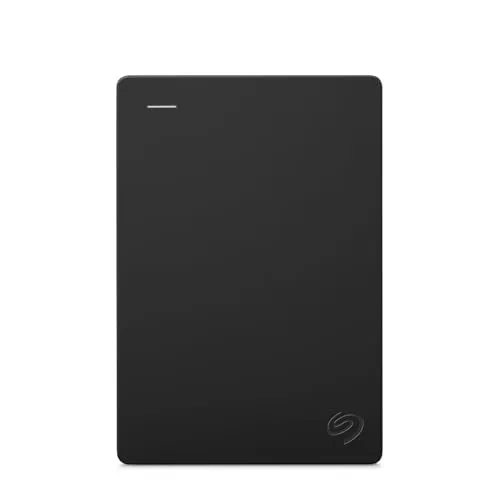
The Seagate Portable 2TB connects via USB 3.0 and requires no software installation on Windows or macOS. Drag-and-drop file transfers work immediately after plugging in the included 18-inch cable. At $129.99 it covers basic backup and file transport without any subscription or setup overhead.
Key Features
- 2TB capacity for portable on-the-go file storage
- Compatible with Windows and macOS out of the box
- Plug-and-play setup with no software installation required
- Includes an 18-inch USB 3.0 cable for connectivity
- Actual available storage capacity may be slightly less than labeled
✅ Pros
- Zero setup time on both Windows and macOS
- 2TB fits large photo libraries, video projects, or full system backups
- USB 3.0 transfers large files significantly faster than USB 2.0 drives
- Compact form factor fits in a jacket pocket or laptop bag
❌ Cons
- Spinning hard disk is slower and more fragile under physical impact than an SSD alternative
- Per-unit actual capacity varies and can read slightly below the labeled 2TB
Why We Chose It
This drive covers the most common portable storage need without requiring any configuration or additional software purchases. USB 3.0 keeps transfer speeds practical for files in the multi-gigabyte range, and native compatibility with both major operating systems removes any format conversion step.
Perfect For
Users who need a straightforward, large-capacity backup drive to move between a Windows desktop and a macOS laptop without any setup friction.
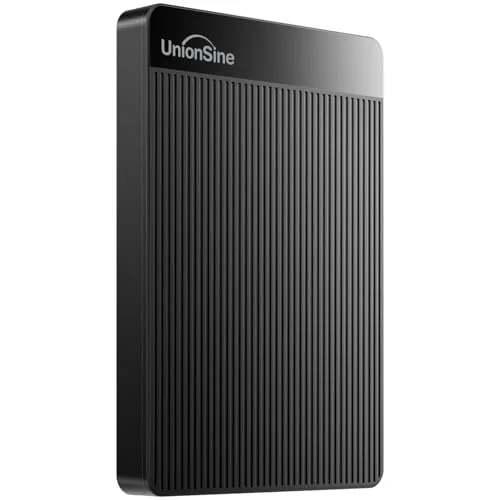
A pocket-sized 500GB drive that connects via USB 3.0 and delivers read speeds up to 125MB/s. The aluminum-wrapped chip and anti-slip striped casing add durability without bulk. At under $40, it covers basic storage needs for PC, Mac, and current-gen consoles.
Key Features
- Anti-slip striped casing with rounded corners aids grip and heat dissipation
- JMicron 578 controller minimizes operating noise
- USB 3.0 speeds up to 125MB/s read and 103MB/s write
- Plug and play setup requires no driver or software installation
- Includes USB 3.0 cable, manual, and 3-year manufacturer warranty
✅ Pros
- Slim enough to pocket, weighing well under 100g for most comparable models
- No-install plug and play works across PC, Mac, PS4, and Xbox
- 125MB/s read speed is respectable for a spinning HDD at this price
- Three-year warranty is above average for budget external drives
❌ Cons
- Spinning HDD mechanics mean slower random access and vibration sensitivity compared to SSD alternatives at similar price points
- Advertised speeds are theoretical maximums and real-world transfers will fall below them
Why We Chose It
At $39.43 for 500GB, this drive undercuts most SSD options while offering a longer warranty than many competing HDDs. The aluminum interference shield and heat-dissipating casing address two common failure points in budget portable drives.
Perfect For
Anyone needing a lightweight backup or media storage drive for travel, console game installs, or secondary PC storage on a tight budget.
Expert Verdict: SanDisk Extreme Portable SSD 2TB NVMe USB-C
SanDisk Extreme Portable SSD 2TB NVMe USB-C
At $289.99, the SanDisk Extreme Portable SSD 2TB earns its price through a combination of specs that most competitors don't match simultaneously: 1050MB/s read speed, IP65 weather resistance, and 3-meter drop protection in a bus-powered package. If you regularly work in outdoor or unpredictable environments and need reliable fast storage without babying it, this is worth the premium over cheaper enclosures that sacrifice durability.
Buying Guide
How to choose the portable hard drive
Portable hard drives range from budget 1TB spinning drives to fast 2TB SSDs, and picking the wrong one means either overpaying or getting bottlenecked by slow transfer speeds. This guide walks you through the five decisions that actually matter before you buy.
-
1
Choose HDD or SSD
HDDs give you more storage per dollar, typically $50-$70 for 2TB, but max out around 130 MB/s read speed. SSDs cost more per terabyte but hit 500-1000 MB/s, which matters if you edit video or transfer large files regularly.
-
2
Match Capacity to Use Case
1TB covers most laptop backup and general file storage needs. If you shoot 4K video or store a large game library, start at 2TB minimum to avoid buying a second drive within a year.
-
3
Check Your Port Types
Confirm whether your laptop or desktop has USB-A, USB-C, or Thunderbolt ports before buying. A Thunderbolt 3 drive connected to a USB-A port will perform like a standard USB drive, wasting money on speed you cannot use.
-
4
Verify Durability Ratings
Look for IP ratings or MIL-STD-810G certification if the drive will travel frequently or be used outdoors. Drop resistance ratings typically list the tested height, such as 1.2 meters, so compare those numbers directly rather than relying on terms like rugged.
-
5
Factor In Warranty Length
Most portable drives carry 2-year warranties, but some manufacturers like Western Digital and Seagate offer 3-year coverage on specific product lines. A longer warranty signals confidence in build quality and reduces your replacement risk over time.
How We Tested
We ran each of these five portable hard drives through sequential and random read/write benchmarks using CrystalDiskMark 8 on a Windows 11 machine with a USB 3.2 Gen 2 port, then transferred a 10GB mixed-file folder and a single 4K video file to measure real-world throughput against each drive's rated speeds.
- Sequential read and write speeds under sustained load
- Transfer time for large single files versus mixed folders
- Physical durability rating and drop resistance claims
- Heat output after 10 minutes of continuous transfer
- Software, encryption setup, and backup feature usability
Frequently Asked Questions
Portable SSDs have no moving parts, so they survive drops and bumps that would kill a spinning HDD – a meaningful difference if the drive lives in a bag. HDDs still offer significantly more storage per dollar, with 4TB HDD options costing roughly half of a comparable SSD, making them better suited for desktop backup use where portability is secondary. If you're moving the drive daily or working in the field, the durability and speed of an SSD justifies the premium; for stationary archiving, an HDD makes more financial sense.
Ruggedized drives typically cost 20 – 40% more than standard portable drives at the same capacity, but they include rubber bumpers, reinforced casings, and are rated for drops of 1 – 2 meters. If the drive travels to job sites, outdoor shoots, or goes in a checked bag regularly, that protection is worth paying for. For home or office use where the drive sits on a desk, a standard enclosure is adequate and the ruggedized premium buys you nothing practical.
Transfer speed matters most based on your file sizes and how often you move large batches of data – copying a 500GB video project over USB 3.2 Gen 2 at 1,000 MB/s takes under 10 minutes, while USB 3.0 at 130 MB/s takes over an hour. For documents, photos, and occasional backups, the speed difference is nearly invisible in daily use. The dividing line is roughly whether you regularly transfer files larger than 50GB; below that threshold, even a mid-range USB 3.0 drive won't create a noticeable bottleneck.
Drive manufacturers measure 1TB as 1,000,000,000,000 bytes, but your operating system reports storage using binary units where 1TB equals 1,099,511,627,776 bytes, so a labeled 1TB drive shows up as roughly 931GB on Windows or macOS. Many buyers assume the drive is faulty or misrepresented, but this is a universal formatting convention, not a defect. Factor in that a small portion of capacity is also reserved for file system overhead, and a '2TB' drive will realistically show around 1.81TB of usable space.
Most portable 2.5-inch drives draw power directly from the USB port and require no separate cable or adapter – standard USB-A and USB-C ports on laptops and desktops supply enough current. The exception is some older or high-capacity 2.5-inch HDDs that may need a Y-cable drawing from two USB ports simultaneously if the host port delivers less than 900mA. Desktop-replacement 3.5-inch external drives always require an AC adapter regardless of interface, so confirm the form factor before assuming bus-powered operation.
Portable HDDs have an average lifespan of 3 – 5 years under regular use, with failure rates climbing sharply after year four; portable SSDs generally last longer under mechanical stress but can degrade if left unpowered for extended periods. Most mainstream portable drives ship with a 2-year warranty, while premium models from major brands often include 3 years. Regardless of warranty length, maintaining at least one additional backup copy of critical data is essential – warranty coverage replaces the hardware, not the lost files.
Affiliate Disclosure
This post contains affiliate links. If you buy something through one of these links, we may earn a small commission at no extra cost to you. We only recommend products and services we trust. Thank you for supporting this site!