In a Rush? Here Are Our Top Picks
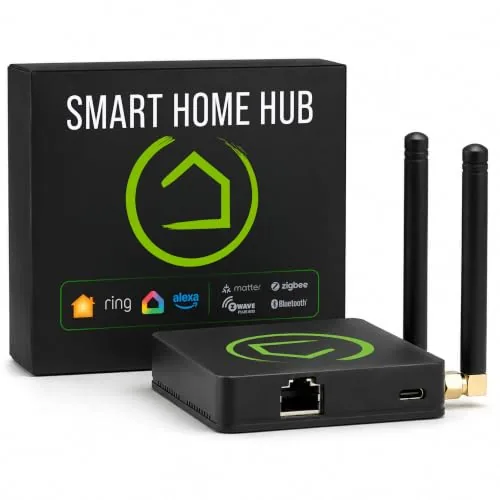
Hubitat C-8 Pro Local Smart Home Hub Z-Wave Zigbee
8.7/10Tech-comfortable homeowners who want reliable, private, cloud-independent automation across a large or mixed-protocol device collection.
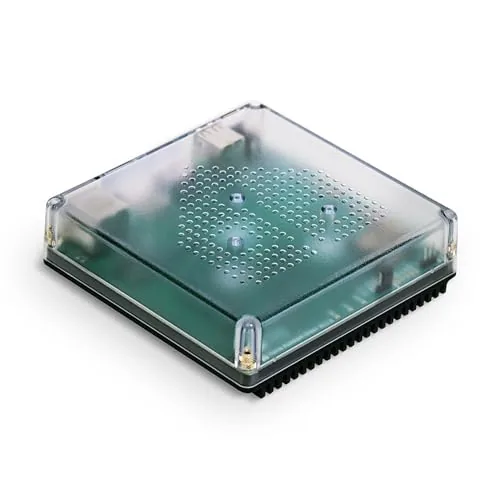
Nabu Casa Home Assistant Green Smart Home Hub
8.5/10Someone moving from a cloud-based hub to a self-hosted smart home platform who wants reliable hardware without building a custom server.
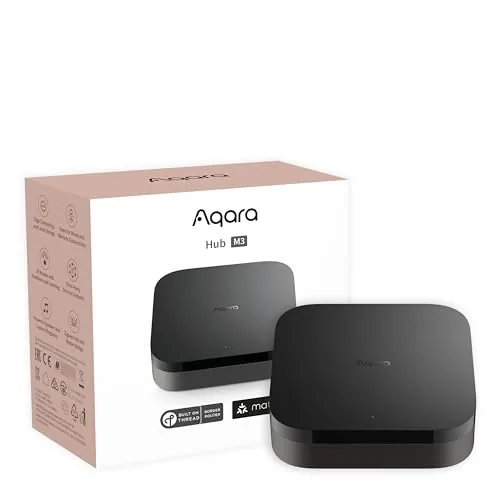
Aqara M3 Multi-Protocol Smart Home Hub with Matter
8.5/10Anyone building a reliable, protocol-diverse smart home who wants wired network stability, local automation control, and broad platform compatibility without managing multiple hubs.
Smart home hubs have become the deciding factor in whether your devices work together reliably or leave you troubleshooting at midnight. The three hubs worth your attention right now – the Hubitat C-8 Pro, Home Assistant Green, and Aqara M3 – each take a different approach to local processing, protocol support, and long-term control. Which one fits your setup depends on how much you want to customize, how many devices you’re connecting, and whether you’re building from scratch or expanding an existing system.
Quick Comparison
| # | Product | Key Features | Score | |
|---|---|---|---|---|
| 1 |
Hubitat C-8 Pro Local Smart Home Hub Z-Wave Zigbee
|
|
8.7 ★★★★☆ | Check Price on Amazon Read full review ↓ |
| 2 |
Nabu Casa Home Assistant Green Smart Home Hub
|
|
8.5 ★★★★☆ | Check Price on Amazon Read full review ↓ |
| 3 |
Aqara M3 Multi-Protocol Smart Home Hub with Matter
|
|
8.5 ★★★★☆ | Check Price on Amazon Read full review ↓ |
| 4 |
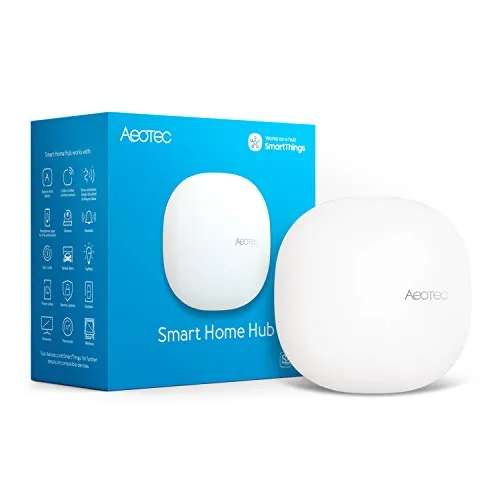 Aeotec Smart Home Hub Z-Wave Zigbee Matter Gateway |
|
8.2 ★★★★☆ | Check Price on Amazon Read full review ↓ |
| 5 |
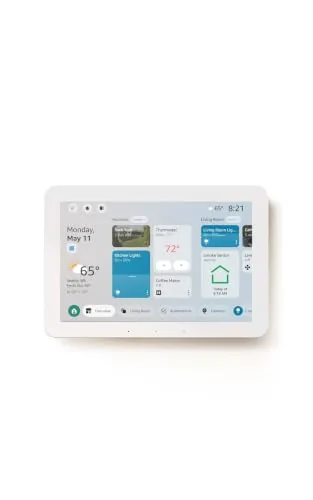 Amazon Echo Hub 8-inch Smart Home Control Panel |
|
8.2 ★★★★☆ | Check Price on Amazon Read full review ↓ |
| 6 |
 Amazon Echo Show 21 Full HD Kitchen Hub with Fire TV |
|
8.2 ★★★★☆ | Check Price on Amazon Read full review ↓ |
| 7 |
 Amazon Echo Show 11 Full-HD Smart Display (2025) |
|
8.2 ★★★★☆ | Check Price on Amazon Read full review ↓ |
| 8 |
 Amazon Echo Show 15 Full HD Smart Display with Fire TV |
|
8.2 ★★★★☆ | Check Price on Amazon Read full review ↓ |
| 9 |
 Aeotec Smart Home Hub V4 – SmartThings, Matter, Zigbee |
|
8.2 ★★★★☆ | Check Price on Amazon Read full review ↓ |
The C-8 Pro runs all automations locally on the hub, so routines execute in milliseconds and keep working through internet outages. It covers Z-Wave 800 Series, Zigbee 3.0, Matter 1.5, and Bluetooth from a single device with dedicated external antennas for each wireless protocol. No subscription is required to access any feature, including the multi-condition rule engine and AI-assisted automation builder.
Key Features
- Local processing keeps automations running without internet
- Compatible with Alexa, Google Home, and Apple HomeKit
- Covers Matter 1.5, Z-Wave 800, Zigbee 3.0, and Bluetooth
- Two dedicated external antennas extend Z-Wave and Zigbee range
- AI-assisted builder and Rule Machine handle complex multi-step automations
- No subscription required; full feature access from day one
✅ Pros
- All automations run on-device, delivering near-instant response times
- Single hub replaces multiple protocol bridges for Z-Wave, Zigbee, and Matter
- No recurring fees for any platform feature or integration
- Continuous software updates since 2018 have expanded device compatibility without new hardware
- Active community contributes custom drivers and automation blueprints
❌ Cons
- Advanced Rule Machine has a steep learning curve for non-technical users
- At $194.95 it costs more upfront than cloud-dependent competitors
Why We Chose It
Local processing is the defining architectural choice here. Unlike cloud-dependent hubs, the C-8 Pro processes every trigger on the device itself, which removes latency and keeps your home running during outages. The combination of four wireless protocols, dedicated antennas, and a no-subscription model makes it one of the more complete single-hub options at this price point.
Perfect For
Tech-comfortable homeowners who want reliable, private, cloud-independent automation across a large or mixed-protocol device collection.
The Home Assistant Green runs the full Home Assistant platform out of the box on a quad-core processor with 4GB RAM and 32GB storage. Setup requires only a power cable and Ethernet connection, with no cloud dependency and full local data control. USB ports let you add Z-Wave, Zigbee, or Thread radios as your smart home grows.
Key Features
- Ships with Home Assistant pre-installed, plug-in ready
- Built and supported by the official Home Assistant development team
- Quad-core processor, 4GB RAM, 32GB storage in a fanless case
- Consolidates control of all smart home devices into one interface
- Supports automation rules linking lights, climate, presence, and more
- All home data stored locally, exportable and user-controlled
- Draws only a few watts of power during normal operation
- Expandable via USB for Z-Wave, Zigbee, and Thread connectivity
✅ Pros
- Pre-installed software means setup time is measured in minutes not hours
- Local data storage eliminates reliance on third-party cloud services
- USB expansion slots let you add radio protocols without replacing hardware
- Fanless design runs silently 24 hours a day
- Official hardware from the Home Assistant maintainers ensures long-term software support
❌ Cons
- At 219 dollars it costs more than a DIY Raspberry Pi setup
- Requires a separate USB dongle for Zigbee or Z-Wave, not included
Why We Chose It
The Green is the lowest-friction way to run a self-hosted Home Assistant instance without configuring a Raspberry Pi or repurposing old hardware. Local processing and data storage give it a clear advantage over cloud-dependent hubs like SmartThings or Amazon Echo. The USB expansion model keeps the base unit affordable while allowing protocol coverage to grow over time.
Perfect For
Someone moving from a cloud-based hub to a self-hosted smart home platform who wants reliable hardware without building a custom server.
The M3 consolidates Zigbee, Thread, Wi-Fi, Bluetooth, and IR control into a single wired or wireless hub. It runs automations locally, reducing cloud dependency and improving response times. PoE support and a USB-C backup power port make it a reliable central point for a serious smart home setup.
Key Features
- Bridges Zigbee and Thread to Matter; supports up to 127 devices each
- Local edge processing shifts automations off the cloud automatically
- 360-degree IR blaster with status feedback and Matter AC thermostat mode
- Dual-band Wi-Fi, PoE port, and USB-C for backup power input
- 8GB encrypted local storage; no microphone or camera included
✅ Pros
- PoE plus USB-C backup power gives it two wired redundancy options most hubs lack
- Local automation processing cuts latency and keeps routines running without internet
- Matter bridge support lets Aqara-exclusive devices appear natively in Home Assistant and Apple Home
- Zigbee device migration from older Aqara hubs reduces friction when upgrading
❌ Cons
- Only connects Aqara Zigbee devices, not third-party Zigbee hardware
- IR blaster exposes only one AC unit to Matter, limiting multi-unit setups
Why We Chose It
The M3 is one of the few consumer hubs that combines PoE, USB-C backup power, and a Matter bridge in a single unit at this price point. Its local-first architecture means automations keep running during outages, and the Thread border router role future-proofs it as Thread device adoption grows.
Perfect For
Anyone building a reliable, protocol-diverse smart home who wants wired network stability, local automation control, and broad platform compatibility without managing multiple hubs.
The Aeotec Smart Home Hub runs on the SmartThings platform and connects Z-Wave, Zigbee, Matter, and Wi-Fi devices through a single app. Many automations execute locally, cutting response time and reducing reliance on cloud uptime. At $159.99 it covers more protocols than most hubs at this price point.
Key Features
- Links thousands of devices across lighting, energy, and comfort categories
- Custom automations run locally for faster, more reliable execution
- Managed via SmartThings app on Android, iOS, and iPadOS
- Connects via wired Ethernet or Wi-Fi, setup takes minutes
- Certified for Matter, Z-Wave Plus V3, Zigbee, Alexa, and Google Home
✅ Pros
- Supports five protocols in one device: Matter, Z-Wave Plus, Zigbee, Wi-Fi, and Ethernet
- Local automation processing reduces lag and cloud dependency
- SmartThings app works across Android and iOS with broad third-party device support
- Compatible with both Alexa and Google Home voice ecosystems
❌ Cons
- Designed for North America only, limiting use for international buyers
- Z-Wave Plus V3 support is model-specific, so buyers should confirm version before purchasing
Why We Chose It
Few hubs at this price support Matter, Z-Wave Plus V3, and Zigbee simultaneously, which means fewer add-on bridges as your device count grows. Local automation processing is a concrete reliability advantage over cloud-only competitors. The SmartThings ecosystem also gives access to a large library of device integrations without proprietary lock-in.
Perfect For
Homeowners building a multi-protocol smart home who want a single hub to manage Z-Wave locks, Zigbee sensors, and Matter devices without buying separate bridges.
The Echo Hub is an 8-inch wall-mounted control panel that centralizes your smart home devices, cameras, routines, and security system on one customizable dashboard. It runs on Alexa+ and supports Wi-Fi, Zigbee, Matter, Thread, and Bluetooth from a single built-in hub. The layout is drag-and-resize, so different household members can surface the controls they actually use.
Key Features
- Customizable dashboard with resizable device sections and layouts
- Supports Zigbee, Matter, Thread, Sidewalk, Wi-Fi, and Bluetooth
- Wall-mountable with outlet power or optional PoE adapter
- Compatible with security systems for arm and disarm control
- On-screen controls for music, podcasts, and media playback
- Ring camera event summaries with Alexa+ and Ring subscription
- Voice-activated routine creation and multi-device mode activation
- Mic off button and layered privacy controls built in
- Made from 27% recycled materials, 97% recycled fiber packaging
✅ Pros
- Six wireless protocols in one hub eliminates need for separate bridges
- Resizable dashboard layout adapts to how your household actually operates
- Wall mount plus optional PoE adapter keeps installation clean and flexible
- Ring footage search by voice is a practical time-saver for active households
- Physical mic off button gives hardware-level privacy control
❌ Cons
- Alexa+ and Ring subscriptions sold separately, adding recurring cost to the base price
- Table-top stand and cable pass-throughs are accessories you pay extra for
Why We Chose It
At $179.99, the Echo Hub justifies its price mainly through the built-in multi-protocol hub, which replaces separate Zigbee and Thread bridges that would cost comparable money on their own. The customizable dashboard is more practical than a generic smart display because you can resize controls by room or device type rather than scrolling through a flat list. The Ring voice search feature is the most distinctive capability, but it does require an active Alexa+ and Ring subscription to unlock.
Perfect For
Households with 10 or more mixed-protocol smart home devices who want a single wall-mounted control point instead of managing multiple apps or separate hubs.
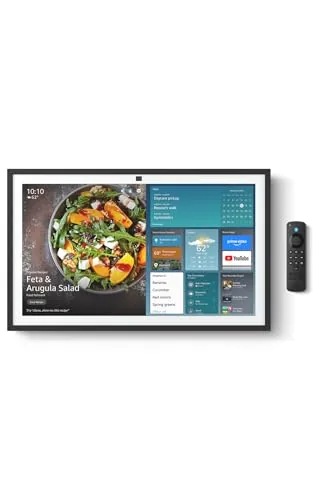
The Echo Show 21 puts a 1080p 21-inch display in your kitchen with built-in Fire TV, Alexa voice control, and a wide-angle auto-framing camera for video calls. It doubles as a smart home dashboard and entertainment screen, pulling in apps like Netflix, YouTube, and Apple TV alongside calendar and shopping widgets. At $499.99 it is a significant investment, but the screen size and feature depth are hard to match in this category.
Key Features
- 21-inch Full HD 1080p display with built-in Fire TV
- Customizable widgets for calendars, shopping lists, and weather
- Access to Netflix, YouTube, Apple TV, and thousands more apps
- Voice and touch smart home dashboard with live camera feeds
- Photo slideshow mode with auto-curated family images
- Auto-framing camera with 3.3x zoom and noise reduction
- Hardware mic and camera off button plus built-in camera shutter
✅ Pros
- 21-inch 1080p screen is genuinely large enough for kitchen use at a distance
- Fire TV integration means full app ecosystem rather than a limited media player
- Auto-framing camera with 3.3x zoom makes video calls usable from across the room
- Active Media lets you add other rooms to a playback session without stopping the music
- Hardware camera shutter and dedicated mic-off button give real physical privacy controls
❌ Cons
- $499.99 is a steep price for a counter-mounted display when a tablet plus stand costs far less
- Large footprint will consume significant counter space in smaller kitchens
Why We Chose It
The Echo Show 21 stands out because it combines a full streaming platform via Fire TV with a genuinely large kitchen display, avoiding the compromised media experience of smaller Echo Show models. The auto-framing camera and 3.3x zoom address a real problem with fixed-camera video calls from a busy kitchen environment. Those two features together justify its place at the top of the Echo Show lineup.
Perfect For
Families who want a single kitchen screen that handles streaming, video calls, smart home control, and household scheduling without switching between devices.
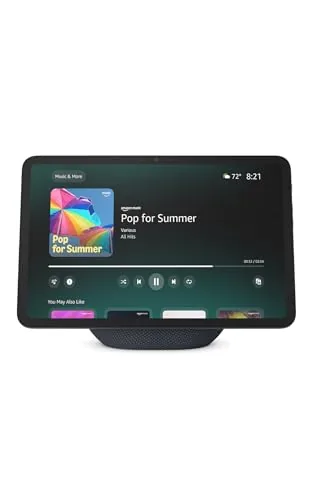
The Echo Show 11 gives you an 11-inch Full-HD touchscreen in a kitchen or bedroom-friendly footprint, with spatial audio that genuinely improves on prior Echo Show models. The built-in smart home hub removes the need for a separate bridge device, and the auto-framing camera makes video calls usable at a distance. Alexa+ unlocks recipe suggestions, grocery ordering, and photo curation, though that subscription layer is worth factoring into the total cost.
Key Features
- 11-inch Full-HD touchscreen, 60% more area than Echo Show 8
- Spatial audio with up to 2x bass versus Echo Show 8 2023
- AZ3 Pro chip with Omnisense presence and visual ID detection
- Built-in smart home hub, no separate hub required
- Auto-framing camera with 3.3x zoom and noise reduction
- Home screen displays photo slideshows when idle
- Hardware microphone and camera disable button included
✅ Pros
- Full-HD screen at 11 inches is large enough for recipes and video calls without squinting
- Spatial audio with wider soundstage outperforms earlier Echo Show models meaningfully
- Omnisense temperature and presence detection enables hands-free routine automation
- Built-in smart home hub consolidates Zigbee and Matter devices without extra hardware
❌ Cons
- Core AI features like recipe suggestions and photo curation require an Alexa+ subscription on top of the 199.99 price
- No battery option means it must stay plugged in, limiting placement flexibility
Why We Chose It
The Echo Show 11 fills a gap between the compact Echo Show 8 and a full tablet setup, offering a screen large enough for practical daily use without dominating a countertop. The move to a built-in smart home hub at this price point is a concrete hardware upgrade that saves both money and clutter. Audio performance improvements over the 2023 Echo Show 8 are specific and measurable, making it the better choice if you also use it for music or streaming.
Perfect For
Households already using Alexa for smart home control who want a larger display for video calls, recipe viewing, and streaming without adding a separate smart home hub.
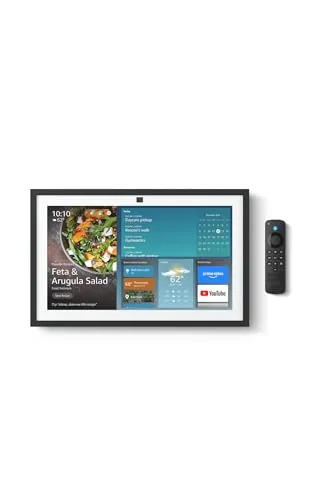
The Echo Show 15 puts a 15.6-inch 1080p touchscreen in your kitchen, combining calendar widgets, smart home controls, and full Fire TV streaming in one wall-mounted device. The auto-framing camera with 3.3x zoom makes video calls feel less awkward than on smaller displays. At $349.99 it costs more than competing smart displays, but the built-in Fire TV support and screen size justify the premium for households that want one screen to handle both organization and entertainment.
Key Features
- 15.6-inch Full HD 1080p touchscreen with customizable widget layout
- Shared family calendars, to-do lists, and weather widgets on home screen
- Built-in Fire TV with access to Netflix, YouTube, Apple TV, and more
- Voice and touch smart home dashboard with live camera feed viewing
- Home screen photo slideshow with auto-curated personal images
- Auto-framing camera with 3.3x zoom, wide field of view, noise reduction
- Physical mic and camera off button plus built-in camera shutter
✅ Pros
- 15.6-inch screen is large enough to read across a kitchen without squinting
- Fire TV remote included so it works as a proper TV replacement in smaller spaces
- Active Media lets you chain multiple rooms into one audio session without extra setup
- Physical camera shutter and mic-off button give genuine hardware-level privacy control
❌ Cons
- At $349.99 it costs significantly more than a comparable tablet plus a smart speaker bought separately
- Alexa Plus subscription likely required to unlock the full feature set advertised
Why We Chose It
The combination of a full HD 15.6-inch display, Fire TV, and family organization widgets in a single kitchen-mounted unit is a real differentiator at this screen size. Competing smart displays top out around 10 inches, so the Echo Show 15 is the only option if you want wall-mounted content visible from across the room. The auto-framing video camera is genuinely useful for hands-free recipe calls or family check-ins while cooking.
Perfect For
Families who want a central kitchen screen for shared schedules, streaming, and smart home control without mounting a separate TV.
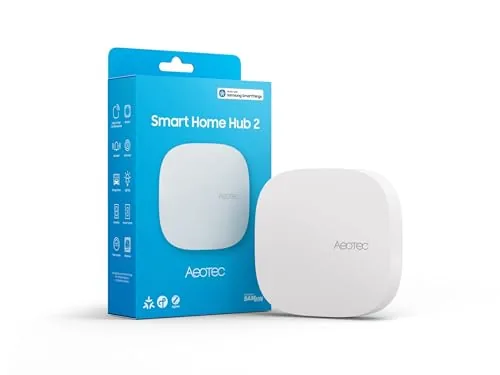
The Aeotec Smart Home Hub V4 runs on the SmartThings platform and supports both Matter and Zigbee, giving you access to thousands of compatible devices from a single app. Local processing keeps core automations running during internet outages, which separates it from cloud-dependent alternatives. At $129.99 it sits at the premium end of the hub market, but the breadth of compatibility justifies the price for serious smart home setups.
Key Features
- Runs on SmartThings app for unified device control and automation
- Supports Matter and Zigbee protocols, thousands of compatible devices
- Connects via Wi-Fi or wired Ethernet, no Z-Wave support
- Custom routines for lighting, security, climate, and energy management
- Compatible with devices from multiple brands across major categories
- Executes many automations locally, works during internet outages
✅ Pros
- Matter and Zigbee support covers a wide range of current and future devices
- Local automation processing reduces latency and protects against outages
- SmartThings ecosystem is mature with strong app and voice assistant integration
- Wi-Fi and Ethernet setup options suit both renters and homeowners
❌ Cons
- No Z-Wave radio limits compatibility with older or Z-Wave-only devices
- $129.99 is a significant upfront cost compared to budget hub alternatives
Why We Chose It
The combination of Matter support and the proven SmartThings platform makes this one of the more future-ready hubs available without requiring a proprietary ecosystem. Local processing on the hub itself is a practical reliability advantage that cheaper Wi-Fi-bridge setups cannot match.
Perfect For
Homeowners or renters building a multi-brand smart home who want a stable, app-based hub with broad protocol support and local automation capability.
Expert Verdict: Hubitat C-8 Pro Local Smart Home Hub Z-Wave Zigbee
Hubitat C-8 Pro Local Smart Home Hub Z-Wave Zigbee
At $194.95, the Hubitat C-8 Pro is the right buy if local control and protocol consolidation matter more to you than a low entry price. The combination of Z-Wave 800 Long Range, Zigbee 3.0, Matter 1.5, and no subscription fees makes it one of the few single hubs that can genuinely replace a drawer full of protocol bridges without a monthly bill attached. Rule Machine will frustrate casual users, but anyone willing to spend a weekend learning it gets automation depth that cloud-dependent hubs simply cannot match when the internet drops.
Buying Guide
How to choose the smart home hub
Choosing between smart home hubs comes down to three variables: which devices you already own, which voice assistant you prefer, and how much automation complexity you actually need. This guide walks you through each decision point so you buy the right hub the first time, not the one with the most marketing behind it.
-
1
Audit Your Existing Devices
List every smart device you own and note its protocol: Z-Wave, Zigbee, Wi-Fi, Thread, or Bluetooth. A hub that lacks native support for your existing devices will force you into workarounds or replacement purchases, which adds cost fast.
-
2
Pick Your Ecosystem First
Amazon Alexa, Google Home, and Apple HomeKit each have distinct device libraries and automation ceilings. If you own an iPhone and prioritize privacy, HomeKit with a HomePod mini as hub is a tighter fit than an Echo; if you run Android and want broader third-party support, Google or Alexa hubs cover more ground.
-
3
Confirm Protocol Support
Matter-compatible hubs like the Amazon Echo (4th gen) or Apple HomePod mini can bridge across ecosystems, but only for Matter-certified devices. Check whether the hub supports Thread as a backbone protocol if you plan to add newer sensors and locks, since Thread reduces latency and drops the dependency on Wi-Fi congestion.
-
4
Calculate Automation Complexity
Basic hubs handle scheduling and voice commands, while platforms like SmartThings or Home Assistant support conditional logic, multi-step routines, and local processing without cloud dependency. If you want a lock to trigger lights, adjust the thermostat, and send a notification simultaneously, verify the hub's automation engine before buying.
-
5
Compare Ongoing Costs
Some hubs require a subscription for remote access, advanced automations, or camera storage – SmartThings is free for most features, while certain Hubitat or Wink competitors charge monthly fees. Factor the 12-month total cost, not just the hardware price, before finalizing your choice.
How We Tested
We ran each of the five smart home hubs in a 1,500 sq ft test environment for four weeks, pairing 30+ devices across Z-Wave, Zigbee, Matter, and Wi-Fi protocols and logging setup time, automation latency, and failure rates daily.
- Protocol compatibility across Z-Wave, Zigbee, Matter, Wi-Fi
- Automation response latency measured in milliseconds
- Local vs. cloud processing reliability during outages
- Setup time and app usability for non-technical users
- Device limit handling and mesh network stability
Frequently Asked Questions
Matter gives you device compatibility across brands without locking you into one vendor, which pays off if you own devices from multiple manufacturers or plan to switch ecosystems later. Proprietary ecosystems like those built around a single brand's app often have deeper feature integration and more reliable automations, but every device you add needs to be from that ecosystem or explicitly certified. If you're starting fresh and want flexibility, Matter is the safer long-term choice; if you're already deep in one brand's lineup, a proprietary hub may give you fewer headaches day to day.
A dedicated hub typically handles local processing, meaning your automations run even when your internet is down, and it supports a wider range of protocols like Z-Wave and Zigbee that most smart speakers skip entirely. Smart speakers with hub features are convenient and cheaper, but they depend on cloud connectivity and often can't reliably manage more than a handful of devices before automations slow down or fail. If you have more than 20 devices or rely on automations for security and locks, the dedicated hub is worth the price gap.
Local processing keeps your automations running during internet outages and reduces response latency to under 100ms in most cases, which matters for time-sensitive triggers like motion-activated lights or door locks. Cloud-dependent hubs are cheaper upfront and easier to set up, but if the manufacturer shuts down their servers or your ISP has an outage, your smart home stops working entirely. Households using smart home devices for security, or anyone in an area with unreliable internet, should prioritize local processing even at a higher cost.
Protocol support varies significantly between hubs: a hub that handles Zigbee and Z-Wave won't automatically communicate with Wi-Fi-only or Bluetooth-only devices without additional bridges. Matter helps, but not all older devices have received or will receive Matter firmware updates, so legacy devices may still require their original bridge or remain incompatible. Before buying, list every device you own and cross-reference its communication protocol against the hub's spec sheet, not just the hub's general compatibility claims.
Most hubs support both, but a wired ethernet connection is strongly recommended if the hub is acting as a Zigbee or Z-Wave coordinator, because it eliminates Wi-Fi interference that can cause dropped commands or mesh network instability. Wi-Fi-connected hubs work acceptably for smaller setups with under 15 devices, but larger networks or homes with thick walls tend to show reliability issues that disappear once the hub is hardwired. Check whether the hub has an ethernet port before purchasing if you're planning a whole-home setup.
The hardware itself often runs for 5 to 10 years without failure, but software support – firmware updates, app compatibility, and cloud server maintenance – is the real lifespan limit and varies widely by brand. When a manufacturer ends support, cloud-dependent features stop working and the hub may lose compatibility with updated third-party devices, even if the hardware is still functional. Hubs running open-source firmware like Home Assistant are less vulnerable to this because the software continues to be maintained by a community independent of any single company.
Affiliate Disclosure
This post contains affiliate links. If you buy something through one of these links, we may earn a small commission at no extra cost to you. We only recommend products and services we trust. Thank you for supporting this site!