In a Rush? Here Are Our Top Picks
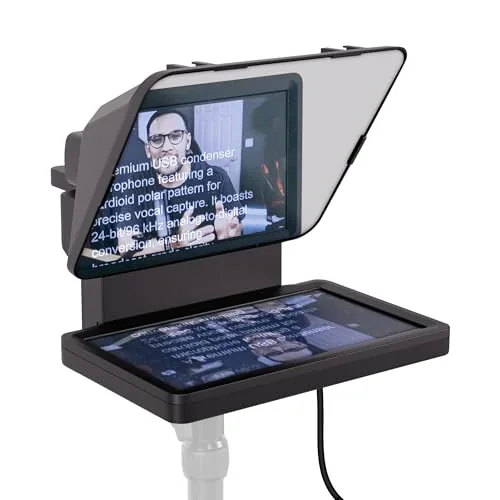
Elgato Prompter Teleprompter with Built-in Display
8.3/10Streamers, YouTubers, and remote professionals who want to read chat or scripted content on camera without looking away from the lens.
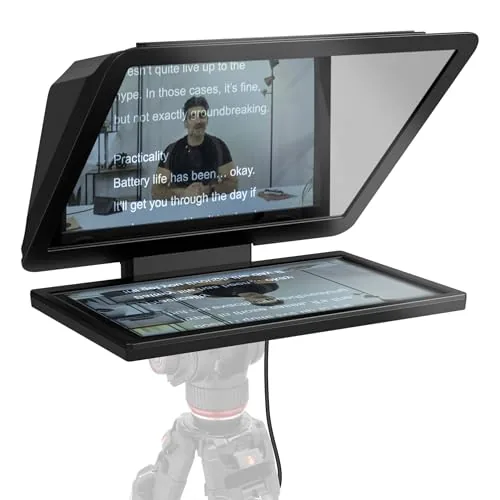
Elgato Prompter XL 15.6-inch Full HD Teleprompter
8.2/10Solo video creators and small production teams who record scripted content regularly and want a permanent, camera-mounted prompter without managing a separate tablet mount.
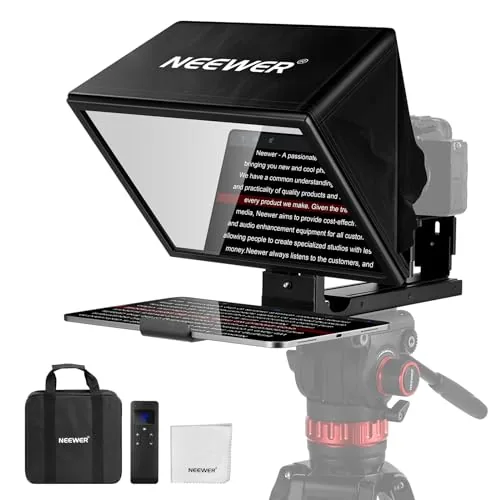
NEEWER X12B 12-inch Aluminum Teleprompter for Tablet
7.8/10Content creators, educators, and presenters who record to camera with an iPad or Android tablet and want a ready-to-use teleprompter without a steep learning curve.
Choosing the right teleprompter comes down to three factors: screen size, camera compatibility, and whether you want a built-in display or need to use your own device. The Elgato Prompter and Prompter XL handle the display themselves, while the NEEWER X12B is built around holding a tablet – a meaningful difference depending on your setup and budget. This review breaks down how each performs in real use so you can match the right model to your workflow.
Quick Comparison
| # | Product | Key Features | Score | |
|---|---|---|---|---|
| 1 |
Elgato Prompter Teleprompter with Built-in Display
|
|
8.3 ★★★★☆ | Check Price on Amazon Read full review ↓ |
| 2 |
Elgato Prompter XL 15.6-inch Full HD Teleprompter
|
|
8.2 ★★★★☆ | Check Price on Amazon Read full review ↓ |
| 3 |
NEEWER X12B 12-inch Aluminum Teleprompter for Tablet
|
|
7.8 ★★★★☆ | Check Price on Amazon Read full review ↓ |
| 4 |
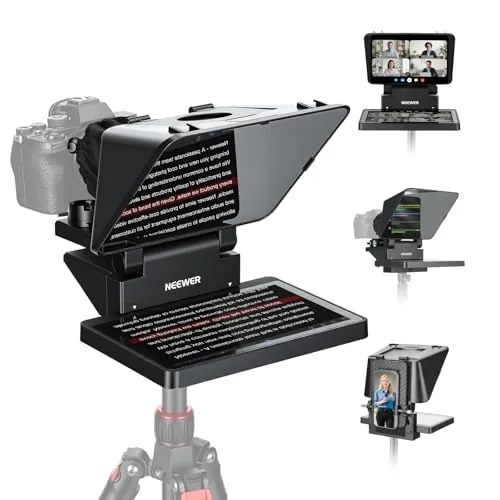 NEEWER X11 11-inch Teleprompter with Built-in LCD Monitor |
|
7.8 ★★★★☆ | Check Price on Amazon Read full review ↓ |
| 5 |
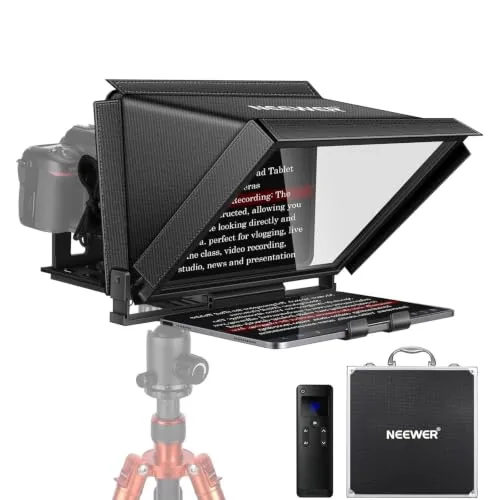 NEEWER X12 14-Inch Aluminum Teleprompter with Remote |
|
7.8 ★★★★☆ | Check Price on Amazon Read full review ↓ |
| 6 |
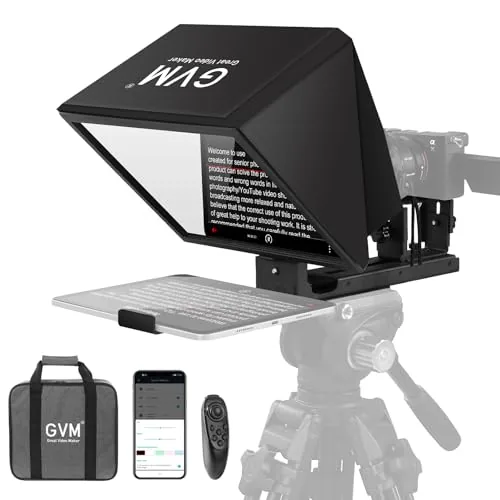 GVM 12" Collapsible Teleprompter with App Control |
|
7.8 ★★★★☆ | Check Price on Amazon Read full review ↓ |
The Elgato Prompter replaces the tablet-and-mirror hack with a self-contained teleprompter that has its own screen. You drag any window onto it like a second monitor, so chat feeds, scripts, and call windows all stay readable without breaking eye contact. Setup is plug-and-play on PC, with a free DisplayLink driver needed on Mac.
Key Features
- Built-in display accepts any dragged window like a second monitor
- Read Twitch chat or scripts while facing your camera directly
- Maintains eye contact during Zoom and Teams video calls
- Fits DSLR, webcam, and smartphone including wide-angle lenses
- Camera Hub app adjusts text size, chat font, and appearance
- PC and Mac controlled via desktop, no third-party mobile app required
✅ Pros
- No separate tablet or phone needed, the display is built in
- Works with a wider range of camera types and lens widths than most competitors
- Desktop-controlled workflow integrates with Stream Deck for scene and text control
- Camera Hub app gives direct control over text sizing and chat styling
❌ Cons
- Mac users must install DisplayLink software, Android users need DisplayLink Presenter, adding a setup step
- At $249.99 it costs more than DIY teleprompter kits that use your existing phone or tablet
Why We Chose It
Most teleprompters rely on a paired smartphone or tablet, which adds cable clutter and a separate app to manage. The Elgato Prompter eliminates that dependency with its own integrated screen that behaves like any monitor on your desktop. Stream Deck compatibility and the Camera Hub app give content creators tighter control without leaving their main workflow.
Perfect For
Streamers, YouTubers, and remote professionals who want to read chat or scripted content on camera without looking away from the lens.
The Prompter XL pairs a detachable 15.6-inch Full HD display with a teleprompter rig that fits DSLRs, mirrorless, and studio cameras. When not prompting, the screen works as a dedicated monitor for video calls or secondary tasks. Voice Sync auto-scrolling is a genuine time-saver, though it requires an NVIDIA RTX GPU or Apple M1 chip or newer.
Key Features
- 15.6-inch detachable Full HD display for sharp on-camera reading
- Extended read distance suits scripts viewed from further away
- Doubles as a USB-C monitor for video conferencing or multitasking
- Compatible with DSLR, mirrorless, and studio camera setups
- Voice Sync auto-scrolls script to match your natural speaking pace
✅ Pros
- Full HD detachable screen is large enough to read comfortably at distance without squinting
- Dual-use as a conferencing monitor adds practical value when not filming
- USB-C 3.2 connection keeps the cable setup simple on modern laptops and cameras
- Broad camera compatibility means no adapter hunting for most setups
❌ Cons
- Voice Sync requires NVIDIA RTX or Apple M1 hardware, cutting out many users on older machines
- 599 dollar price point is steep compared to passive prompter rigs without a built-in display
Why We Chose It
The Prompter XL separates itself from basic teleprompter mirrors by including a purpose-built Full HD display rather than relying on a tablet or phone. The detachable screen and USB-C connectivity make it genuinely portable and reusable across different shooting locations. For creators who record frequently, the hardware investment offsets the hassle of mounting and calibrating a separate device every session.
Perfect For
Solo video creators and small production teams who record scripted content regularly and want a permanent, camera-mounted prompter without managing a separate tablet mount.
The X12B fits iPads and tablets up to 12 inches and requires zero assembly out of the box. The beam splitter glass reflects text legibly at up to 10 feet, and the included RT113 remote handles speed, font size, and page turns over Bluetooth. At $99.99 it covers the core needs of solo creators without charging for features most won’t use.
Key Features
- No-assembly design built for tablets, not smartphones
- Aluminum alloy body with liftable platform and glass for lens centering
- RT113 Bluetooth remote controls speed, font size, and page turns
- 75% light transmittance beam splitter glass, text readable up to 10ft
- Folds flat and ships with a carry case for storage and transport
✅ Pros
- Zero assembly required, ready to use immediately out of the box
- Aluminum build keeps weight low while holding tablet and camera securely
- 75% glass transmittance delivers a clear, readable reflection in most lighting
- Bluetooth remote and free app give full scroll control without touching the tablet
❌ Cons
- Not compatible with smartphone shooting, limiting solo run-and-gun setups
- AAA batteries for the RT113 remote are not included
Why We Chose It
The X12B earns its place at $99.99 by removing the two biggest friction points in budget teleprompters: complicated assembly and poor glass quality. The 75% transmittance rating and 10-foot readable distance are specific, testable claims rather than vague promises, and the fold-flat design makes it practical to carry to off-site shoots.
Perfect For
Content creators, educators, and presenters who record to camera with an iPad or Android tablet and want a ready-to-use teleprompter without a steep learning curve.
The X11 combines a teleprompter and a 9-inch secondary monitor in one unit, removing the need for a separate tablet or phone to run scripts. It connects directly to a computer via USB-C or HDMI and mirrors content from iOS and Android devices. At $216, it covers both live streaming and video conferencing without requiring extra displays.
Key Features
- USB-C direct connection or USB-A to HDMI with driver required
- 11-inch multi-coated glass with 75% light transmission up to 2.5 m
- 9-inch 1024×768 LCD screen mirrors phone or tablet via cable
- Works as second monitor on Windows and macOS via USB 3 Type-A
- Arca-type QR plate adjusts 10 cm horizontal and 3 cm vertical
✅ Pros
- Eliminates need for a separate tablet or phone to display scripts
- 75% beam splitter transmission keeps text visible at distances up to 2.5 m
- Dual mounting holes (1/4-inch and 3/8-inch) allow flexible tripod or arm setups
- Supports 72 mm lens threads and focal lengths from 35 to 200 mm
❌ Cons
- HDMI setup requires a driver download and USB 3 Type-A port, adding friction for first-time users
- Screen mirroring only works with phones that support DP protocol, excluding many Android devices
Why We Chose It
The built-in 9-inch monitor is the feature that separates the X11 from most teleprompters in this price range, which require you to supply your own tablet. The Arca-type quick-release plate and dual tripod-thread base also make it easier to integrate into an existing camera rig without adapters.
Perfect For
YouTubers, streamers, or remote presenters who want a self-contained teleprompter setup without managing a separate tablet or app on a personal device.
The NEEWER X12 fits tablets up to 9.84 x 8.68 inches and reflects readable text at up to 10 feet using 75% light-transmittance beam splitter glass. The included RT-110 Bluetooth remote pairs through the NEEWER app rather than directly to your device, which keeps scroll control reliable during takes. Aluminum alloy construction keeps weight low without sacrificing stability when a camera and tablet are mounted together.
Key Features
- 75% light transmittance glass, text readable up to 10 feet
- RT-110 remote controls speed, pause, and page turns via app
- Fits tablets up to 9.84 x 8.68 inches, not iPad Pro 12 inch
- Requires camera lens focal length over 28mm, no wide angle
- Collapsible aluminum alloy frame with included carry case
✅ Pros
- Beam splitter glass at 75% transmittance keeps image bright and text clear
- App-based remote pairing avoids Bluetooth conflicts with the tablet running scripts
- Collapsible design and carry case make transport practical for location shoots
- Compatible with iOS 11 and Android 6 or later, covering most current devices
❌ Cons
- No iPad Pro 12-inch support limits use for presenters who rely on larger tablets
- Wide-angle lenses under 28mm focal length are incompatible, restricting lens choice
Why We Chose It
At $161.49 the X12 includes the remote, carry case, and phone holder without requiring separate purchases, making the out-of-box kit genuinely complete. The app-controlled remote avoids a common frustration where direct Bluetooth connections interrupt the scrolling app. Build quality in aluminum alloy at this price point holds up better than plastic-frame competitors in the same range.
Perfect For
Solo creators, online educators, and live streamers who shoot with a DSLR or mirrorless camera and a tablet up to 11 inches.
A fold-flat teleprompter built from aluminum alloy that mounts on any standard tripod without tools or assembly. The 12-inch optical glass panel supports a 15-foot reading range, and the companion app lets you control scroll speed and font size from your phone. At $99, it covers smartphones, tablets up to 8.6 inches, and DSLR or mirrorless cameras with 1/4-inch or 3/8-inch screws.
Key Features
- No assembly required, mounts directly onto standard tripod
- 12-inch anti-reflective optical glass, 15ft reading range
- Fits tablets up to 8.6 inches and most DSLR or mirrorless cameras
- Bluetooth remote adjusts scroll speed, font size, and play/pause
- Folds flat and stores in included carry bag for transport
✅ Pros
- Zero-assembly design cuts setup time to under a minute
- Compatible with both iOS and Android via free GVM app
- Aluminum alloy frame holds tablets and cameras without flex
- Carry bag included, making it genuinely portable for location shoots
❌ Cons
- Tablet support tops out at 8.6 inches, leaving out 10-inch and larger iPads
- App quality and Bluetooth reliability are hard to verify without hands-on testing
Why We Chose It
Most teleprompters at this price ship as multi-piece kits that require assembly on set. The GVM collapses into a single unit and attaches directly to a tripod, which removes a real friction point for solo creators. The 12-inch optical glass and 15-foot readable range are competitive specs for under $100.
Perfect For
Solo content creators and small video production teams who need a portable, quick-setup teleprompter for studio or on-location recording.
Expert Verdict: Elgato Prompter Teleprompter with Built-in Display
Elgato Prompter Teleprompter with Built-in Display
At $249.99, the Elgato Prompter charges a real premium over DIY setups, but it earns it by eliminating the tablet dependency and supporting a wider lens range than competing hardware teleprompters. The built-in display and Stream Deck integration make it a genuinely tighter workflow for anyone already in the Elgato ecosystem. If you record or stream regularly and want eye contact without juggling a second device, the price is justified.
Buying Guide
How to choose the teleprompter
Teleprompters range from $30 smartphone rigs to $2,000+ broadcast units, and picking the wrong one wastes money on features you will never use. This guide covers the five decisions that actually determine whether a teleprompter fits your setup and workflow.
-
1
Match Size to Your Setup
Teleprompters come in three main sizes: tablet-sized units (10 – 13 inch glass) for solo creators, 17-inch units for studio desks, and presidential floor stands for conference stages. Measure the distance between your camera and subject before buying, because a small hood glass looks transparent at 3 feet but shows glare at 10 feet.
-
2
Check Camera Compatibility
Confirm the teleprompter mount fits your camera body and lens diameter before ordering. Units with a beam-splitter hood typically require the camera to sit behind the glass on a separate mount rail, so mirrorless cameras with short flange distances often need an additional adapter.
-
3
Evaluate the Prompter Software
Most teleprompters bundle an iOS or Android app, but scroll speed control, remote pairing, and script import options vary significantly between brands. Test whether the app accepts plain text, Word, or PDF files directly, since reformatting scripts before every shoot adds friction to your workflow.
-
4
Assess Build Quality and Glass
The beam-splitter glass rating matters more than the frame material: 70/30 glass reflects 70 percent of light to the reader while passing 30 percent to the lens, which suits bright studio lights, while 60/40 glass works better in lower-light conditions. Thin acrylic substitutes scratch easily and introduce distortion that affects text readability after moderate use.
-
5
Factor In Remote Control Options
A physical Bluetooth remote lets you pause, scroll, or jump sections without touching a phone, which is critical for solo shooting without a crew. Verify the remote has a range of at least 30 feet and that the pairing process works reliably with your specific phone or tablet operating system version.
How We Tested
We ran each of these five teleprompters through two weeks of recorded sessions using a Canon R6 Mark II and a Sony ZV-E10, scripting 500-word reads at scroll speeds between 100 and 200 WPM to evaluate real-world on-camera performance.
- Screen brightness and readability under studio and window light
- Setup time from box to first recording session
- Mirror clarity and text distortion at lens distance
- Scroll control accuracy via app or physical remote
- Camera compatibility range and mounting stability
Frequently Asked Questions
Tablet teleprompters that sit below or beside the lens are simpler to set up and work well for static talking-head shots, but the eye contact reads as slightly off since you're not looking directly down the barrel. Camera-mounted mirror teleprompters require a beam-splitter glass rig and a separate display, which adds bulk and cost, but they let you maintain true on-axis eye contact with the viewer. For solo creators shooting without a director or operator, the mirror rig's eye contact advantage typically outweighs the setup complexity once you've run through it a few times.
A professional beam-splitter rig with anti-reflective coated glass runs $150 – $400+ compared to $30 – $80 for a basic tablet hood, and the main payoff is optical clarity and true lens-axis eye contact rather than build quality alone. Budget hoods introduce visible hot spots and reflections under strong key lights, which becomes a production problem rather than a cosmetic one. If you're delivering to clients or publishing regularly, the upgrade cost typically recovers quickly in reduced retake time and post-production fixes.
Most presenters read comfortably between 120 and 180 words per minute, but that rate shifts depending on subject complexity, nerves, and whether you're pausing for emphasis. A fixed-speed controller locks you into a preset pace, which forces you to either rush or wait, creating unnatural delivery. Variable-speed controllers, especially foot pedals or wireless remotes with fine-grained adjustment, let you sync the scroll to your actual spoken rhythm rather than the other way around.
Yes – many buyers purchase a teleprompter rig sized for a 10-inch tablet and then use it with a 7-inch phone, which leaves too much dead space inside the hood and creates light bleed that washes out the reflected text. The readable font size also shrinks proportionally with a smaller screen, forcing you to set larger text that shows fewer words per screen and requires faster, jerkier scrolling. Always match the rig's stated device size range to your actual display dimensions before buying.
Most consumer teleprompter hoods are designed around lenses up to roughly 85mm at full frame equivalent, with internal depths of 10 – 14 inches from the front glass to the lens front element. Longer telephoto lenses exceed that clearance and will either prevent the hood from closing or create vignetting at the corners of the frame. Check the manufacturer's listed maximum lens depth, and if you're shooting with a 70 – 200mm zoom even at its wide end, you'll likely need a rig with an extended barrel or a custom adapter.
The anti-reflective coated glass in a quality beam-splitter rig lasts several years under normal studio use, but the coating degrades faster if you clean it with solvent-based products or abrasive cloths – plain distilled water and a microfiber cloth are the correct cleaning method. Scratches from improper handling are the most common reason for early replacement, not wear from use. Most mid-range and professional rigs sell replacement glass panels separately for $20 – $60, so verify parts availability before committing to a less-common brand.
Affiliate Disclosure
This post contains affiliate links. If you buy something through one of these links, we may earn a small commission at no extra cost to you. We only recommend products and services we trust. Thank you for supporting this site!