In a Rush? Here Are Our Top Picks
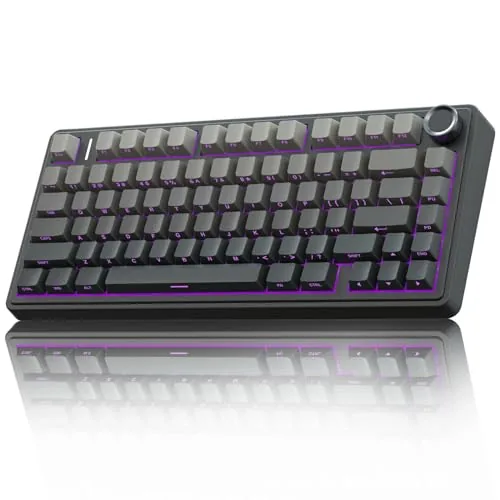
AULA F75 Pro Wireless 75% Mechanical Keyboard
8.2/10Budget-conscious buyers who want a quiet, wireless 75% keyboard with room to swap switches without spending over $100.
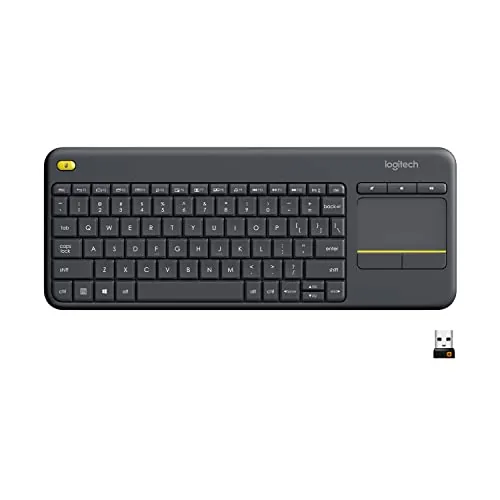
Logitech K400 Plus Wireless Keyboard with Touchpad
7.8/10Anyone who controls a living room PC or media center from the couch and wants a single compact peripheral instead of a separate keyboard and mouse.
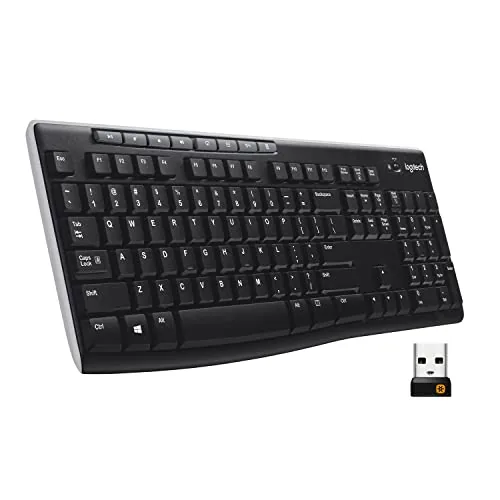
Logitech K270 Full-Size Wireless Keyboard with Numpad
7.8/10Home office users or small businesses needing an affordable, no-setup wireless keyboard for Windows PCs with light to moderate daily typing.
Wireless keyboards cut the cable clutter and give you flexibility to work or game from wherever you’re comfortable, but the right choice depends heavily on what you’re actually doing with one. A compact 75% mechanical board like the AULA F75 Pro suits a desk setup where you want tactile feedback and a tighter footprint, while the Logitech K400 Plus with its built-in touchpad makes more sense for couch-based media control, and the full-size Logitech K270 covers anyone who needs a numpad for spreadsheets or data entry. This guide breaks down all three so you can match the keyboard to your specific setup rather than guess.
Quick Comparison
| # | Product | Key Features | Score | |
|---|---|---|---|---|
| 1 |
AULA F75 Pro Wireless 75% Mechanical Keyboard
|
|
8.2 ★★★★☆ | Check Price on Amazon Read full review ↓ |
| 2 |
Logitech K400 Plus Wireless Keyboard with Touchpad
|
|
7.8 ★★★★☆ | Check Price on Amazon Read full review ↓ |
| 3 |
Logitech K270 Full-Size Wireless Keyboard with Numpad
|
|
7.8 ★★★★☆ | Check Price on Amazon Read full review ↓ |
| 4 |
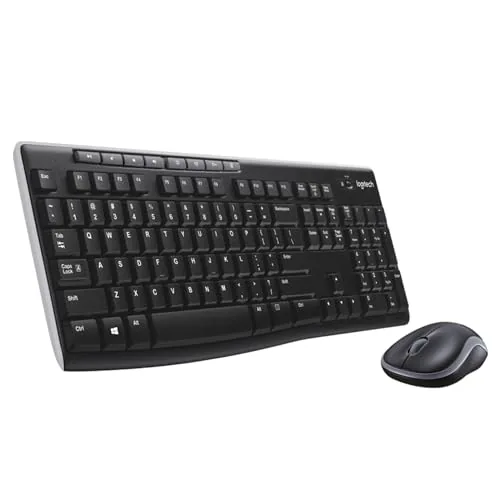 Logitech MK270 Wireless Keyboard and Mouse Combo |
|
7.5 ★★★★☆ | Check Price on Amazon Read full review ↓ |
| 5 |
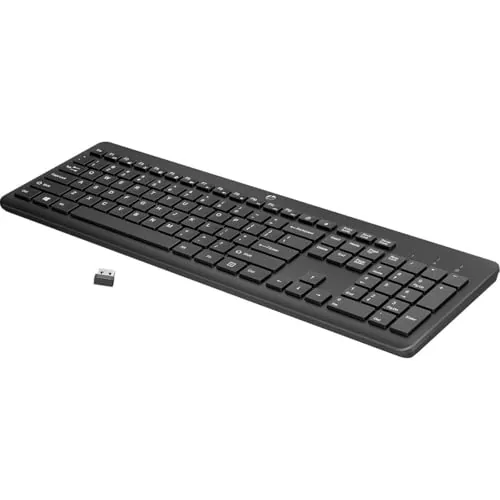 HP 230 Wireless Keyboard with Numpad, Black |
|
7.5 ★★★★☆ | Check Price on Amazon Read full review ↓ |
| 6 |
 Logitech MK270 Wireless Keyboard and Mouse Combo Rose |
|
7.2 ★★★★☆ | Check Price on Amazon Read full review ↓ |
| 7 |
 Soueto Wireless RGB Keyboard with Built-In Device Holder |
|
6.8 ★★★☆☆ | Check Price on Amazon Read full review ↓ |
The F75 Pro packs tri-mode connectivity, hot-swap PCB, and five layers of acoustic dampening into a $65 package that typically costs more elsewhere. Pre-lubed LEOBOG Reaper switches and silicone-padded construction give it a sound profile closer to keyboards twice the price. The dual-mode knob handling both volume and RGB control is a practical addition for a layout this compact.
Key Features
- Bluetooth 5.0, 2.4GHz, and USB-C with five-device pairing
- Hot-swappable 3-pin and 5-pin switch support, no soldering needed
- Silicone pad, PCB single-key slots, and five acoustic dampening layers
- 16.8 million color RGB with 16 presets and music-reactive modes
- 81-key 75% layout with arrow keys and N-key rollover
- Knob switches between volume control and RGB brightness by mode
- Side-printed PBT keycaps, double-shot with heat sublimation, sweat-resistant
- 4000mAh battery with macro-programmable keys via F75 driver
✅ Pros
- Pre-lubed switches and stabilizers reduce need for out-of-box modifications
- Five-layer dampening system noticeably cuts cavity and spring noise
- 4000mAh battery offers extended wireless use before recharging
- Hot-swap support for both 3-pin and 5-pin switches broadens upgrade options
- Knob dual-mode behavior adds real utility without occupying extra keys
❌ Cons
- Side-printed legends make key labels invisible in low-light conditions
- Driver required to unlock macro programming and music-reactive RGB effects
Why We Chose It
At $65, the F75 Pro includes build features like PCB single-key gaskets and pre-lubed stabilizers that most keyboards at this price skip entirely. The tri-mode wireless with a 4000mAh battery and genuine hot-swap support make it a complete package rather than a feature-compromised budget option.
Perfect For
Budget-conscious buyers who want a quiet, wireless 75% keyboard with room to swap switches without spending over $100.
The K400 Plus combines a full keyboard and touchpad in one unit, cutting the need for a separate mouse when controlling a TV-connected PC from the couch. At $28, it covers 33 feet of wireless range and runs up to 18 months on a single set of batteries. It connects instantly via USB receiver with no software required.
Key Features
- Keyboard and touchpad in one unit, no separate mouse needed
- Plug-and-play USB Unifying receiver, optional Logitech Options software
- Up to 18-month battery life with on/off switch
- 33 ft wireless range with quiet keys and large touchpad
- Compatible with Windows 7 and later, Android 7 or later, Chrome OS
- Spill-resistant build with long-lasting key mechanisms
- Touchpad measures 76 mm tall by 47 mm wide
- Certified carbon neutral at 4.9 kg CO2e product footprint
✅ Pros
- No setup required, USB receiver works immediately
- 18-month battery life reduces maintenance significantly
- 33 ft range works across a large living room
- Single unit replaces both keyboard and mouse for couch use
- Spill resistance adds durability in a living room environment
❌ Cons
- Touchpad at 76 x 47 mm is small for extended precision navigation
- No backlit keys, making low-light use harder
Why We Chose It
At $28 the K400 Plus offers a practical plug-and-play solution for controlling a PC connected to a TV without needing a desk setup. The 18-month battery life and 33 ft range are strong specs for the price point. Buyers needing backlit keys or Bluetooth should consider the K830 instead.
Perfect For
Anyone who controls a living room PC or media center from the couch and wants a single compact peripheral instead of a separate keyboard and mouse.
The K270 covers the basics without charging a premium: full-size layout, 2-year battery life, and a plug-and-play USB receiver. At $21.48 it is one of the few wireless keyboards at this price that includes a dedicated number pad and function row. The spill-resistant design adds durability you would not typically expect at this price point.
Key Features
- Full-size layout with F-keys, number pad, and arrow keys
- Spill-resistant design with durable printed key characters
- 2-year battery life on a single set of batteries
- Plug-and-play USB-A receiver, no software installation required
- Wireless range up to 33 feet with low dropout rate
- 8 hotkeys for volume, play/pause, email, and internet
- Compatible with Windows 7, 8, 10, and later versions
- Keyboard body contains 38% post-consumer recycled plastic
✅ Pros
- 2-year claimed battery life removes frequent replacement hassle
- Full-size layout with numpad suits data entry and spreadsheet work
- Plug-and-play setup works without drivers or software
- Spill resistance adds longevity for desk and home office use
- 33-foot wireless range covers most room configurations
❌ Cons
- No Mac compatibility, Windows-only key labeling limits cross-platform use
- Typing feel is shallow and light, which may not suit heavy typists
Why We Chose It
At $21.48 the K270 delivers a complete keyboard layout with wireless convenience and a 2-year battery, features typically found on keyboards priced 50% higher. The spill-resistant build and durable key printing make it a practical pick for shared or high-turnover office environments. Few competitors at this price include both a number pad and reliable long-range wireless.
Perfect For
Home office users or small businesses needing an affordable, no-setup wireless keyboard for Windows PCs with light to moderate daily typing.
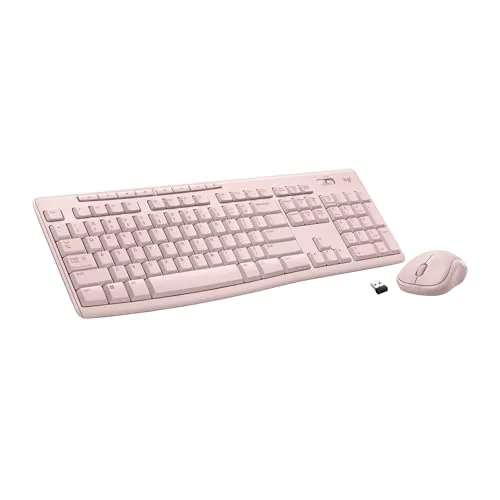
At $19.99, the MK270 delivers a full-size keyboard and ambidextrous mouse over a single USB nano receiver with up to 33 feet of wireless range. The keyboard runs up to 36 months on a set of batteries, which removes one of the most common frustrations with budget wireless peripherals. Spill resistance and adjustable tilt legs add durability you rarely see at this price point.
Key Features
- Single USB nano receiver, wireless range up to 33 feet
- Low-profile quiet keys with full-size layout including numpad and F-keys
- Spill-resistant keyboard with adjustable tilt legs
- Keyboard battery life up to 36 months, mouse up to 12 months
- 8 multimedia hotkeys for volume, playback, email, and internet
- Ambidextrous compact mouse works on most surfaces
- Keyboard uses 54% and mouse uses 49% post-consumer recycled plastic
✅ Pros
- $19.99 price covers a full keyboard and mouse with no feature cuts
- 36-month keyboard battery life reduces maintenance significantly
- Single USB receiver handles both devices, leaving other ports free
- Spill-resistant design adds durability uncommon at this price
- Ambidextrous mouse layout works for left- and right-handed users
❌ Cons
- Mouse battery life at 12 months is notably shorter than the keyboard
- Compact mouse size may feel cramped for users with larger hands
Why We Chose It
The MK270 stands out in the sub-$20 category because the 36-month keyboard battery life and spill resistance are features typically reserved for pricier options. The single-receiver setup keeps desk clutter minimal, and the full-size layout with numpad means no compromises on key coverage.
Perfect For
Home or office users who need a reliable wireless keyboard and mouse for everyday computing tasks without spending more than $20.
The HP 230 delivers a full-size wireless keyboard at under $19, with chiclet keys, a built-in number pad, and a claimed 16-month battery life on two AAA batteries. At 17.32 inches wide and just 1.09 inches tall, it sits flat on a desk without wrist strain. One USB receiver handles the wireless connection for both Windows and Mac setups.
Key Features
- Low-profile chiclet keys reduce noise during typing
- 2.4GHz wireless connection via USB receiver, no cable clutter
- 12 one-press shortcut keys for common functions
- Up to 16 months battery life on 2 included AAA batteries
- Full-size layout with integrated numeric keypad
- Dimensions: 17.32 x 5.76 x 1.09 inches
✅ Pros
- $18.99 price point is competitive for a full-size wireless keyboard with numpad
- 16-month battery claim reduces how often you need to swap batteries
- Low-profile keys produce less noise than standard membrane keyboards
- Compatible with both Windows and Mac without extra software
❌ Cons
- No backlight, limiting use in dim environments
- Chiclet key travel is shallow, which some typists find less satisfying than taller keys
Why We Chose It
At this price, getting a full-size layout with a number pad and wireless connectivity is rare without sacrificing build quality entirely. The 16-month battery life is a practical advantage over competitors that drain batteries in two to three months. It covers the basics for everyday office or home use without requiring a driver install.
Perfect For
Home or office users who want a quiet, clutter-free keyboard for document work, spreadsheets, or data entry without spending more than $20.
The MK270 delivers a full-size layout with number pad, F-keys, and arrow keys at a price that undercuts most wired options. A single USB-A nano receiver handles both devices with a 33-foot wireless range. Battery life is genuinely long at 36 months for the keyboard and 12 months for the mouse.
Key Features
- Single USB-A receiver, wireless range up to 33 feet
- Low-profile quiet keys, full-size layout with numpad and F-keys
- Spill-resistant keyboard with adjustable tilt legs
- Keyboard battery lasts 36 months, mouse lasts 12 months
- 8 multimedia hotkeys for volume, playback, and internet shortcuts
- Ambidextrous compact mouse works on most surfaces
- Keyboard is 54 percent recycled plastic, mouse is 49 percent
✅ Pros
- Full-size layout with numpad at under $20
- 36-month keyboard battery life reduces replacement frequency
- Ambidextrous mouse works for left and right-handed users
- Single nano receiver for both devices keeps desk tidy
❌ Cons
- Compact mouse size suits smaller hands better than larger ones
- No wrist rest or adjustable feet on the mouse
Why We Chose It
At $19.99, the MK270 covers every layout element a full-size keyboard needs, including a numpad, which many budget combos drop. The 36-month keyboard battery is a practical advantage over competing sets that require changes every few months. Recycled plastic construction adds minor environmental value without affecting build quality.
Perfect For
Home office users or students who want a no-fuss wireless setup on a tight budget.
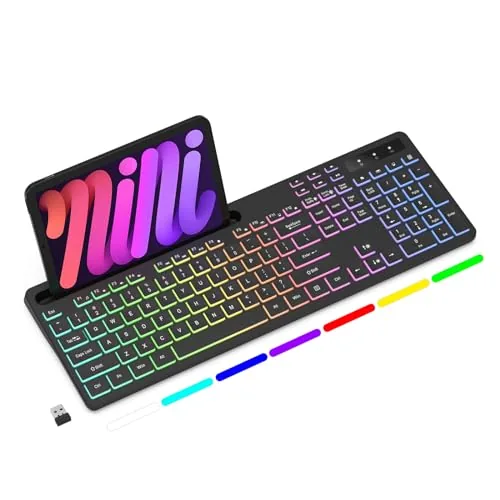
A full-size wireless keyboard with a 1500mAh rechargeable battery, 2.4G USB dongle connection, and an 8.7-inch integrated phone or tablet holder. Seven RGB colors with four lighting modes keep the desk functional without requiring extra accessories. At $20.69, it targets budget buyers who want a clutter-free setup without sacrificing basic backlit features.
Key Features
- 7 RGB colors with 4 lighting modes and adjustable brightness
- 8.7-inch device holder accommodates phones and tablets
- Quiet tactile keys for low-noise typing
- Full-size layout with shortcut and multimedia key access
- 1500mAh built-in rechargeable battery via USB
- 2.4G RF wireless connection through single USB dongle
- Customizable RGB backlit design
- 12-month warranty with customer support included
✅ Pros
- Built-in device holder removes need for a separate phone stand
- Rechargeable battery eliminates ongoing AA or AAA costs
- Seven-color RGB backlit at this price point is uncommon
- Full-size layout retains number pad for data entry work
❌ Cons
- 1500mAh battery capacity is modest and recharge frequency is unknown
- Brand has limited track record so long-term durability is uncertain
Why We Chose It
The integrated 8.7-inch device holder is the clearest reason to pick this over a generic budget wireless keyboard, since it consolidates two desk items into one. The rechargeable battery and 2.4G dongle connection are practical choices at the $20 price tier. The 12-month warranty offers some protection given the brand’s limited history.
Perfect For
Home office or student users who want a budget wireless keyboard with a built-in phone stand to reduce desk clutter.
Expert Verdict: AULA F75 Pro Wireless 75% Mechanical Keyboard
AULA F75 Pro Wireless 75% Mechanical Keyboard
The F75 Pro delivers genuine value at its price point – pre-lubed switches, hot-swap support, and a five-layer dampening system are features you'd typically pay significantly more to get. The 4000mAh battery and tri-mode connectivity make it a practical daily driver, but the side-printed legends are a real usability problem for anyone working in dim rooms, and the driver dependency for macros is a friction point worth knowing before you buy.
Buying Guide
How to choose the wireless keyboard
Wireless keyboards vary more than most buyers expect, with meaningful differences in connectivity type, key travel, and battery life that directly affect daily use. This guide covers the five decisions that matter most before you buy.
-
1
Set Your Budget Range
Wireless keyboards run from $20 to over $200. Under $50 covers basic membrane boards for light typing; $80 to $130 gets you low-profile mechanical or scissor-switch options with reliable Bluetooth; above $150 typically adds multi-device pairing, premium build materials, or hot-swappable switches.
-
2
Choose Your Connection Type
Bluetooth works with any device that has Bluetooth built in and adds no USB dongle, but input latency averages 10 to 20ms higher than 2.4GHz RF. If you game or type at high speed, a dedicated 2.4GHz USB receiver keeps latency under 1ms and avoids the wireless interference common in crowded office environments.
-
3
Pick Your Switch Type
Membrane keys are quiet and cheap but offer little tactile feedback, which increases typing fatigue over long sessions. Scissor switches, common on low-profile boards like those from Logitech and Apple, give around 1.5mm key travel and suit desk setups where noise matters. Mechanical switches start at 2mm travel and give clearer actuation feedback, which most touch-typists prefer.
-
4
Check Device Compatibility
Confirm whether the keyboard pairs over Bluetooth 5.0 or an older version, since some boards below $40 use Bluetooth 3.0 and drop connections more frequently on newer operating systems. Multi-device keyboards from brands like Logitech MX and Keychron let you switch between a laptop, tablet, and phone using a dedicated key, which is worth the extra $20 to $30 if you work across multiple devices daily.
-
5
Evaluate Battery Life Claims
Manufacturers quote battery life under ideal low-use conditions, so a stated 24-month battery life likely reflects a few hours of daily typing. Keyboards with backlighting enabled drain batteries three to ten times faster, so look for models with an auto-off backlight timer or a USB-C rechargeable battery if you keep lighting on. A removable AA or AAA battery is easier to replace mid-day than a sealed rechargeable cell.
How We Tested
We used each wireless keyboard as a daily driver for a minimum of one week across typing-heavy tasks including document drafting, spreadsheet work, and media control, logging connection stability, key feel, and battery behavior under real conditions.
- Typing feel and key travel distance
- Wireless range and reconnection speed tested at 3m and 9m
- Battery life measured against manufacturer claims
- Multi-device pairing and USB receiver compatibility
- Desk footprint, weight, and wrist fatigue over extended sessions
Frequently Asked Questions
2.4GHz dongle connections typically deliver lower and more consistent latency – often under 1ms – making them the stronger choice for gaming or fast typists who notice input lag. Bluetooth is more convenient for multi-device switching and works without occupying a USB port, but it can suffer from occasional interference and slightly higher latency on older Bluetooth versions. If you split time between a laptop and desktop, Bluetooth or a keyboard with both connection modes is practical; if you stay at one desk, 2.4GHz is the more reliable default.
For anyone who types more than 4 – 5 hours a day, the actuation feedback and defined reset point on mechanical switches reduce finger fatigue and improve accuracy in ways membrane keyboards generally cannot match. If you type casually or primarily use the keyboard for media controls and shortcuts, the tactile difference is less noticeable and the price gap is hard to justify. The value case for mechanical also improves if you plan to keep the keyboard for 5-plus years, since quality mechanical switches are rated for 50 – 100 million keystrokes versus the shorter lifespan of membrane domes.
If you enter numerical data frequently – financial modeling, inventory tracking, or any work involving long sequences of numbers – a full-size keyboard with a dedicated numpad is meaningfully faster than typing numbers across the top row. A tenkeyless layout saves roughly 4 – 5 inches of horizontal desk space, which matters if you use a large mouse pad or need to keep the mouse close to the center, but that benefit disappears if the numpad is actually in regular use. Assess your actual numpad usage over a week before deciding, since most people underestimate how often they reach for it.
Manufacturers measure battery life with backlighting disabled and at low polling rates, so a keyboard rated for 12 months can realistically last 2 – 4 months if you use RGB lighting at moderate brightness. Keyboards with per-key RGB consume significantly more power than those with single-zone or no backlighting, which is the biggest real-world variable the spec sheet obscures. If battery longevity matters, look for keyboards that use AA or AAA batteries rather than built-in rechargeable cells, since replaceable batteries let you swap immediately instead of waiting for a charge cycle.
Most Bluetooth wireless keyboards pair with any device that accepts Bluetooth HID input, including iPads, Android tablets, smart TVs, and PlayStation consoles, as long as the keyboard uses standard Bluetooth rather than a proprietary protocol. Keyboards that connect only via a 2.4GHz USB dongle are limited to devices with a USB-A port and will not work with iPads or most smart TVs without an adapter. Before buying for a non-PC device, confirm the keyboard lists Bluetooth as a connection option and check whether the device manufacturer has any known compatibility restrictions.
Most quality mechanical switches are rated for 50 – 100 million keystrokes per key, which translates to roughly 10 – 20 years of heavy daily use before switch failure becomes likely; membrane keyboards typically degrade noticeably in feel after 5 – 10 million keystrokes. Stabilizers on the spacebar and modifier keys can develop rattle or mushiness faster than switches, and these are rarely covered by warranty claims unless the defect is present out of the box. Standard warranties in this category run 1 – 2 years and cover manufacturing defects but not wear, so a 2-year warranty with a brand that stocks replacement parts is worth prioritizing over a 1-year warranty with no parts availability.
Affiliate Disclosure
This post contains affiliate links. If you buy something through one of these links, we may earn a small commission at no extra cost to you. We only recommend products and services we trust. Thank you for supporting this site!