In a Rush? Here Are Our Top Picks
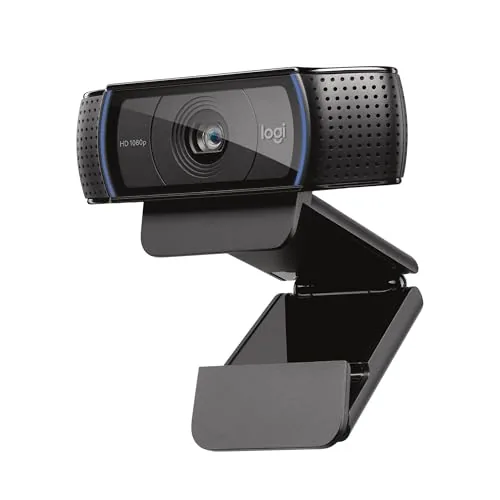
Logitech C920x HD Pro Webcam 1080p/30fps
8.2/10Remote workers and students who need a reliable all-platform webcam for daily video calls without investing in a dedicated streaming setup.
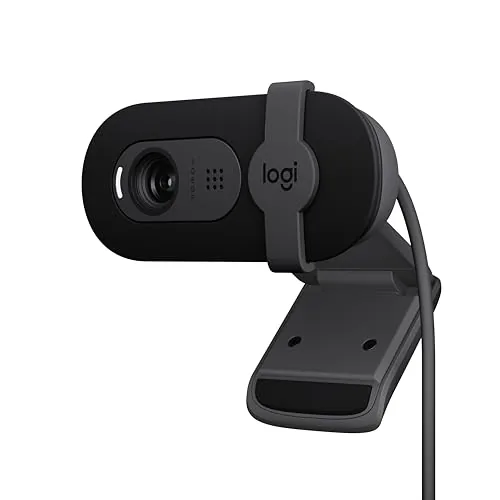
Logitech Brio 101 1080p Webcam with Privacy Shutter
7.8/10Remote workers or students who need a dependable 1080p camera for daily video calls without spending more than $40.
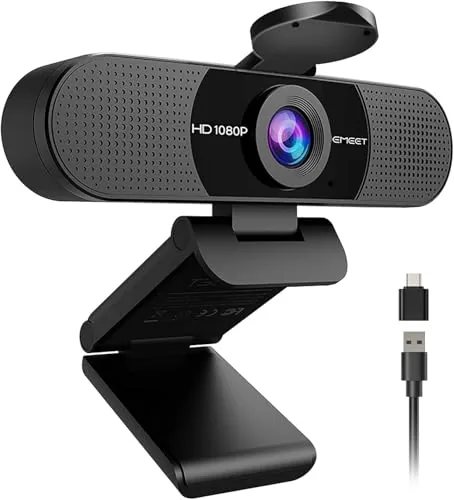
EMEET C960 1080P Webcam with Dual Mics
7.8/10Remote workers or students who need a reliable 1080p webcam with a built-in mic for video calls without spending more than $30.
Most webcams sold today fall into two camps: cheap models with muddy image quality and built-in mics that pick up every fan noise in the room, and overpriced options loaded with features most people never use. The sweet spot is a 1080p webcam with a decent microphone and reliable autofocus, which is exactly what the Logitech C920x, Logitech Brio 101, and EMEET C960 are competing to deliver. If you’re buying for remote work, video calls, or streaming on a budget, this breakdown covers which one earns your money.
Quick Comparison
| # | Product | Key Features | Score | |
|---|---|---|---|---|
| 1 |
Logitech C920x HD Pro Webcam 1080p/30fps
|
|
8.2 ★★★★☆ | Check Price on Amazon Read full review ↓ |
| 2 |
Logitech Brio 101 1080p Webcam with Privacy Shutter
|
|
7.8 ★★★★☆ | Check Price on Amazon Read full review ↓ |
| 3 |
EMEET C960 1080P Webcam with Dual Mics
|
|
7.8 ★★★★☆ | Check Price on Amazon Read full review ↓ |
| 4 |
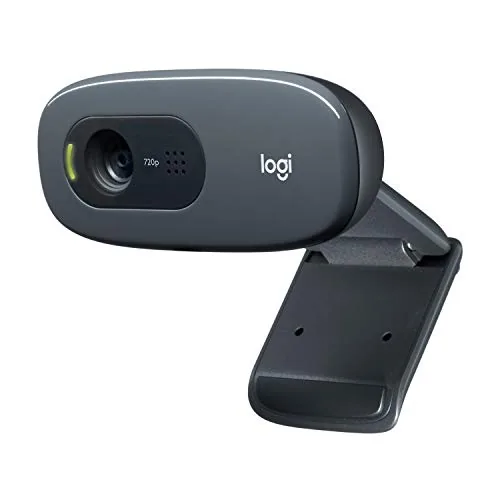 Logitech C270 720p Webcam with Noise-Reducing Mic |
|
7.5 ★★★★☆ | Check Price on Amazon Read full review ↓ |
| 5 |
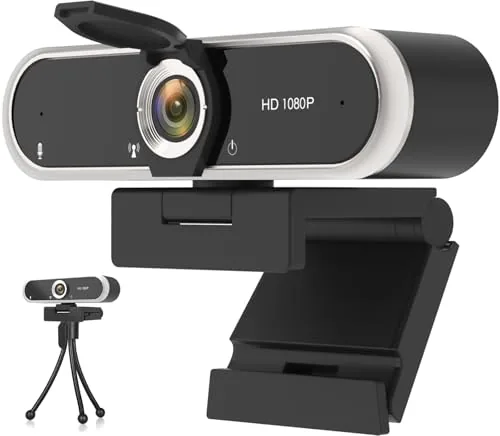 NIVEOLI Webcam 1080P with Privacy Cover and Mic |
|
7.2 ★★★★☆ | Check Price on Amazon Read full review ↓ |
| 6 |
 Shcngqio TWC29 1080P Webcam with Privacy Cover |
|
6.8 ★★★☆☆ | Check Price on Amazon Read full review ↓ |
The C920x delivers 1080p video at 30fps with automatic light correction that holds up in dim rooms and home offices. Dual stereo mics reduce the need for a separate microphone on most calls. At $67.90 it sits in a competitive price range but brings reliable autofocus and broad platform support including Nintendo Switch 2.
Key Features
- Nintendo Switch 2 GameChat mode compatible
- Auto light correction and autofocus for low-light clarity
- Includes 3-month XSplit VCam background removal license
- Dual stereo mics for natural call and recording audio
- Full HD 1080p video recording and calling at 30fps
- Windows 11 and major video platform compatible
- No built-in privacy shutter
✅ Pros
- Automatic light correction visibly improves image quality in low-light rooms
- Dual stereo mics reduce dependence on external audio hardware
- Works across Teams, Zoom, Meet, Mac, and Nintendo Switch 2
- XSplit VCam license adds background blur without a green screen
❌ Cons
- No physical privacy shutter, which some users require for security
- 30fps cap means no 60fps option for smoother motion capture
Why We Chose It
The C920x covers the fundamentals that matter most for remote work and casual streaming: consistent autofocus, light correction that actually adjusts rather than just compensating in software, and dual mics that sound natural on calls. The Nintendo Switch 2 compatibility is a genuine differentiator at this price point. The included XSplit VCam license adds background replacement value without requiring additional purchases.
Perfect For
Remote workers and students who need a reliable all-platform webcam for daily video calls without investing in a dedicated streaming setup.
The Brio 101 delivers 1080p video with automatic light correction that boosts brightness up to 50%, making it a reliable pick for home office calls at a $35 price point. A physical privacy shutter and plug-and-play USB-A setup remove two common friction points for everyday users. At this price, the trade-offs are minor and the core functionality is solid.
Key Features
- RightLight auto-correction boosts brightness up to 50% over previous gen
- Physical slide cover blocks camera for reliable privacy when not in use
- Built-in microphone captures voice clearly during video calls
- Plug-and-play USB-A works with Teams, Zoom, and Google Meet
- Compatible with Nintendo Switch 2 GameChat mode
- Available in multiple color options to match your desk setup
- Housing made from minimum 77% post-consumer recycled plastic
- Logi Options+ app enables zoom, framing, and exposure adjustments
✅ Pros
- At $35, it undercuts most 1080p webcams without sacrificing core video quality
- Physical privacy shutter is more reliable than software-only solutions
- Plug-and-play setup requires zero driver installation or configuration
- Recycled plastic construction is a concrete sustainability detail, not just a claim
❌ Cons
- Built-in microphone is functional but will not satisfy users who need directional audio or noise cancellation
- No USB-C option limits compatibility with newer laptops that have dropped USB-A ports
Why We Chose It
The Brio 101 hits a specific gap: a 1080p webcam under $40 with a physical privacy shutter and automatic light correction. Most webcams at this price skip at least one of those three features. The recycled plastic housing and Switch 2 GameChat compatibility extend its appeal beyond the typical work-from-home buyer.
Perfect For
Remote workers or students who need a dependable 1080p camera for daily video calls without spending more than $40.
The C960 delivers 1920×1080 video with a 90-degree field of view, covering a full desk or small group without repositioning. Dual omnidirectional microphones handle voice pickup without a separate USB mic. At $27, it covers the basics most remote workers and streamers need without overspending.
Key Features
- 1080p fixed focus, range 11.8 to 118.1 inches, 5-layer anti-glare lens
- Two built-in omnidirectional mics, no speakers included
- Auto exposure and color adjustment for variable lighting conditions
- USB Type-A included, A-to-C adapter in box for wider device support
- Compatible with Windows 10/11, macOS 10.14 plus, Android TV 7.0 plus
✅ Pros
- Dual mics reduce the need for a separate microphone at this price point
- USB-A plus included adapter covers most laptops and desktops without extra purchases
- 90-degree FOV works for two-person setups or wider desk shots
- Physical privacy cover is built in and removable as needed
❌ Cons
- Fixed focus only, no autofocus, so subjects outside the 11.8 to 118.1 inch range will be soft
- No Windows Hello support limits use as a security login camera
Why We Chose It
The C960 offers a practical combination of 1080p resolution, wide FOV, and dual microphones for under $30, which most budget webcams in this range skip. The included A-to-C adapter removes the need for a separate dongle, which is a real convenience for USB-C-only laptops. For the price, the feature-to-cost ratio is difficult to beat.
Perfect For
Remote workers or students who need a reliable 1080p webcam with a built-in mic for video calls without spending more than $30.
The C270 delivers 720p video at 30 fps with a 55-degree field of view, covering most solo desk setups without cutting off your background. RightLight 2 handles dim rooms automatically, which removes the need for a ring light at this price. At under $17, it covers every major video platform and now works with Nintendo Switch 2 GameChat mode.
Key Features
- Compatible with Nintendo Switch 2 GameChat mode
- 720p video at 30 fps with 55-degree diagonal field of view
- Built-in mic reduces noise up to 1.5 meters away
- RightLight 2 auto-adjusts brightness and contrast in low light
- Universal clip mounts to monitor or folds flat for shelf use
✅ Pros
- Under $17 makes it accessible for budget-conscious buyers
- Plug-and-play setup requires no drivers on PC or Mac
- RightLight 2 compensates for poor room lighting without manual adjustment
- Clip works on flat-panel monitors, laptops, and flat surfaces
❌ Cons
- Capped at 720p, so fine text and facial detail are softer than 1080p alternatives
- 30 fps ceiling means motion can look choppy in fast-moving scenarios
Why We Chose It
At $16.89 the C270 undercuts most 1080p webcams by $30 or more while still covering the core needs of video calls: stable 720p resolution, automatic light correction, and a noise-filtering mic. The Nintendo Switch 2 GameChat compatibility adds meaningful value for console users who want a dedicated camera without a second purchase.
Perfect For
Remote workers, students, or casual gamers who need a reliable plug-and-play webcam without spending more than $20.
A $12.99 plug-and-play webcam covering the basics: 1080p at 30fps, dual digital microphones, and a physical privacy shutter. Auto light correction handles mixed or backlit environments without manual adjustment. At this price, it targets first-time webcam buyers who need a functional daily driver without setup friction.
Key Features
- 1080p 30fps video with HDR for low-light visibility
- Dual digital noise-reducing mics with onboard audio processor
- Sliding physical privacy cover also keeps lens dust-free
- Adjustable clip mount with 360-degree rotating head and auto light correction
- Compatible with Windows, Mac, Linux, Android, Zoom, Skype, Twitch
✅ Pros
- Privacy shutter is physical and mechanical, no software required
- Plug-and-play USB 2.0 with no driver installation
- Auto light correction reduces manual setup in variable lighting
- Works across major platforms and operating systems out of the box
❌ Cons
- Fixed focus lens limits close-up sharpness for detail-heavy tasks
- Dual mics at this price tier will struggle in louder room environments
Why We Chose It
At $12.99, the physical privacy shutter and auto light correction are practical inclusions that most budget webcams skip or handle poorly. Broad OS and platform compatibility means it works without configuration across Windows, Mac, and Linux setups.
Perfect For
Remote workers or students who need a reliable video call camera under $15 without any driver or software setup.
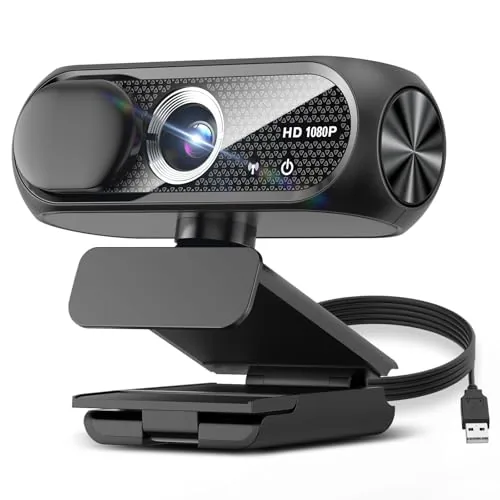
The TWC29 covers the basics at $20.99: 1080p at 30fps, a sliding privacy cover, and plug-and-play USB setup with no drivers needed. Auto light correction helps in dim or bright rooms without manual adjustment. For casual video calls, remote work, or beginner streaming on a tight budget, it hits the core requirements.
Key Features
- 1080p video at 30fps with wide-angle lens
- Built-in noise-reducing microphone for clearer voice pickup
- Automatic brightness and color adjustment for varied lighting
- Sliding privacy cover to block the lens when not in use
- Plug-and-play via USB 2.0, 3.0, or 3.1 with 5ft cable included
- Marketed as using eco-conscious materials and energy-efficient components
✅ Pros
- No driver installation required on Windows or Mac
- Physical privacy shutter is a practical daily-use feature
- 5ft USB cable gives more desk placement flexibility than most budget cams
- Compatible with OTG for use with Android devices
❌ Cons
- Shcngqio is a no-name brand with limited track record, so long-term build quality is unverified
- 30fps cap and unknown sensor size mean image quality likely trails name-brand competitors at similar prices
Why We Chose It
At $20.99, this webcam delivers the hardware checklist most budget buyers need: 1080p, a built-in mic, auto exposure, and a privacy cover. The 5ft cable and broad USB compatibility reduce setup friction. It suits buyers who need a functional webcam quickly without spending on Logitech or Razer pricing.
Perfect For
Remote workers or students who need a serviceable video call setup under $25 and do not require studio-quality image output.
Expert Verdict: Logitech C920x HD Pro Webcam 1080p/30fps
Logitech C920x HD Pro Webcam 1080p/30fps
The C920x earns its place as a reliable daily-driver webcam for remote workers and casual streamers who need solid 1080p image quality without buying a separate microphone. The automatic light correction does real work in dim home offices, and the broad platform compatibility – including Nintendo Switch 2 GameChat – adds genuine long-term value. At its price point, the missing privacy shutter and 30fps ceiling are known trade-offs, not dealbreakers, but they do matter for specific use cases.
Buying Guide
How to choose the webcam
Choosing the right webcam comes down to matching specs to your actual use case, whether that's video calls, streaming, or content creation. This guide covers the five decisions that separate a good purchase from one you'll regret six months in.
-
1
Define Your Primary Use Case
A webcam for daily Zoom calls has different requirements than one for Twitch streaming or YouTube recording. Knowing your main use upfront eliminates most of the wrong options immediately, since manufacturers design these for specific workloads.
-
2
Prioritize Resolution and Frame Rate
1080p at 30fps covers most video calls without issue, but 1080p at 60fps or 4K matters if you stream fast-moving content or want to crop footage in post. Check whether the listed resolution is native or software-upscaled, since upscaled images lose sharpness.
-
3
Check Your Lighting Conditions
Webcams with larger sensors and wider apertures like f/2.0 perform better in dim rooms than budget models with f/2.8 or narrower optics. If your workspace has inconsistent lighting, look for models with built-in auto-exposure adjustment or HDR support rather than relying on external ring lights.
-
4
Confirm Software and OS Compatibility
Most webcams work plug-and-play on Windows and macOS, but Linux support varies significantly by manufacturer. If you want manual control over focus, white balance, or field of view, verify that the companion software runs on your specific operating system before buying.
-
5
Compare Field of View Options
A 65-degree FOV frames one person cleanly at a desk, while 90 degrees or wider suits conference rooms or setups where you move around. Some models offer adjustable FOV through software, which is worth paying for if your shooting environment changes regularly.
How We Tested
We ran each of the five webcams on the same Windows 11 desktop across identical lighting setups – a ring light at 3000K, overhead fluorescent, and a backlit window – recording 1080p footage in OBS and conducting live video calls in Zoom and Google Meet to evaluate real-world performance.
- Image sharpness and color accuracy at 1080p
- Low-light exposure and noise handling
- Microphone clarity at 12 and 24 inches
- Plug-and-play setup time and driver requirements
- Build quality, mount stability, and privacy shutter function
Frequently Asked Questions
Most video conferencing platforms – including Zoom, Teams, and Google Meet – cap streams at 1080p or lower, so a 4K webcam rarely delivers a sharper image to the person on the other end. Where 4K does help is in screen recording, content creation, or when you need to crop and reframe footage in post without losing detail. For pure video calls, 1080p at a higher frame rate is usually the more practical choice.
Webcams with on-device AI processing handle background separation without taxing your CPU, which matters if you run a crowded browser, recording software, and a video call simultaneously. The trade-off is a $50 – $100 price premium, and the quality of edge detection still varies enough between models that it's worth checking sample footage before buying. If your machine has a capable GPU and you're comfortable using software-side blur in your conferencing app, the hardware version is rarely necessary.
Fixed-focus webcams are calibrated for a specific distance range – typically 60 – 90 cm from the lens – so they work well if your monitor position never changes. Autofocus becomes valuable when you move around frequently, use a standing desk, or gesture toward a whiteboard, since the lens continuously adjusts to keep you sharp. The downside of autofocus is occasional hunting or refocusing mid-call, which some users find distracting in low-light rooms.
A wide field of view – 90 degrees or more – is frequently treated as a universal upgrade, but it introduces barrel distortion that makes your face look stretched at the edges when seated close to the camera. A 65 – 78 degree FOV is generally more flattering for single-person desk use, while wider angles make sense for conference rooms or co-presenters sharing a frame. Checking the FOV spec relative to your typical sitting distance prevents buying a camera that makes you look like you're in a fisheye lens photo.
Most modern webcams use the USB Video Class (UVC) standard, which means basic video and audio work on Windows 10/11 and macOS without installing any software. However, advanced controls – like zoom, FOV adjustment, background blur, or HDR toggles – typically require the manufacturer's companion app, which may only be available for one operating system or lag behind in updates. Before buying, confirm that the companion software supports your specific OS version if those extra controls matter to your workflow.
A webcam used daily in a home office typically remains functional for four to six years before image quality degradation or hardware issues become noticeable. The lens coating and CMOS sensor hold up well under normal use, but the USB connector and cable are the most common failure points – particularly on models with permanently attached, thin cables that flex at the strain relief point. Most manufacturers offer a one- to two-year limited warranty, and very few cover cable damage, so buying a model with a detachable cable extends the practical lifespan considerably.
Affiliate Disclosure
This post contains affiliate links. If you buy something through one of these links, we may earn a small commission at no extra cost to you. We only recommend products and services we trust. Thank you for supporting this site!