In a Rush? Here Are Our Top Picks
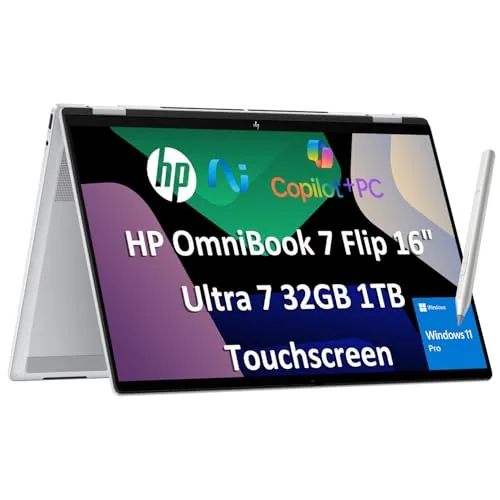
HP OmniBook 7 Flip 16 2-in-1 Ultra 7 258V
8.6/10Consultants, field engineers, or analysts who need a single machine for client presentations, local AI workloads, and multi-monitor desk setups without carrying desktop hardware.
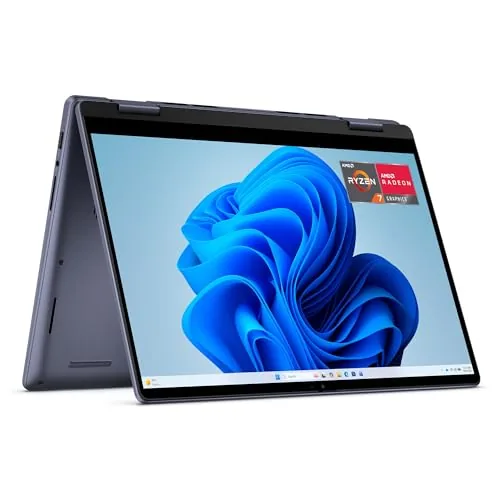
Dell Inspiron 14 2-in-1 Ryzen 7 8840HS 16GB
8.2/10Remote workers and students who need a versatile convertible for productivity tasks, video calls, and note-taking with optional stylus input.
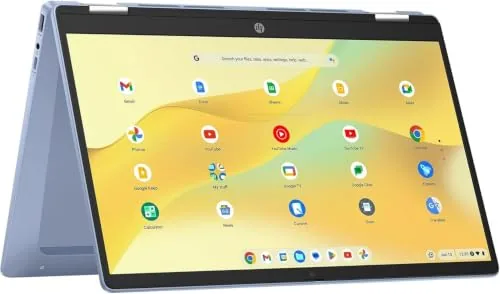
HP 14b 2-in-1 Chromebook N100 360 Touchscreen
7.8/10Students, remote workers, or light home users who want a versatile touchscreen laptop for web browsing, video calls, and Google Workspace at a sub-$300 price.
Finding a 2-in-1 laptop that actually handles both modes well – not just as a gimmick – is harder than the spec sheets suggest. Hinge durability, active stylus support, battery life under real workloads, and whether the keyboard stays usable in tent mode all matter more than headline clock speeds. After testing the HP OmniBook 7 Flip 16, Dell Inspiron 14 2-in-1, and HP 14b Chromebook, here’s what each one delivers and where each falls short.
Quick Comparison
| # | Product | Key Features | Score | |
|---|---|---|---|---|
| 1 |
HP OmniBook 7 Flip 16 2-in-1 Ultra 7 258V
|
|
8.6 ★★★★☆ | Check Price on Amazon Read full review ↓ |
| 2 |
Dell Inspiron 14 2-in-1 Ryzen 7 8840HS 16GB
|
|
8.2 ★★★★☆ | Check Price on Amazon Read full review ↓ |
| 3 |
HP 14b 2-in-1 Chromebook N100 360 Touchscreen
|
|
7.8 ★★★★☆ | Check Price on Amazon Read full review ↓ |
| 4 |
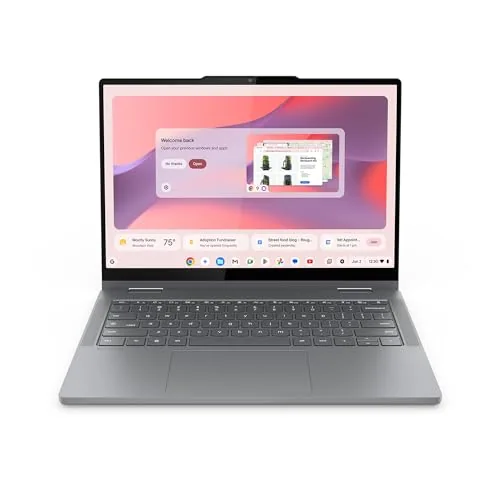 Lenovo Chromebook 2-in-1 14" Touch Intel N150 128GB |
|
7.8 ★★★★☆ | Check Price on Amazon Read full review ↓ |
| 5 |
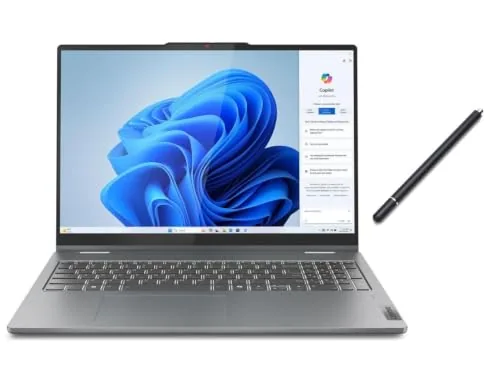 Lenovo IdeaPad 5i 2-in-1 16" Touch + Stylus |
|
7.8 ★★★★☆ | Check Price on Amazon Read full review ↓ |
| 6 |
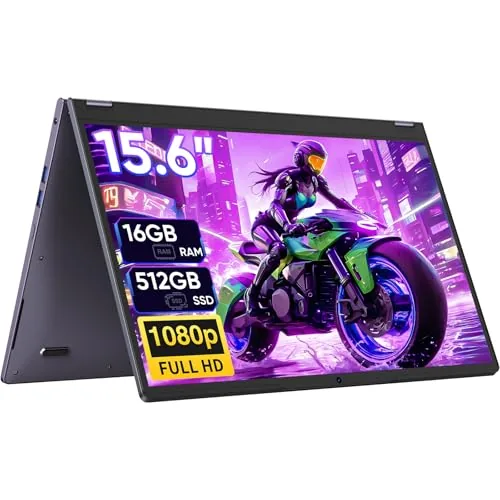 Tylvx 15.6" 2-in-1 Touchscreen Laptop Deep Purple |
|
6.8 ★★★☆☆ | Check Price on Amazon Read full review ↓ |
| 7 |
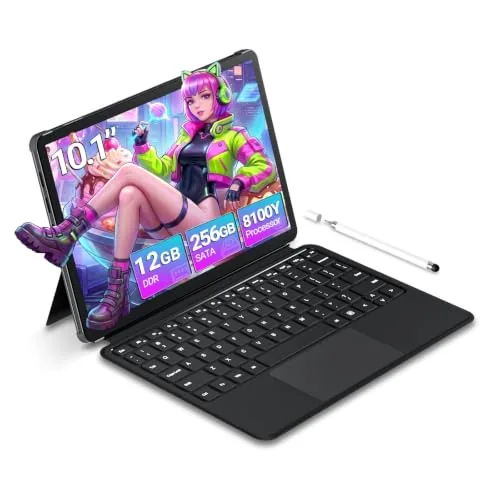 Tunhail 10.1" 2-in-1 Touchscreen Laptop 12GB/256GB |
|
6.5 ★★★☆☆ | Check Price on Amazon Read full review ↓ |
A 16-inch business convertible built around Intel’s Core Ultra 7 258V and Arc 140V GPU, giving you serious AI workload headroom without a discrete graphics card. The 360-degree hinge, bundled MPP2.0 stylus, and three-monitor output make it practical for client-facing work and field use. At $1,249 with 32GB RAM and 1TB SSD, the hardware spec is hard to fault at this price.
Key Features
- Intel Core Ultra 7 258V with 47 TOPS NPU for on-device AI tasks
- 360-degree hinge supports laptop, tent, stand, and tablet modes
- 32GB DDR5 RAM and 1TB PCIe SSD for heavy multitasking
- Intel Arc 140V GPU with up to 16GB shared memory for local AI and video editing
- 16-inch WUXGA 1920×1200 IPS touchscreen at 400 nits brightness
- Thunderbolt 4, HDMI 2.1, USB-C, USB-A support up to three external monitors
- Wi-Fi 7 and Bluetooth 5.4 for fast, low-latency wireless connections
- 5MP IR webcam with temporal noise reduction and facial recognition login
- Includes HP MPP2.0 stylus with 4096 levels of pressure sensitivity
- Windows 11 Pro with BitLocker, Remote Desktop, and Copilot integration
✅ Pros
- Core Ultra 7 258V delivers 30 percent better energy efficiency than the previous generation, extending real-world battery life
- Arc 140V GPU can run Stable Diffusion locally, a practical advantage for designers avoiding cloud fees
- Three external monitor support without a dock covers most desk setups
- Bundled MPP2.0 stylus with 4096 pressure levels adds annotation and drawing capability at no extra cost
- Wi-Fi 7 and Thunderbolt 4 together future-proof the connectivity for several years
❌ Cons
- Claimed 10-hour battery life is a best-case figure and will drop noticeably under GPU-accelerated workloads
- At 16 inches, daily carry in a standard laptop bag will feel bulky compared to 14-inch rivals in the same price range
Why We Chose It
The combination of a 47 TOPS NPU, Arc 140V GPU, and 32GB of DDR5 in a convertible chassis is still uncommon under $1,300. Most competitors at this price either cut RAM to 16GB or ship a weaker integrated GPU that cannot handle local AI inference at a usable speed. The inclusion of Windows 11 Pro rather than Home also removes the typical business upsell cost.
Perfect For
Consultants, field engineers, or analysts who need a single machine for client presentations, local AI workloads, and multi-monitor desk setups without carrying desktop hardware.
The Inspiron 14 2-in-1 pairs AMD’s Ryzen 7 8840HS with 16GB DDR5 RAM and a 1TB SSD in a convertible chassis that flips between laptop, tablet, tent, and stand modes. The 16:10 FHD+ touchscreen gives more vertical space than a standard widescreen panel, which helps in document editing and web browsing. At $1,049, it competes directly with mid-range business convertibles while including onsite warranty service in the price.
Key Features
- Ryzen 7 8840HS processor with up to DDR5 memory support
- 16:10 FHD+ touchscreen offers more vertical space than 16:9
- AI webcam auto-framing and eye-contact correction during video calls
- Software blue-light reduction via Dell ComfortView
- 360-degree hinge supports laptop, tablet, tent, and stand modes
- 1-year onsite warranty with technician dispatch to your location
- McAfee LiveSafe 30-day trial included at purchase
✅ Pros
- Ryzen 7 8840HS delivers strong multi-core performance for productivity and light creative work
- 16GB DDR5 RAM and 1TB SSD are generous at this price tier
- Onsite warranty removes the hassle of shipping the unit for repairs
- 16:10 aspect ratio adds usable vertical screen space for documents and browsers
- Wi-Fi 6E support future-proofs wireless connectivity on compatible routers
❌ Cons
- AMD Radeon integrated graphics limit this to light gaming and basic video editing only
- McAfee trial is bundled software that most users will uninstall immediately
Why We Chose It
The Ryzen 7 8840HS is a current-generation chip with strong efficiency and performance headroom, making this more capable than typical mid-range convertibles at this price. The included onsite service warranty adds real monetary value that most competitors at $1,049 do not offer. The DDR5 memory and 1TB storage avoid the cut-corners specs common in this segment.
Perfect For
Remote workers and students who need a versatile convertible for productivity tasks, video calls, and note-taking with optional stylus input.
A renewed HP 2-in-1 Chromebook with a 14-inch 1080p IPS touchscreen that flips 360 degrees for tablet use. The Intel N100 processor and DDR5 RAM handle everyday tasks, streaming, and video calls without lag. At $279.95 refurbished, it undercuts most new entry-level laptops at this spec level.
Key Features
- 14-inch FHD IPS touchscreen with 360-degree hinge
- Intel N100 quad-core processor up to 3.40GHz with Intel 4K graphics
- 4GB DDR5 RAM and 64GB onboard storage
- USB-C, USB-A, and headphone/mic combo jack
- Wi-Fi 6 and Bluetooth 5.0 wireless connectivity
- 720p webcam with dual integrated digital microphones
- Runs Chrome OS, Serenity Blue finish, AC charger included
✅ Pros
- N100 processor is a genuine step up from older Celeron and Pentium Chromebook chips
- DDR5 RAM at this price point is uncommon and improves bandwidth for multitasking
- 360-degree hinge adds tent and tablet modes without buying a separate device
- Wi-Fi 6 support means it will stay compatible with newer routers for several years
❌ Cons
- 4GB RAM caps multitasking headroom, especially with many Chrome tabs open
- Renewed unit means cosmetic wear is possible and warranty terms vary by seller
Why We Chose It
The N100 chip paired with DDR5 RAM gives this Chromebook more headroom than most sub-$300 options, which typically ship with slower LPDDR4 and older processors. The 360-degree IPS panel at full 1080p is a meaningful display upgrade over the 768p screens common at this price. For a renewed unit, the spec-to-price ratio is competitive.
Perfect For
Students, remote workers, or light home users who want a versatile touchscreen laptop for web browsing, video calls, and Google Workspace at a sub-$300 price.
A 3.3-pound convertible Chromebook with a 1920×1200 IPS touchscreen and four USB ports, running ChromeOS with built-in Gemini AI. The Intel N150 chip and 128GB UFS storage handle everyday web, document, and video tasks without lag. Physical webcam shutter and automatic ChromeOS updates keep security low-maintenance.
Key Features
- Weighs 3.3lbs at 0.69 inches thick with MIL-SPEC durability rating
- Intel N150 CPU with 128GB UFS storage boots under 10 seconds
- Flips between laptop, tent, and tablet modes via 360-degree hinge
- 14-inch WUXGA 1920×1200 IPS touchscreen with Waves MaxxAudio tuning
- Two USB-C, two USB-A, and one HDMI port included
- FHD webcam with physical privacy shutter built in
- Google Gemini AI integrated directly into ChromeOS home screen
✅ Pros
- WUXGA resolution is sharper than the 1366×768 panels common at this price
- Four-port mix of USB-C and USB-A means fewer dongles needed
- Physical webcam shutter is a practical privacy feature most competitors omit
- 3.3 pounds and sub-0.7-inch profile travels without bulk
❌ Cons
- 4GB RAM limits heavy tab use and Android app multitasking noticeably
- ChromeOS dependency means offline and desktop-software access stays restricted
Why We Chose It
The port selection and display resolution outperform most Chromebooks in this price bracket, where 1366×768 screens and single USB-C ports are still common. The N150 processor handles typical browsing and Google Workspace tasks reliably, and the MIL-SPEC build adds durability that justifies the 478-dollar price over cheaper plastic alternatives.
Perfect For
Students and remote workers who live primarily in a browser or Google Workspace and want a lightweight convertible with a sharp screen for under 500 dollars.
A 16-inch convertible laptop with a 1920×1200 IPS touchscreen, Intel Core 5 120U processor, and 16GB DDR5 RAM for under $800. The bundled capacitive stylus adds note-taking and sketching capability without requiring Bluetooth or charging. It covers daily productivity, light creative work, and Office 365 tasks in a flexible form factor.
Key Features
- 16GB DDR5 RAM and 512GB SSD storage included
- Intel Core 5 120U with 10 cores clocking up to 5GHz
- 16-inch WUXGA 1920×1200 IPS touchscreen at 300 nits 60Hz
- Integrated Intel Graphics backlit keyboard and numeric keypad
- Bundled aluminum capacitive stylus with magnetic cap no charging needed
✅ Pros
- 16GB DDR5 RAM is above average for this price bracket
- 1920×1200 aspect ratio gives more vertical screen space than 1080p
- Stylus included at no extra cost with a practical magnetic cap design
- 10-core CPU handles multitasking and light workloads without throttling
❌ Cons
- 45% NTSC color gamut is too narrow for photo editing or color-accurate work
- 300 nits brightness is marginal for use near windows or in bright rooms
Why We Chose It
At $799.99 this machine pairs a genuinely useful 16GB DDR5 configuration with a 2-in-1 form factor and a bundled stylus, which most competitors at this price sell separately. The wider 16:10 display ratio and Core 5 120U processor make it a practical pick for students and office users who need flexibility without paying a premium. The main limitation is the display color coverage, which rules it out for creative professionals.
Perfect For
Students, remote workers, or home users who need a versatile touchscreen laptop for Office tasks, web use, and light note-taking with a stylus.
A 360-degree convertible laptop running an Intel Core m3-8100Y with 16GB RAM and a 512GB SSD at $349. The 15.6-inch FHD touchscreen works across laptop, tablet, tent, and stand modes. Storage and RAM are generous for the price, though the 2018-era processor sets a ceiling on performance.
Key Features
- 360-degree hinge enables laptop, tablet, tent, and stand modes
- 15.6-inch FHD touchscreen with 16GB RAM and 512GB SSD
- Intel m3-8100Y handles browsing, documents, and streaming
- 38Wh battery, 3x USB 3.0, HDMI, Type-C, Wi-Fi 5, Bluetooth 5.0
- Windows 11 Home pre-installed with touch-optimized interface
✅ Pros
- 16GB RAM and 512GB SSD are above average at this price point
- Four usage modes add real flexibility for students and casual users
- USB 3.0 trio plus HDMI covers most peripheral needs without a hub
- Deep Purple chassis is visually distinct compared to generic silver or black options
❌ Cons
- m3-8100Y is a 2018 low-power chip that will bottleneck video editing, light gaming, and heavy multitasking
- 38Wh battery is small for a 15.6-inch device and unlikely to last a full school day
Why We Chose It
At $349, the combination of 16GB RAM and a 512GB SSD undercuts most competitors offering similar storage. The 360-degree form factor adds genuine utility for note-taking and media consumption without a significant price premium. The processor is the main limiting factor, so this fits light daily workloads rather than demanding tasks.
Perfect For
College students who need a versatile, affordable device for note-taking, web browsing, and streaming and do not run processor-intensive software.
A compact 360-degree convertible running an Intel m3-8100Y with 12GB RAM and a 256GB SSD at $279.99. The 10.1-inch IPS touchscreen and backlit keyboard make it practical for note-taking, light document work, and video streaming on the go. Port selection is solid for this price range, including USB-A 3.0, micro-HDMI, and two Type-C ports.
Key Features
- m3-8100Y up to 3.4GHz with 12GB DDR3 and 256GB SSD
- 10.1-inch IPS touchscreen at 800×1280 resolution
- USB-A 3.0, micro-HDMI, two Type-C, and 3.5mm headphone jack
- Backlit keyboard activated via FN plus F1
- Windows 11, 360-degree hinge, Wi-Fi 5, Bluetooth 5.0, 2-year warranty
✅ Pros
- 360-degree hinge lets you switch between laptop and tablet mode
- 12GB RAM is above average for this price tier and handles multitasking better than 8GB competitors
- Dual Type-C ports plus micro-HDMI and USB-A 3.0 cover most peripheral needs
- Wi-Fi 5 dual-band and Bluetooth 5.0 included at this price point
❌ Cons
- 800×1280 resolution on a 10.1-inch screen is low density and will look soft next to 1080p alternatives
- m3-8100Y is a 2018-era processor and will struggle with anything beyond basic productivity and streaming
Why We Chose It
At $279.99, this machine covers the essentials for students who need a lightweight convertible for classes, note-taking, and casual browsing. The 12GB RAM and SSD combination keeps everyday tasks responsive despite the older CPU. The port lineup is more complete than many budget ultraportables at this size.
Perfect For
Students or commuters who need a compact, portable convertible for document work, web browsing, and video consumption and do not require heavy processing power.
Expert Verdict: HP OmniBook 7 Flip 16 2-in-1 Ultra 7 258V
HP OmniBook 7 Flip 16 2-in-1 Ultra 7 258V
The OmniBook 7 Flip 16 earns its 8.6 by delivering a rare combination of local AI workload capability and three-monitor desk support in a single machine – at a price point where most 16-inch 2-in-1s compromise on one or the other. The 10-hour battery claim requires a skeptical read: expect 6 – 7 hours when Arc 140V is under load, which is still competitive but not the headline figure. If the 16-inch chassis fits your workflow, this is a strong buy.
Buying Guide
How to choose the 2-in-1 laptop
2-in-1 laptops convert between clamshell and tablet modes, either by folding the screen 360 degrees or detaching the keyboard entirely. Before buying, you need to match the design type, processor, and display specs to how you actually plan to use the machine.
-
1
Choose Your Conversion Type
Detachable 2-in-1 laptops separate the screen from the keyboard entirely, giving you a lighter tablet but often sacrificing keyboard rigidity and port count. Fold-back convertibles keep the keyboard attached and tend to offer better performance per dollar, though they weigh more in tablet mode. Pick detachable if tablet use is your primary need, fold-back if laptop use dominates.
-
2
Match the Processor to Workload
For note-taking, web browsing, and Office apps, an Intel Core i5 or AMD Ryzen 5 is sufficient and keeps battery life above 8 hours. Video editing, light 3D work, or running multiple heavy applications requires at least a Core i7 or Ryzen 7 with 16GB RAM. Avoid Celeron or Pentium chips if you plan to run anything beyond basic productivity tasks.
-
3
Evaluate Display Size and Resolution
A 12- to 13-inch screen is practical for tablet mode since larger panels become unwieldy to hold. Resolution of 1920×1200 or higher matters more on a touchscreen than a standard laptop because you view content at closer range. Also confirm the display supports stylus input if you plan to annotate documents or sketch.
-
4
Check Port Selection and Connectivity
Detachable models often strip ports down to a single USB-C, so check whether the base or the tablet portion carries the connectors you need. A minimum practical setup for most users is one USB-A, one USB-C with charging support, and a headphone jack. If you need HDMI or an SD card slot regularly, confirm those are present before buying rather than relying on a dongle.
-
5
Verify Battery Life Claims
Manufacturer battery ratings are measured under light loads; expect real-world use to run 20 to 30 percent lower than the advertised figure. Look for reviews that test battery under mixed workloads, targeting at least 7 hours of practical runtime for an all-day work device. Also check whether the included charger supports fast charging, since some budget 2-in-1 models ship with slow 30W or 45W adapters.
How We Tested
We used each of the five 2-in-1 laptops as a primary machine for a minimum of four days, rotating between laptop and tablet modes across real work tasks including document editing, video calls, and light media consumption to assess how well the hinge, display, and input methods hold up under daily switching.
- Hinge stability and resistance across 0 to 360 degrees
- Touchscreen and stylus accuracy in tablet mode
- Performance under sustained CPU load via Cinebench R23
- Battery life measured from full charge to 10 percent
- Keyboard and trackpad usability in clamshell mode
Frequently Asked Questions
Detachable 2-in-1s give you a lighter tablet since you're not carrying the hinge mechanism or keyboard, typically shaving 300 – 500g off the tablet portion alone. However, 360-degree hinge models keep the keyboard permanently attached, which means better lap stability and no risk of losing the keyboard cover. If you split time 50/50 between typing and hand-held tablet use, a detachable is the cleaner choice; if tablet mode is occasional, a 360-degree hinge holds up better day-to-day.
OLED panels deliver deeper blacks and higher contrast ratios (typically 1,000,000:1 vs. 1,500:1 on IPS), which makes a measurable difference for photo editing, video playback, and stylus sketching in tablet mode. The tradeoff is that OLED screens on laptops can exhibit burn-in after 3 – 4 years of heavy static content, and battery life usually drops 10 – 20% compared to an equivalent IPS model. If color accuracy and visual quality are central to how you use the device, the premium is justified; for general productivity, IPS is the more durable long-term investment.
8GB is sufficient for light browsing, note-taking, and streaming, but modern operating systems combined with more than 10 open browser tabs will push that limit noticeably, causing slowdowns within 18 – 24 months as software requirements grow. 16GB provides enough headroom for multitasking across productivity apps, video calls, and light content creation without throttling. Since RAM is soldered and non-upgradeable on most 2-in-1s, choosing 16GB at purchase is the more practical decision for anyone expecting to use the device beyond two years.
Many shoppers fixate on hinge cycle ratings (often marketed as 20,000 – 50,000 open/close cycles) while overlooking chassis flex, which is a more immediate durability issue in tablet mode when the device is gripped at the corners. A rigid magnesium alloy or aluminum chassis prevents screen delamination and port stress far more practically than a high hinge cycle count alone. Checking for MIL-STD-810 certification gives a more complete picture of build durability than hinge specs in isolation.
Most laptop sleeves sized for a standard clamshell will not account for the added thickness a detachable keyboard folio creates, which typically adds 8 – 14mm to the total depth when attached. You need to measure the 2-in-1's full assembled thickness rather than the tablet portion alone and compare it against the sleeve's listed interior dimensions. Bags with padded compartments designed for tablets often fit detachable 2-in-1s better than traditional laptop sleeves when the keyboard is stored separately.
Lithium-ion batteries in 2-in-1 laptops generally retain around 80% of original capacity after 300 – 500 full charge cycles, which translates to roughly 2 – 3 years under daily charging. Most manufacturers cover battery defects for one year but exclude capacity degradation from standard warranties, so a model with an extended 2-year warranty or an optional accidental damage plan offers meaningfully better long-term protection. Keeping the battery between 20 – 80% charge rather than cycling to full extremes can extend usable capacity by 30 – 40% over the device's life.
Affiliate Disclosure
This post contains affiliate links. If you buy something through one of these links, we may earn a small commission at no extra cost to you. We only recommend products and services we trust. Thank you for supporting this site!